


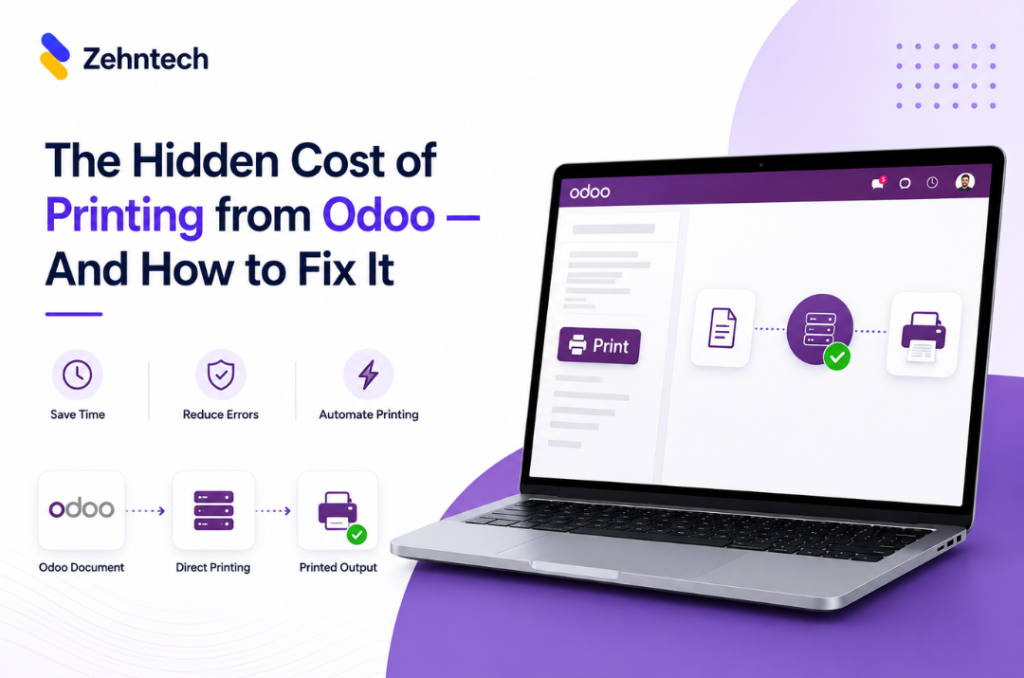

Every invoice, picking slip and delivery order printed from Odoo goes through the same cycle: click print, wait for the PDF to download, open the file, go to File → Print, select the correct printer, click print again. Six steps. Every document. Every day.
For a single team member printing 10 documents a day, that is 60 manual steps — none of which involve accounting, warehousing or customer service. They are friction. And for teams that print 50 or 100 documents a day, the accumulated time cost is significant.
This article breaks down exactly where the hidden cost lives — and how one-click direct printing eliminates it.
The Six-Step Print Cycle
The default Odoo print process looks like this:
- Open the document in Odoo (invoice, delivery order, picking slip)
- Click the Print button
- Wait for the PDF to generate and download
- Open the PDF in your PDF viewer or browser
- Select the correct printer from the printer list
- Click Print
Step 6 produces the paper. Steps 2 through 5 produce nothing — they are pure process overhead, repeated identically for every document.
On a 60-document day, steps 2–5 run 60 times. At 30 seconds per cycle, that is 30 minutes of overhead — daily — doing nothing except bridging the gap between Odoo and a printer.
Who Pays the Highest Cost
Warehouse and logistics teams print picking slips, delivery orders and shipping labels continuously throughout the working day. Every document interrupts the pick-pack-ship flow. Workers move between Odoo, the file download, the PDF viewer and back. The interruption is not large per document — but it compounds across hundreds of prints per week.
Finance and accounting teams face the same overhead at scale at end-of-month invoice runs. Printing 80 invoices for a monthly batch means 80 individual download-open-print cycles. Many teams have resorted to exporting batches to PDF manually and printing from outside Odoo entirely — which introduces its own reconciliation errors.
Sales and customer service teams printing quotations and order confirmations while a client waits feel the friction acutely. The download-open-print cycle breaks the flow of a customer-facing interaction at exactly the wrong moment.
Three Additional Problems the Download Cycle Creates
Wrong printer selection.
In environments with multiple printers — office printer, label printer, warehouse printer — users must manually select the correct printer every time. In a busy operation, this is a consistent source of print errors: invoices sent to the label printer, labels sent to the office printer.
Shared workstation inconsistency.
On shared workstations used by multiple team members, printer preferences are not retained. Every user manually selects their printer on every print job.
Batch printing is not really batching.
Printing multiple invoices or delivery orders in Odoo requires repeating the full download-open-print cycle for each one. There is no genuine batch direct print in the default Odoo workflow.
What One-Click Direct Printing Actually Means
One-click direct printing means that clicking Print in Odoo sends the document directly to a pre-configured printer — with no download, no file opening, no printer selection dialog and no additional steps.
The document goes from Odoo to the printer tray. One click. The cycle is reduced from 6 steps to 1.
It also means that routing rules determine which printer receives which document. Invoices go to the office printer. Delivery slips go to the warehouse printer. Labels go to the label printer. This is configured once in Odoo settings — every subsequent print is routed correctly, automatically, for every user.
How the Zehntech Odoo Direct Print App Works
The Zehntech Odoo Direct Print app is a free Odoo module that connects Odoo to your printers via the PrintNode API. PrintNode is a cloud printing service — you create a free account at printnode.com, install the PrintNode client on the computer connected to your printer, and get your API key. Enter the API key in Odoo Settings and your printers appear in Odoo automatically.
From that point: open any Odoo document, click print, and the document goes directly to your configured printer. No download. No dialog. No printer selection.
PrintNode’s free tier supports up to 50 pages per month. Paid plans start from $5/month for higher volumes.
Frequently Asked Questions
Which Odoo versions does the Direct Print app support?
The Zehntech Odoo Direct Print app supports Odoo v16, v17, v18, and v19 — across Odoo Online, Odoo.sh and On-Premise.
Does this require a PrintNode account?
Yes. The app uses the PrintNode API. You need a free PrintNode account (printnode.com) and the PrintNode client installed on the computer connected to your printer. PrintNode’s free tier covers 50 pages per month — paid plans start from $5/month.
Which printers are supported?
Any printer connected to a computer running the PrintNode client — USB, network and cloud-connected printers. If your printer works on the computer, it works with this app.
What support is included?
You receive 90 days of free support from odoo-support@zehntech.com — covering installation, PrintNode setup, printer configuration and routing rules.
The Easiest Operations Win in Your Odoo Stack
The download-open-print cycle is not a feature — it is friction. It costs time with every document, compounds across every team member, and creates consistent print errors that are entirely avoidable.
Custom Odoo direct printing integration development: $1,000–$3,000+. Zehntech Odoo Direct Print: Free.
Install the Odoo Direct Print App — Free → https://apps.odoo.com/apps/modules/19.0/zehntech_direct_print
