Join us at GITEX 2025! Discover our solutions at Hall 4, Booth H-30 Schedule a Meeting Today.
Automate Marketing Initiatives with Salesforce Marketing Cloud Learn More
Join us at GITEX 2024! Discover our solutions at Hall 4, Booth H-30 Book your live demo today.
Zehntech Odoo App

Global Dynamic Approval Flow

One Unified Approval System for Sales, Purchases, Expenses & Invoices in Odoo. Configure dynamic approval routes once — with amount thresholds, multi-level approver sequences, and deadline-triggered auto-approvals — and apply them across every business document from a single, centralized interface.

Compatible with Odoo 19, 18, 17 & 16
Community & Enterprise Supported
Sales, Purchases, Invoices & Expenses
Scheduled Auto-Approvals
Trusted by Businesses Across 12+ Countries
$98.57
V19, 18, 17, 16
Global Dynamic Approval Flow — Unified approval system for Odoo

What is Global Dynamic Approval Flow?

Global Dynamic Approval Flow is an Odoo module that provides a centralized approval management system for four core business documents — Sales Orders, Purchase Orders, Customer and Vendor Invoices, and Expense Reports — all from a single unified configuration. Instead of installing separate approval modules for each document type or relying on Odoo's basic confirm-and-approve workflows, this module gives you one place to define approver roles, build multi-level approval routes with amount-based or non-amount-based conditions, set auto-approval deadlines, and manage email notifications across your entire approval ecosystem.

Unified four-document coverage
Multi-level sequential approvals
Amount threshold routing
Scheduled auto-approvals
Email notifications

How Global Dynamic Approval Flow Solves Odoo Approval Workflow Gaps

Problem
Zehntech Solution
Separate approval logic needed for sales, purchases, expenses, and invoices
One unified module manages approval workflows for all four document types
All documents route to the same approver regardless of value or type
Configurable approval routes based on amount thresholds and document type
No multi-level approval chain for high-value orders or invoices
Sequential multi-approver routes ensure proper authority chain
Approvers sit on pending requests, blocking operations
Scheduled auto-approvals advance documents after configurable deadline
Document creators have no visibility into approval progress
Auto status updates reflect real-time approver actions
Manual email follow-ups needed to notify approvers
Automated email notifications at every approval stage
Setting up approval hierarchies requires custom development
Pre-built global approver roles apply across all document types
Small purchases and large expenses follow identical approval paths
Amount-based routing scales approval effort with document value
Changing approval rules means modifying code in multiple places
Customizable routes and roles updated through interface, applied globally

Complete Centralized Approval Automation for Odoo

1

Unified Approval System for Four Document Types

A single module manages approval workflows for Sales Orders, Purchase Orders, Customer and Vendor Invoices, and Expense Reports. Configure your approval rules once and enforce them consistently across every business transaction.

Why it matters: Eliminates the need to install, configure, and maintain separate approval modules for each document type.

2

Predefined & Customizable Approver Roles

The module ships with pre-built approver roles ready to use upon installation. Create additional custom roles aligned with your organization's specific hierarchy — department heads, finance controllers, procurement managers, or any authority level.

Why it matters: Your approval structure mirrors your actual organizational chart without custom development.

3

Configurable Multi-Level Approval Routes

Build approval routes that define the exact sequence of approvers a document must pass through before final authorization. Each route can include multiple stages with different approver roles, creating true multi-level approval chains.

Why it matters: High-value transactions get the oversight they require while routine operations move through faster paths.

4

Amount-Based Approval Thresholds

Define approval routes that activate based on document value. Route low-value transactions through a simplified path while directing high-value orders, invoices, or expenses through progressively more senior approvers.

Why it matters: Approval effort scales proportionally with financial risk — a $200 office supply purchase does not require the same process as a $50,000 vendor invoice.

5

Scheduled Auto-Approvals

Configure a deadline (in days) for each approval stage. If an approver does not act within the specified timeframe, the system automatically advances the document to the next stage or transitions it to approved status.

Why it matters: No single unresponsive approver can indefinitely block purchase orders, sales confirmations, invoice processing, or employee reimbursements.

6

Email Notifications at Every Approval Stage

Automated email notifications reach relevant parties — document creators, current approvers, and next-in-sequence approvers — at each stage of the approval process across all four document types.

Why it matters: Everyone stays informed without manual follow-up, reducing status inquiries to zero and accelerating response times.

7

Auto Status Updates

Document forms display live approval status reflecting each approver's real-time action or deadline-triggered transition. At a glance, anyone authorized can see who has approved, who is currently reviewing, and what stage the document is at.

Why it matters: Complete audit trail and transparency eliminate confusion about approval progress across all business documents.

Who Gets The Most Out Of This Module

Role
Primary Use Case
Key Outcome
Finance Director
Enforce consistent approval policies across all financial documents from one centralized configuration
Uniform spending controls across sales, purchases, invoices, and expenses
Procurement Manager
Route purchase orders through tiered approvals based on order value while tracking progress
High-value purchases get multi-level oversight automatically
Sales Manager
Require approval for discounted or high-value sales orders before confirmation
Revenue protection without manual intervention on every order
Accounts Payable Lead
Ensure vendor invoices above threshold amounts receive authorization before payment
Payment controls prevent unauthorized disbursements
HR / Admin Director
Manage expense approvals with consistent rules matching the purchase and invoice framework
Employees experience a unified approval experience regardless of document type
CFO / Controller
Configure executive sign-off only above defined thresholds across all document types
Senior leadership reviews only what requires their authority
Operations Manager
Prevent approval bottlenecks from unresponsive managers using auto-approval deadlines
No business document stalls indefinitely regardless of approver availability

Versions & Documentation

Choose your Odoo version and explore interactive documentation

Sales Approval Flow

Purchase Approval Flow

Expense Approval Flow

Invoice Approval Flow

Sales Approval Flow

Purchase Approval Flow

Expense Approval Flow

Invoice Approval Flow

Sales Approval Flow

Purchase Approval Flow

Expense Approval Flow

Invoice Approval Flow

Sales Approval Flow

Purchase Approval Flow

Expense Approval Flow

Invoice Approval Flow

Native Odoo vs Zehntech Global Dynamic Approval Flow

Capability
Zehntech Solution
Native Odoo
Unified approval for Sales, Purchases, Invoices & Expenses
Yes — single module, single configuration
Not available (separate basic flows per module)
Multi-level sequential approval routing
Yes
Not available (single approver per document)
Amount-based approval thresholds
Yes
Not available
Routes with or without amount limits
Yes
Not available
Configurable approval routes (no-code)
Yes
Not available
Scheduled auto-approvals on deadline
Yes
Not available
Custom approver roles
Yes — global roles apply across all document types
Fixed role per module only
Email notifications at every approval stage
Yes
Basic notification only
Auto status updates reflecting real-time actions
Yes
Single approve/refuse status
Cross-document approver role management
Yes — one role assignment covers all four types
Not available
Multiple approver sequences per route
Yes
Single approver only
Pre-built roles ready on install
Yes
Not available
Automatic status transitions on timeout
Yes
Not available

Get Started In Under 15 Minutes

No development environment. No custom code. Minimal configuration for standard use.

01

Install from the Odoo App Store

Search for `zehntech_global_dynamic_approval_flow` in your Odoo Apps menu and click Install. Ensure dependencies (Discuss, Employees, Expenses, Invoicing, Purchase, Sales) are active.

02

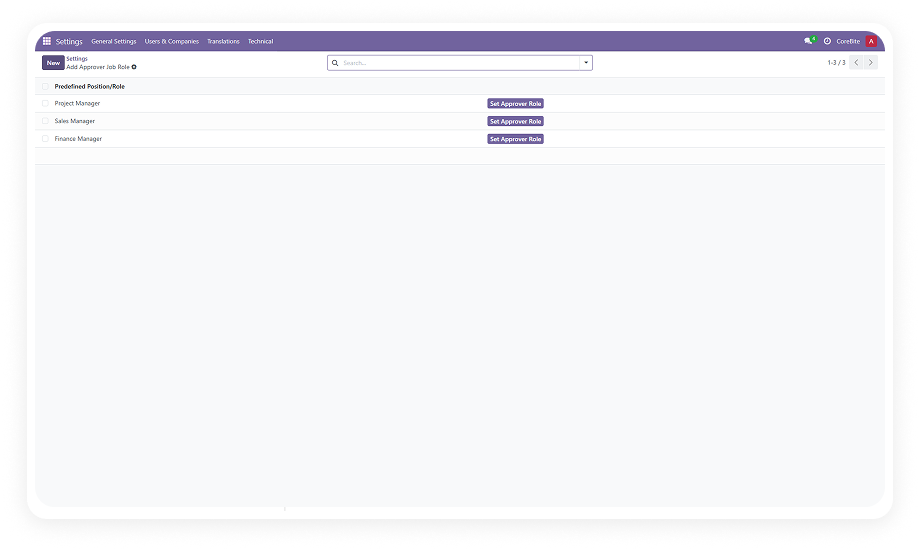
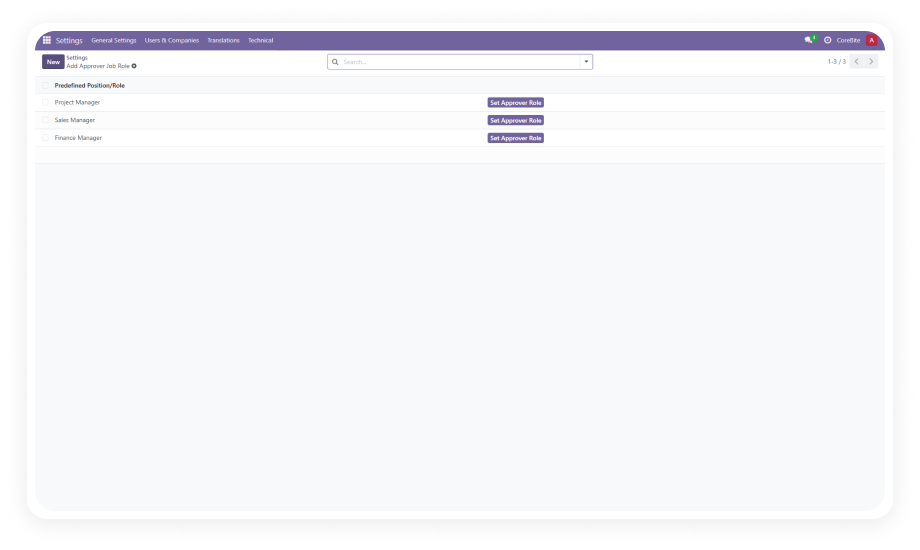
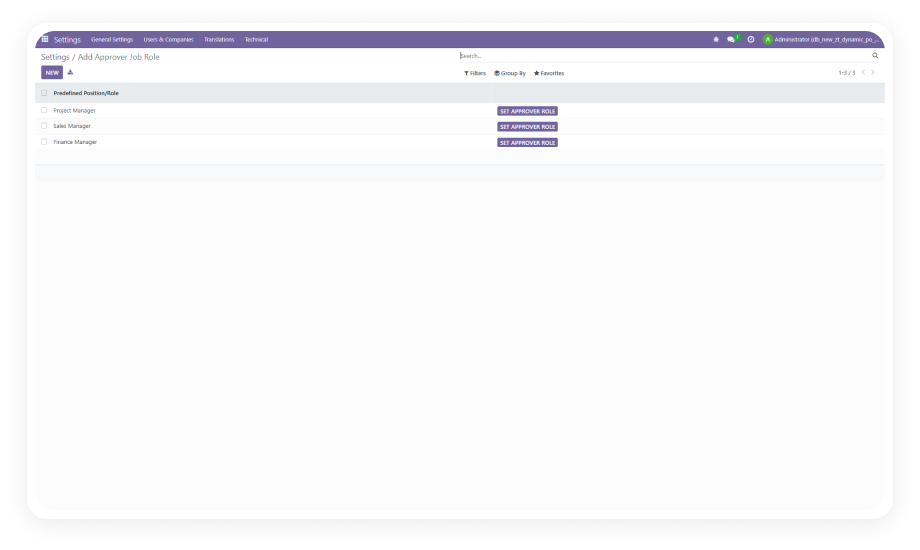
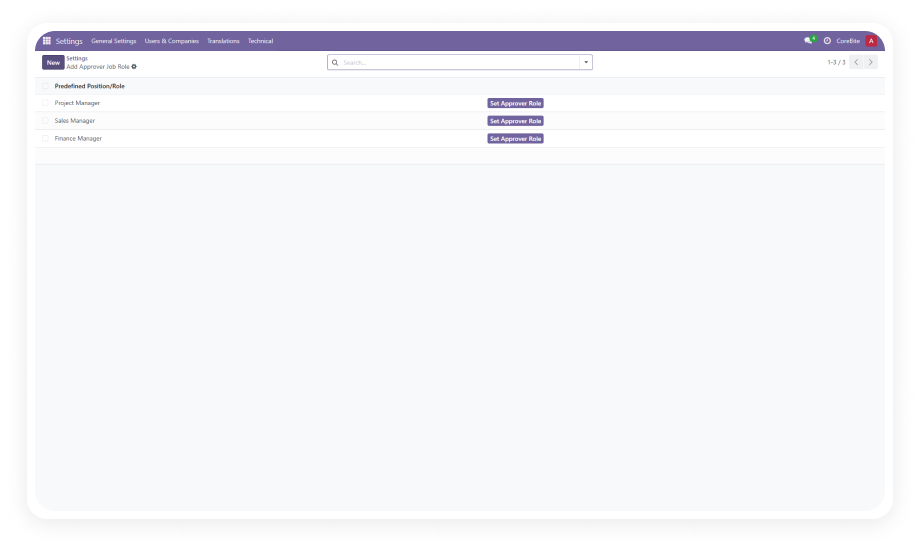
Configure Global Approver Roles

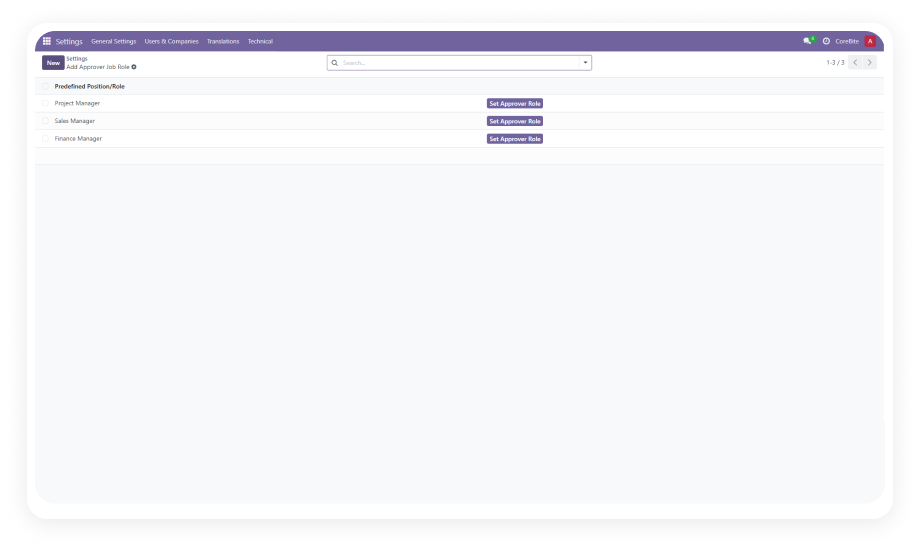
Access module settings to review predefined roles. Create additional custom roles as needed to reflect your organization's hierarchy. Roles apply across all four document types.

03

Build Approval Routes Per Document Type

Create routes defining the sequence of approvers, optional amount thresholds, and document type assignments — for sales, purchases, invoices, and expenses.

04

Set Auto-Approval Deadlines & Notifications

Define days before pending approvals auto-advance. Verify email templates are active so approvers and creators receive updates at every workflow stage.

Technical Details & Compatibility

Requirement
Odoo Versions
Editions
Hosting
Dependencies
Third-Party Dependencies
Custom Dev Required
Install Time
Server Restart
Data Migration
Module Conflicts
License
Last Tested
Lines of Code
Support
Details
16.0 · 17.0 · 18.0 · 19.0
Community · Enterprise
Odoo Online · On-Premise · Odoo.sh
Discuss · Employees · Expenses · Invoicing · Purchase · Sales
None
No
Under 15 minutes
Not required
Not required
None known
OPL-1
Odoo 19.0 — May 2026
4,608
Global Dynamic Approval Flow — FAQ illustration

Frequently Asked Questions

The module covers four core business documents: Sales Orders, Purchase Orders, Customer and Vendor Invoices, and Expense Reports. All four document types are managed from a single unified configuration — no separate modules required. Approval routes, roles, and rules defined once apply consistently across all covered documents.
Yes — the module supports amount-based approval thresholds for all four document types. You can define routes that trigger based on document value (e.g., purchase orders under $1,000 vs. above $10,000). Routes can also operate without amount limits for universal application regardless of document value.
The module includes scheduled auto-approvals with configurable deadlines per approval stage. If an approver does not act within the specified number of days, the system automatically advances the document to the next stage or marks it approved. This applies across all four document types — no single unresponsive approver can block sales, purchases, invoicing, or expense reimbursement.
No — Global Dynamic Approval Flow is a single module that handles all four document types together. You install once, configure your global approver roles and routes, and the system applies them across Sales Orders, Purchase Orders, Invoices, and Expenses simultaneously. If you only need approval for one specific document type, Zehntech also offers individual modules.
Yes — the module comes with predefined roles ready on installation, but you can create unlimited custom roles. Each role can be assigned to specific users and included in approval routes across all four document types. Roles can represent any level in your hierarchy: team lead, department head, procurement lead, finance controller, VP, or CEO.

One-Time Purchase.
No Subscription.
No Recurring Fees.

Your team is already processing sales orders, purchase orders, invoices, and expenses in Odoo — Global Dynamic Approval Flow adds the routing intelligence that ensures every document reaches the right approvers in the right order. Includes lifetime updates and 90 days of dedicated technical support.

Zehntech Odoo experts ready to help


          You have successfully subscribed to the newsletter

          There was an error while trying to send your request. Please try again.

          Zehntech will use the information you provide on this form to be in touch with you and to provide updates and marketing.