


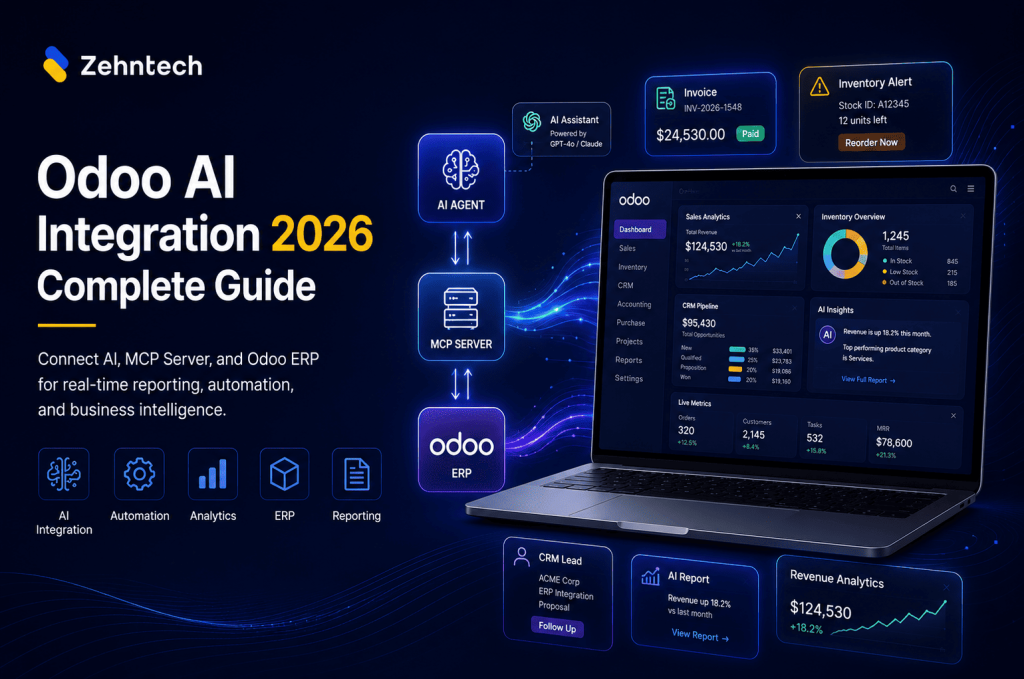

Most businesses running Odoo treat AI as a separate tool. ChatGPT for content, a BI tool for reporting, Odoo for operations — and someone spending hours every week moving data between all three by hand.
That is the gap this guide addresses. How Odoo AI integration actually works in 2026, what it looks like in practice, and how to figure out where to start.
What Odoo AI integration actually means
Odoo AI integration means connecting your Odoo ERP data directly to AI tools so those tools can read, analyse, and act on live business data without manual exports.
There are three levels:
Level 1 — built-in AI features inside Odoo
Odoo 17 and 18 ship with predictive lead scoring in CRM, smart email suggestions, automated data entry in accounting, and demand forecasting in inventory. Most businesses have these switched off.
Level 2 — AI reporting and analytics
Connecting Odoo data to external tools like Power BI or Tableau for analysis and forecasting.
Level 3 — live AI access via MCP Server
Connecting Odoo directly to AI assistants like Claude, ChatGPT, or Gemini via an Odoo MCP Server. The AI gets real-time read and write access to your Odoo data.
Most businesses in 2026 are at Level 1. The ones moving fastest are at Level 3.
Why Odoo and AI work well together
Odoo holds your entire business operation — every sale, purchase order, inventory movement, and invoice. AI tools are good at pattern recognition, natural language queries, and automated decisions. The problem is they are only useful when they can actually see your data.
Connect AI to Odoo and a few things change immediately:
Your operations manager types “Which customers have not reordered in 90 days?” and gets an answer from live Odoo data in seconds, not after someone runs a report and emails it across.
Purchase orders trigger automatically when stock hits reorder level. Payment reminders go out when invoices are overdue. CRM records update based on email responses.
These are not hypothetical. These are workflows we have built for businesses across India and the UAE in the last 12 months. Our full range of Odoo services covers implementation, customisation, migration, and AI integration.
The Odoo MCP Server — how Level 3 works
The Odoo MCP Server (Model Context Protocol Server) gives AI assistants a direct, live connection to your Odoo database.
MCP is an open protocol built to give AI tools structured access to external data. When it is connected to Odoo, the AI can query your live data without any export step.
Here is the difference in practice:
Without Odoo MCP Server:
- Operations manager needs a report
- Log into Odoo, navigate to the module, run the report
- Export to Excel
- Analyse manually
- Make a decision — based on data that is now a day old
With Odoo MCP Server:
- Ask AI: “Show me all purchase orders above ₹5 lakhs that are more than 7 days overdue”
- Answer in 3 seconds, from live data
We have deployed the Odoo MCP Server for 20+ businesses in the last 6 months. The feedback is almost always the same: people did not realise how much time they were spending moving data around until they stopped doing it.
What the results look like in practice
Auto components manufacturer, Pune
Running Odoo 16 with 340 active SKUs. The production planning team spent 6 hours every Monday pulling data from inventory, sales orders, and the production module to build the weekly schedule.
After MCP Server integration:
- Weekly schedule generation: 6 hours down to 25 minutes
- Stock-out incidents: down 64% in the first quarter
- Purchase order approvals under ₹2 lakhs: from 3 days to same day
Retail chain, Delhi NCR
8 stores on Odoo 17, still managing inter-store transfers manually. Stock sitting in one store, shortage in another, no real-time view across locations.
After integration:
- Inter-store transfers automated based on live stock levels
- Overstocking incidents: down 41% in 60 days
- Weekly stock reconciliation: 4 hours down to 35 minutes
FMCG distributor, UAE
Using Odoo for sales and inventory, but their demand forecasting tools had no connection to Odoo. Forecasts ran on exported data that was always 48-72 hours old.
After connecting AI directly to Odoo:
- Forecast accuracy up 23% in first 90 days
- Manual data export eliminated entirely
- Finance team saves 8 hours a week on reconciliation
How to get started
Step 1 — check your data first
AI amplifies whatever is already in your Odoo. Messy data means messy AI outputs, faster. Before adding any integration, run a quick audit:
- Duplicate vendors and customers — clean them up
- Product naming — make sure it is consistent
- Opening balances — verify they are accurate
- Module usage — check that what you have switched on is actually being used correctly
Step 2 — pick one use case
Not every business needs the same integration. Manufacturing teams usually get the most from production scheduling and inventory forecasting. Retail gets immediate value from multi-store visibility. Distribution from delivery scheduling and supplier tracking.
Pick one. Get it working well. Then expand.
Step 3 — match the integration level to the problem
Already on Odoo 17 or 18? Start with the built-in AI features. Most businesses have not switched them on yet and they require no additional development.
Need AI reporting? Connect Odoo to Power BI via the native API. Faster to set up, lower cost.
Want live AI access to ask questions and trigger actions? The MCP Server is the right approach — more involved to set up, but it delivers a different category of value.
Step 4 — work with someone who has done this before
Odoo AI integration touches live business data. A misconfigured integration can expose sensitive information or create automated actions that break existing workflows. This is not the place to figure things out as you go.
Zehntech has completed 20+ Odoo AI integrations. We have a process that protects your data and gets your team operational within 2-4 weeks.
If you want to understand the MCP layer specifically, read our full breakdown: What is the Odoo MCP Server?
Thinking about AI integration for your Odoo setup? Book a free 30-minute assessment — we will tell you exactly which level is right for your business.
Built-in AI features in Odoo 17 and 18
If you are already on Odoo 17 or 18, these features are available now. Most businesses have not switched them on.
CRM — predictive lead scoring
Odoo analyses your historical won/lost data and scores incoming leads automatically. Sales teams stop spending time on leads that are unlikely to convert.
Accounting — AI data entry
Upload a vendor invoice as a PDF. Odoo reads it and fills in vendor, amount, tax, and due date automatically. Cuts manual accounting entry by 60-70%.
Inventory — demand forecasting
Odoo looks at your sales history and suggests reorder quantities and timing. Reduces both stockouts and overstocking.
Email — smart suggestions
AI-powered response templates in CRM and helpdesk. Suggests replies based on previous similar tickets.
Purchase — vendor price analysis
Compares vendor pricing across historical purchase orders and flags the best option per product category.
Switching these on is a configuration task. There is no development required.
Mistakes that slow things down
Starting with AI before fixing Odoo
If your data is messy, AI gives you messy answers faster. Sort the data first.
Trying to automate everything at once
Ten half-working automations are worse than one that actually runs. Pick one workflow, get it working, measure it, then move to the next.
Skipping team training
AI tools only deliver value if people use them. Training is not just about how the tool works — it is about showing people what their day looks like when they are not doing the manual work anymore.
Ignoring security
When AI tools access Odoo data, access controls matter. Make sure the MCP Server implementation uses proper authentication and role-based permissions.
Over-engineering the solution
Not every problem needs an MCP Server. Sometimes a simple API connection to a reporting tool gets you 80% of the value at 20% of the cost.
Frequently Asked Questions — Odoo AI integration
Q: Does Odoo have built-in AI features?
Yes. Odoo 17 and 18 include AI across CRM (lead scoring), Accounting (automated data entry), Inventory (demand forecasting), and Email (smart suggestions). These are included in your Odoo subscription with no extra cost or development required.
Q: What is the Odoo MCP Server?
The Odoo MCP Server is a Model Context Protocol Server that gives AI assistants like Claude, ChatGPT, and Gemini real-time access to your Odoo data. It allows AI tools to query live Odoo data, generate reports, and trigger automated actions without any manual export step.
Q: How long does Odoo AI integration take?
Built-in Odoo AI features take 1-2 days to configure. An Odoo MCP Server implementation takes 2-4 weeks depending on how customised your Odoo setup is and how many use cases you want to cover.
Q: Is Odoo AI integration secure?
Yes, when set up correctly. The MCP Server uses OAuth 2.0 authentication and role-based access controls. AI tools only access the data you explicitly grant them access to.
Q: How much does it cost?
Built-in Odoo AI features are included in your Odoo subscription at no extra cost. MCP Server implementation starts from ₹1.5 lakhs depending on scope. Contact us for a specific quote based on your setup.
Q: Do I need Odoo 17 or 18 for AI integration?
For built-in AI features, yes. For MCP Server integration, it works with Odoo 14 and above. If you are on an older version, migrating first will get you the most out of any AI integration. Read our Odoo Migration Guide 2026 for the full process.
Q: Does it work with a customised Odoo setup?
Yes. We have built AI integrations on heavily customised Odoo setups. The MCP Server is configured to work with your specific modules and data structure, including custom modules built by your team or a previous partner.
Book a free Odoo AI Assessment
The right integration approach depends on your Odoo version, your data quality, and what business problems you are actually trying to solve. There is no universal answer.
We have done 600+ Odoo implementations and 20+ AI integrations. Book a free 30-minute assessment and we will look at your current setup and tell you exactly where to start.
- What Odoo AI integration actually means
- Why Odoo and AI work well together
- The Odoo MCP Server — how Level 3 works
- What the results look like in practice
- How to get started
- Built-in AI features in Odoo 17 and 18
- Mistakes that slow things down
- Frequently Asked Questions — Odoo AI integration
- Book a free Odoo AI Assessment
