Agile Project Management Inside Odoo — Plan Sprints, Track Velocity, and Deliver Faster. Bring the full Scrum framework directly into your Odoo environment — sprint cycles, product backlogs, burndown charts, velocity reporting, and daily standup management — without leaving the platform your business already runs on.
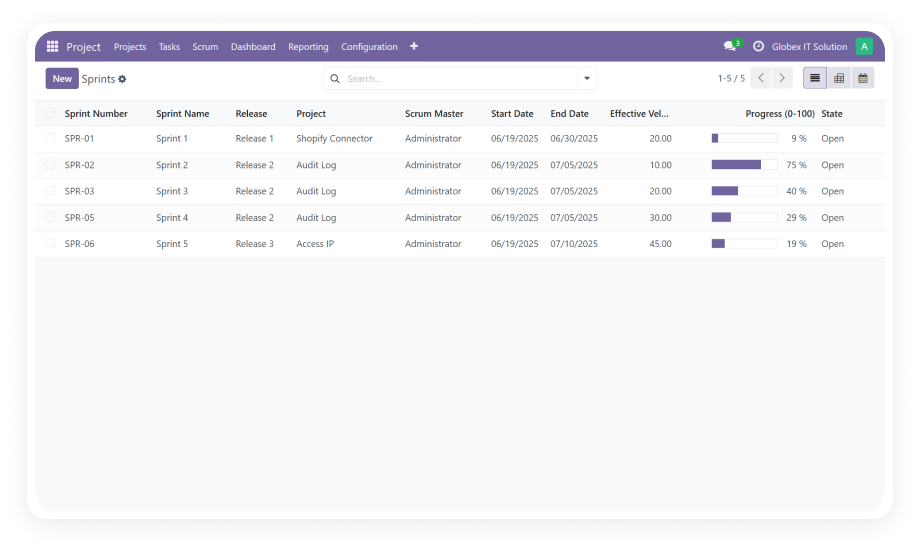
Project Scrum Management by Zehntech brings a native Scrum framework into Odoo's Project application. It introduces sprint cycles, product backlog management, task tracking within sprints, and visual reporting through burndown and velocity charts — eliminating the need for separate tools like Jira or Trello and keeping all delivery data inside the ERP your business already depends on.
Sprint planning and time-boxed iteration management
Product backlog prioritization and sprint goal definition
Burndown and velocity chart reporting
Daily Scrum standup management
Software, marketing, operations, and consulting teams
How Project Scrum Management Solves Agile Delivery Challenges
Problem
Zehntech Scrum Solution
Scrum managed in Jira or Trello — separate from ERP
Native Scrum framework built directly into Odoo Project
No sprint planning or time-boxing in Odoo
Configurable sprint cycles from 1–4 weeks with goals
No product backlog management
Centralized backlog with prioritization controls
No burndown visibility during a sprint
Real-time burndown charts per active sprint
No velocity data for capacity planning
Historical velocity charts for accurate sprint commitments
No daily standup structure
Integrated standup management via Calendar & Discuss
Duplicate data between tools
Single source of truth — delivery and ERP in one platform
No iteration-based delivery cycles
Full iteration workflow from backlog to sprint review
Core Features
1
Sprint Management
Create, manage, and track sprints with configurable durations from one to four weeks. Define sprint goals, assign tasks to specific iterations, and monitor progress from planning through review.
Why it matters: Time-boxed sprints enforce delivery discipline and give stakeholders predictable checkpoints for reviewing completed work.
2
Product Backlog Management
Maintain a centralized product backlog where Product Owners prioritize features, enhancements, and bug fixes. Items flow from the backlog into sprint planning with clear priority ordering.
Why it matters: A well-maintained backlog ensures your team always works on the highest-value items first, preventing scope confusion and misaligned priorities.
3
Burndown Charts
Track remaining work in an active sprint through visual burndown charts. See at a glance whether the team is on track to complete committed work by the sprint deadline.
Why it matters: Early visibility into burndown trends lets Scrum Masters intervene before a sprint goes off-track, rather than discovering problems during the retrospective.
4
Velocity Charts
Measure the amount of work completed in past sprints to establish team velocity over time. Use historical velocity data to improve future sprint planning accuracy.
Why it matters: Reliable velocity metrics replace guesswork in capacity planning, enabling more realistic commitments and better stakeholder expectations.
5
Task Management Within Sprints
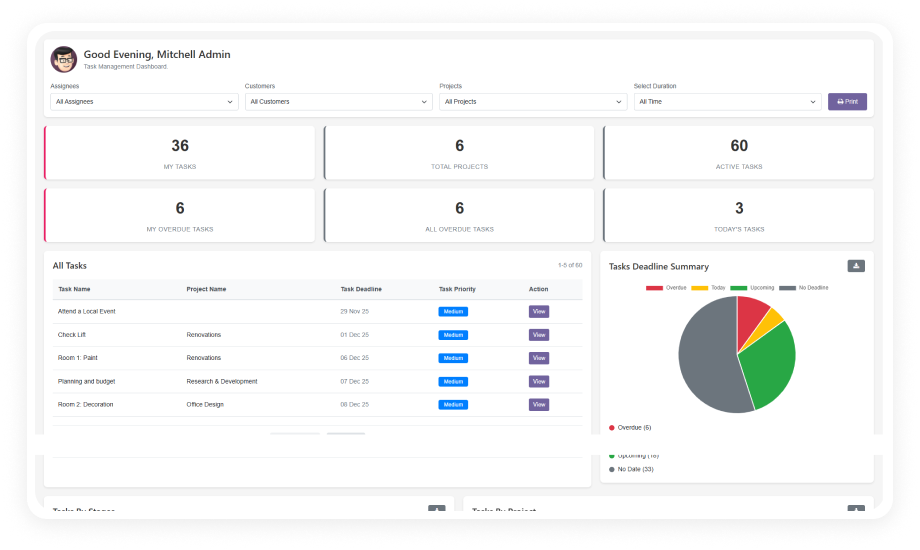
Team members create, assign, and track individual tasks and issues within the context of a sprint. Each task connects to the broader sprint goal and backlog item it addresses.
Why it matters: Granular task tracking gives every team member clarity on their daily responsibilities and creates accountability without micro-management.
6
Daily Scrum Meeting Management
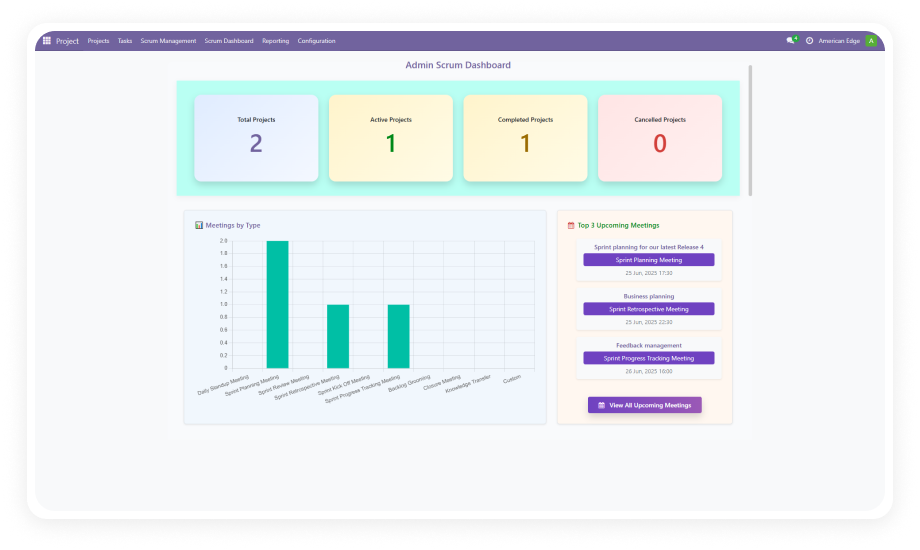
Facilitate short, time-boxed standup meetings where team members discuss progress, obstacles, and plans for the day. Integrated with Odoo's Calendar and Discuss modules.
Why it matters: Structured daily standups surface blockers quickly, keep everyone aligned on sprint goals, and reduce the need for lengthy status meetings.
Who Benefits from This Module
Role
Primary Use Case
Key Outcome
Scrum Master
Facilitating sprint ceremonies and removing blockers
Smoother sprint execution with fewer impediments
Product Owner
Prioritizing the product backlog and defining sprint goals
Higher-value features delivered in the right sequence
Development Team Lead
Assigning tasks within sprints and tracking completion
Balanced workloads and on-time sprint delivery
Project Manager
Monitoring velocity trends across multiple sprints
Accurate delivery forecasting for stakeholders
QA Engineer
Tracking bug fixes and testing tasks within sprints
Clear visibility on defect resolution timelines
C-Level Executive
Reviewing burndown and velocity dashboards
Data-driven oversight of product development progress
Operations Manager
Coordinating cross-team dependencies in sprint planning
Reduced bottlenecks from better inter-team alignment
⚠ Not the right fit for: Teams that only need a simple task list or Kanban board without sprint cycles, backlog management, or velocity tracking.
Versions & Documentation
Choose your Odoo version and explore interactive documentation
No development environment. No custom code. No consultant required for standard setup.
01
Install the Module
Purchase and download from the Odoo App Store. Upload via the Apps menu or deploy through Odoo.sh. Ensure Project, Calendar, Employees, and Discuss are already installed and active.
02
Configure Your First Project for Scrum
Open an existing project or create a new one. Enable Scrum management settings to activate sprint planning, backlog views, and chart features for that project.
03
Build Your Backlog and Plan Your First Sprint
Populate the product backlog with features, enhancements, and bugs. Prioritize items, then create your first sprint with a defined duration and goal. Pull backlog items into the sprint during planning.
04
Run the Sprint and Track Progress
Assign tasks to team members, schedule daily standup meetings, and monitor progress using burndown charts. At sprint end, review velocity data to improve planning for the next iteration.
The module depends on four core Odoo apps: Project, Calendar, Employees, and Discuss. These are standard modules typically included in most Odoo installations. Ensure all four are installed and active before installing Project Scrum Management.
Project Scrum Management supports Odoo Online, Odoo.sh, and On-Premise deployments. No server-side customization is required for cloud-hosted environments. The module works identically across all supported deployment types.
Burndown charts show remaining work in real time, letting you spot delays early in the sprint. Velocity charts track completed work over multiple sprints, establishing reliable capacity baselines. Together, they replace guesswork with data-driven sprint planning and stakeholder communication.
Yes — the Scrum framework applies to any team delivering iterative work, including marketing, operations, and consulting. The module manages tasks, sprints, and backlogs generically without software-specific constraints.
No — this is a one-time purchase at $149.34 with no subscription or recurring fees. You receive the module license permanently for the purchased Odoo version. Future version upgrades may require purchasing the updated version.
Explore More Project & Task Management Apps from Zehntech
One-Time Purchase. No Subscription. No Recurring Fees.
Stop switching between disconnected tools. Bring sprint planning, backlog management, burndown tracking, and daily standups directly into the platform your business already depends on. Includes lifetime updates and 90 days of dedicated technical support.