Join us at GITEX 2025! Discover our solutions at Hall 4, Booth H-30 Schedule a Meeting Today.
Automate Marketing Initiatives with Salesforce Marketing Cloud Learn More
Join us at GITEX 2024! Discover our solutions at Hall 4, Booth H-30 Book your live demo today.
Zehntech Odoo App

Checklist for Projects and Tasks

Structured Checklists for Odoo Projects and Tasks. Never lose a step. Track every task with checklists that show real-time progress across your entire project pipeline.

Compatible with Odoo 16, 17, 18 & 19
Community & Enterprise Supported
Multiple Checklists per Task
Role-Based Access Control
Dynamic Progress Bars in All Views
$14.93
V19, 18, 17, 16
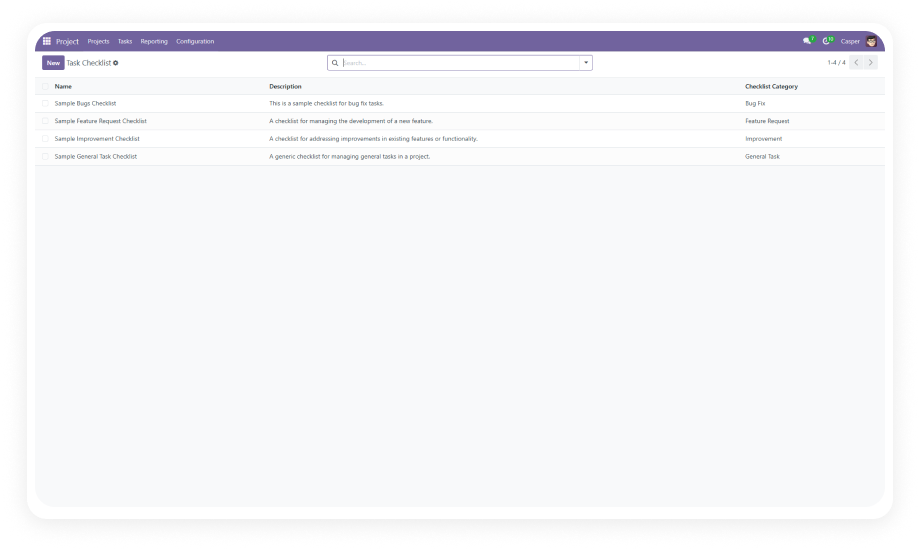
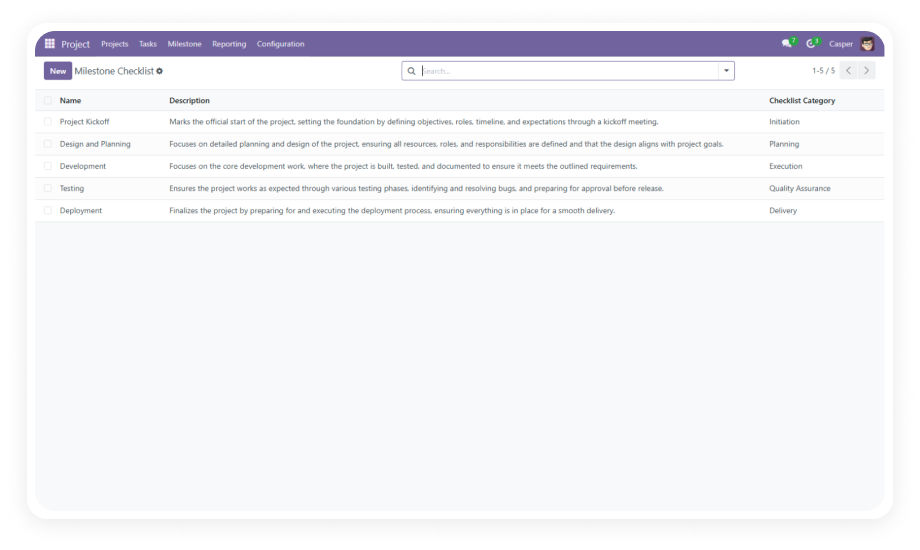
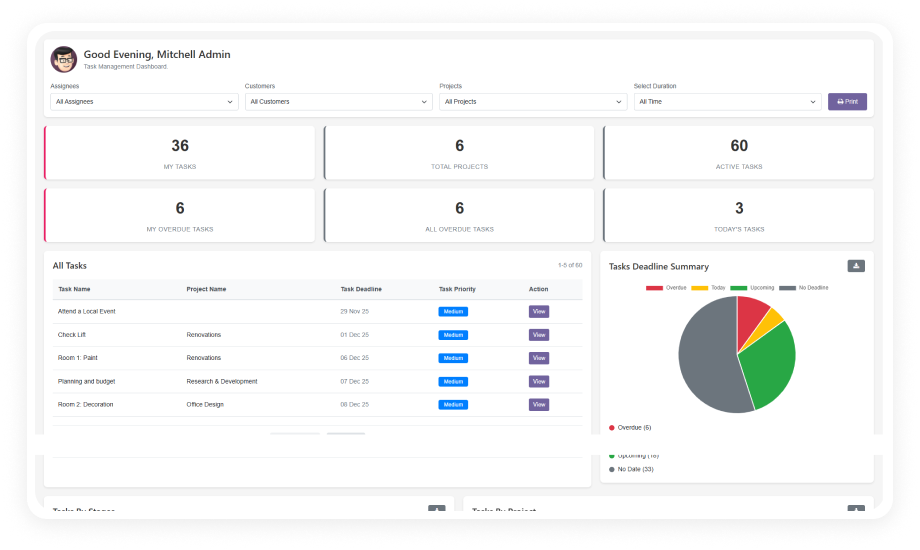
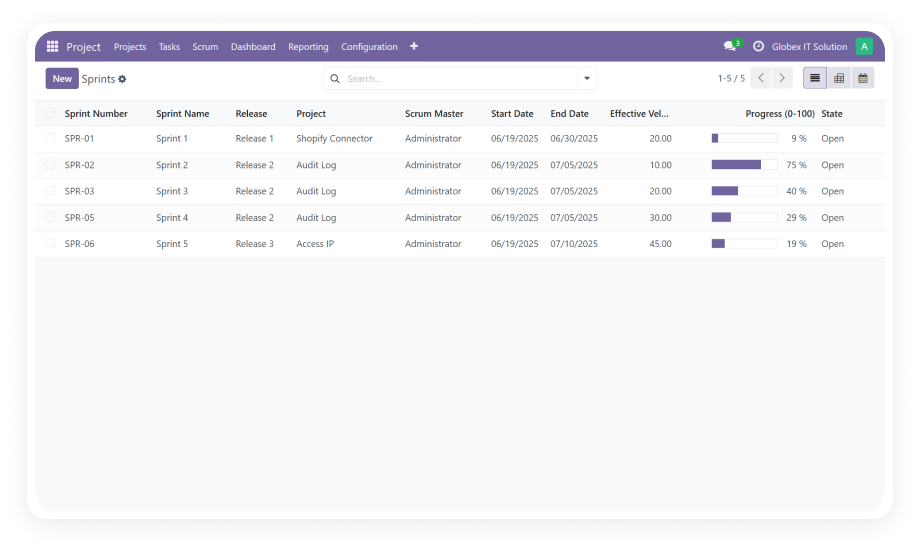
Checklist for Projects and Tasks Odoo Module Interface

What is Checklist for Projects and Tasks?

Checklist for Projects and Tasks is a lightweight Odoo module that brings structured, multi-item checklists directly into your project and task workflows. Instead of relying on external tools or unstructured notes, teams attach reusable checklists to any task — then track each item through completion with status updates and visual progress bars. The result: standardized processes, fewer missed steps, and full visibility into where every task stands — without leaving Odoo.

Attach multiple checklists to any project or task
Mark items as Complete, In Progress, Cancelled, or Reset
See real-time progress bars in form, tree, and kanban views
Organize checklists by category with group assignments
Control access through user group security rights

How Checklist for Projects and Tasks Solves Process Gaps

Problem
Zehntech Solution
Task steps tracked in external spreadsheets
Checklists live directly inside Odoo tasks and projects
No visibility into partial task completion
Dynamic progress bars show real-time completion percentage
Inconsistent processes across team members
Reusable checklist templates standardize every workflow
Cannot restrict who marks items complete
Security rights limit actions by user group
All checklist items treated as binary (done/not done)
Four-status system: Complete, InProgress, Cancel, Reset
No way to categorize different checklist types
Category-based organization groups related checklists
Progress only visible when opening the task
Progress bars appear in kanban and tree views too
Single checklist per task limits complex workflows
Multiple checklists attach to a single task or project

Features

1

Flexible Checklist Management

Create and manage fully customizable checklists for projects and tasks. Define your own checklist items tailored to specific workflows — then reuse them across your organization. Teams get repeatable, standardized processes that adapt to their exact operational needs.

2

Multiple Checklist Selection

Attach multiple checklists to a single task or project, with pre-installed sample options available out of the box. A single task can carry separate checklists for development, QA, and deployment simultaneously.

3

Checklist Item Status Management

Update each checklist item with granular status options: Complete, Cancel, InProgress, and Reset. Each state is distinct and intentional — Cancel differentiates skipped items from completed ones, Reset allows rework.

4

Dynamic Progress Tracking

Visual progress bars calculate and display completion percentage in form, tree, and kanban views. The bar updates in real time as statuses change. Managers and team members see task health at a glance.

5

Category-Wise Checklist Organization

Organize checklists by category and assign them to specific user groups. Categories like Development, Legal, Finance, or Operations keep templates structured and discoverable for large teams with diverse processes.

6

Security Rights & Access Control

Restrict checklist creation, editing, and status updates based on user group authorization. Only authorized team members can modify templates or mark critical items complete — protecting SOPs and compliance workflows.

Who Gets The Most Out Of This Module

Role
Primary Use Case
Key Outcome
Project Managers
Standardize delivery processes across teams
Consistent execution, fewer missed steps
QA Teams
Attach testing checklists to development tasks
Traceable quality gates with status history
Operations Managers
Define SOPs as reusable checklist templates
Repeatable processes without external docs
HR Teams
Onboarding checklists attached to new-hire tasks
Complete onboarding with full visibility
Client Service Leads
Track deliverable completion per client project
Real-time client-facing progress reporting
Team Leads
Monitor task progress from kanban board
Instant visibility without opening tasks
Compliance Officers
Restrict audit checklists by user group
Role-controlled audit trails in task records

Versions & Documentation

Choose your Odoo version and explore interactive documentation

Native Odoo vs Zehntech Checklist for Projects and Tasks

Capability
Zehntech Checklist
Native Odoo
Structured checklists on tasks
Fully supported — custom items per task
Not available
Multiple checklists per task
Attach unlimited checklists simultaneously
Not available
Checklist item statuses
Complete, InProgress, Cancel, Reset
Not available
Progress bar in form view
Live percentage bar
Not available
Progress bar in tree/list view
Visible in list columns
Not available
Progress bar in kanban view
Visible on every kanban card
Not available
Category-based grouping
Group by category, assign to teams
Not available
Role-based checklist access
User group security per category
Not available
Reusable checklist templates
Create once, apply across projects
Not available
Pre-installed sample checklists
Ready to use immediately
Not available
Setup time
Under 15 minutes
N/A

Get Started In Minutes

No complex configuration. No custom code required.

01

Purchase & Download

Buy from the Odoo App Store for $14.93. Download the package matching your Odoo version (16, 17, 18, or 19).

02

Install the Module

Upload to your addons directory (on-premise) or activate from Apps menu. Dependencies (Project, Discuss) are standard modules.

03

Configure Categories & Templates

Create checklist categories (Development, QA, Compliance, etc.) and assign each to the appropriate Odoo user group.

04

Attach & Track Progress

Open any task or project, select checklists, and begin tracking. Progress bars update automatically across all views.

Technical Compatibility

Requirement
Module Technical Name
Latest Version
Supported Odoo Versions
License
Lines of Code
Dependencies
Hosting Compatibility
Developer
Support Email
Price
Details
zehntech_project_task_checklist
19.0
16.0 · 17.0 · 18.0 · 19.0
OPL-1 (Odoo Proprietary License v1.0)
1,403
Project (project), Discuss (mail)
Odoo Online · Odoo.sh · On-Premise
Zehntech Technologies Inc.
$14.93 (one-time purchase)
Checklist for Projects and Tasks — FAQ illustration

Frequently Asked Questions

Yes. The module supports attaching multiple customizable checklists to any project or task, each with independent progress tracking and status management. A software release task, for example, can carry separate checklists for development, code review, and deployment.
Yes. Dynamic progress bars display in form, tree, and kanban views — giving teams instant visibility into task completion status without opening individual records. The bar updates in real time as item statuses change.
Yes. The module includes security rights based on user group authorization. Administrators control who can create, edit, or complete checklist items — protecting sensitive processes from unauthorized changes.
Yes. The module works on Odoo Online, Odoo.sh, and On-Premise installations across versions 16, 17, 18, and 19. No additional server configuration required for cloud deployments.
Each checklist item supports four status options: Complete, Cancel, InProgress, and Reset. This gives teams granular control — distinguishing between finished items, intentionally skipped items, work in progress, and items sent back for rework.

One-Time Purchase.
No Subscription.
No Recurring Fees.

Get structured checklist management inside Odoo for $14.93 — one payment, lifetime access. Your teams stop losing track of task steps, and you get full progress visibility from day one. Includes lifetime updates for your purchased version.

Zehntech Odoo experts ready to help


          You have successfully subscribed to the newsletter

          There was an error while trying to send your request. Please try again.

          Zehntech will use the information you provide on this form to be in touch with you and to provide updates and marketing.