Join us at GITEX 2025! Discover our solutions at Hall 4, Booth H-30 Schedule a Meeting Today.
Automate Marketing Initiatives with Salesforce Marketing Cloud Learn More
Join us at GITEX 2024! Discover our solutions at Hall 4, Booth H-30 Book your live demo today.
Zehntech Odoo App

Expense Dynamic Approval Flow

Automate Multi-Level Expense Approvals in Odoo. Stop routing expense approvals manually. Define dynamic approval routes with amount thresholds, category-based rules, and sequential multi-level approvers — then let the system handle routing, notifications, and deadline-triggered auto-approvals automatically.

Compatible with Odoo 19, 18, 17 & 16
Community & Enterprise Supported
Amount-Based & Category-Wise Routing
Scheduled Auto-Approvals
Trusted by Businesses Across 12+ Countries
$19.91
V19, 18, 17, 16
Expense Dynamic Approval Flow — Multi-level expense approval workflow in Odoo

What is Expense Dynamic Approval Flow?

Expense Dynamic Approval Flow is an Odoo module that replaces static, single-approver expense workflows with configurable multi-level approval routes. Instead of every expense going to the same manager regardless of amount or category, this module routes each expense through the right sequence of approvers based on rules you define. Create approval routes with amount-based thresholds, assign routes to specific expense categories, set deadline-triggered auto-approvals to prevent bottlenecks, and send email notifications to all parties at every stage of the approval process.

Multi-level sequential approvals
Amount threshold routing
Category-wise rules
Auto-approval deadlines
Email notifications

How Expense Dynamic Approval Flow Solves Odoo Expense Workflow Gaps

Problem
Zehntech Solution
All expenses route to the same manager regardless of amount or type
Configurable approval routes direct expenses to different approvers based on amount thresholds and categories
No multi-level approval chain for high-value expenses
Sequential multi-approver routes ensure expenses pass through each required authority in order
Approvers sit on pending requests, blocking reimbursement for weeks
Scheduled auto-approvals automatically advance the status after a configurable deadline
Expense creators have no visibility into where their request stands
Real-time status tracking shows exactly which approver has the request and their action
Manual email follow-ups needed to notify approvers of pending requests
Automated email notifications alert approvers the moment a request reaches them
Travel expenses and office supplies follow the same approval path
Category-wise routing assigns different routes based on the expense category selected
Setting up approval hierarchies requires custom development
Pre-built approver roles and a visual route builder require zero coding
Small purchases require the same heavyweight approval as major expenditures
Amount-based flexibility lets low-value expenses bypass senior approvers entirely
Adding or changing approvers means modifying code or access rights
Customizable routes and roles can be updated by any authorized user through the interface

Complete Dynamic Expense Approval Automation for Odoo

1

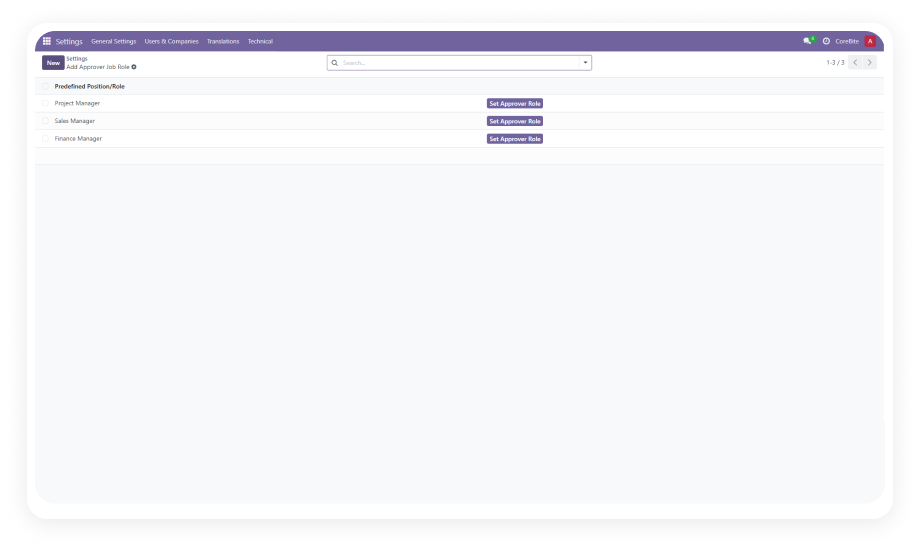
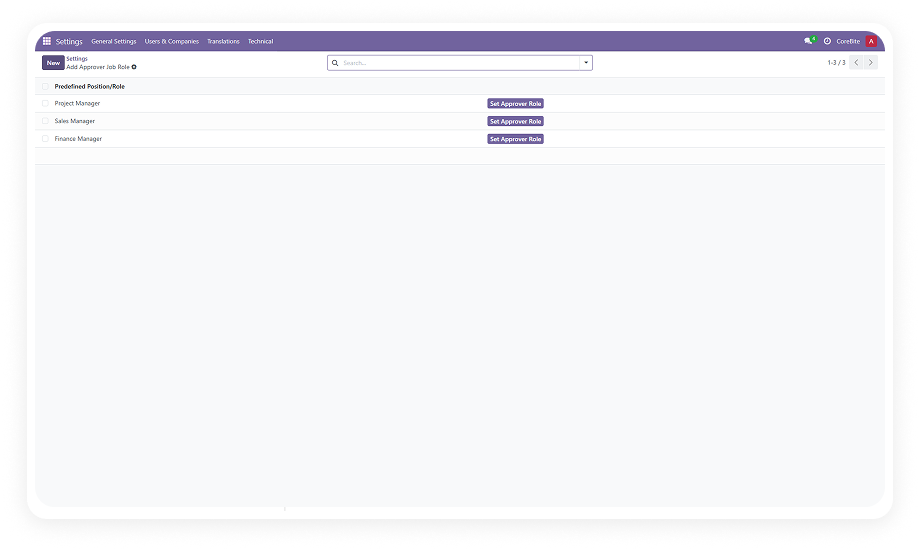
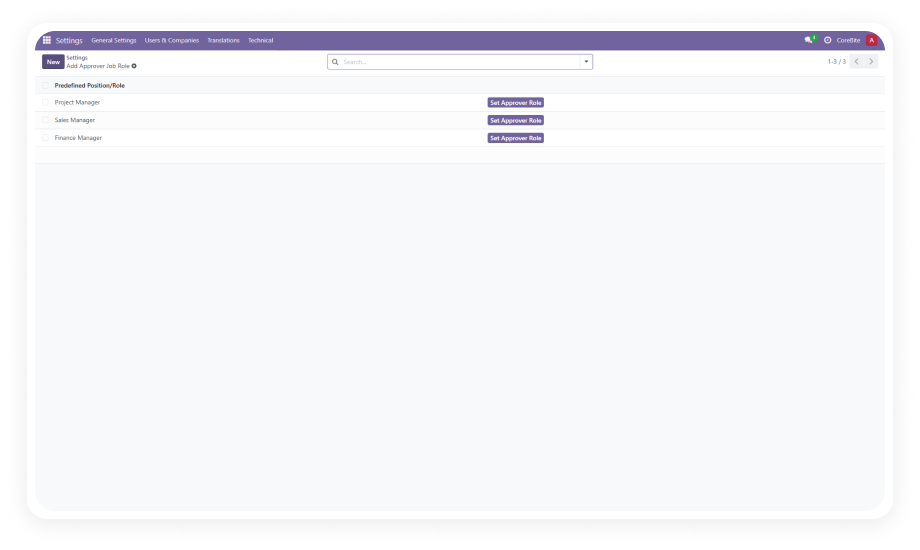
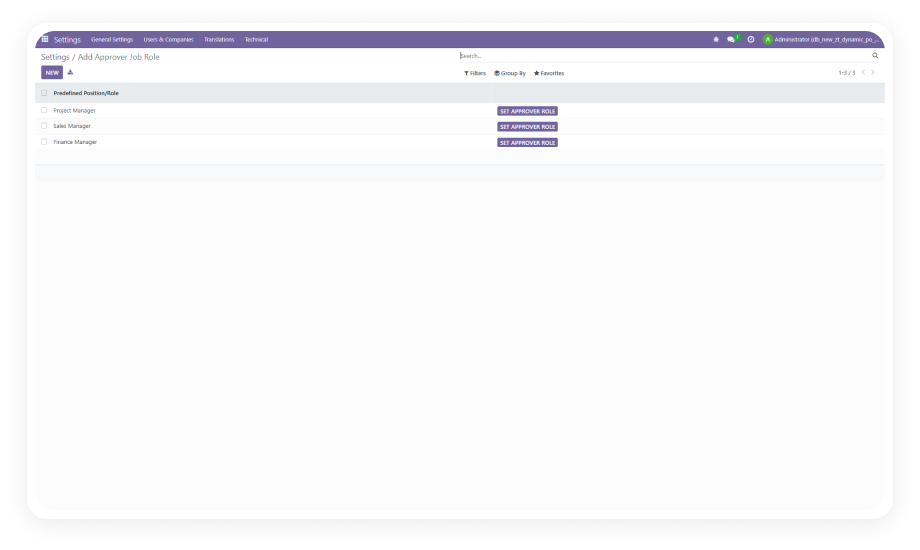
Predefined & Customizable Approver Roles

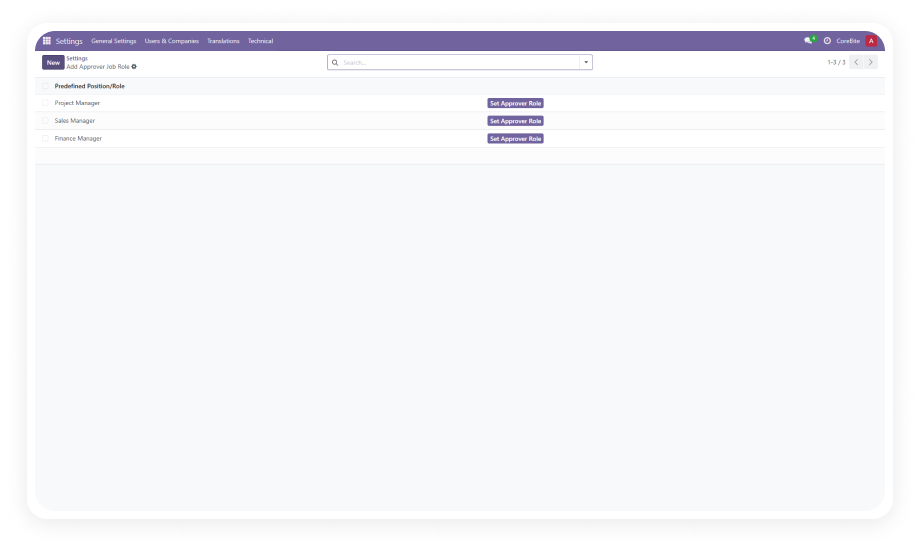
The module ships with pre-built approver roles ready to use upon installation. You can also create additional custom roles aligned with your organization's specific hierarchy — department heads, finance controllers, C-suite, or any authority level your policy requires.

Why it matters: your approval structure mirrors your actual organizational chart without custom development.

2

Configurable Multi-Level Approval Routes

Build approval routes that define the exact sequence of approvers an expense must pass through. Each route can include multiple stages with different approver roles, creating a true multi-level approval chain from submission to final authorization.

Why it matters: high-value or sensitive expenses get the oversight they require while routine claims move through faster paths.

3

Amount-Based Approval Thresholds

Define approval routes with or without amount limits. Route expenses under $500 to a team lead only, expenses between $500 and $5,000 through a manager and finance, and expenses above $5,000 to executive approval.

Why it matters: approval effort scales proportionally with financial risk — small purchases do not get trapped in heavyweight processes.

4

Category-Wise Automatic Route Selection

Assign expense categories (travel, office supplies, client entertainment, equipment) to specific approval routes. When an employee selects a category, the system automatically identifies and applies the matching route without manual intervention.

Why it matters: different expense types follow appropriate approval paths without relying on employees to select the right route.

5

Scheduled Auto-Approvals

Configure a deadline (in days) for each approval stage. If an approver does not act within the specified timeframe, the system automatically transitions the expense to "Approved" status and notifies the next person in the sequence.

Why it matters: no single unresponsive approver can indefinitely block employee reimbursements or create operational bottlenecks.

6

Email Notifications at Every Stage

Automated email notifications go to relevant parties — expense creators, current approvers, and next-in-sequence approvers — at each stage of the approval process. Approvers receive alerts when action is needed; creators receive updates as their request progresses.

Why it matters: everyone stays informed without manual follow-up, reducing "where is my expense?" inquiries to zero.

7

Real-Time Approval Status Tracking

The expense form displays live approval status reflecting each approver's action or deadline-triggered transitions. At a glance, anyone authorized can see who has approved, who is currently reviewing, and what stage the request is at.

Why it matters: complete audit trail and transparency eliminate confusion about approval progress.

Who Gets The Most Out Of This Module

Role
Primary Use Case
Key Outcome
Finance Manager
Enforce tiered approval policies based on expense amounts without custom code
Spending controls match company policy automatically
HR Director
Ensure travel and training expenses follow a dedicated approval route separate from routine claims
Category-specific oversight without manual sorting
Department Head
Approve team expenses within their authority while escalating larger amounts to finance
Clear delegation boundaries with automatic escalation
CFO / Controller
Require executive sign-off only on expenses above a defined threshold
Senior leadership reviews only what requires their authority
Employee / Expense Creator
Submit expenses and track approval progress in real time without follow-up emails
Faster reimbursements with full visibility
Operations Manager
Prevent approval bottlenecks from unresponsive managers using auto-approval deadlines
Expenses never stall indefinitely regardless of approver availability

Versions & Documentation

Choose your Odoo version and explore interactive documentation

Documentation coming soon for Odoo 18

Native Odoo vs Zehntech Expense Dynamic Approval Flow

Capability
Zehntech
Native Odoo
Multi-level sequential approval routing
Yes
Not available (single manager)
Amount-based approval thresholds
Yes
Not available
Category-wise automatic route selection
Yes
Not available
Configurable approval routes (no-code)
Yes
Not available
Scheduled auto-approvals on deadline
Yes
Not available
Custom approver roles
Yes
Fixed manager role only
Email notifications at every approval stage
Yes
Basic notification only
Real-time approval status tracking per stage
Yes
Single approve/refuse status
Routes with or without amount limits
Yes
Not available
Multiple approver sequences per route
Yes
Single approver only
Pre-built roles ready on install
Yes
Not available
Automatic status transitions on timeout
Yes
Not available

Get Started In Under 10 Minutes

No development environment. No custom code. Minimal configuration for standard use.

01

Install from the Odoo App Store

Search for zehntech_expense_dynamic_approval_flow in your Odoo Apps menu and click Install. Ensure the required dependencies — Discuss, Employees, Expenses, and Invoicing — are already active.

02

Configure approver roles

Access the module settings to review the predefined approver roles that are available immediately after installation. Create additional custom roles as needed to reflect your organization's hierarchy.

03

Build approval routes

Navigate to expense configuration and create approval routes defining the sequence of approvers, optional amount thresholds, and associated expense categories. Each route specifies who approves in what order.

04

Set auto-approval deadlines & notifications

Define the number of days before pending approvals automatically transition to approved status. Verify that email notification templates are active so approvers and expense creators receive timely updates.

Technical Details & Compatibility

Requirement
Odoo Versions
Editions
Hosting
Dependencies
Third-Party Dependencies
Custom Dev Required
Install Time
Server Restart
Data Migration
Module Conflicts
License
Last Tested
Lines of Code
Support
Details
16.0 · 17.0 · 18.0 · 19.0
Community · Enterprise
Odoo Online · On-Premise · Odoo.sh
Discuss (mail) · Employees (hr) · Expenses (hr_expense) · Invoicing (account)
None
No
Under 10 minutes
Not required
Not required
None known
OPL-1
Odoo 19.0 — May 2026
1,549
Expense Dynamic Approval Flow — FAQ illustration

Frequently Asked Questions

Yes — the module supports amount-based approval thresholds. You can define different routes for different expense ranges (e.g., under $500, $500–$5,000, above $5,000). Routes can also operate without amount limits for universal application across all expense values.
The module includes scheduled auto-approvals with configurable deadlines. If an approver does not act within the specified number of days, the system automatically transitions the expense to "Approved" status. The next person in the approval sequence is notified, and the workflow continues without manual intervention.
Yes — you can assign expense categories to specific approval routes. When an employee selects a category (travel, office supplies, equipment, etc.), the system automatically selects the matching route. No manual route assignment is needed — the category drives the routing logic.
The module supports Odoo 16, 17, 18, and 19. Both Community and Enterprise editions are fully supported. It is compatible with Odoo Online, Odoo.sh, and On-Premise hosting environments.
Yes — the module comes with predefined roles ready on installation, but you can create unlimited custom roles. Each role can be assigned to specific users and included in multiple approval routes. Roles can represent any level in your hierarchy: team lead, department head, finance controller, VP, or CEO.

One-Time Purchase.
No Subscription.
No Recurring Fees.

Your team is already submitting expenses in Odoo — Expense Dynamic Approval Flow adds the routing intelligence that ensures every request reaches the right approvers in the right order. Includes lifetime updates and 90 days of dedicated technical support.

Zehntech Odoo experts ready to help


          You have successfully subscribed to the newsletter

          There was an error while trying to send your request. Please try again.

          Zehntech will use the information you provide on this form to be in touch with you and to provide updates and marketing.