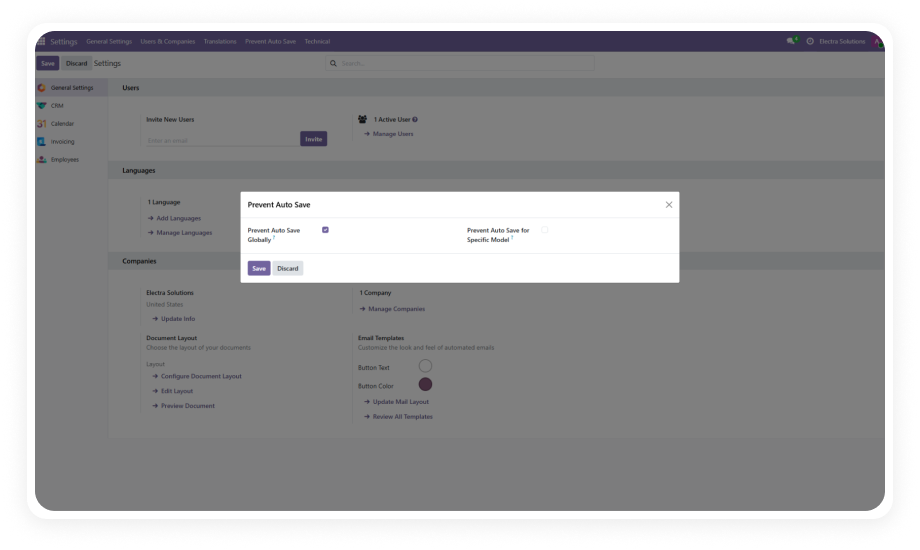
Take full control of user permissions without writing a single line of code. A centralized security module that lets administrators define granular menu, model, field, button, tab, and chatter restrictions — all from one intuitive interface.
Simplify Access Management replaces the scattered, complex security configuration in standard Odoo with a single, unified dashboard for controlling exactly who can see, edit, create, or delete any menu, model, field, button, or tab in your system. It gives non-technical administrators the power to enforce enterprise-grade access policies across the entire Odoo instance without touching code or XML files.
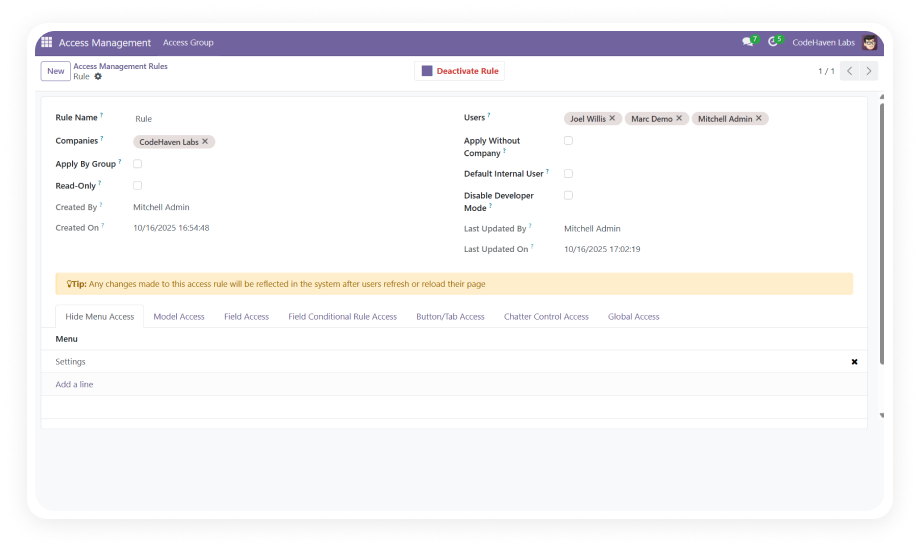
Hide or restrict access to any top-level menu or nested submenu based on users or user groups. Entire application sections become invisible to unauthorized personnel.
Why it matters: Prevents information overload and keeps users focused on their responsibilities.
Define granular Create, Read, Write, and Delete permissions at the model level. Additionally restrict Import, Export, and Reporting capabilities per model.
Why it matters: Toggle CRUD and data operations with checkboxes, reducing misconfiguration risk by 90%.
Control visibility and editability of individual fields with conditional rules based on user roles and context. Make fields invisible, read-only, or required.
Why it matters: Protects sensitive data points without needing separate views or custom development.
Hide action buttons and notebook tabs that are irrelevant or dangerous for specific user roles. Remove the "Confirm" button from junior staff or hide sensitive tabs.
Why it matters: Reduces operational errors by removing actions users should not perform.
Restrict messaging, internal note logging, and activity scheduling capabilities within the chatter widget. Control who can communicate on specific records.
Why it matters: Maintains communication discipline and prevents unauthorized activity triggering.
Set organization-wide access policies that cascade across all modules simultaneously. Define baseline restrictions that apply to every user, then layer role-specific permissions.
Why it matters: Ensures consistent security posture across your entire Odoo deployment.
Choose your Odoo version and explore interactive documentation
No developer required. No custom code. Visual configuration for every permission.
Purchase from the Odoo App Store and install. Navigate to Apps, update the app list, and click Install on "Simplify Access Management."
Open the dashboard from Settings. Define organization-wide baseline restrictions that apply across all modules and users.
Create layered access rules for each user group. Configure menu visibility, CRUD rights, field controls, and button/tab restrictions.
Log in as test users to verify restrictions work correctly. All changes take effect immediately — no server restart needed.
Includes lifetime updates and dedicated technical support. Take control of your Odoo permissions today.
You have successfully subscribed to the newsletter
There was an error while trying to send your request. Please try again.