Join us at GITEX 2025! Discover our solutions at Hall 4, Booth H-30 Schedule a Meeting Today.
Automate Marketing Initiatives with Salesforce Marketing Cloud Learn More
Join us at GITEX 2024! Discover our solutions at Hall 4, Booth H-30 Book your live demo today.
Zehntech Odoo App

Advanced User Audit — Complete Login & Activity Monitoring for Odoo

Know exactly who logged in, from where, and what they did — without writing a single line of code. Advanced User Audit gives Odoo administrators full visibility into user sessions, CRUD activity, device details, and IP-based locations. Built for security-conscious teams running Odoo 16 through 19.

Compatible with Odoo 16, 17, 18 & 19
Tracks Logins, Logouts, and All User Actions
Trusted by 500+ Businesses Across 12+ Countries
Community & Enterprise Supported
No Custom Development Required
$79.65
V19, 18, 17
Advanced User Audit — Login and activity monitoring dashboard for Odoo

What is Advanced User Audit?

Advanced User Audit is an Odoo module that gives administrators complete oversight of user behavior inside their Odoo instance. It replaces manual audit processes and the gaps in Odoo's native logging by capturing every login, logout, CRUD operation, and session detail — enriched with device type, OS, browser, and IP geolocation. Teams that need compliance visibility, security enforcement, or accountability across distributed users get everything they need in one module, with no technical setup required beyond installation.

Login & session tracking
CRUD activity logging
IP-based geolocation
Remote session control
Role-based audit access

One module. Complete user accountability. No compliance blind spots.

How Advanced User Audit Solves User Accountability Gaps in Odoo

Problem
Zehntech Advanced User Audit Solution
No visibility into when users log in or out of Odoo
Every login and logout is captured automatically with timestamp, device type, OS, and browser
No way to know which users are currently active in the system
Live session monitoring shows all active sessions in a centralized dashboard
Cannot identify the geographic origin of a login
IP-based geolocation pins every login on a world map
No record of which records were created, edited, or deleted
All CRUD operations are logged with model name, record name, user, and timestamp
No automated alert when an unknown device or location accesses Odoo
Security alert emails are triggered automatically when a new or unrecognized login is detected
Administrators cannot revoke access from a suspicious active session
Remote session termination lets admins instantly kill any active user session
Sessions stay open indefinitely, creating security exposure
Configurable idle timeout and session time limits enforce automatic session expiry
Audit data is accessible to everyone — or no one
Three-tier role-based access separates what Audit Users, Managers, and Admins can see
Compliance reporting requires manual data collection
Built-in dashboard with Excel and CSV export centralizes all audit data for instant reporting
Log data accumulates indefinitely with no management control
Configurable retention settings define how many days of audit logs to keep

Full-Spectrum User Monitoring Built for Odoo Administrators

1

Login & Session Monitoring

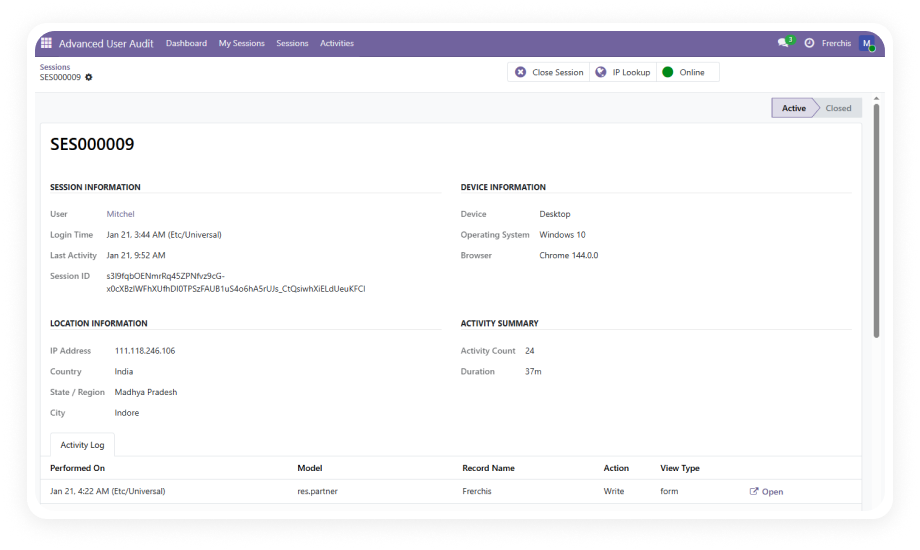
Every login and logout event is captured with device type, operating system, browser, session ID, and IP-based geolocation — automatically, with no manual configuration after setup.

Why it matters: administrators always know who accessed the system, from what device, and from where, without relying on server logs or third-party tools.

2

User Activity Logging

All CRUD actions — record creation, updates, and deletions — are logged with the model name, record name, user identity, and timestamp.

Why it matters: organizations can trace exactly what each user did and when, making incident investigation and data accountability straightforward.

3

Security Alerts for New Logins

When an unrecognized or new login is detected, the module automatically sends an email alert to the designated administrator.

Why it matters: suspicious access attempts are flagged in real time rather than discovered after the fact.

4

Remote Session Termination

Administrators can remotely end any active user session directly from the audit dashboard — with no need to access server infrastructure.

Why it matters: if a user leaves the organization, a device is lost, or unusual activity is detected, access can be revoked instantly.

5

Configurable Auto-Kill Policies

Session time limits (default 8 hours) and idle timeout settings (default 60 minutes) can be adjusted to match organizational security policies.

Why it matters: sessions that would otherwise remain open indefinitely are automatically terminated, reducing unauthorized access risk.

6

Visual Dashboard with World Map

A centralized audit dashboard displays login locations as pins on a world map alongside session summaries and activity feeds.

Why it matters: geographic anomalies — such as simultaneous logins from two countries — are immediately visible.

7

Excel & CSV Export

All audit data can be exported to Excel or CSV directly from the dashboard for compliance reporting, security reviews, or archival.

Why it matters: teams can produce clean, structured audit reports without needing custom report builders.

8

Role-Based Access Control

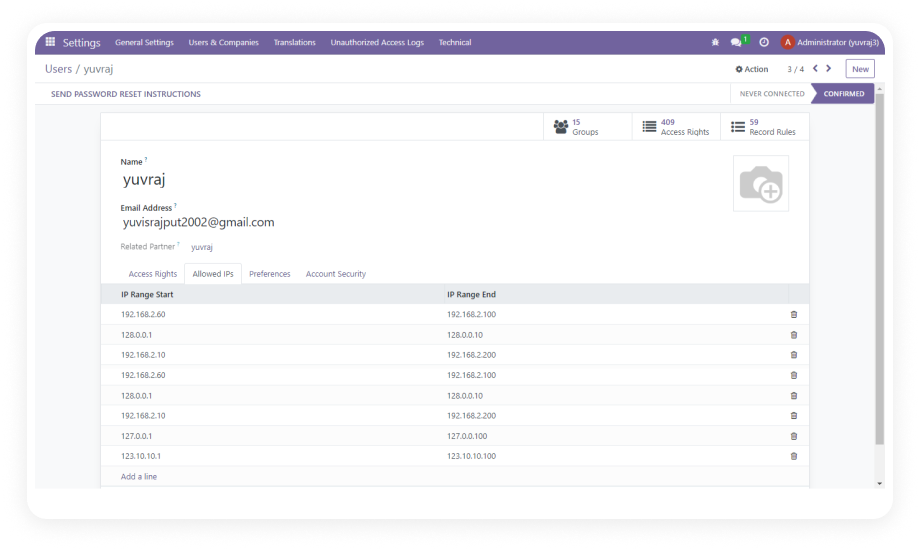
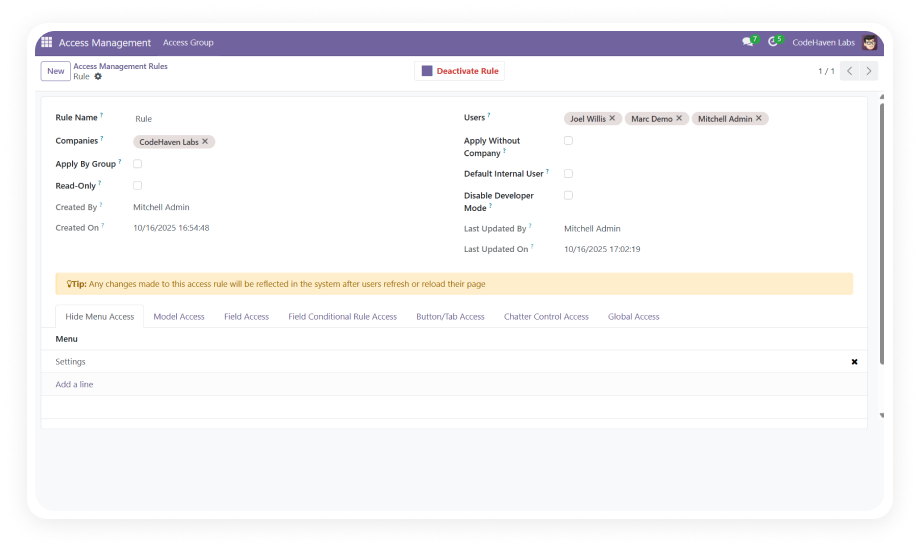
Three access levels — Audit User (own data only), Audit Manager (all user data), and System Admin (full configuration) — control who can view what.

Why it matters: sensitive session and activity data is protected by the same access control framework organizations use across Odoo.

9

Audit Log Retention Configuration

Administrators can define exactly how many days of log data to retain, with automated cleanup managed via built-in cron job scheduling.

Why it matters: teams can meet data retention policies without manual database maintenance.

Who Gets The Most Out Of This Module

Role
Primary Use Case
Key Outcome
IT Security Administrator
Monitor all active sessions and investigate unauthorized login attempts
Immediate visibility into every access event with remote session kill capability
Compliance Officer
Generate audit trails for internal reviews, ISO audits, or regulatory requirements
Structured CRUD and session logs exportable to Excel or CSV on demand
Odoo System Administrator
Enforce session time limits and idle timeouts across all users
Automated session expiry policies applied without server-level configuration
Operations Manager
Confirm which team members accessed which records during a disputed transaction
Complete CRUD log with model, record name, user, and timestamp for every action
HR Manager
Audit former employee access history when offboarding or investigating data exposure
Historical session and activity data available for any user over the retention period
CTO / IT Director
Maintain organizational security posture across distributed or remote Odoo users
World map dashboard shows login geography and flags geographic anomalies in real time

Versions & Documentation

Choose your Odoo version and explore interactive documentation

Documentation coming soon for this version.

Full setup documentation included with purchase.

Native Odoo vs Zehntech Advanced User Audit

Capability
Zehntech Advanced User Audit
Native Odoo
Login and logout event tracking
Automatic — every event recorded
Basic — limited server logs only
Device type, OS, and browser capture
Captured per session
Not available
IP-based geolocation on login
World map with location pins
Not available
Active session visibility
Live dashboard with all active sessions
Not available
Remote session termination
Terminate any session from the dashboard
Not available
Automatic idle timeout enforcement
Configurable — default 60 minutes
Not available
Maximum session time limit
Configurable — default 8 hours
Not available
CRUD activity log with model and record detail
Full log with user, model, record, timestamp
Basic — chatter notes only
Security alert email for new logins
Automatic email on unrecognized login
Not available
Centralized audit dashboard
Visual dashboard with map and activity feed
Not available
Excel and CSV export for compliance reporting
One-click export from dashboard
Not available
Role-based access to audit data
Three-tier — Audit User, Manager, Admin
Not available
Configurable log retention period
Set retention days with automated cleanup
Not available
Cron job scheduling for audit maintenance
Built-in cron configuration
Not available

Get Started In Minutes

No development environment. No custom code. No consultant required for standard setup.

01

Purchase and Install

Visit the Odoo App Store and purchase Advanced User Audit for your required version — 16, 17, 18, or 19. Install the module directly from your Odoo backend. The only dependency is the Discuss (mail) module.

02

Configure Audit Policies

Open the module settings to set your log retention period, idle timeout duration, and maximum session time limit. Enable email notifications for new login alerts.

03

Assign Role-Based Access

Navigate to user management and assign the appropriate audit access level — Audit User, Audit Manager, or System Admin — to each relevant team member.

04

Monitor, Act, and Export

Open the audit dashboard to view live session data, geographic login maps, and activity logs. Terminate suspicious sessions remotely. Export reports to Excel or CSV.

Technical Details & Compatibility

Requirement
Odoo Versions
Editions
Hosting
Dependencies
Third-Party Dependencies
Custom Dev Required
Install Time
Server Restart
Data Migration
Module Conflicts
License
Last Tested
Lines of Code
Support
Details
16, 17, 18, 19
Community · Enterprise · Odoo.sh
Odoo Online · On-Premise · Odoo.sh
Discuss (mail)
None
No
Under 5 minutes
Not required
Not required
None known
OPL-1
Odoo 19.0 — May 2026
1,840
Advanced User Audit — FAQ illustration

Frequently Asked Questions

Yes — the module installs directly from the Odoo App Store with no coding required. All configuration is handled through Odoo's standard settings interface. The only prerequisite is the Discuss (mail) module, which is bundled with every Odoo edition.
Yes — the module is fully compatible with Odoo Community, Enterprise, and Odoo.sh editions. All three hosting environments are supported: Odoo Online, On-Premise, and Odoo.sh. Feature parity is maintained across Community and Enterprise deployments.
Every login and logout is automatically recorded with device type, OS, browser, session ID, and IP-based geolocation. Active sessions are visible in a live dashboard with world map pins showing login locations. Administrators can remotely terminate any active session and receive automatic email alerts when an unrecognized login is detected.
Advanced User Audit supports Odoo 16, 17, 18, and 19. Each version has its own tested module release available on the Odoo App Store. Interactive user guides are available for Odoo 17, 18, and 19 via the Versions & Documentation section above.
Audit User: can view only their own login history and activity data.
Audit Manager: can view audit logs and session data for all users across the organization.
System Admin: has full module control including configuration, retention settings, and session termination capabilities.

Ready to Gain Complete Visibility Into Your Odoo User Activity?

One-Time Purchase. No Subscription. No Recurring Fees.

Your team already runs on Odoo — but without Advanced User Audit, you're missing the accountability and security layer that enterprise operations require. This module adds full login monitoring, session control, CRUD activity logging, and compliance reporting without touching a line of code.

Includes lifetime updates and 90 days of dedicated technical support.

Zehntech Odoo experts ready to help


          You have successfully subscribed to the newsletter

          There was an error while trying to send your request. Please try again.

          Zehntech will use the information you provide on this form to be in touch with you and to provide updates and marketing.