Join us at GITEX 2025! Discover our solutions at Hall 4, Booth H-30 Schedule a Meeting Today.
Automate Marketing Initiatives with Salesforce Marketing Cloud Learn More
Join us at GITEX 2024! Discover our solutions at Hall 4, Booth H-30 Book your live demo today.
Zehntech Odoo App

Scrum Meeting Management — Automate Agendas, Capture Minutes, and Track Action Items

Stop juggling calendar invites, meeting notes, and follow-up tasks across disconnected tools. Scrum Meeting Management by Zehntech brings the full Agile ceremony lifecycle — from scheduling through action-item resolution — directly into Odoo.

Compatible with Odoo 16, 17, 18 & 19
Community & Enterprise Supported
Auto-Generated Action Items as Tasks
Reusable Agenda Templates
Integrated with Odoo Calendar & Project
$99.56
V19, 18, 17, 16
Scrum Meeting Management for Odoo

What You Get at a Glance

Scrum Meeting Management embeds the complete Scrum ceremony workflow directly inside Odoo. It connects meeting scheduling to Odoo Calendar, links each ceremony to the relevant project and sprint, distributes agendas automatically through the Discuss module, and transforms meeting outcomes into actionable project tasks.

Ceremony Scheduling
Agenda Templates
Auto Action Items
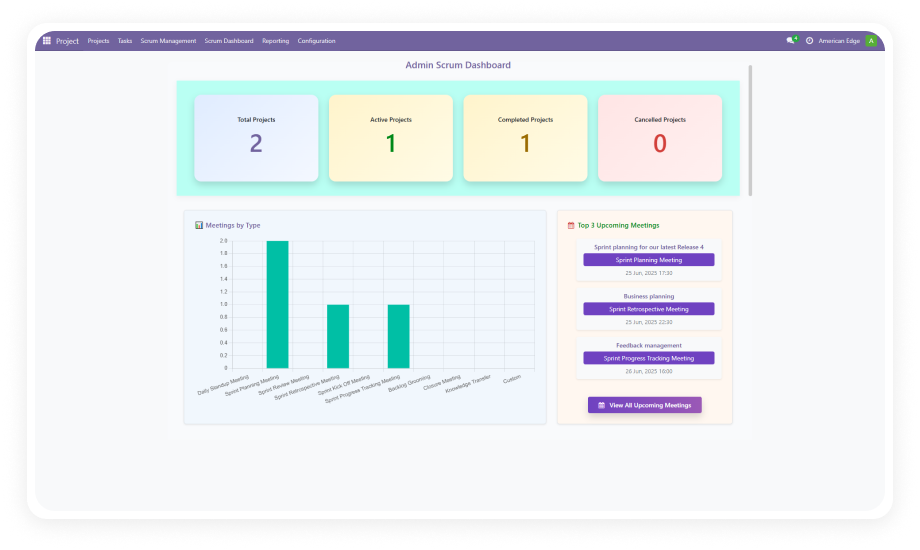
Performance Dashboard
Retrospective Feedback

The Problem and Solution

Problem
Zehntech Solution
Meeting agendas live in scattered shared documents
Links meetings to Odoo Calendar and projects
Minutes get buried in email threads
Distributes agendas via Discuss module
Action items lose traceability
Transforms outcomes into trackable project tasks
Scrum Masters spend time chasing follow-ups
Tracks retrospective feedback to resolution
Team context-switches between tools constantly
Inherits existing team structure and workflows

Core Features

1

Scrum Ceremony Scheduling

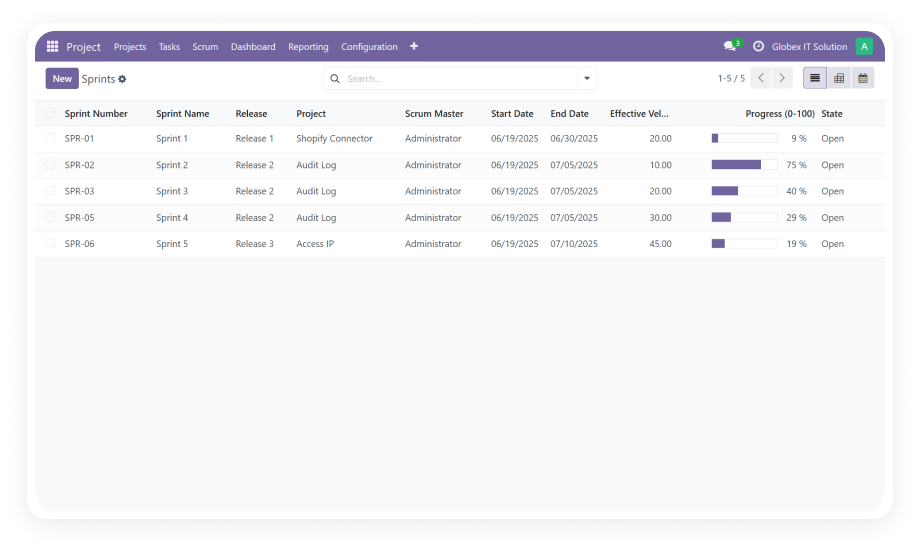
Create and manage all Agile ceremony types — daily standups, sprint planning, sprint reviews, and retrospectives — directly within Odoo Calendar. Each meeting links to a specific project, sprint, or release.

Why it matters: Eliminates orphan meetings and ensures every discussion contributes to a tracked delivery cycle.

2

Reusable Agenda Templates

Define pre-configured agenda frameworks for each meeting type and reuse them across teams and sprints. Templates standardize ceremony structure while remaining fully customizable.

Why it matters: Prevents important discussion points from being skipped and reduces preparation time for Scrum Masters.

3

Automated Attendee Notifications

The system distributes email notifications containing the meeting agenda, project context, sprint status, and logistical details to all participants before each ceremony.

Why it matters: Ensures every attendee arrives prepared, reducing wasted time on context-setting during meetings.

4

Meeting Minutes with Auto-Generated Action Items

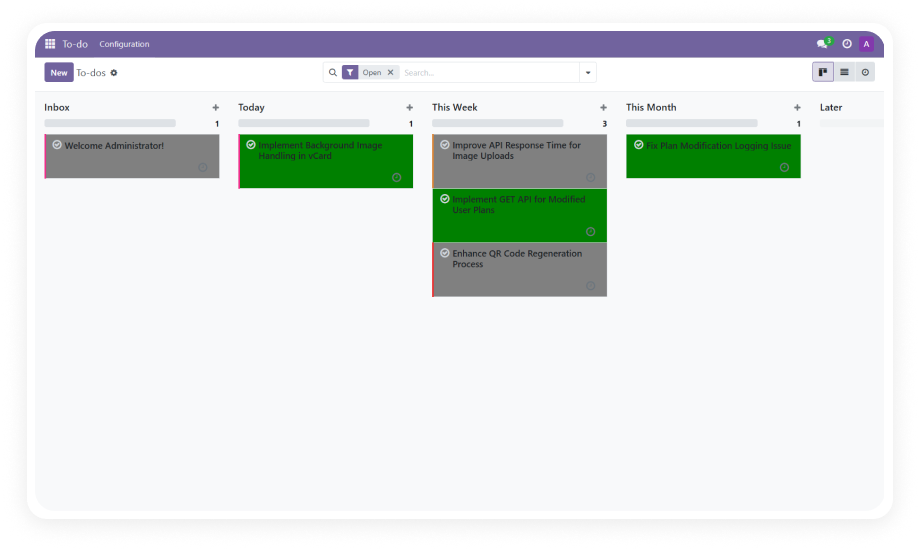
Capture discussion points during ceremonies and convert key decisions into project tasks automatically. Action items inherit the project, sprint, and assignee context.

Why it matters: Closes the gap between discussion and execution, ensuring nothing agreed upon gets lost.

5

Retrospective Feedback Collection

Structured feedback mechanisms enable team members to document what went well, what needs improvement, and specific initiatives for the next sprint.

Why it matters: Transforms team reflections into measurable improvements rather than one-time conversations.

6

Performance and Participation Dashboard

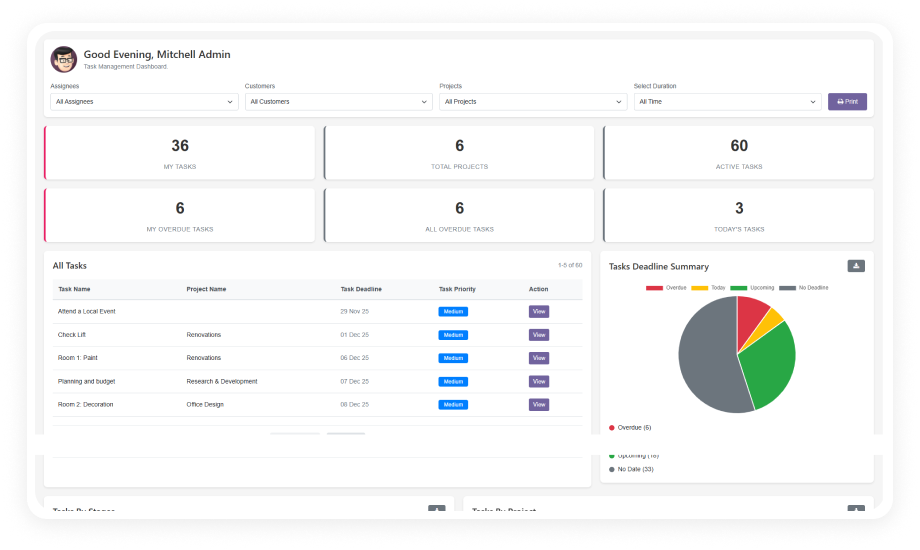
A unified dashboard displays upcoming meetings, overdue action items, team participation rates, and overall meeting effectiveness metrics across projects.

Why it matters: Helps managers identify disengaged teams and ceremonies that need format adjustments.

Who Benefits from This Module

Role
Primary Use Case
Key Outcome
Scrum Master
Scheduling and facilitating all sprint ceremonies with pre-built agendas
Less preparation time and more consistent ceremony execution
Product Owner
Reviewing sprint outcomes and capturing feedback during reviews
Clear record of stakeholder input tied to backlog decisions
Development Team Lead
Tracking action items generated from standups and planning sessions
Fewer dropped commitments and better sprint follow-through
Project Manager
Monitoring meeting participation and action-item resolution
Data-driven visibility into team engagement and meeting ROI
QA Lead
Documenting testing blockers and improvement actions from retrospectives
Structured improvement tracking that reduces recurring quality issues
Engineering Director
Viewing cross-team dashboard for ceremony health and pending actions
Early detection of teams struggling with Agile ceremony discipline
HR / People Operations
Ensuring employee participation records align with team commitments
Objective attendance data for performance discussions
Not the right fit for: Teams not following any Agile or Scrum methodology, or organizations that use a dedicated Scrum tool like Jira with no plans to consolidate into Odoo.

Supported Odoo Versions and User Guides

Choose your Odoo version and explore interactive documentation

Documentation coming soon for this version.

Documentation coming soon for this version.

Documentation coming soon for this version.

Native Odoo Calendar vs. Scrum Meeting Management

Capability
Scrum Meeting Management
Native Odoo Calendar
Event scheduling and invitations
Yes
Yes
Recurring meeting creation
Yes
Yes
Agenda templates by ceremony type
Yes
Not available
Link meetings to projects and sprints
Yes
Not available
Auto-distribute agenda via email
Yes
Not available
Meeting minutes capture
Yes
Not available
Action items auto-generated as tasks
Yes
Not available
Retrospective feedback collection
Yes
Not available
Participation tracking dashboard
Yes
Not available
Meeting effectiveness metrics
Yes
Not available

Getting Started in Four Steps

No development environment. No custom code. No consultant required for standard setup.

01

Install the Module

Purchase and download from the Odoo App Store. Ensure Project, Calendar, Employees, and Discuss are active.

02

Configure Agenda Templates

Set up reusable agenda templates for each ceremony type — standups, planning, reviews, and retrospectives.

03

Schedule Your First Ceremony

Create a meeting linked to a specific project and sprint. Select the agenda template and confirm attendees.

04

Run Meetings and Track Outcomes

Capture discussion points during ceremonies. Review auto-generated action items and monitor resolution.

Technical Details and Dependencies

Requirement
Technical Name
License
Odoo Versions
Deployment Types
Lines of Code
Dependencies
Details
zehntech_scrum_meeting_management
OPL-1
16.0 · 17.0 · 18.0 · 19.0
Online · Odoo.sh · On-Premise
4,800
Project · Calendar · Employees · Discuss
Scrum Meeting Management — FAQ illustration

Frequently Asked Questions

The module depends on four core Odoo apps: Project, Calendar, Employees (HR), and Discuss (Mail). These are standard modules included in most Odoo installations.
Yes — agenda templates are fully customizable per ceremony type and team. You can define discussion topics, time allocations, and default attendee roles. Templates can be duplicated and modified without affecting originals.
When you capture action items during a meeting, the module automatically creates corresponding tasks in the linked Odoo project. Each task inherits the project, sprint, and assignee context from the meeting record.
Yes. Scrum Meeting Management supports Odoo Online, Odoo.sh, and On-Premise deployments. No server-side configuration or custom code is required for cloud-hosted environments.
No — this is a one-time purchase at $99.56 with no subscription or recurring fees. You receive the module license permanently for the purchased Odoo version. Lifetime updates and technical support are included.

One-Time Purchase.
No Subscription.
No Recurring Fees.

Bring structure and accountability to every Scrum ceremony. Stop losing meeting outcomes to scattered notes and forgotten follow-ups. Give your Scrum Masters a purpose-built tool that automates the busywork of ceremony management and turns every meeting into measurable action. Includes lifetime updates and 90 days of dedicated technical support.

Zehntech Odoo experts ready to help


          You have successfully subscribed to the newsletter

          There was an error while trying to send your request. Please try again.

          Zehntech will use the information you provide on this form to be in touch with you and to provide updates and marketing.