Join us at GITEX 2025! Discover our solutions at Hall 4, Booth H-30 Schedule a Meeting Today.
Automate Marketing Initiatives with Salesforce Marketing Cloud Learn More
Join us at GITEX 2024! Discover our solutions at Hall 4, Booth H-30 Book your live demo today.
Zehntech Odoo App

Advanced Professional Report Templates for Odoo

Deliver polished, on-brand PDF documents across every transaction — invoices, sales orders, purchase orders, and delivery notes — without writing a single line of code.

Compatible with Odoo 16, 17, 18 & 19
Five-Level Template Control — Global, Company, Report, Partner & Document
Trusted by 500+ Businesses Across 12+ Countries
Community & Enterprise Supported
No Custom Development Required
$169.25
V19 · V18
Advanced Professional Report Templates for Odoo

What is Advanced Professional Report Templates?

Advanced Professional Report Templates is an Odoo module that replaces the platform's rigid default PDF layouts with a fully configurable, multi-level template system. It solves the brand consistency problem that every growing Odoo business hits — documents that look generic, can't carry company identity, and require developer intervention to change. Instead of custom report XML or QWeb overrides, you get a visual style builder and five distinct override levels directly inside the Odoo interface.

Branded PDF report design
Multi-level template control
Partner-specific styling
Footer & header customization
Real-time print preview

How Advanced Professional Report Templates Solves Document Branding in Odoo

Problem
Zehntech Advanced Professional Report Templates Solution
Odoo's default PDF reports are generic and impossible to brand without custom development
A no-code style builder lets your team create professional templates directly in the Odoo backend — zero developer dependency
Changing footer content (bank details, VAT, contact) requires XML edits and a developer
The advanced footer customization panel exposes all footer fields — company info, bank details, VAT, logos — as configurable settings
Multi-company businesses send documents with the wrong branding or shared templates
Company-level template overrides ensure each entity in a multi-company setup uses its own distinct branding automatically
High-value customers receive the same generic template as everyone else
Partner-specific templates let you assign unique report styles per customer or vendor, applied automatically on every document
Teams only discover formatting errors after printing or sending documents
Real-time report preview shows exactly how the document will render before it leaves your system
Switching templates for a single urgent document requires global setting changes
Document-level overrides let you select a different template on any individual record without touching global configuration
Individual reports need different layouts but the system only allows one global style
Per-report template settings let you configure distinct layouts for invoices, sales orders, purchase orders, and delivery notes independently
Watermarks and visual compliance elements aren't supported in standard Odoo reports
Text watermark support is built into the template engine — apply draft, confidential, or custom watermarks without code

Complete Template Control for Every Odoo Document

1

Centralized Report Template Configuration

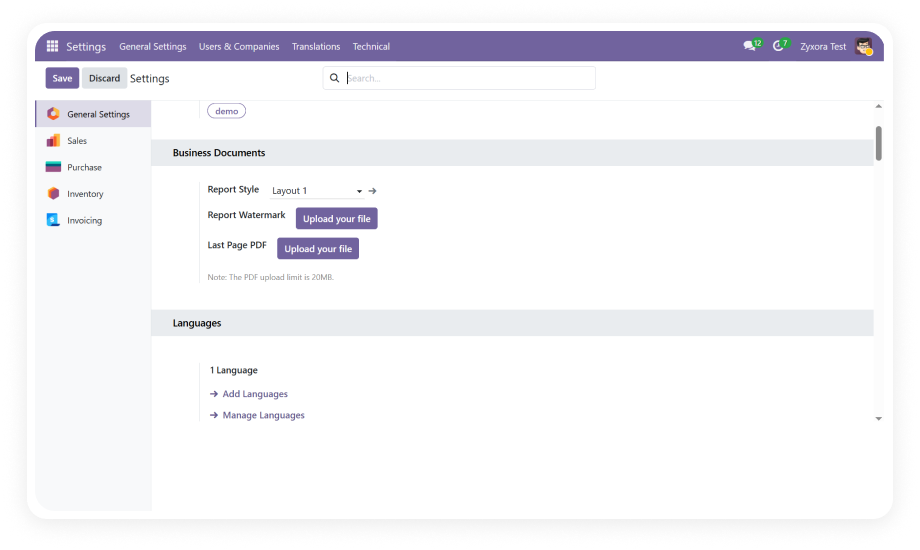
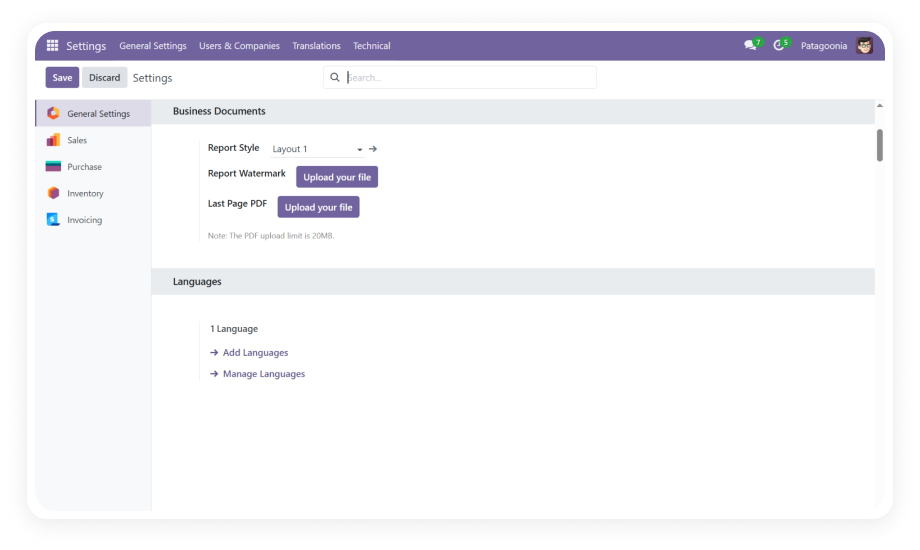
A single configuration hub in Settings > Technical > Reports > Report Styles manages template definitions across all document types.

Why it matters: Operations and finance teams can own document branding entirely — no developer involvement needed for standard setup or template updates.

2

Custom Report Style Builder

A flexible style builder lets you define report templates with custom colors, fonts, logo placement, header layouts, and visual structure.

Why it matters: Your team creates branded templates that match corporate identity without editing XML or QWeb code.

3

Per-Report Template Customization

Each report type — invoices, sales orders, purchase orders, delivery orders — can carry its own independent template assignment, overriding the global default.

Why it matters: Finance documents can have a formal layout while sales-facing documents use a warmer, more branded design.

4

The footer configuration panel exposes company name, address, phone, email, website, bank account details, VAT/tax numbers, and logo as individually controllable fields.

Why it matters: Regulated industries and enterprise clients require specific footer elements for legal and contractual compliance — this delivers that without code.

5

Real-Time Report Preview

Before committing to a template or printing a batch, the preview function renders the document exactly as it will appear in the final PDF.

Why it matters: Formatting errors are caught before documents reach clients, eliminating reprints, resends, and professional embarrassment.

6

Partner-Specific Report Templates

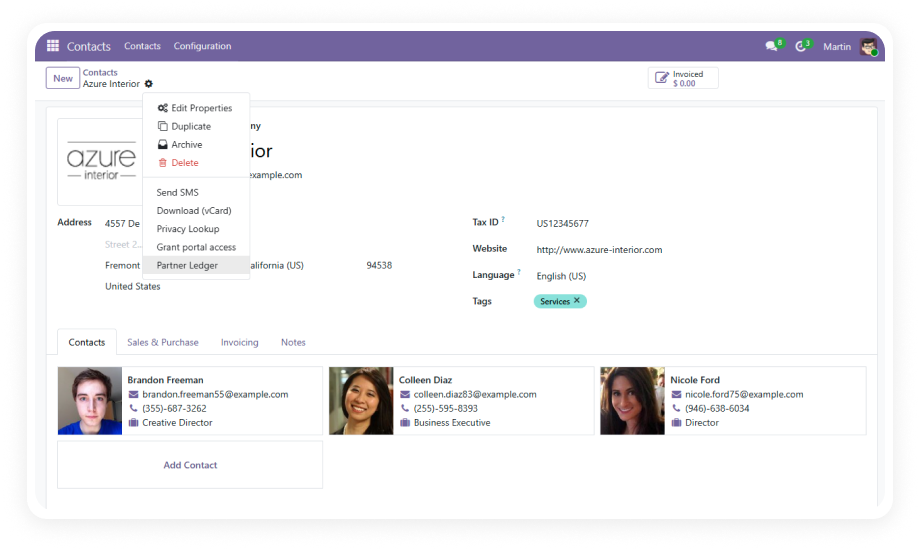
Assign a dedicated report style to any customer or vendor contact. Every document generated for that partner automatically uses the assigned template.

Why it matters: Key accounts and white-label relationships can receive fully personalized documents that reinforce the business relationship.

7

Document-Level Template Override

Any individual document — a specific invoice, a single purchase order — can have its template manually overridden without affecting global or partner defaults.

Why it matters: Edge cases, urgent exceptions, and regulatory variants are handled instantly without touching shared configuration.

8

Multi-Company Template Support

Each company in a multi-entity Odoo environment can be assigned its own distinct template configuration, independent of other companies in the same database.

Why it matters: Holding companies, regional subsidiaries, and white-label entities each present their correct brand identity on every outbound document automatically.

9

Text Watermark Support

Apply text-based watermarks — draft, confidential, void, or custom — directly within the template configuration.

Why it matters: Document lifecycle management and regulatory workflows often require visual status indicators; this feature delivers them without custom development.

10

Multi-Document Report Coverage

The module extends template control across Sales Orders, Invoices, Purchase Orders, Delivery Orders, and Quotations in a single installation.

Why it matters: A single module purchase addresses branding consistency across your entire document output stack — no need for separate modules per document type.

Who Gets The Most Out Of This Module

Role
Primary Use Case
Key Outcome
Finance Manager
Apply consistent, legally compliant invoice templates with correct bank details, VAT numbers, and contact info for all outbound invoices
Compliant, professional invoices sent on every billing cycle
Sales Operations Lead
Assign premium-branded report templates to key accounts and strategic partners for proposals and sales orders
Personalized sales documents that reinforce enterprise relationships
Odoo Administrator
Configure and maintain the global template hierarchy across all document types without requiring developer support
Fully self-managed document branding with zero IT dependency
Multi-Company Group CFO
Set distinct report templates per entity so each subsidiary sends correctly branded documents from a shared Odoo database
Each company presents its own brand identity across all document types
Procurement Manager
Standardize purchase order templates with correct supplier-facing footer information including payment terms and company bank details
Consistent, professional POs that accelerate vendor processing
Warehouse & Logistics Manager
Apply clean, structured delivery order templates that include all required shipping and company contact information
Delivery documents that reflect operational professionalism at handoff
⚠ Not the right fit for: Teams that need live dashboards, BI analytics, or real-time charts — this module customises printed and PDF document layouts only.

Versions & Documentation

Choose your Odoo version and explore interactive documentation

Documentation coming soon for this version.

Documentation coming soon for this version.

Native Odoo vs Zehntech Advanced Professional Report Templates

Capability
Zehntech Advanced Professional Report Templates
Native Odoo
Branded PDF report templates without code
✓ Available
Not available
Visual style builder in Odoo backend
✓ Available
Not available
Five-level template hierarchy (global / company / report / partner / document)
✓ Available
Not available
Partner-specific template assignment
✓ Available
Not available
Document-level template override on individual records
✓ Available
Not available
Multi-company template separation
✓ Full per-company branding
Basic — shared templates only
Advanced footer with bank details, VAT, logo, contact info
✓ Full control
Basic — limited footer control
Real-time PDF preview before printing
✓ Available
Not available
Text watermark support (draft, confidential, custom)
✓ Available
Not available
Per-report-type independent template configuration
✓ Available
Not available
Coverage across invoices, sales orders, POs, delivery orders, quotations
✓ Full coverage
Basic — uniform default layout only
No developer required for template changes
✓ Zero developer dependency
Not available — requires QWeb/XML edits

Get Started In Minutes

No development environment. No custom code. No consultant required for standard setup.

01

Install the Module

Download Advanced Professional Report Templates directly from the Odoo App Store. Compatible with Odoo 16, 17, 18, and 19 on Community, Enterprise, and Odoo.sh. No server restart required.

02

Build Your Report Styles

Navigate to Settings > Technical > Reports > Report Styles. Configure header layout, color scheme, font choices, logo placement, and footer content — including bank details, VAT numbers, and legal text.

03

Assign Templates Across Levels

Set a global default, then configure company-level overrides. Assign partner-specific templates to key customers and vendors. Set per-report-type templates for invoices, sales orders, purchase orders, and delivery orders independently.

04

Preview, Override, and Go Live

Use real-time preview to verify template rendering. Apply document-level overrides on specific records where needed. Print or send your first fully branded PDF — every transaction now reflects your brand.

Technical Details & Compatibility

Requirement
Odoo Versions
Editions
Hosting
Dependencies
Third-Party Dependencies
Custom Dev Required
Install Time
Server Restart
Data Migration
Module Conflicts
License
Last Tested
Lines of Code
Support
Details
16.0 · 17.0 · 18.0 · 19.0
Community · Enterprise · Odoo.sh
Odoo Online · On-Premise · Odoo.sh
Inventory (stock) · Invoicing (account) · Purchase (purchase) · Sales (sale_management) · Discuss (mail)
None
No
Under 5 minutes
Not required
Not required
None known
OPL-1
Odoo 19.0 — May 2026
27,484
Advanced Professional Report Templates FAQ

Frequently Asked Questions

  • Yes. The entire module is configured through the Odoo backend — no code, no XML edits, no QWeb modifications required.
  • Install from the App Store, open Settings > Technical > Reports > Report Styles, and your branded templates are live within minutes.
  • All five configuration levels (global, company, report, partner, document) are managed through the standard Odoo interface.
  • Yes. The module is fully compatible with Odoo Community, Enterprise, and Odoo.sh editions.
  • It supports Odoo versions 16, 17, 18, and 19 across all hosting types — Odoo Online, On-Premise, and Odoo.sh.
  • No edition-specific restrictions apply to the core template functionality.
  • The module provides five override levels: global settings serve as the baseline for all documents; company-level settings override globals for each entity in a multi-company environment.
  • Report-level settings apply to a specific document type (invoices vs. purchase orders); partner-level settings assign a unique style to individual customers or vendors.
  • Document-level overrides let you manually select any template on a single record — the most granular level of control available.
  • The module supports Odoo 16, 17, 18, and 19.
  • It is available on Community, Enterprise, and Odoo.sh editions, compatible with On-Premise, Odoo Online, and Odoo.sh hosting.
  • Interactive documentation is available for Odoo 18 and 19 via the Versions & Documentation section above.
  • Yes. The partner-specific template feature lets you assign a unique report style to any customer or vendor contact record directly in Odoo.
  • Once assigned, every document generated for that partner automatically uses the designated template — no manual override required per document.
  • This is particularly useful for key accounts, white-label relationships, or partners operating in different jurisdictions with distinct formatting requirements.

Ready to Turn Every Odoo Document Into a Professional Brand Asset?

Your team already runs operations in Odoo — Advanced Professional Report Templates adds the missing layer that makes every outbound document look as professional as the work behind it. Includes lifetime updates and 90 days of dedicated technical support.

Advanced Professional Report Templates CTA


          You have successfully subscribed to the newsletter

          There was an error while trying to send your request. Please try again.

          Zehntech will use the information you provide on this form to be in touch with you and to provide updates and marketing.