Join us at GITEX 2025! Discover our solutions at Hall 4, Booth H-30 Schedule a Meeting Today.
Automate Marketing Initiatives with Salesforce Marketing Cloud Learn More
Join us at GITEX 2024! Discover our solutions at Hall 4, Booth H-30 Book your live demo today.
Zehntech Odoo App

Custom Fields For Employees — Extend Odoo HR Forms Without Writing Code

Add any data field to your employee forms. Text, numbers, dates, dropdowns, checkboxes, relational links — created, positioned, and managed entirely from the Odoo interface. No developer. No custom module. No waiting.

No-code custom field creation
No recurring fees
Text, numeric, date, selection, checkbox fields
90 days technical support
Relational fields to any Odoo model
Required Field Manager included
$14.93
V19, 18, 17, 16
Custom Fields For Employees — Odoo HR form customization module

What is Custom Fields For Employees?

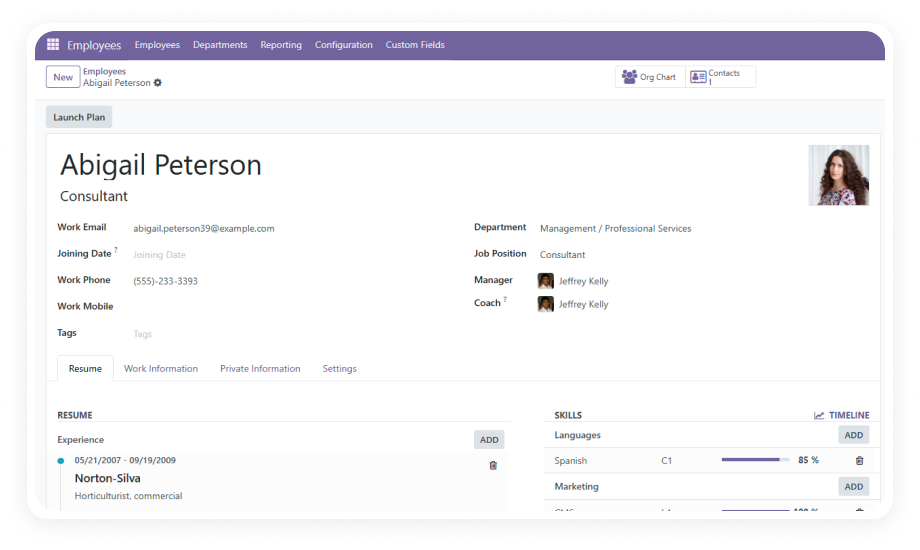
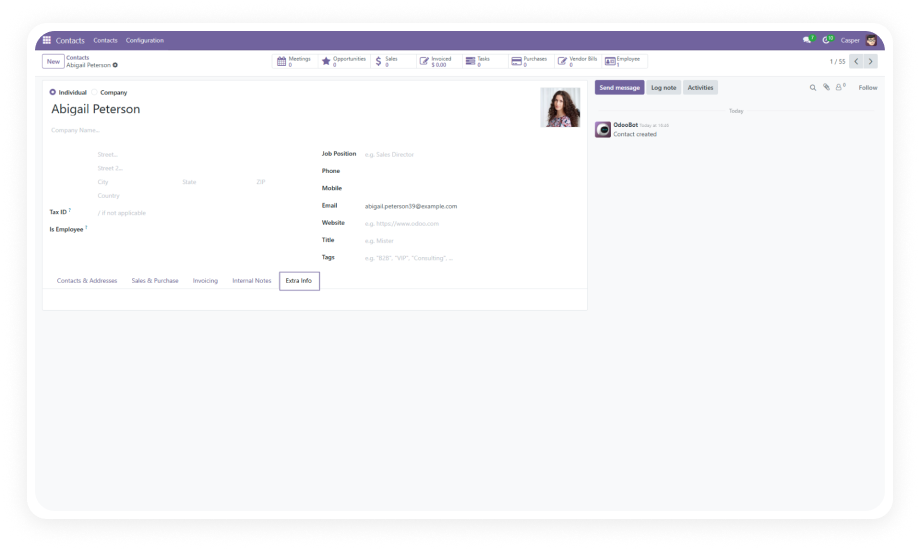
Custom Fields For Employees is an Odoo module that lets HR teams and administrators add, manage, edit, and delete custom data fields directly on employee forms — without programming knowledge. It supports multiple field types including text, numeric, date, selection, checkbox, and relational fields that connect to any other Odoo model. Fields can be positioned anywhere on the form, marked as required, and modified or removed as business needs change.

Create unlimited custom fields
Position fields anywhere on the form
Link to customers, products, sales orders
Enforce mandatory data with Required Field Manager
Works without Odoo Studio

How Custom Fields For Employees Solves HR Data Gaps

Problem
Zehntech Custom Fields For Employees Solution
Standard Odoo employee forms lack fields for organization-specific data
Create any number of custom fields directly on the employee form without code
Adding new employee fields requires developer involvement
No programming knowledge needed — any admin can create, edit, and manage fields
Field types are limited to basic text when using workarounds
Full support for text, numeric, date, selection, checkbox, and relational field types
Custom fields can't reference data from other Odoo modules
Relational fields link to any Odoo model — customers, products, sales orders, and more
No control over where custom data appears on the form
Position fields anywhere within the employee form layout
Incomplete employee records due to optional fields
Required Field Manager enforces mandatory data entry before form submission
Changing business needs make existing custom fields obsolete
Edit or delete custom fields at any time without technical intervention
Different departments need different employee data tracked
Create department-specific fields and control their visibility as needed

Everything You Need to Customize Employee Forms

1

No-Code Custom Field Creation

Create new fields directly from the Odoo interface without any programming knowledge. Select your field type, name it, configure its properties, and it appears on the employee form immediately.

Why it matters: HR teams can respond to new data requirements in minutes instead of waiting days or weeks for development.

2

Multiple Field Types Supported

Choose from text inputs, numeric values, selection dropdowns, checkboxes, date pickers, and relational fields. Each type comes with appropriate validation and input controls.

Why it matters: your employee data structure matches your actual business needs — not a one-size-fits-all text field workaround.

3

Relational Fields to Other Odoo Models

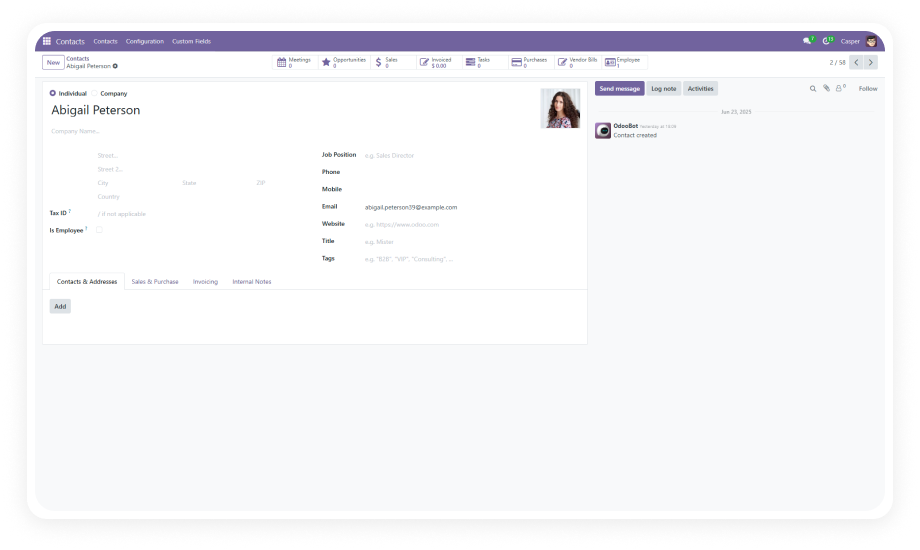
Create custom fields that reference other Odoo models — customers (res.partner), products, sales orders, or any model in your system.

Why it matters: employee records become connected to the broader business context, enabling cross-referencing without manual data duplication.

4

Flexible Field Positioning

Position custom fields anywhere within the employee form layout. Place them in existing sections or group them logically based on your organization's data flow.

Why it matters: the form stays clean and usable instead of dumping all custom data into a single catch-all section.

5

Required Field Manager

Mark any custom field as mandatory. When a field is required, users cannot save the employee record without providing a value — enforcing data completeness at the point of entry.

Why it matters: eliminates incomplete records that create downstream reporting gaps and compliance issues.

6

Edit Existing Custom Fields

Modify field configurations after creation — update labels, change field types, adjust required status, or reposition fields on the form.

Why it matters: your data structure adapts to changing business needs without recreating fields from scratch.

7

Delete Obsolete Fields

Remove custom fields that are no longer needed. Clean deletion ensures the employee form stays uncluttered and relevant.

Why it matters: forms stay focused on current requirements instead of accumulating legacy fields that confuse users.

8

Control Field Visibility

Manage which custom fields are visible on the employee form. Show or hide fields based on current operational needs without permanently deleting them.

Why it matters: administrators can stage field deployments or temporarily suppress fields during transitions without losing configuration.

9

No Technical Expertise Required

The entire workflow — creation, configuration, editing, deletion — is handled through the standard Odoo interface. No Python, no XML, no module development.

Why it matters: HR teams and operations managers maintain full autonomy over employee data structure without IT dependencies.

Who Gets The Most Out Of This Module

Role
Primary Use Case
Key Outcome
HR Manager
Track certifications, training dates, and internal IDs per employee
Complete employee records without developer dependency
Odoo Administrator
Add organization-specific fields to the employee module on demand
Rapid response to new data requirements without custom development
IT Manager
Manage equipment assignments and asset tracking linked to employees
Cross-referenced employee-asset data through relational fields
Compliance Officer
Enforce mandatory data capture for regulatory requirements
Required fields ensure no employee record is incomplete
Operations Director
Track shift preferences, skill levels, and availability per employee
Structured operational data that supports workforce planning
Department Head
Capture department-specific metadata unique to their team
Custom fields tailored to each department's data needs
Payroll Specialist
Record custom payroll identifiers, bank branches, and tax references
Additional financial data captured directly on the employee record

Versions & Documentation

Choose your Odoo version and explore interactive documentation

Documentation coming soon for this version.

Native Odoo vs Zehntech Custom Fields For Employees

Capability
Zehntech Custom Fields For Employees
Native Odoo
Add custom fields to employee forms without coding
Yes
Not available
Text, numeric, and date field types
Yes
Not available
Selection dropdown fields
Yes
Not available
Checkbox fields
Yes
Not available
Relational fields linking to other Odoo models
Yes
Not available
Position fields anywhere on the employee form
Yes
Not available
Mark custom fields as required
Yes
Not available
Edit existing custom field configurations
Yes
Not available
Delete obsolete custom fields
Yes
Not available
Control field visibility
Yes
Not available
No programming knowledge required
Yes
Requires developer (Studio or code)
Works without Odoo Studio subscription
Yes
Requires Studio ($) or custom dev

Get Started In Minutes

No development environment. No custom code. No consultant required for standard setup.

01

Install from the Odoo App Store

Search for zehntech_custom_fields_for_employees in your Odoo Apps menu and click Install. Compatible with Odoo 16, 17, 18, and 19 on both Community and Enterprise editions.

02

Create Your First Custom Field

Navigate to the custom fields configuration. Select the field type (text, number, date, selection, checkbox, or relational), assign a label, and choose where it should appear on the employee form.

03

Configure Field Properties

Set fields as required using the Required Field Manager to enforce mandatory data capture. For relational fields, select the target Odoo model (customers, products, sales orders, etc.).

04

Verify and Manage

Open any employee record to confirm your custom fields appear correctly. Test required field validation by attempting to save without completing mandatory fields. Edit or remove fields at any time.

Technical Compatibility

Parameter
Technical Name
Odoo Versions
Editions
Hosting
Dependencies
License
Languages
Code Size
Support
Updates
Details
zehntech_custom_fields_for_employees
16.0 · 17.0 · 18.0 · 19.0
Community · Enterprise
Odoo Online · Odoo.sh · On-Premise
Employees (hr), Discuss (mail)
OPL-1 (Odoo Proprietary License)
Multi-language support via Odoo translations
810 lines of code
Lifetime updates included
Custom Fields For Employees — FAQ illustration

Frequently Asked Questions

  • No — this module works independently of Odoo Studio
  • Full custom field functionality without a Studio subscription
  • Creation, editing, deletion, required status, relational linking — all included
  • Installs as a standalone module from the Odoo App Store
  • When you delete a custom field, it is removed from the employee form
  • Exercise caution with deletion
  • Ensure any data stored in that field is no longer needed or has been exported before removal
  • Yes — the relational field type supports linking to any Odoo model
  • Customers (res.partner), products, sales orders, purchase orders, and more
  • Enables direct cross-referencing between employee records and other business data
  • One-time purchase — you pay $14.93 once
  • Module includes lifetime updates
  • No subscription fees, no recurring charges, no per-user licensing
  • Custom fields created through this module are stored in the database
  • During version upgrades, standard Odoo migration procedures apply
  • Zehntech provides version-specific builds (16, 17, 18, 19) for compatibility with each Odoo release

Start Customizing Employee Forms Today

Your HR team shouldn't need a developer to track the data that matters. Custom Fields For Employees gives you full control over your employee form structure — text, numbers, dates, dropdowns, checkboxes, relational links — all without writing a single line of code.

One-Time Purchase. No Subscription. No Recurring Fees.

Zehntech Odoo experts ready to help


          You have successfully subscribed to the newsletter

          There was an error while trying to send your request. Please try again.

          Zehntech will use the information you provide on this form to be in touch with you and to provide updates and marketing.