







Join us at GITEX 2025! Discover our solutions at Hall 4, Booth H-30 Schedule a Meeting Today.
Automate Marketing Initiatives with Salesforce Marketing Cloud Learn More
Join us at GITEX 2024! Discover our solutions at Hall 4, Booth H-30 Book your live demo today.

How Tableau Made Data Visualization and Analytics Easier?

Data is an important asset for every business today. But having just the data doesn’t help you in any sense. It is necessary to extract the necessary meaning and the strategic intelligence from the data that you have garnered. Further, it is also very necessary to have data that is reliable and has some sort of benefit in your decision-making while conducting your business activities and practices.

The Tableau tool is one such Business Intelligence (BI) tool that has been used enormously and has significantly helped businesses to get comprehensive insights into the data. Tableau has been able to aid businesses due to its superior data analytics and data visualization methods.

In this article, we are going to get insights into how Tableau has been taking large strides to resolve the problems associated with data analytics and data visualization.

Data Visualization: The Frail Performance of Legacy Tools

Before getting insights into the problems, let us first have a look at how has Tableau defined data visualization. As per Tableau, “Data visualization is the graphical representation of information and data. By using visual elements like charts, graphs, and maps, data visualization tools provide an accessible way to see and understand trends, outliers, and patterns in data.”

During the infant phase of data visualization, the problems were many, but the solutions were almost negligible. During those days, businesses used various tools like CSV, Access Application, MS Excel, and Flat files, etc. to maintain and visualize their data. The task used to be very tedious and difficult. It used to take a lot of time to fetch data, particularly when connecting with legacy systems. Moreover, the time variation used to be so large, that the estimations for timings required became almost impossible which made businesses less efficient.

Moreover, the problem still didn’t end. After development, the next hurdle was to check whether the data visualization was consistent over every browser platform or not.

Post-development, hosting was done manually, and it had to be done on either individual or cloud servers. Due to this, the time taken for publishing the report used to increase dramatically. Further, for security purposes, authentication and authorization were supposed to be done that also took a lot of efforts.

Solutions for Data Visualization & Analytics Using Tableau

Using Tableau for data visualization can be a deciding factor in the success of a business. It can holistically change the way data visualization is done for the business and can solve the problems of data visualizations that businesses have had been facing.

Let’s read about the ways how Tableau makes data visualization easy:

Vast Options

When you use Tableau, you will never get a reason to complain about the lack of options. Tableau can help you extract data, connect data, besides conducting data visualizations. Moreover, you have the freedom to visualize data from any data source with varying data representations.

Aesthetic Dashboards

To prevent any sort of variation in the reports of data visualization, users conduct browser platform compatibility tests after publishing the report. However, if you use Tableau, you are free from such tedious work. Tableau’s dashboards are aesthetic and interactive that ensures uniformity throughout the visualization process.

Easy Deployment

It is really very user-friendly and easy to deploy projects, workbooks, etc. while using Tableau. Moreover, using Tableau, you do not have to worry about issues like checking the framework and folder permissions.

No Coding, Just Drop It Down

When data visualization and analytics were a new concept, businesses had to put in enormous amounts of time and resources for writing codes to form a simpler version of data visualization. However, Tableau has changed the game now. It has made data visualization possible without writing codes.

On-Demand Analysis

Using Tableau, you have full freedom to manage the data, and you have complete control over the data in real-time. This enables you to build insightful customer segments that makes a huge difference in your business planning and understanding.

Using Tableau, you can generate any kind of data visualization and data analytics reports by simply dragging and dropping the data. Further, the inbuilt tables and calculators in tableau make it very easy to calculate complex data for visualizations and analytics.

A place for big ideas.

Reimagine organizational performance while delivering a delightful experience through optimized operations.

Publishing Made Easy

Using traditional tools, you have to seek help from the IT department or IT experts in your organization for the purpose of publishing reports on servers. Further, you will also need various web servers to attain the success for the purpose. So, it is a very hectic procedure to follow the entire procedure.

But in the case of Tableau, you don’t have to worry about these factors. Dashboards help you publish data over cloud platforms that are shareable anywhere you want.

Seamless Backup and Restore Options

Using Tableau, you can back up data with just a single lick, which in contrast was not possible with platforms/procedures like FTP.

Conclusion

As the internet is blooming with revenues, and businesses are hunting for data; analytics and visualization of data have become more important than ever. Following the links on the grounds of the needs of today’s businesses, Tableau has holistically developed itself as a platform that has made it very easy to conduct data visualization and analytics.

Hence, the above-mentioned pointers give legitimacy to the statement that Tableau is indeed one of the best BI tools, if not the best.

Top Stories

Odoo ERP Implementation (1)
How Indian MSMEs Can Use Budget 2026 Subsidies to Fund Their Odoo ERP Implementation
India’s Union Budget 2026–27 has sent a strong signal to small and medium enterprises: technology adoption is no longer optional — it is strategic. With a ₹10,000 crore MSME-focused fund, a ₹2,000 crore top-up for the Self-Reliant India Fund, and renewed emphasis on digital modernization, the government is actively encouraging
Sap’s critical 9.9 vulnerability
SAP’s Critical 9.9 Vulnerability: Why Mid-Market Companies Are Rethinking Their ERP Security
Resource Planning (ERP) systems sit at the center of business operations. When a vulnerability with a CVSS score of 9.9 is disclosed in SAP environments, it immediately draws attention — not because of hype, but because of operational risk. During the February 2026 SAP Security Patch Day, multiple high-severity security notes were released, including one
Odoo
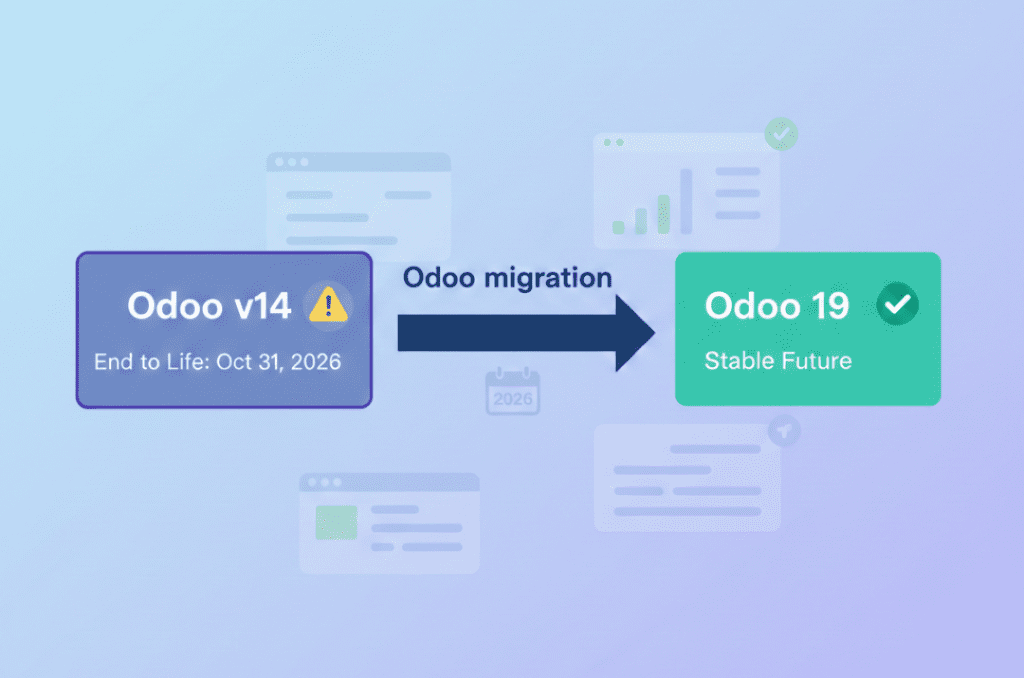
Odoo v14 End of Life: What the October 2026 Kill Date Means for Your Business
If you’re still running your business on Odoo v14, you now have a hard stop on the calendar 31 October 2026. That’s when Odoo v14 will reach the end of life on Odoo.sh, and any database still on that version will be blocked from normal use. It’s not just a technical detail it’s a real business continuity risk if you ignore
10 Proven Tips for Successful Odoo Module Customization
Odoo is famous for its customizable nature. Businesses from around the world choose Odoo because of its scalability and modality. Regardless of the business size, Odoo can cater to the unique and diverse needs of any company. Odoo has proven its capacity and robust quality in terms of helping businesses
How Odoo is Transforming Traditional Education with E Learning
How Odoo is Transforming Traditional Education with E-Learning?
Does your school need to centralize data to easily access and share information between applications? Odoo provides an ERP system that can do so. Using multiple software applications for every department can be dragging. With Odoo, you can systematize your operations for efficiency, user-friendly navigation, uniform cross-functional practice, and increased
How Can Odoo Module Customization Revolutionize Your Purchase Management Workflow
How Can Odoo Module Customization Revolutionize Your Purchase Management Workflow?
Odoo ERP’s modules are engineered with a robust structure to drive efficiency across your entire organization. Each module is specifically designed to address distinct business functions, from finance and inventory to sales, marketing, and purchase management. This tailored approach ensures that every part of your company has the tools it needs to excel. The true power of

          Success!!

          Keep an eye on your inbox for the PDF, it's on its way!

          If you don't see it in your inbox, don't forget to give your junk folder a quick peek. Just in case.


              You have successfully subscribed to the newsletter

              There was an error while trying to send your request. Please try again.

              Zehntech will use the information you provide on this form to be in touch with you and to provide updates and marketing.