







Join us at GITEX 2025! Discover our solutions at Hall 4, Booth H-30 Schedule a Meeting Today.
Automate Marketing Initiatives with Salesforce Marketing Cloud Learn More
Join us at GITEX 2024! Discover our solutions at Hall 4, Booth H-30 Book your live demo today.

How to push Docker images into AWS ECR?

Introduction

Docker is a container or a software platform that allows you to build, test, and deploy distributed applications. Docker Container can be explained as a running instance of an image, and Docker Images can be created by including commands and instructions line by line in a text file, which is called Dockerfile.

Docker Images are used to create Docker containers. Images contained the application files, configuration files, or multiple images e.g Ubuntu, and the Dockerfile as well.

Dockerfile consists of many commands which will get execute step by step in its separate or temporary container and the container will get automatically removed as the command will get executed.
There will be a main Container in which all the sub-containers will get created and deleted automatically.

In this tutorial, we will push the Docker image into the AWS ECR registry.

Prerequisites

  • A Docker image
  • AWS login credentials
  • AWS ECR registry
  • Need permissions to IAM role to access ECR

Steps to push the image:

  • Step-1: AWS Authentication
  • Step-2: Get Docker images
  • Step-3: Tagging
  • Step-4: Push the image into ECR

AWS Authentication

  • You must log in to AWS ECR from Docker client. To authenticate an Amazon ECR registry to Docker with get-login-password, run the command: “aws ecr get-login-password”.

    Note: “Specify the AWS username and registry URI when passing the auth token to the command for docker login.”

    Command to authenticate with AWS ECR registry:

    aws ecr get-login-password --region us-west-1 | docker login --username zehntech --password-stdin aws_account_id.dkr.ecr.us-west-1.amazonaws.com


A place for big ideas.

Reimagine organizational performance while delivering a delightful experience through optimized operations.

Get Docker Images

To get the list of docker images, run below command in your Docker CLI tool:

dokcer images

This will list all the docker images created in your docker environment.

Copy the Docker Image ID which you want to push into the AWS ECR registry.
You can get an image with the “repository:tag” value or with the image ID in the output of the above command.

Also Read:

Tagging

You can assign your metadata to each repository in the form of tags. It helps you to manage your Amazon ECR repositories.

Tag your image with the Amazon ECR registry.
Note: “The name of the repository should be the same as the name of your image.

Command to tag the image:

docker tag e6ge4d780n39 aws_account_id.dkr.ecr.region.amazonaws.com/zehntech-app

here, e6ge4d780n39 is the tag of the image, and zehntech-app is the id of the image.


Push the image into ECR

Command to Push the image into ECR:

docker push aws_account_id.dkr.ecr.region.amazonaws.com/zehntech-app

You can review the Amazon ECR registry for the confirmation. The image should be visible there.

Note: You can apply multiple tags per image in AWS ECR. The default maximum value is 100 tags.

Summary

In this tutorial, we have authenticated to the Amazon ECR registry from Docker CLI using the “aws ecr get-login-password” command then get tagged the Docker image and pushed the image into the ECR registry.

Top Stories

Odoo ERP Implementation (1)
How Indian MSMEs Can Use Budget 2026 Subsidies to Fund Their Odoo ERP Implementation
India’s Union Budget 2026–27 has sent a strong signal to small and medium enterprises: technology adoption is no longer optional — it is strategic. With a ₹10,000 crore MSME-focused fund, a ₹2,000 crore top-up for the Self-Reliant India Fund, and renewed emphasis on digital modernization, the government is actively encouraging
Sap’s critical 9.9 vulnerability
SAP’s Critical 9.9 Vulnerability: Why Mid-Market Companies Are Rethinking Their ERP Security
Resource Planning (ERP) systems sit at the center of business operations. When a vulnerability with a CVSS score of 9.9 is disclosed in SAP environments, it immediately draws attention — not because of hype, but because of operational risk. During the February 2026 SAP Security Patch Day, multiple high-severity security notes were released, including one
Odoo
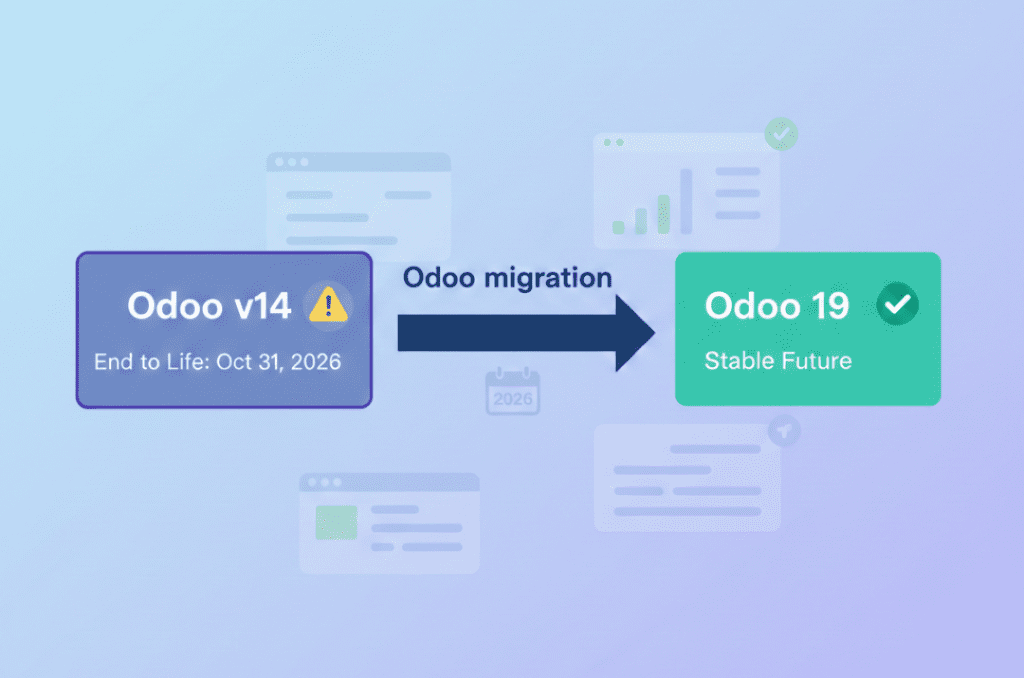
Odoo v14 End of Life: What the October 2026 Kill Date Means for Your Business
If you’re still running your business on Odoo v14, you now have a hard stop on the calendar 31 October 2026. That’s when Odoo v14 will reach the end of life on Odoo.sh, and any database still on that version will be blocked from normal use. It’s not just a technical detail it’s a real business continuity risk if you ignore
10 Proven Tips for Successful Odoo Module Customization
Odoo is famous for its customizable nature. Businesses from around the world choose Odoo because of its scalability and modality. Regardless of the business size, Odoo can cater to the unique and diverse needs of any company. Odoo has proven its capacity and robust quality in terms of helping businesses
How Odoo is Transforming Traditional Education with E Learning
How Odoo is Transforming Traditional Education with E-Learning?
Does your school need to centralize data to easily access and share information between applications? Odoo provides an ERP system that can do so. Using multiple software applications for every department can be dragging. With Odoo, you can systematize your operations for efficiency, user-friendly navigation, uniform cross-functional practice, and increased
How Can Odoo Module Customization Revolutionize Your Purchase Management Workflow
How Can Odoo Module Customization Revolutionize Your Purchase Management Workflow?
Odoo ERP’s modules are engineered with a robust structure to drive efficiency across your entire organization. Each module is specifically designed to address distinct business functions, from finance and inventory to sales, marketing, and purchase management. This tailored approach ensures that every part of your company has the tools it needs to excel. The true power of

          Success!!

          Keep an eye on your inbox for the PDF, it's on its way!

          If you don't see it in your inbox, don't forget to give your junk folder a quick peek. Just in case.


              You have successfully subscribed to the newsletter

              There was an error while trying to send your request. Please try again.

              Zehntech will use the information you provide on this form to be in touch with you and to provide updates and marketing.