







Join us at GITEX 2025! Discover our solutions at Hall 4, Booth H-30 Schedule a Meeting Today.
Automate Marketing Initiatives with Salesforce Marketing Cloud Learn More
Join us at GITEX 2024! Discover our solutions at Hall 4, Booth H-30 Book your live demo today.

Why Apache Cordova Is the Best Way Out for Native App Developers?

An open-source framework, Apache Cordova warrants web developers to create a native application for various platforms by using their JavaScript, HTML, and CSS content.

A web application is built in a WebView using the Cordova. This WebView can be assumed to be a type of web browser but with no interface elements. Just like any web application, the web application here can also execute JavaScript codes, communicate with remote servers, among other things, and these applications are often called hybrid applications.

Basically, a web-based application does not have an access to various features of software and hardware on your device. Various data like email, phone numbers, etc. cannot be accessed.

But on the other hand, Cordova provides JavaScript APIs that allow access to many device features. For this, Cordova uses various plugins that enable a path between the device’s native features and the web application.

The History of Apache Cordova

In 2008, some engineers from Nitobi company explored the idea of using the native WebView to run their web applications in a native environment and it worked. They persisted with their efforts and later created a framework using the solution. It was earlier named PhoneGap as it bridged the gap between web apps and the device’s native capabilities. More plugins were created and more functionality was now allowed to be accessed through the phone.

Later in 2011, the PhoneGap framework was given to Apache foundation and was renamed, Cordova.

Apache Cordova Can Help Your Business When

You want to extend an application on multiple platforms. You’ll not have to re-implement every time for differing languages on these different platforms.

You want to deploy a web app that is stored to be distributed in varying portals and app stores.

You want to mix native application components with a WebView

How Deployment of Cordova Is Leveraged?

Mostly, apps that use the internet and communicate through a remote server to fetch data are built using Apache Cordova app development services. Cordova fetches data from a server and then presents it to the user. It also listens and responds to the input from the user. Further, you can also build various self-contained Apps as well.

Cordova’s user interface is WebView. Cordova application is compiled but it doesn’t take CSS, JavaScript, or HTML code. It converts applications into specific native codes with respect to various platforms. When you write an app using web technology, Cordova contains it and keeps it intact which makes it available to the web view.

Native Device Functionality

By using plugins, Cordova gives you access to the functionality of the native device. These plugins give you access to native device capabilities by exposing JavaScript API.

Since plugins are written in native code, installing SDK for different platforms becomes crucial to be able to write native code for these platforms. This native code can then be invoked through JavaScript that gives access to the web view.

Cordova plugin ecosystem involves two types of plugins. Official plugins are the first type that is maintained by the Cordova community.

The custom plugin is a type two plugin in the Cordova ecosystem. These are built by individual developers and are mostly built to resolve specific issues to make keyboard interaction easy.

Advantages of Using Cordova

Open Source: Anyone can build and add custom plugins along with contributing code to Cordova’s source code. This improves the functioning of Cordova making it easy for many to access them.

Easy: It is very easy to learn and use Cordova. It has a very simple requirement of understanding and having a familiarity with basic commands of Cordova can help you work with Cordova quite easily.

Free: Financial constraints are a big hurdle in any developer’s life. But Cordova is completely free.

Native Functionalities are Accessible: Major native device features like camera, contacts, SMS, geolocation, etc. are accessible using Cordova.

Easy Execution on Varying App Stores: Cordova compiles applications into a package file that can be deployed on various platforms like App Store, iOS, and Windows by creating varying versions of APK, IPA, and APPX respectively.

Limitations While Using Cordova

Like any other technology, Cordova also has some limitations. Cordova accesses native device capabilities with the help of plugins. This reduces the performance of apps that rely on GPU and CPU as compared to the native apps.

Moreover, if there is plugin unavailability for a specific function, you will have to build a plugin on your own.

A place for big ideas.

Reimagine organizational performance while delivering a delightful experience through optimized operations.

Conclusion

It is necessary to have a fair idea about Cordova and you should be familiar with its capabilities. We hope this article brings fair insights about Cordova and we believe you may now be able to decide whether or not to use Cordova.

Top Stories

Odoo ERP Implementation (1)
How Indian MSMEs Can Use Budget 2026 Subsidies to Fund Their Odoo ERP Implementation
India’s Union Budget 2026–27 has sent a strong signal to small and medium enterprises: technology adoption is no longer optional — it is strategic. With a ₹10,000 crore MSME-focused fund, a ₹2,000 crore top-up for the Self-Reliant India Fund, and renewed emphasis on digital modernization, the government is actively encouraging
Sap’s critical 9.9 vulnerability
SAP’s Critical 9.9 Vulnerability: Why Mid-Market Companies Are Rethinking Their ERP Security
Resource Planning (ERP) systems sit at the center of business operations. When a vulnerability with a CVSS score of 9.9 is disclosed in SAP environments, it immediately draws attention — not because of hype, but because of operational risk. During the February 2026 SAP Security Patch Day, multiple high-severity security notes were released, including one
Odoo
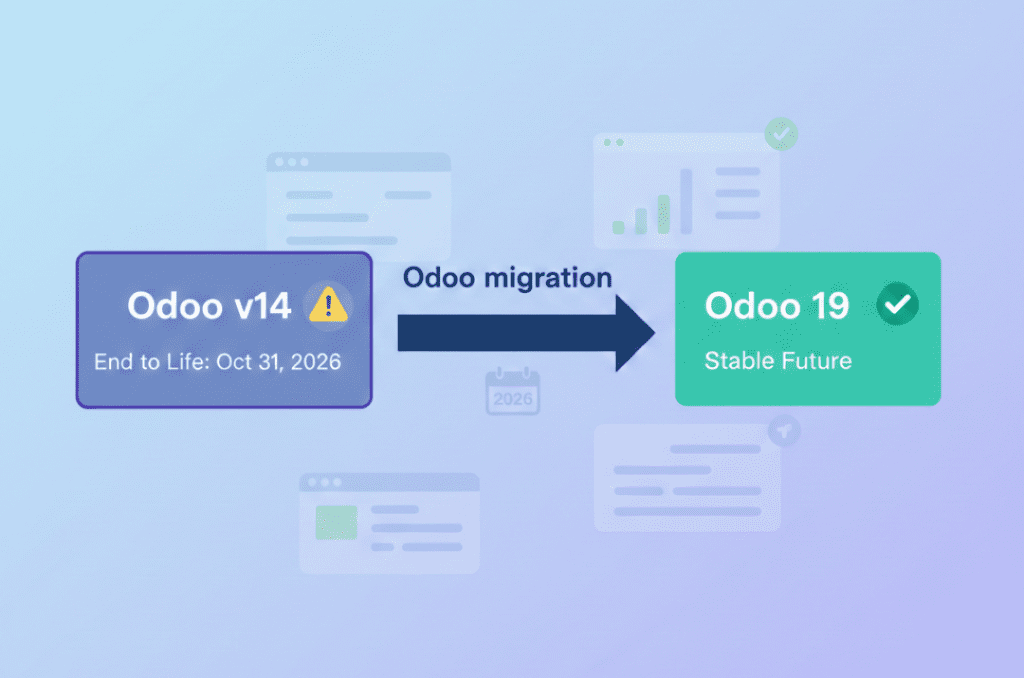
Odoo v14 End of Life: What the October 2026 Kill Date Means for Your Business
If you’re still running your business on Odoo v14, you now have a hard stop on the calendar 31 October 2026. That’s when Odoo v14 will reach the end of life on Odoo.sh, and any database still on that version will be blocked from normal use. It’s not just a technical detail it’s a real business continuity risk if you ignore
10 Proven Tips for Successful Odoo Module Customization
Odoo is famous for its customizable nature. Businesses from around the world choose Odoo because of its scalability and modality. Regardless of the business size, Odoo can cater to the unique and diverse needs of any company. Odoo has proven its capacity and robust quality in terms of helping businesses
How Odoo is Transforming Traditional Education with E Learning
How Odoo is Transforming Traditional Education with E-Learning?
Does your school need to centralize data to easily access and share information between applications? Odoo provides an ERP system that can do so. Using multiple software applications for every department can be dragging. With Odoo, you can systematize your operations for efficiency, user-friendly navigation, uniform cross-functional practice, and increased
How Can Odoo Module Customization Revolutionize Your Purchase Management Workflow
How Can Odoo Module Customization Revolutionize Your Purchase Management Workflow?
Odoo ERP’s modules are engineered with a robust structure to drive efficiency across your entire organization. Each module is specifically designed to address distinct business functions, from finance and inventory to sales, marketing, and purchase management. This tailored approach ensures that every part of your company has the tools it needs to excel. The true power of

          Success!!

          Keep an eye on your inbox for the PDF, it's on its way!

          If you don't see it in your inbox, don't forget to give your junk folder a quick peek. Just in case.


              You have successfully subscribed to the newsletter

              There was an error while trying to send your request. Please try again.

              Zehntech will use the information you provide on this form to be in touch with you and to provide updates and marketing.