Join us at GITEX 2025! Discover our solutions at Hall 4, Booth H-30 Schedule a Meeting Today.
Automate Marketing Initiatives with Salesforce Marketing Cloud Learn More
Join us at GITEX 2024! Discover our solutions at Hall 4, Booth H-30 Book your live demo today.
Odoo Email Utilities

Email CC & BCC — Global Default CC, BCC & Reply-To for Every Odoo Email

Stop manually adding CC and BCC recipients every time you send an email from Odoo. Configure once in General Settings, and every outgoing email across Sales, Purchase, and Invoicing auto-populates with your chosen recipients — with RFC 5321 compliant BCC that never leaks headers.

Compatible with Odoo 19, 18, 17 & 16
Community & Enterprise Supported
Works Across Sales, Purchase & Invoicing
No Custom Development Required
RFC 5321 Compliant BCC Delivery
One-Time Purchase — No Subscription
$24.88
V19, 18
Email CC & BCC for Odoo — Global CC, BCC, and Reply-To management

What is Email CC & BCC?

Email CC & BCC is an Odoo module that adds centralized CC, BCC, and Reply-To default configuration to your email workflows. It solves the repetitive, error-prone task of manually adding recipients to every outgoing email — across Sales Orders, Purchase Orders, Customer Invoices, and Vendor Invoices.

Configure your default recipients once in General Settings. Every email composed through Odoo's mail composer auto-populates those recipients. Users retain per-email override capability without touching the global configuration. BCC delivery is RFC 5321 compliant — recipients are hidden at the SMTP envelope level, not just obscured in headers.

Global CC/BCC defaults
Reply-To routing
Per-email override
RFC 5321 BCC compliance
Duplicate prevention

How Email CC & BCC Solves Odoo's Missing Recipient Management

Problem
Zehntech Email CC & BCC Solution
Users forget to CC managers or compliance teams on outgoing emails
Global CC defaults auto-populate on every email — no manual effort, no missed recipients
BCC recipients are exposed through Bcc: headers in some email configurations
RFC 5321 compliant SMTP envelope injection ensures BCC recipients are never visible to other recipients
No centralized Reply-To configuration forces recipients to reply to individual senders
Default Reply-To address routes all responses to the correct shared mailbox or team inbox
Adding CC/BCC manually on every Sales Order, PO, and Invoice email is repetitive
Auto-population across all integrated modules eliminates repetitive recipient entry
Duplicate contacts appear in TO, CC, and BCC simultaneously causing confusion
Automatic deduplication removes contacts that appear in multiple fields
Only raw email addresses are shown, making it hard to identify recipients
Partner-based UI displays contact names as tags for instant recognition
Mass email operations don't respect default recipient rules
Batch email support applies CC/BCC settings consistently across bulk sends
Invalid Reply-To addresses cause delivery failures with no warning
Regex validation blocks invalid email formats before they reach the mail server

Complete CC, BCC & Reply-To Management for Odoo Emails

1

Global CC/BCC Configuration

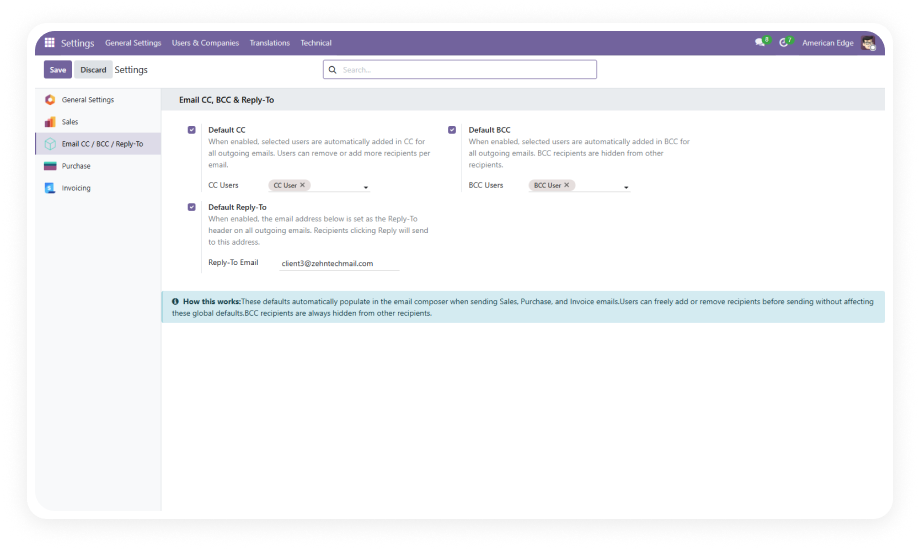
Centralized recipient management in General Settings with admin-only access. Define which internal users should be automatically CC'd or BCC'd on all outgoing emails.

Why it matters: eliminates reliance on individual users remembering to include compliance, management, or support teams on outgoing communications.

2

Default Reply-To Email Management

Set a default reply routing address for all outgoing emails sent through Odoo. All replies route to your designated shared mailbox, team inbox, or support address automatically.

Why it matters: prevents replies from going to individual sender addresses where they get lost or go unmonitored.

3

Auto-Population with Manual Override

Configured defaults pre-fill the CC, BCC, and Reply-To fields in the mail composer. Users can add or remove recipients on any individual email without affecting the global settings.

Why it matters: provides the discipline of enforced defaults with the flexibility of per-email control for edge cases.

4

RFC 5321 Compliant BCC Delivery

BCC recipients are delivered using SMTP envelope injection — no Bcc: header is ever exposed in the sent message. Recipients in the TO and CC fields have no way to identify BCC recipients.

Why it matters: true privacy compliance for sensitive communications where recipient lists must remain confidential.

5

Partner-Based UI

The recipient fields display contact names as visual tags rather than raw email addresses. Selection is drawn from Odoo's partner database for instant recognition and accurate targeting.

Why it matters: reduces selection errors and speeds up the process of verifying or adjusting recipients before sending.

6

Multi-Module Integration

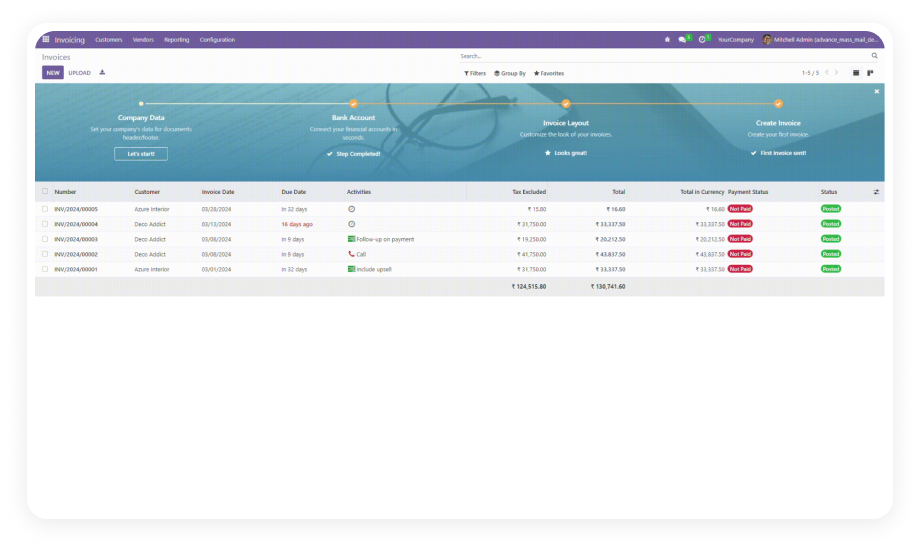
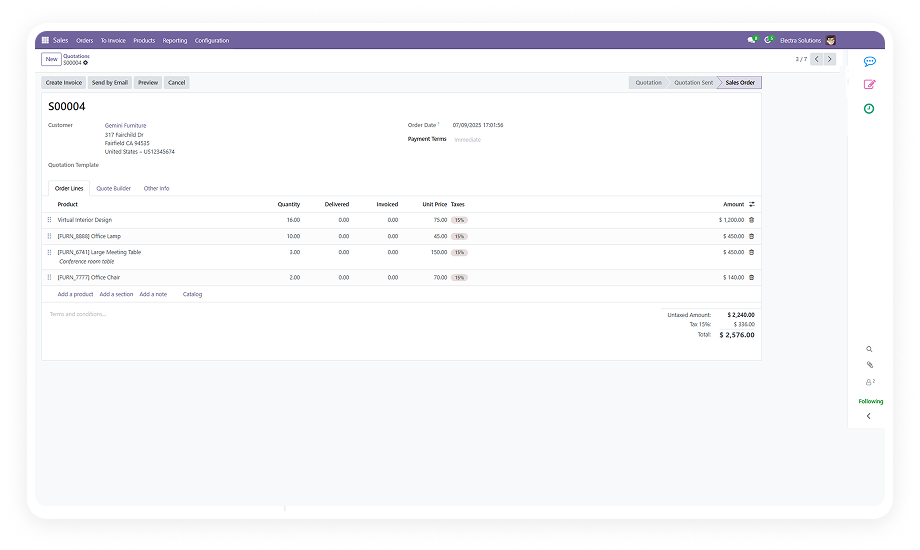
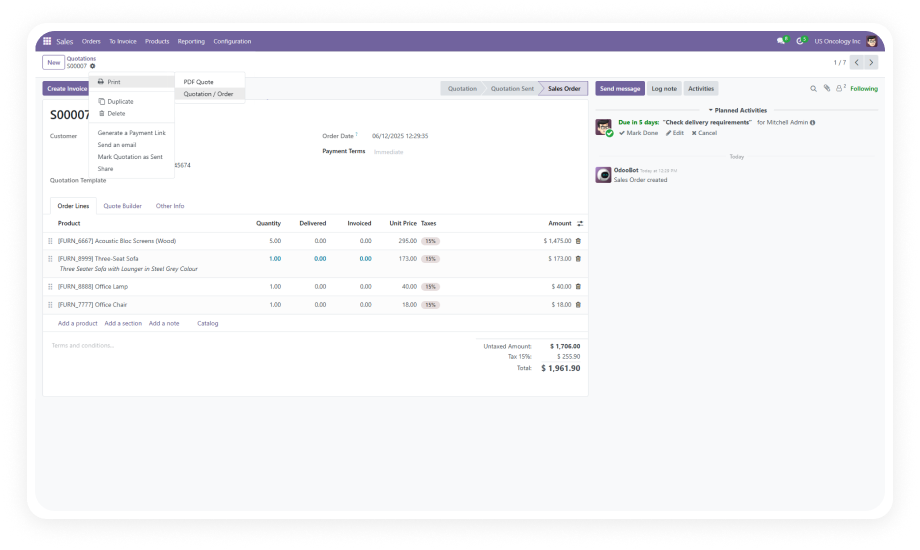
CC, BCC, and Reply-To settings apply consistently across Sales Orders, Purchase Orders, Customer Invoices, Vendor Invoices, and the general mail composer.

Why it matters: one configuration governs email behavior across your entire operational workflow — no per-module setup required.

7

Active User Filtering

Recipient selection is restricted to active internal users only. Deactivated accounts, external contacts, and portal users do not appear in the CC/BCC selection fields.

Why it matters: prevents accidental email delivery to inactive accounts or unauthorized external parties.

8

Email Validation

Regex-based validation on the Reply-To field prevents invalid email formats from being saved. The system blocks malformed addresses before they reach your mail server.

Why it matters: avoids silent delivery failures caused by typos or improperly formatted email addresses.

9

Duplicate Prevention

If the same contact appears in the TO, CC, and BCC fields simultaneously, the system auto-deduplicates to prevent redundant delivery.

Why it matters: recipients receive one clean email rather than duplicates, maintaining professional communication standards.

10

Batch Email Support

Default CC/BCC settings apply consistently when sending emails in bulk — such as mass invoicing or bulk order confirmations.

Why it matters: ensures compliance and notification rules hold even during high-volume batch operations.

11

Comprehensive Logging

Debug-level logs capture CC/BCC application, Reply-To routing, and delivery events for troubleshooting.

Why it matters: when an email doesn't arrive as expected, administrators have a clear trail to diagnose the issue without guesswork.

Who Gets The Most Out Of This Module

Role
Primary Use Case
Key Outcome
Sales Manager
Auto-CC the sales director on every quotation and order confirmation
Full visibility into outbound sales communication without manual forwarding
Finance Controller
BCC the audit team on all customer and vendor invoice emails
Compliance documentation captured automatically with zero user effort
Procurement Lead
CC the procurement manager on every purchase order sent to vendors
Oversight on vendor commitments without requiring manual email forwarding
IT Administrator
Configure default Reply-To routing to the shared support inbox
All customer replies land in the monitored queue instead of individual inboxes
Compliance Officer
BCC the legal inbox on outgoing commercial communications
Automatic record-keeping without relying on individual users to remember
Operations Manager
Ensure all departments follow uniform email routing rules
Consistent communication standards enforced across Sales, Purchase, and Finance
⚠ Not the right fit for: Teams that only need a simple email archive or compliance tool — this module manages live CC, BCC, and Reply-To defaults on outgoing emails only, not inbound email recording or archiving.

Versions & Documentation

Choose your Odoo version and explore interactive documentation

Documentation coming soon for Odoo 16.
Documentation coming soon for Odoo 17.

Native Odoo vs Zehntech Email CC & BCC

Capability
Zehntech Email CC & BCC
Native Odoo
Global default CC recipients
Not available
Global default BCC recipients
Not available
Default Reply-To address configuration
Not available
Auto-population in mail composer
Not available
Per-email override without affecting defaults
Not available
RFC 5321 compliant BCC (no header exposure)
Not available
Partner-based recipient UI with name tags
Partial (TO field only)
Multi-module integration (Sales, Purchase, Invoicing)
Not available
Active user filtering for recipient selection
Not available
Email validation on Reply-To
Not available
Duplicate prevention across TO/CC/BCC
Not available
Batch email default application
Not available
Debug logging for delivery troubleshooting
Basic mail logs
Admin-only configuration access
Not available

Get Started In Minutes

No development environment. No custom code. No consultant required for standard setup.

01

Install from the Odoo App Store

Search for zehntech_mail_cc_bcc_extension in your Odoo Apps menu and click Install. Compatible with Odoo 16, 17, 18, and 19 on Community and Enterprise editions.

02

Configure Default CC & BCC Recipients

Navigate to Settings > General Settings > Email CC & BCC section. Select the internal users who should appear as default CC and BCC recipients on all outgoing emails.

03

Set Default Reply-To Address

In the same configuration section, enter the default Reply-To email address. The system validates the format before saving. Use your shared team inbox or designated response address.

04

Verify Outgoing Mail Server

Ensure your outgoing mail server is configured in Settings > Technical > Outgoing Mail Servers. The module relies on standard Odoo SMTP delivery for RFC 5321 compliant BCC.

05

Send a Test Email

Open any Sales Order, Purchase Order, or Invoice and compose an email. Verify that CC, BCC, and Reply-To fields are pre-populated with your configured defaults.

Technical Details & Compatibility

Requirement
Odoo Versions
Editions
Hosting
Dependencies
Third-Party Dependencies
Custom Dev Required
Install Time
Server Restart
Data Migration
Module Conflicts
License
Last Tested
Lines of Code
Support
Details
16.0 · 17.0 · 18.0 · 19.0
Community · Enterprise
Odoo Online · On-Premise · Odoo.sh
Discuss (mail) · Invoicing (account) · Purchase · Sales (sale_management)
None
No
Under 5 minutes
Not required
Not required
None known
OPL-1 (Odoo Proprietary License)
Odoo 19.0 — May 2026
849
Email CC & BCC — FAQ illustration

Frequently Asked Questions

Yes — the module uses RFC 5321 compliant SMTP envelope injection for BCC delivery. No Bcc: header is exposed in the sent message. Recipients in the TO and CC fields cannot identify who was BCC'd under any circumstances.
Yes — global defaults auto-populate the mail composer fields on every email. Users can freely add or remove recipients on any individual email. Changes made per-email do not affect the system-wide configuration in General Settings.
Sales Orders (sale_management), Purchase Orders (purchase), Customer and Vendor Invoices (account), and the general mail composer (mail/Discuss). CC, BCC, and Reply-To defaults apply consistently across all of these modules.
Odoo 16, 17, 18, and 19 are all supported. Both Community and Enterprise editions are fully compatible. The module works on Odoo Online, Odoo.sh, and On-Premise deployments.
One-time purchase at $24.88. No recurring fees. Lifetime updates are included with the purchase. 90 days of dedicated technical support from the Zehntech team.
The module automatically deduplicates contacts that appear in multiple fields. Each recipient receives only one copy of the email regardless of how many fields they appear in. This prevents redundant delivery and maintains clean, professional communication.
Yes — default CC/BCC settings apply consistently during batch operations. Mass invoicing, bulk order confirmations, and other batch sends all respect the configured defaults. Settings are applied at the SMTP level, so they work regardless of send volume.
Yes — the configuration is located in General Settings with admin-only access. Only users with Settings/Administration access can view or modify the defaults. Regular users see the auto-populated fields but cannot change the global configuration.

One-Time Purchase.
No Subscription.
No Recurring Fees.

Your team sends emails from Odoo every day — Sales Orders, Purchase Orders, Invoices. Email CC & BCC ensures the right people are always copied, replies route to the right inbox, and BCC privacy is maintained at the protocol level. Configure once. Enforce everywhere. Override when needed.

$24.88 one-time. Lifetime updates. 90 days of dedicated technical support included.

Zehntech Odoo experts ready to help


          You have successfully subscribed to the newsletter

          There was an error while trying to send your request. Please try again.

          Zehntech will use the information you provide on this form to be in touch with you and to provide updates and marketing.