Join us at GITEX 2025! Discover our solutions at Hall 4, Booth H-30 Schedule a Meeting Today.
Automate Marketing Initiatives with Salesforce Marketing Cloud Learn More
Join us at GITEX 2024! Discover our solutions at Hall 4, Booth H-30 Book your live demo today.
Zehntech Odoo App

Excel Report Designer

Build Custom XLSX & PDF Reports in Odoo Without Code. Design dynamic, multi-sheet Excel and PDF reports from any Odoo model. Apply custom filters, preview layouts in real time, schedule automated delivery, and export professional reports — all without writing a single line of code.

Compatible with Odoo 16, 17, 18 & 19
Community & Enterprise Supported
Works with Any Odoo Model — Standard or Custom
No Custom Development Required
Trusted by 500+ Businesses Across 12+ Countries
$19.91
V19, 18, 17, 16
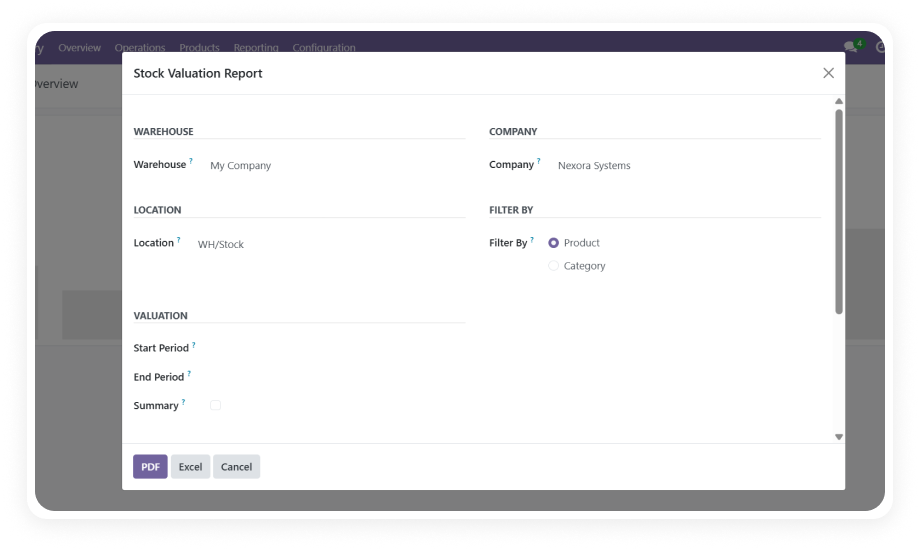
Excel Report Designer for Odoo — Custom XLSX and PDF reporting interface

What is Excel Report Designer?

Excel Report Designer is a no-code Odoo module that lets business users design, preview, and generate custom XLSX and PDF reports from any model in the system. It eliminates the gap between what Odoo reports natively and what your team actually needs by putting report creation directly in the hands of operations, finance, and management — without developer involvement. The module supports multi-sheet Excel files, date-based filtering logic, real-time layout previews, and scheduled email delivery.

Any Odoo model
Multi-sheet XLSX
Real-time preview
Scheduled email delivery
No code required

How Excel Report Designer Solves Odoo Reporting Limitations

Problem
Zehntech Excel Report Designer Solution
Native report builder requires developer skills for XLSX customization
Visual configuration interface accessible to any business user
Standard exports produce flat, single-sheet data dumps
Multi-sheet Excel reports with logically grouped tabs
No preview without generating and downloading first
Real-time preview shows live data in configured layout
Recurring reports require manual generation each cycle
Scheduled delivery automates generation and email distribution
Date-based filtering needs custom development
Built-in date range filtering with configurable logic
Report styling is locked — no formatting control
User preference settings for font, color, background, borders
Generating reports for specific records requires navigation
Action menu integration from list views
Report definitions are one-model-only
Multi-sheet capability combines multiple data sources

Design Any Report. From Any Model. On Your Terms.

1

Universal Model Support

Create reports from any Odoo model — Sales Orders, Purchase Orders, Invoices, Inventory, CRM, HR, or any custom model. Select fields dynamically during configuration.

Why it matters: One module replaces unlimited custom report development requests, covering every department's needs.

2

Multi-Sheet Excel Reports

Organize data from multiple Odoo models into separate sheets within a single XLSX workbook. Each sheet operates independently with its own field selection and filters.

Why it matters: Complex requirements spanning multiple business areas are handled in one file instead of many.

3

Real-Time Data Preview

Preview your report layout populated with live Odoo data before generating the final output. Adjust fields, ordering, and filters while seeing exactly how results will look.

Why it matters: Eliminates the generate-check-adjust loop, ensuring first-attempt accuracy.

4

Dual Format Export — XLSX and PDF

Generate reports in both Excel and PDF formats from the same report definition. Switch between formats without reconfiguring anything.

Why it matters: Teams needing Excel for analysis and PDF for distribution serve both needs from one design.

5

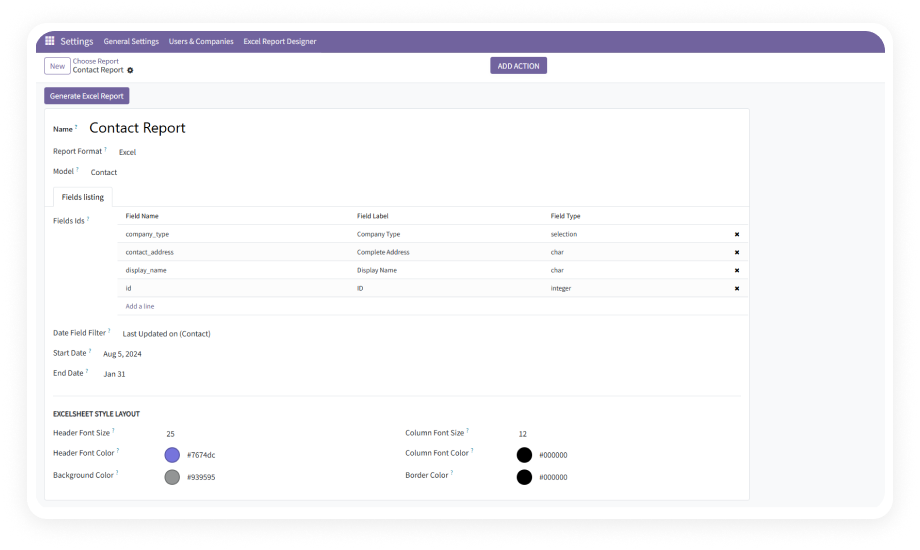
Scheduled Report Generation & Email Delivery

Automate recurring report generation at any interval — minutes, hourly, daily, weekly, or monthly. Reports are delivered as email attachments to defined recipients.

Why it matters: Recurring reports that depend on someone remembering are now fully automated.

6

Custom Date Range Filtering

Apply date-based filtering logic to reports so they dynamically pull data for the relevant time period at generation time. Set custom or relative periods.

Why it matters: Scheduled reports automatically pull the correct date window without manual adjustment.

7

Action Menu Integration

Add report generation to Odoo's action menus so users can select specific records from list views and generate reports for just those items.

Why it matters: Teams produce reports on specific subsets instantly without leaving their workflow.

8

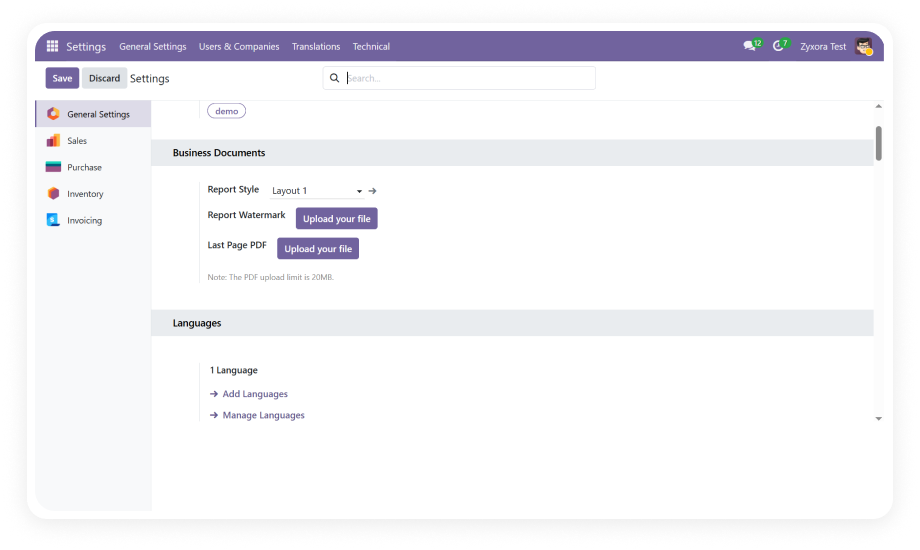
User Preference Settings

Define default styling including font size, font color, background color, and border styles that apply consistently across all generated reports.

Why it matters: Organizational branding and formatting standards are maintained automatically.

9

Report Naming & Organization

Assign custom names and identifiers to report configurations for easy management and retrieval as your report library grows.

Why it matters: Clear naming conventions prevent duplication and help any team member find the right report.

10

Direct Print from Configuration

Generate and print reports directly from the configuration form during setup or review without navigating to separate menus.

Why it matters: The design-to-output workflow stays in one place, reducing clicks and context switching.

Who Gets The Most Out Of This Module

Role
Primary Use Case
Key Outcome
Finance Manager
Design weekly accounts receivable and payable summaries with date-based filters
Automated financial summaries delivered to inbox every Monday
Sales Director
Build multi-sheet workbooks combining pipeline, orders, and revenue by rep
Single workbook with all sales metrics for leadership meetings
Operations Manager
Create scheduled daily reports on purchase orders, receipts, and delivery status
Daily operational snapshot arrives before morning standup
Warehouse Supervisor
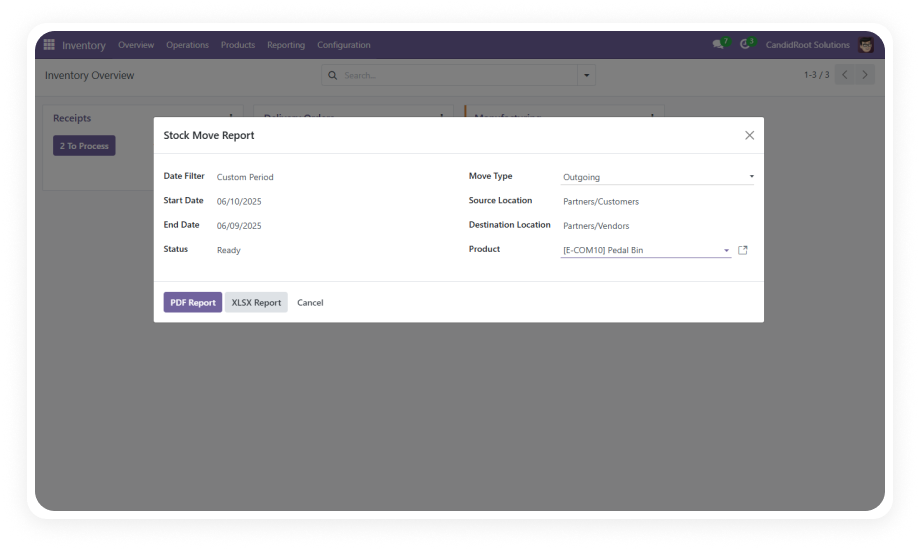
Generate stock movement reports filtered by location and period via action menu
On-demand inventory reports directly from list views
HR Manager
Export employee attendance, leave, and payroll data into structured XLSX
Clean, formatted HR data ready for analysis without IT involvement
Procurement Officer
Schedule recurring supplier performance reports with purchase data by vendor
Weekly vendor analysis reports generated and distributed automatically
Odoo Administrator
Set up self-service reporting for business teams across all departments
Reduced report development backlog as teams build their own reports

Versions & Documentation

Choose your Odoo version and explore interactive documentation

Native Odoo vs Zehntech Excel Report Designer

Capability
Zehntech Excel Report Designer
Native Odoo
Design custom XLSX reports for any model without code
Available
Not available
Multi-sheet Excel workbooks with multiple models
Available
Not available
Real-time report layout preview with live data
Available
Not available
Scheduled automated report generation
Available
Not available
Email delivery of generated reports as attachments
Available
Not available
Custom date range filtering with dynamic logic
Available
Basic
PDF export from the same report definition
Available
Requires separate template
Action menu integration for selected records
Available
Not available
User-defined default styling (font, color, borders)
Available
Not available
Report naming and organizational management
Available
Not available
Direct print from configuration interface
Available
Not available
Works with custom models and fields
Available
Requires development
Non-technical user interface — no code required
Available
Requires developer

Get Started In Minutes

No development environment. No custom code. No consultant required for standard setup.

01

Purchase & Install

Purchase from the Odoo App Store. Available for Odoo 16–19 across Community, Enterprise, and Odoo.sh. Navigate to Apps, search by name, click Install. No server restart required.

02

Configure Your First Report

Open the Excel Report Designer menu. Create a new report by selecting your target model, choosing fields, defining column order, and optionally setting date range filters.

03

Preview & Refine

Use real-time preview to see your report with actual Odoo data. Adjust field selections, add or remove columns, configure styling. Preview updates live as you make changes.

04

Generate, Schedule, or Integrate

Print directly for immediate use, enable scheduled delivery for automated email distribution, or activate the action menu for on-demand report generation from list views.

Technical Details & Compatibility

Requirement
Odoo Versions
Editions
Hosting
Dependencies
Third-Party Dependencies
Custom Dev Required
Install Time
Server Restart
Data Migration
Module Conflicts
License
Last Tested
Lines of Code
Support
Details
16.0 · 17.0 · 18.0 · 19.0
Community · Enterprise · Odoo.sh
Odoo Online · On-Premise · Odoo.sh
Invoicing · Purchase · Sales · Discuss
None
No
Under 5 minutes
Not required
Not required
None known
OPL-1
Odoo 19.0 — May 2026
2,663
Excel Report Designer — FAQ illustration

Frequently Asked Questions

Yes. Excel Report Designer works with any Odoo model — Sales Orders, Purchase Orders, Invoices, Contacts, Inventory, HR, CRM, or any custom model installed in your instance. You select the model, choose the fields you want, define optional filters, and the module generates structured XLSX or PDF output. No code, developer knowledge, or XML template editing is required.
Yes. The module supports multi-sheet Excel workbooks where data from different Odoo models can be organized into separate tabs within a single XLSX file. Each sheet is independently configurable with its own field selection, filters, and data scope. This eliminates the need to merge multiple separate exports into one workbook manually.
Yes. The scheduling engine supports automated generation at configurable intervals — minutes, hourly, daily, weekly, or monthly. Generated reports are attached to emails and delivered to specified recipients automatically. Once scheduled, reports run without any manual intervention, ensuring stakeholders always receive fresh data on time.
Excel Report Designer supports Odoo 16.0, 17.0, 18.0, and 19.0. All hosting types are supported: Odoo Online, Odoo.sh, and On-Premise deployments. The module is compatible with both Community and Enterprise editions across all supported versions.
No. The module is designed for business users — finance, operations, HR, and management teams. You configure reports through a visual interface: select your model, pick fields, set filters, adjust styling, and preview results in real time. No Python, XML, QWeb template knowledge, or developer involvement is required.
Native Odoo export produces flat, single-sheet CSV or basic XLSX dumps with no formatting, no scheduling, and no multi-model capability. Excel Report Designer provides styled multi-sheet workbooks, automated scheduled delivery, real-time preview, custom date logic, action menu integration, and PDF output — all from a single visual configuration interface.
Yes. Excel Report Designer supports dual format export — both XLSX and PDF — from the same report definition. You do not need separate configurations for each format. Toggle between Excel and PDF output at generation time.

One-Time Purchase.
No Subscription.
No Recurring Fees.

Zehntech Odoo experts ready to help


          You have successfully subscribed to the newsletter

          There was an error while trying to send your request. Please try again.

          Zehntech will use the information you provide on this form to be in touch with you and to provide updates and marketing.