Join us at GITEX 2025! Discover our solutions at Hall 4, Booth H-30 Schedule a Meeting Today.
Automate Marketing Initiatives with Salesforce Marketing Cloud Learn More
Join us at GITEX 2024! Discover our solutions at Hall 4, Booth H-30 Book your live demo today.
Zehntech Odoo App

GroupBy Expand/Collapse

Open or Close All Grouped Records in Odoo With One Click. Stop clicking through grouped records one by one. Expand a single group, open multiple groups simultaneously, or collapse everything back down — all from a single action in any Odoo list view.

Compatible with Odoo 16 & 17
Community & Enterprise Supported
Works Across All Odoo List Views
No Custom Development Required
Trusted by 500+ Businesses Across 12+ Countries
FREE
V17, 16
GroupBy Expand/Collapse — One-click group navigation in Odoo list views

What is GroupBy Expand/Collapse?

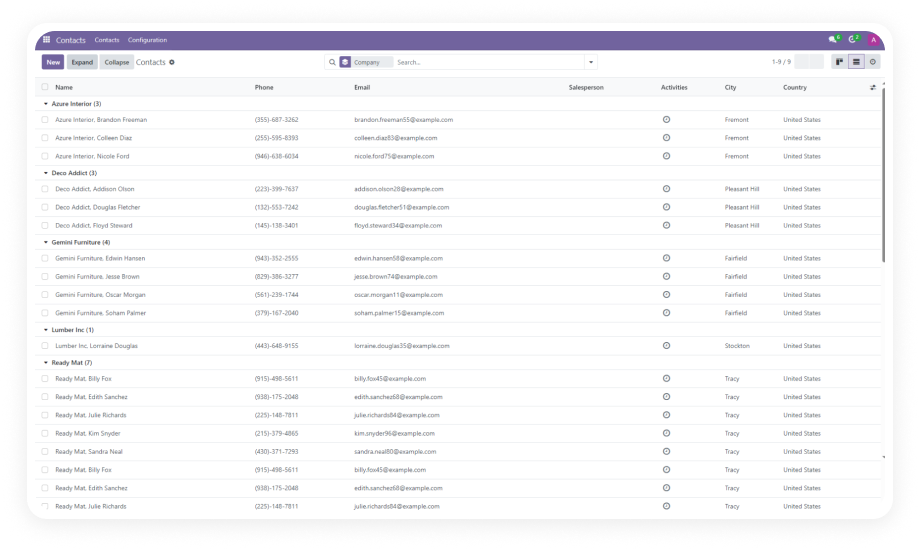
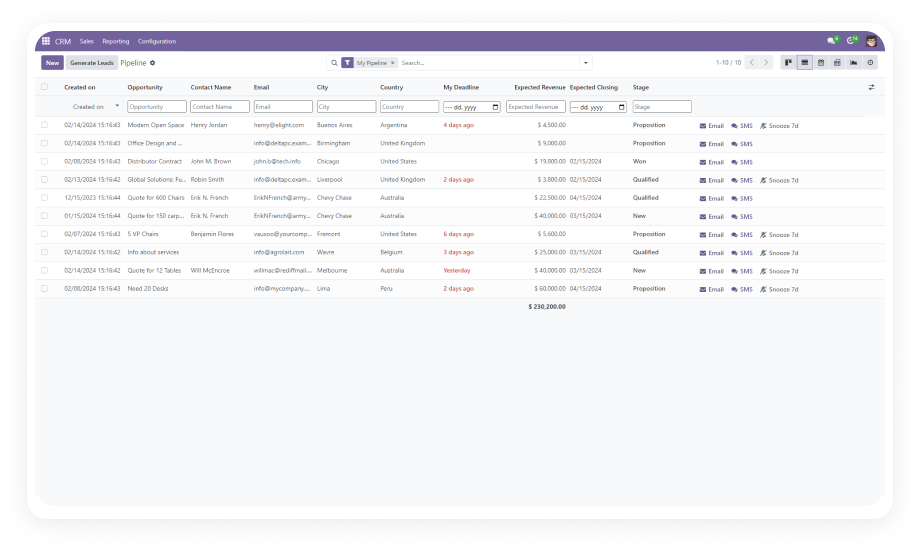
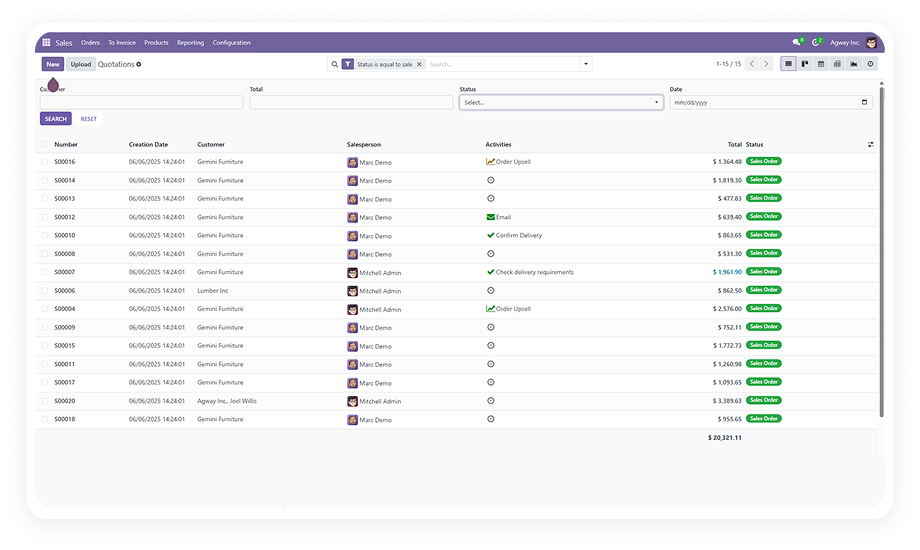
GroupBy Expand/Collapse is an Odoo productivity module that adds one-click expand and collapse controls to grouped list views. Instead of manually opening each group header individually — a tedious process when working with dozens of categories — this module lets you expand one, many, or all groups instantly, and collapse them all back with a single action. It works universally across every list view in Odoo where GroupBy filtering is applied, from Sales Orders and Invoices to CRM records and Contacts.

Expand single groups
Expand multiple groups at once
Collapse all groups instantly
Works on any grouped list view
Zero configuration

How GroupBy Expand/Collapse Solves Grouped Data Navigation in Odoo

Problem
Zehntech GroupBy Solution
Opening each group requires individual clicks on every group header
Expand all groups simultaneously with one click
Reviewing data across multiple groups means constant repetitive clicking
Open multiple groups at once to see all underlying records
Collapsing groups back requires closing each one individually
Collapse every open group in a single action
Working with large datasets grouped by category is slow
Bulk expand/collapse regardless of dataset size
No native way to toggle all groups open or closed in standard Odoo
Adds the missing controls directly into list view interface
Teams waste cumulative hours per week clicking through grouped views
One-click group management recovers that time

Complete Group Navigation Control for Odoo List Views

1

Expand Single Group

Open any individual data group in your list view with a single click to reveal the records underneath.

Why it matters: When you only need to inspect one specific category, you can open it instantly without disturbing other groups — keeping your view focused and organized.

2

Expand Multiple Groups Simultaneously

Open multiple groups at the same time rather than clicking each group header individually.

Why it matters: When analyzing data across several categories — such as comparing sales by region or invoices by status — expanding multiple groups eliminates repetitive clicking.

3

Collapse All Open Groups at Once

Close every expanded group in your list view with a single action, returning to a clean summary view instantly.

Why it matters: After reviewing detailed records across multiple groups, collapsing everything at once lets you reset your view without clicking through each group individually.

Who Gets The Most Out Of This Module

Role
Primary Use Case
Key Outcome
Sales Manager
Expand all groups in Sales Orders list to review pipeline by salesperson or stage
Complete pipeline visibility in one click instead of opening 15+ individual groups
Accountant
Open all invoice groups by payment status to scan overdue and paid records together
Faster reconciliation workflow across grouped financial documents
Operations Manager
Expand grouped inventory or purchase records to compare categories side-by-side
Instant data comparison without repetitive navigation in warehouse views
CRM Administrator
Toggle all lead groups open by stage to review funnel health at a glance
Full funnel visibility without clicking through each pipeline stage individually
HR Manager
Expand employee groups by department or contract type for bulk review
Rapid workforce analysis across organizational categories
Any Odoo User
Collapse all groups after review to return to a clean summary view
Immediate view reset without closing each group one at a time

Versions & Documentation

Choose your Odoo version and explore interactive documentation

Documentation coming soon for Odoo 16. Full setup documentation included with installation.

Documentation coming soon for Odoo 17. Full setup documentation included with installation.

Native Odoo vs Zehntech GroupBy Expand/Collapse

Capability
Zehntech GroupBy
Native Odoo
Expand single group with one click
Yes
Yes (default)
Expand multiple groups simultaneously
Yes
Not available
Expand all groups at once
Yes
Not available
Collapse all open groups in one action
Yes
Not available
Works across all list views with GroupBy
Yes
Manual only (one-by-one)
No per-model configuration required
Yes
N/A
No-code installation
Yes
N/A
Odoo Community edition support
Yes
N/A
Odoo Enterprise edition support
Yes
N/A
Odoo.sh and On-Premise compatible
Yes
N/A

Get Started In Minutes

No development environment. No custom code. No consultant required for standard setup.

01

Install from the Odoo App Store

Search for groupby_expand_collapse in your Odoo Apps menu and click Install. Compatible with Odoo 16 and 17 on both Community and Enterprise editions. Installation completes in seconds.

02

Apply GroupBy on any list view

Navigate to any Odoo list view — Sales Orders, Invoices, Contacts, CRM Leads, or any other model — and apply a GroupBy filter using the search panel.

03

Use the expand/collapse controls

With GroupBy active, use the new controls to expand a single group, expand multiple groups at once, or collapse all open groups back to a clean summary. No additional configuration needed.

Technical Details & Compatibility

Requirement
Odoo Versions
Editions
Hosting
Dependencies
Third-Party Dependencies
Custom Dev Required
Install Time
Server Restart
Data Migration
Module Conflicts
License
Last Tested
Lines of Code
Support
Details
16.0 · 17.0
Community · Enterprise · Odoo.sh
Odoo Online · On-Premise · Odoo.sh
Invoicing, Discuss, CRM, Calendar, Contacts
None
No
Under 2 minutes
Not required
Not required
None known
OPL-1
Odoo 17.0 — May 2026
50
GroupBy Expand/Collapse — FAQ illustration

Frequently Asked Questions

Yes — the module installs directly from the Odoo App Store with no coding required. It works immediately on any list view where GroupBy filtering is applied. No configuration, no settings, no setup screens — just install and use.
Yes — the module is fully compatible with both Odoo Community and Enterprise editions. It supports all three hosting environments: Odoo Online, Odoo.sh, and On-Premise. Versions 16 and 17 are both supported with identical functionality.
GroupBy Expand/Collapse supports Odoo v16 and v17. Both Community and Enterprise editions are fully supported. The module is compatible with Odoo Online, Odoo.sh, and On-Premise hosting.
It works universally across all Odoo list views where GroupBy grouping is applied. This includes Sales Orders, Invoices, CRM leads, Contacts, Purchase Orders, Inventory, and any custom models. No per-model configuration is required — the expand/collapse controls appear automatically on grouped views.
No — the module is extremely lightweight at only 50 lines of code. It adds minimal frontend logic that triggers only when GroupBy is active in a list view. There is no background processing, no scheduled jobs, and no database overhead.

Ready to Stop Clicking
Through Groups
One by One?

Your team already uses GroupBy to organize records in Odoo — this module adds the expand/collapse controls that the native interface simply doesn't provide. Includes lifetime updates and 90 days of dedicated technical support.

Zehntech Odoo experts ready to help


          You have successfully subscribed to the newsletter

          There was an error while trying to send your request. Please try again.

          Zehntech will use the information you provide on this form to be in touch with you and to provide updates and marketing.