Automate Marketing Initiatives with Salesforce Marketing Cloud Learn More

How Odoo Can Help Boost Your Business Productivity?

Each organization has unique management and growth requirements based on its domain, size, and geography. Thus making it necessary to establish an enterprise resource planning mechanism for optimum utilization of resources. Or installing components of an ERP system having varying functionality depending on the business requirements which help boosting your business productivity.

Difficulty With Multiple Systems

Many ERP systems or alternative solutions provide a set of functionalities to perform routine company processes. However, managing data across many systems and relying on other interfaces is a significant disadvantage of working with numerous apps. When your company grows in size or geographical location, managing all of these systems becomes considerably more challenging. 

Imagine there is a system that can meet all of your company’s demands. Along with a high level of flexibility and reliability. It may be used at any scale and for every type of company. Also, has hundreds of little apps. 

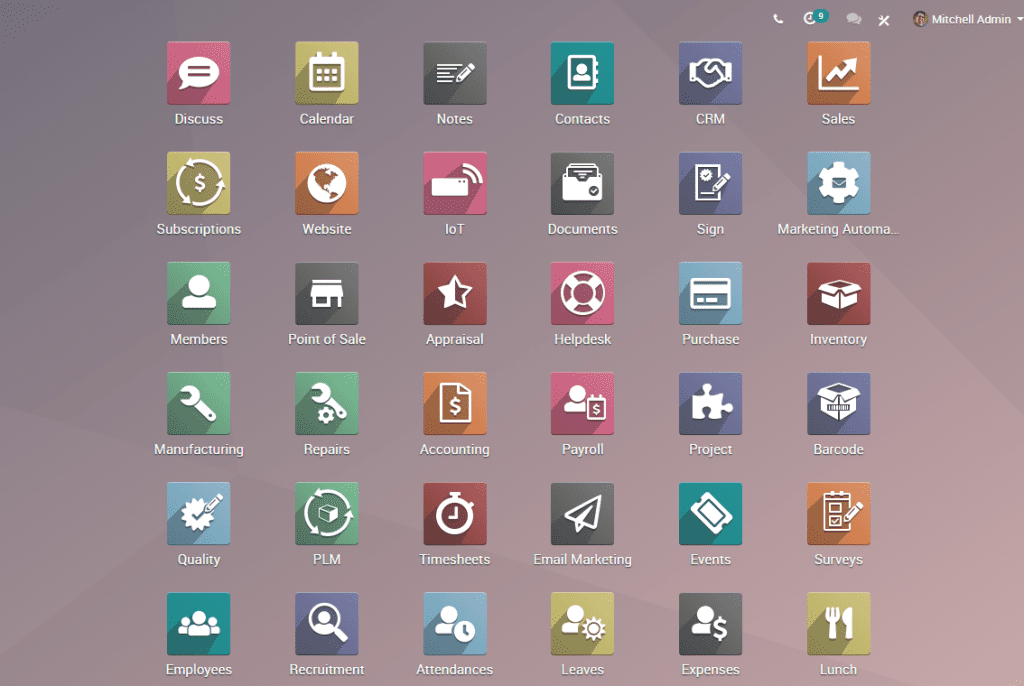
Yes, Odoo (an open-source ERP system) can achieve this. Odoo uses a variety of little applications that we may use whenever we need them. It’s a comprehensive set of functions that each company needs. Finance, Sales, Websites, Inventory & MRP, HR operations, marketing, project management, events planning, and other functionalities that can help to run business operations smoothly are all you can manage on a single platform.

Odoo – An Open Source ERP System

An Open Source ERP System
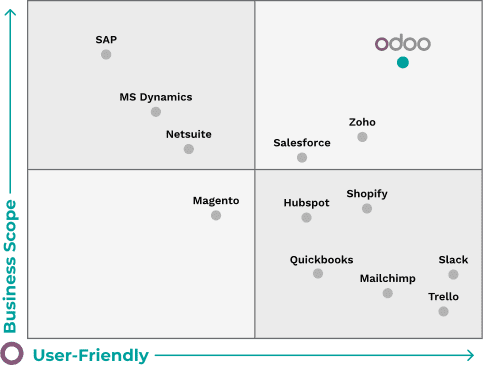
  Odoo is an open-source ERP system. It has a contemporary and attractive technological architecture. This allows them and their community developers to deliver top-notch usability across all apps. The open-source development model of Odoo is already the business platform of choice for 7 million people. Odoo provides a large business scope and a user-friendly environment when compared to other ERPs.
Apart from that, Odoo has the following features
 
  • Open-Source ERP 
  • Usability & Productivity 
  • Fully Adaptable 
  • Add-ons for Every Purpose 
  • Simple to Use 
  • Cost-Effective
Using the following applications on a single platform will help your company soar to new heights
Odoo 12e homepage 1

Finance

The Odoo accounting module is elegant and feature-rich, making it ideal for any business. From budgeting, assets, and multi-company consolidation to integrated analytic accounting. Create invoices from quotations you’ve submitted to your customers. With only one click, you can send professional-looking bills. Automated follow-up and online payments. 

Sales

Create polished, professional quotations in minutes by using templates. Send offers with explicit pricing. This a consumer may accept, reject, or inquire about. Get real-time visual information on the next steps. New communications, top opportunities, and predicted revenues by working inside your sales funnel. 

Websites

Odoo website development is a fabulous idea. Since it offers a great Odoo website builder that is very easy to use. Odoo has all the features you need for an informational website or an e-commerce site. Odoo’s E-Commerce module is unlike anything else you’ve seen. Get a fantastic product catalogue and excellent product description pages. 

Inventory & MRP

With Odoo double entry inventory, you can minimize process times. Also automate transactions, reduce stock levels, and receive comprehensive traceability on all activities. Manage your assembly and/or manufacturing activities using Odoo. Automatically schedule manufacturing orders and work orders. Automated procurement proposals, issued requests for quotes, tracked purchase orders. Along with managed supplier information, product receipts, and invoicing.

Human Resources

Easily handle all of your HR functions. Including knowledge sharing, recruiting, appraisals, timesheets, contracts, attendance, and payroll. 

Marketing

Every firm in every industry relies on marketing. And Odoo offers a wide range of functions to help you improve your marketing. There are no limitations when it comes to Social Marketing, Email Marketing, SMS Marketing. Or any other sort of marketing or its automation. Like sending mass mailings to leads, opportunities, and customers with ease. To boost conversion rates, track the efficacy of mailing campaigns. 

Project Management

Odoo’s collaborative and real-time project management makes it easier to complete your tasks. From the client’s contract to the final invoice, keep track of everything.

Events Planning

Whether you’re planning a meeting, a conference, a training session, or a webinar, Odoo has all the tools. It has everything you’ll need to manage your online events and event websites. As an ERP system for your business domain, you may also use Odoo for productivity and flexibility. As well as create a website on Odoo for increased efficiency and ease.

A place for big ideas.

Reimagine organizational performance while delivering a delightful experience through optimized operations.

Conclusion

To sum up, Odoo has the capability to provide ample business management solutions for its users. Thus bringing ease and efficiency in running any mode, sector, level, or methodology of business operations. As a result, the wide range of features that Odoo provide helps in increasing the productivity of businesses.

Top Stories

The Complete Guide to Odoo in 2026
The Complete Guide to Odoo in 2026: Implementation, Customisation, Integration, Migration and Cost
What Odoo actually is Odoo is a suite of business applications built on a shared database — CRM, sales, inventory, manufacturing, accounting, HR, website, point of sale, and several dozen more. The applications are modular. You switch on the ones you need and leave the rest off. The architectural point
How to Connect WooCommerce to Odoo
How to Connect WooCommerce to Odoo — Complete Setup Guide
Connecting WooCommerce to Odoo does not require a developer, a middleware tool, or weeks of implementation. The Zehntech Odoo WooCommerce Connector gives you real-time bi-directional sync between your WooCommerce store and your Odoo backend — set up in under 15 minutes. This guide is for Odoo administrators, eCommerce operations managers,
How to Connect Odoo to ShipStation — Step by Step Setup Guide
How to Connect Odoo to ShipStation A Step-by-Step Setup Guide
This guide walks you through connecting Odoo to ShipStation using the Zehntech Odoo ShipStation Connector — from generating your API credentials in ShipStation to your first automated order push and tracking import. Most setups take under 10 minutes. Prerequisites Before you begin: Odoo version: v17, v18 or v19 (Online, Odoo.sh
AI Agents Are Transforming Odoo ERP Operations in 2026
How AI Agents Are Transforming Odoo ERP Operations in 2026
Most ERP systems already hold the information needed to make better decisions. The problem is the work between the data and the decision: opening several modules, filtering records, exporting spreadsheets, comparing numbers and then updating Odoo manually. AI agents are beginning to remove that gap. Unlike a chatbot that only
Connect Odoo & Shopify Automatically in 2026
How to Connect Odoo and Shopify Automatically (2026 Guide)
If you're running Shopify for your storefront and Odoo for everything behind it — inventory, accounting, fulfillment — you already know the two don't talk to each other out of the box. This guide walks through exactly how to connect them so orders, stock, and customer data sync automatically, with
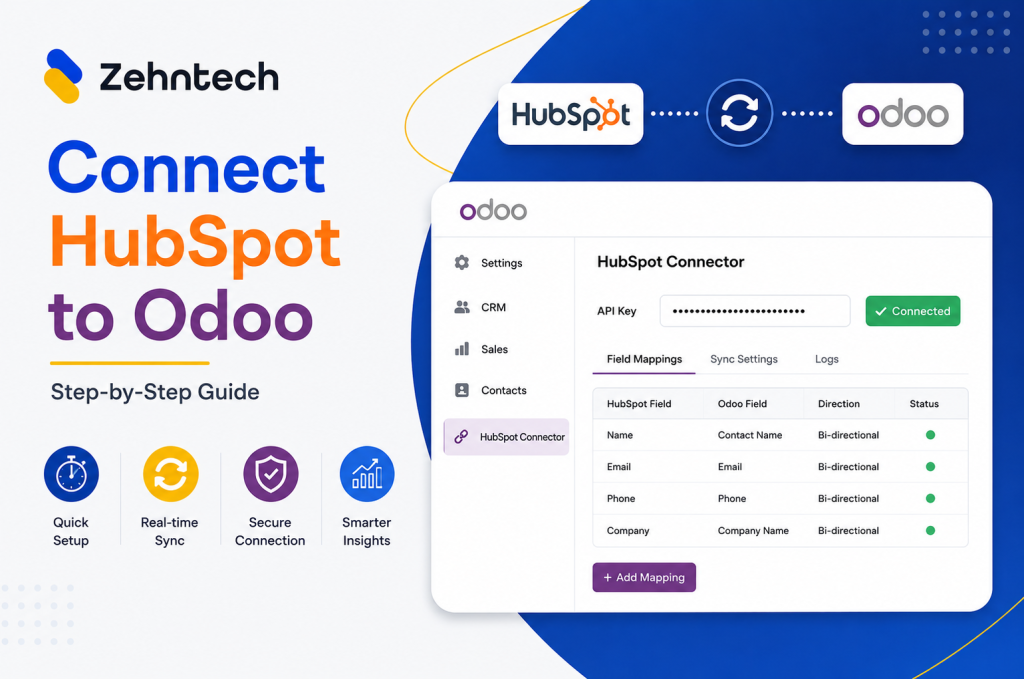
Odoo Hubspot Connector
How to connect hubSpot to odoo a step-by-step setup guide
This guide walks you through connecting HubSpot to Odoo using the Zehntech Odoo HubSpot Connector from generating your API key in HubSpot to your first live sync. Most teams complete this in under 10 minutes. Prerequisites Before you begin: Odoo version: v16, v17, v18 or v19 (Online, Odoo.sh or On-Premise)

          Success!!

          Keep an eye on your inbox for the PDF, it's on its way!

          If you don't see it in your inbox, don't forget to give your junk folder a quick peek. Just in case.


              You have successfully subscribed to the newsletter

              There was an error while trying to send your request. Please try again.

              Zehntech will use the information you provide on this form to be in touch with you and to provide updates and marketing.