






Automate Marketing Initiatives with Salesforce Marketing Cloud Learn More

Workload Automation: Aligning Your Business Processes for Productivity, Scalability, and Success

Workload automation tools offer an opportunity to improve the efficiency of your IT team by automating complex IT jobs, and also save their efforts in doing time-taking redundant tasks.

The business world is becoming competitive with every passing day. And you need to continuously upgrade yourself to match your business environment to keep up your competitive edge. You need something that will provide you scalability and more productivity, and that too in a fast, accurate and reliable manner. You need to align your business processes and take them towards effectiveness and efficiency. And a workload automation solution will provide you with just that.

What is Workload Automation?

As the name suggests, workload automation simply means automating workflows. It is a solution that automatically manages all the routine jobs and processes of the organization without any human intervention. With workload automation, you can be sure that the task is performed in a timely manner with accuracy. And you can automate multiple tasks at a single time, and all will be performed simultaneously. All you have to do is trigger the event, and then the workload automation tool will take care of the task.

Advantages of Workload Automation Tools

With a workload automation tool, you can achieve the competitive edge that your business needs in this complex, ever-changing, dynamic business environment. 

  1. Effectiveness and Efficiency in Business Operations
    Workload Automation makes your processes run smoothly. There are no human interventions, processes are run by software, so there are fewer chances of any error taking place. Software is always faster than humans, and they will perform the task at a higher speed, which will lead to timely completion of the processes. Humans are constrained to be able to perform one task at a time. This restriction does not exist with software. You can program a workload automation solution to perform any number of tasks at a time. So, you get scalability in your operations. With all these things, you can improve your business operations’ effectiveness and efficiency and move a step further towards business success.
  2. Simplifies Working in Complex IT Environment
    IT environments are becoming complex with every new technology that comes. It becomes difficult to keep up with all these complex technologies and manage different operations in such a fast-paced environment. Performing these tasks manually might increase the chances of mistakes and errors. So, the businesses need something that can align all these complex functions with each other and perform them with accuracy in a simplified manner. Workload Automation tool does this task. It brings all the tasks together, only needs a trigger, and then no human intervention at all. So, it ensures that you get your task completed, just like it had to be done, with zero errors.
  3. Better Use of Time of Human Resources
    Performing every task manually usually kept the workforce worked up. Moreover, the routine and monotonous nature of the jobs also made the workforce lose interest in the work, and this eventually led to decreased efficiency in work. Workload automation eliminates the need for the IT staff to be engaged in such routine and monotonous work. With the automation of routine tasks, you need not worry about them anymore, and your workforce can give time to work upon more strategic and more important business operations. 

These are some reasons that you should install a workload automation tool within your organization. With such a tool, you can markedly align your business processes and achieve business success faster.

A place for big ideas.

Reimagine organizational performance while delivering a delightful experience through optimized operations.

Top Stories

The Complete Guide to Odoo in 2026
The Complete Guide to Odoo in 2026: Implementation, Customisation, Integration, Migration and Cost
What Odoo actually is Odoo is a suite of business applications built on a shared database — CRM, sales, inventory, manufacturing, accounting, HR, website, point of sale, and several dozen more. The applications are modular. You switch on the ones you need and leave the rest off. The architectural point
How to Connect WooCommerce to Odoo
How to Connect WooCommerce to Odoo — Complete Setup Guide
Connecting WooCommerce to Odoo does not require a developer, a middleware tool, or weeks of implementation. The Zehntech Odoo WooCommerce Connector gives you real-time bi-directional sync between your WooCommerce store and your Odoo backend — set up in under 15 minutes. This guide is for Odoo administrators, eCommerce operations managers,
How to Connect Odoo to ShipStation — Step by Step Setup Guide
How to Connect Odoo to ShipStation A Step-by-Step Setup Guide
This guide walks you through connecting Odoo to ShipStation using the Zehntech Odoo ShipStation Connector — from generating your API credentials in ShipStation to your first automated order push and tracking import. Most setups take under 10 minutes. Prerequisites Before you begin: Odoo version: v17, v18 or v19 (Online, Odoo.sh
AI Agents Are Transforming Odoo ERP Operations in 2026
How AI Agents Are Transforming Odoo ERP Operations in 2026
Most ERP systems already hold the information needed to make better decisions. The problem is the work between the data and the decision: opening several modules, filtering records, exporting spreadsheets, comparing numbers and then updating Odoo manually. AI agents are beginning to remove that gap. Unlike a chatbot that only
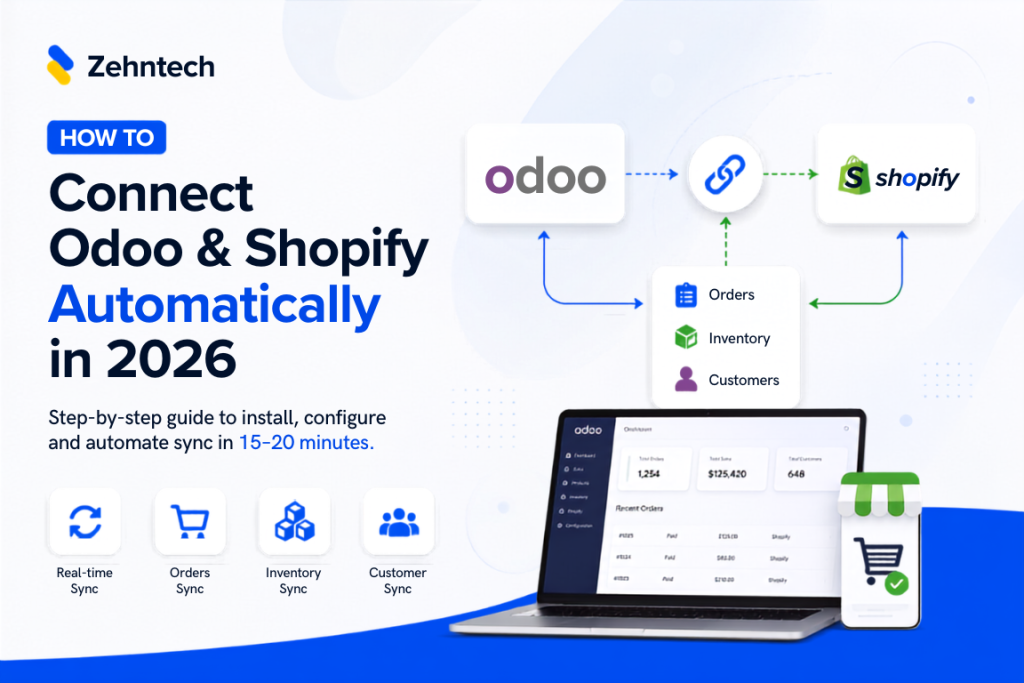
Connect Odoo & Shopify Automatically in 2026
How to Connect Odoo and Shopify Automatically (2026 Guide)
If you're running Shopify for your storefront and Odoo for everything behind it — inventory, accounting, fulfillment — you already know the two don't talk to each other out of the box. This guide walks through exactly how to connect them so orders, stock, and customer data sync automatically, with
Odoo Hubspot Connector
How to connect hubSpot to odoo a step-by-step setup guide
This guide walks you through connecting HubSpot to Odoo using the Zehntech Odoo HubSpot Connector from generating your API key in HubSpot to your first live sync. Most teams complete this in under 10 minutes. Prerequisites Before you begin: Odoo version: v16, v17, v18 or v19 (Online, Odoo.sh or On-Premise)

          Success!!

          Keep an eye on your inbox for the PDF, it's on its way!

          If you don't see it in your inbox, don't forget to give your junk folder a quick peek. Just in case.


              You have successfully subscribed to the newsletter

              There was an error while trying to send your request. Please try again.

              Zehntech will use the information you provide on this form to be in touch with you and to provide updates and marketing.