Join us at GITEX 2025! Discover our solutions at Hall 4, Booth H-30 Schedule a Meeting Today.
Automate Marketing Initiatives with Salesforce Marketing Cloud Learn More
Join us at GITEX 2024! Discover our solutions at Hall 4, Booth H-30 Book your live demo today.
Zehntech Odoo App

Advance Search & Quick Search for Odoo — Find Any Record Instantly

Stop scrolling through hundreds of records. Advance Search & Quick Search adds dynamic, AJAX-powered filtering directly to Odoo list views — with logical operators, date range pickers, and multi-field search that works the way your team actually thinks.

Compatible with Odoo 16, 17, 18 & 19
Works across standard and custom models
Trusted by 500+ Businesses Across 12+ Countries
Community & Enterprise Supported
No Custom Development Required
$34.84
V19 · V18 · V17 · V16
Advance Search & Quick Search for Odoo

Advance Search & Quick Search is an Odoo module that transforms how users locate and filter records in list views. It replaces Odoo's limited native search with a real-time, AJAX-powered search bar that supports AND, OR, and NOT operators — eliminating the need to manually scroll, apply multiple separate filters, or rely on developers for custom filter logic. Built for teams managing large data sets across Sales, Contacts, Invoicing, and beyond, it turns tedious record hunting into a sub-second operation.

Real-time list view filtering
Logical operator search (AND/OR/NOT)
Date range filtering
Multi-field simultaneous search
Per-model field configuration

How Advance Search & Quick Search Solves the Odoo Search Problem

Problem
Zehntech Advance Search & Quick Search Solution
Native Odoo search requires multiple filter applications to narrow results
Single-bar dynamic filtering combines multiple conditions in one operation
No support for logical operators — AND, OR, NOT — in standard list views
Built-in logical operators let users build precise, multi-condition queries instantly
Date filtering requires navigating to filter dropdowns and selecting ranges manually
Integrated date selection widget allows direct date and date range input in the search bar
Searching across multiple fields requires separate sequential filter steps
Multi-field search queries several data points simultaneously in a single pass
Search fields are fixed and cannot be tailored to specific models or workflows
Fully configurable search fields per model — administrators choose exactly what appears
Every search triggers a full page reload, slowing down high-volume workflows
AJAX-powered real-time filtering updates results instantly without any page refresh
Teams working with large record sets waste time manually scanning list views
Dynamic search bar narrows hundreds of records down to relevant results in seconds
No way to quickly clear or reset applied filters on demand
Reset-on-demand functionality clears search fields instantly without disrupting the view

Every Search Feature Your Odoo List Views Were Missing

1

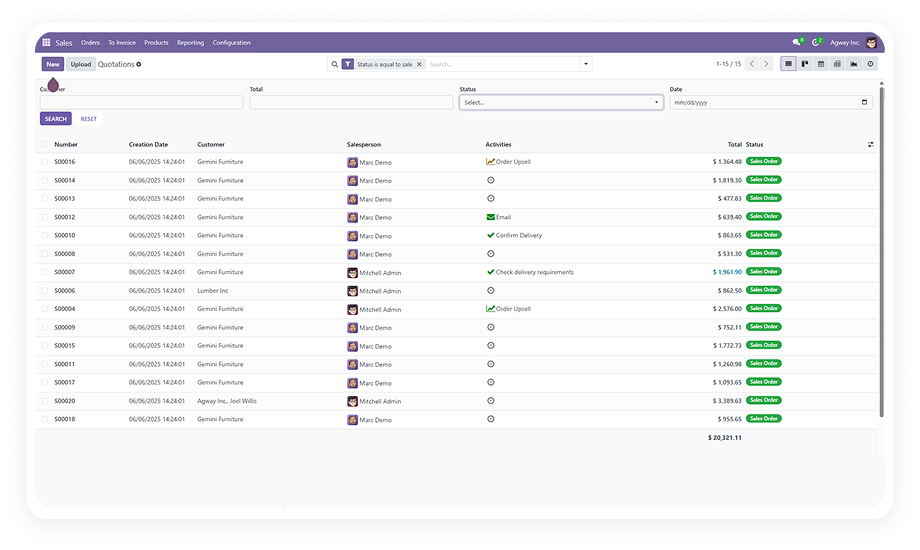
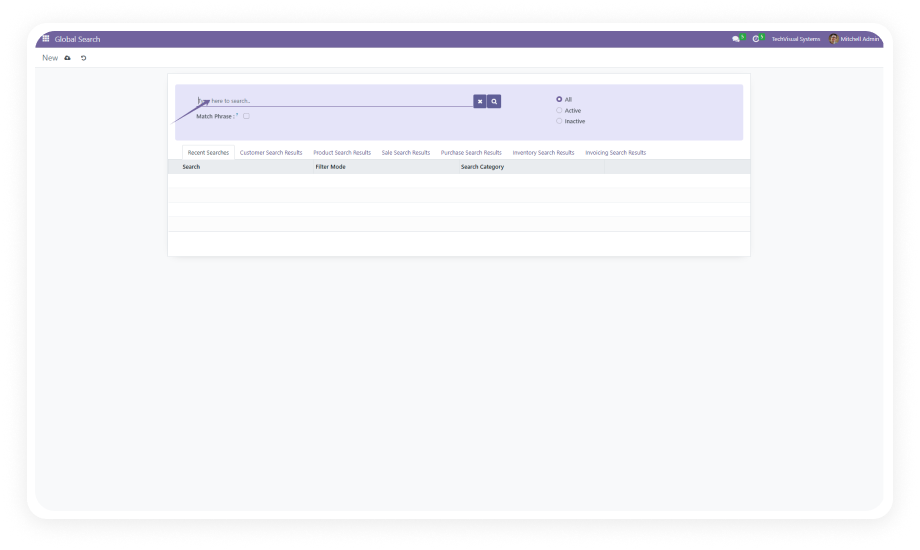
A dynamic search bar embedded directly in Odoo list views that delivers real-time record filtering with every keystroke.

Why it matters: users locate specific records instantly without leaving the list view or applying separate sequential filters.

2

Advanced Search with Logical Operators

AND, OR, and NOT operators are built into the search interface, allowing users to construct compound, multi-condition queries with precision.

Why it matters: complex data retrieval that previously required developer-built filters is now accessible to any user.

3

Date Selection Widget

A dedicated date picker component enables filtering records by specific dates or defined date ranges directly from the search bar.

Why it matters: date-sensitive workflows — invoices, orders, activities — can be scoped to exact time periods without navigating separate filter menus.

4

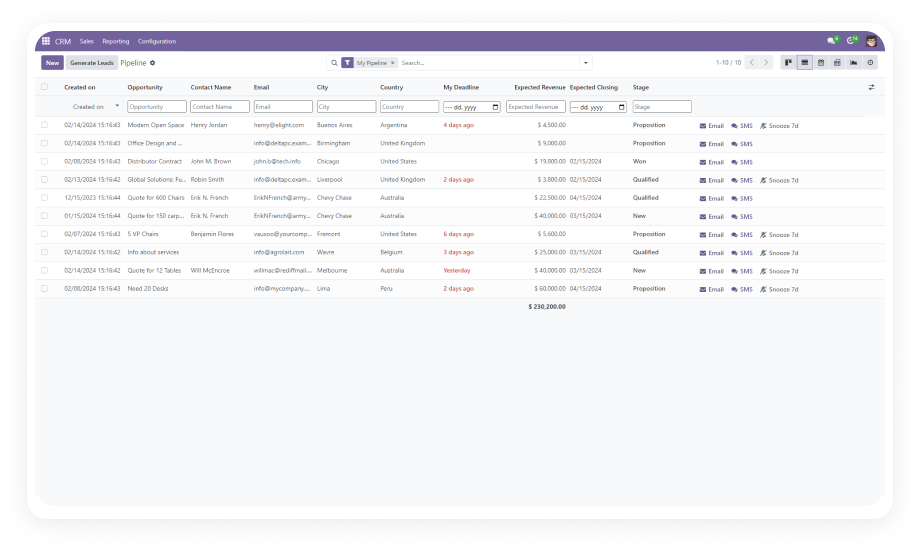
Users can search across multiple model fields simultaneously in a single query operation, retrieving records that match across different data points at once.

Why it matters: cross-field lookups that would otherwise require multiple separate filters are collapsed into one action, saving significant time in high-volume environments.

5

Customizable Search Fields Per Model

Administrators configure which fields are available in the search bar on a per-model basis, tailoring the search experience to match actual operational workflows for each team.

Why it matters: irrelevant fields are hidden and mission-critical fields are always front and center, reducing cognitive load for end users.

6

AJAX-Powered Real-Time Filtering

All filtering operations execute via AJAX, meaning list view results update dynamically as users type or adjust conditions — with zero page refresh.

Why it matters: high-frequency search operations in large datasets remain fluid and responsive, keeping team productivity intact.

7

Reset-On-Demand Functionality

Applied search fields and conditions can be cleared instantly on demand, returning the list view to its full unfiltered state without navigating away or refreshing the page.

Why it matters: users switching between different search contexts or record sets can reset and restart queries without interrupting their workflow.

8

Seamless Model Integration

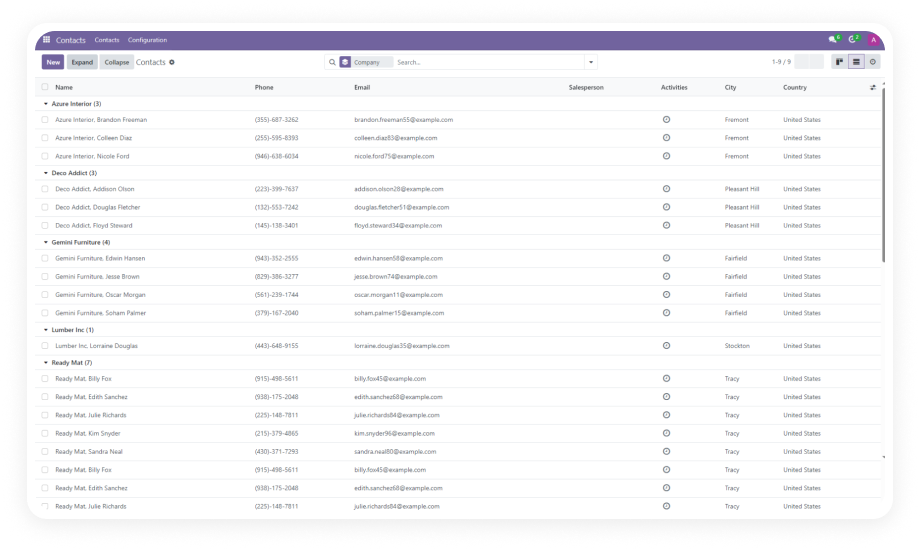
The module integrates natively with standard Odoo models including Contacts, Sales, Invoicing, and Discuss, with configuration support extending to additional models as needed.

Why it matters: teams across departments — finance, sales, operations — benefit from enhanced search without requiring separate tools or custom builds per module.

Who Gets The Most Out Of This Module

Role
Primary Use Case
Key Outcome
Sales Managers
Filter opportunity and order lists by multiple fields and date ranges simultaneously
Faster pipeline visibility and deal tracking
Operations Managers
Locate specific records across large datasets using compound AND/OR/NOT queries
Reduced time spent on manual record lookup
Finance & Accounting Teams
Search invoices and payments by exact date ranges and multiple field conditions
Accurate period-specific financial data retrieval
Odoo Administrators
Configure custom search fields per model without writing code
Tailored search UX for every team in the organization
Customer Support Teams
Instantly locate contact and communication records using quick search
Faster response times and improved customer handling
Procurement & Purchasing Teams
Filter purchase records by vendor, date, and status fields simultaneously
Streamlined vendor and order management workflows
⚠ Not the right fit for: Teams that need full-text search across document attachments, external databases, or cross-instance multi-company search.

Versions & Documentation

Choose your Odoo version and explore interactive documentation

Capability
Zehntech Advance Search & Quick Search
Native Odoo
Real-time list view search bar
Not available
AJAX-powered filtering (no page refresh)
Not available
Logical operators: AND, OR, NOT
Not available
Multi-field simultaneous search
Not available
Date range picker in search bar
Basic
Per-model configurable search fields
Not available
Reset-on-demand search field clearing
Not available
Dynamic filter display in list view
Basic
Search across Contacts, Sales, Invoicing, Discuss
Basic
Admin-configurable field visibility per model
Not available
Compound multi-condition query support
Not available
Instant result updates without navigation
Not available

Get Started In Minutes

No development environment. No custom code. No consultant required for standard setup.

01

Purchase & Install

Visit the Odoo App Store and purchase Advance Search & Quick Search for your version (16, 17, 18, or 19). Install directly from the Odoo Apps menu. No server restart required.

02

Configure Search Fields Per Model

Navigate to the module configuration and select which models to enhance. For each model, choose the fields that should appear in the list view search bar — standard or custom.

03

Activate List View Filters

Open any configured list view and verify the dynamic search bar is active. Test quick search, apply AND/OR/NOT operators, and confirm date range filtering works for your data.

04

Train Your Team

Share the interactive documentation with your team. Walk users through the search bar, operator logic, and multi-field search. Most users are self-sufficient within minutes of first use.

Technical Details & Compatibility

Requirement
Odoo Versions
Editions
Hosting
Dependencies
Third-Party Dependencies
Custom Dev Required
Install Time
Server Restart
Data Migration
Module Conflicts
License
Last Tested
Lines of Code
Support
Details
16.0 · 17.0 · 18.0 · 19.0
Community · Enterprise · Odoo.sh
Odoo Online · On-Premise · Odoo.sh
Contacts (contacts) · Sales (sale_management) · Discuss (mail) · Invoicing (account)
None
No
Under 5 minutes
Not required
Not required
None known
OPL-1
Odoo 19.0 — May 2026
693
Advance Search & Quick Search for Odoo — FAQ illustration

Frequently Asked Questions

  • Yes. The module installs directly from the Odoo App Store and requires no custom code or developer involvement.
  • Search fields are configured via standard Odoo admin settings — no Python or JavaScript knowledge needed.
  • The entire setup, including per-model field configuration, takes under 5 minutes.
  • Yes. The module is fully supported on both Odoo Community and Enterprise editions.
  • It is also compatible with Odoo.sh and standard on-premise deployments.
  • All four supported versions — 16, 17, 18, and 19 — are available for both editions.
  • Multi-field search allows a single query to check multiple model fields simultaneously, rather than running sequential individual filters.
  • Administrators configure which fields are included per model; users then search across all selected fields in one operation.
  • Results update in real time via AJAX — no page reload required between search adjustments.
  • The module supports Odoo 16, 17, 18, and 19 — covering the full range of currently active Odoo versions.
  • Each version is a separate listing on the Odoo App Store; interactive documentation is available for all four versions.
  • Community, Enterprise, and Odoo.sh hosting environments are all supported.
  • Yes. Field configuration is per-model, meaning each model (Contacts, Sales Orders, Invoices, etc.) can have a completely different set of search fields.
  • Administrators choose which fields appear in the list view search bar for each model independently.
  • Fields can be reset or updated at any time without reinstalling the module or affecting other models.

Ready to Find Any Odoo Record in Seconds?

Your team already runs operations inside Odoo — Advance Search & Quick Search adds the fast, precise filtering layer that native list views were never designed to provide. From multi-field queries to date range filtering with AND/OR/NOT logic, every search your team runs becomes faster and more accurate. Includes lifetime updates and 90 days of dedicated technical support.

Advance Search & Quick Search for Odoo


          You have successfully subscribed to the newsletter

          There was an error while trying to send your request. Please try again.

          Zehntech will use the information you provide on this form to be in touch with you and to provide updates and marketing.