Stop fighting native Odoo limitations when confirmed orders need to change. Cancel, reset to draft, bulk delete, and restore sale orders - with automatic handling of linked deliveries and invoices - in one free module.
Cancel Sale Orders is a free Odoo module by Zehntech Technologies that extends native sales order management with flexible, controlled cancellation workflows. Instead of being locked into Odoo's rigid order state machine, your team can cancel individual or bulk orders, reset them to draft for edits, permanently delete obsolete records, and automatically handle the cascade effect on linked deliveries and invoices - all with role-based access control ensuring only authorised users perform sensitive actions.
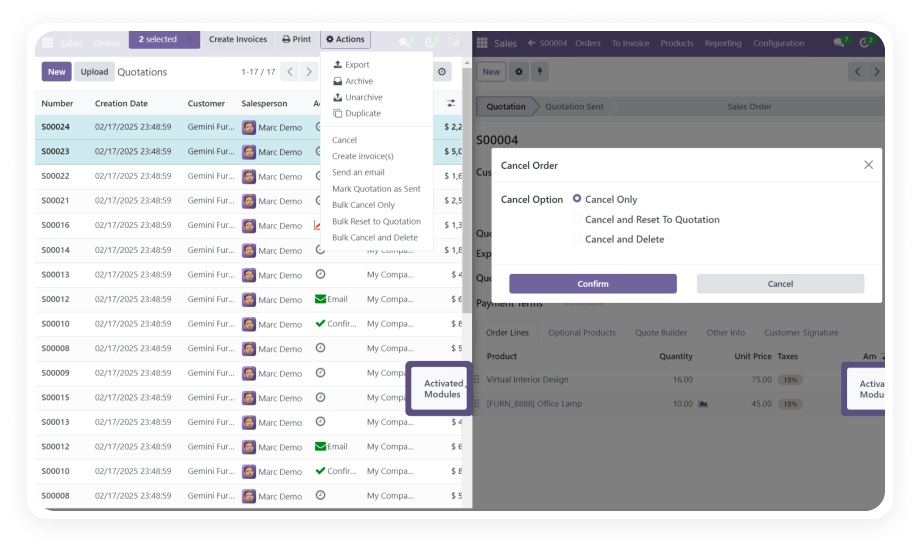
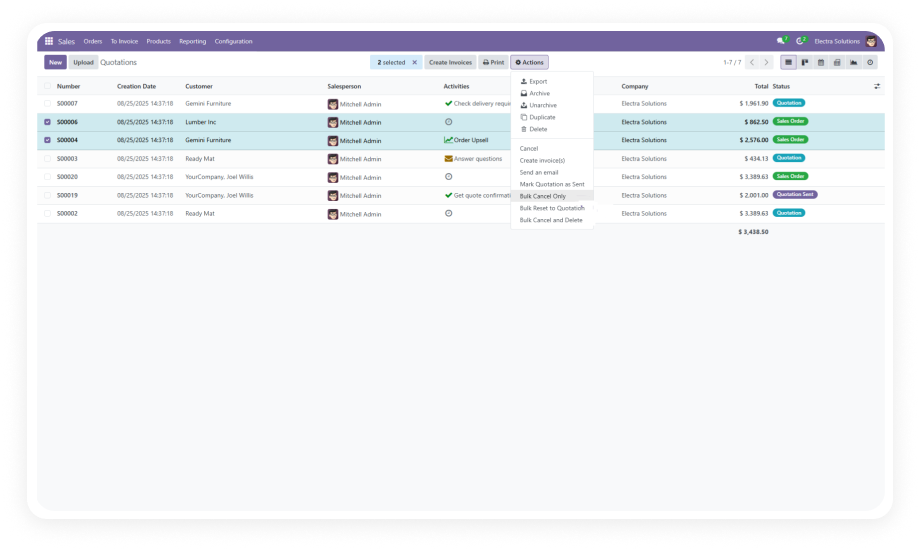
Cancel individual or multiple sale orders simultaneously with a single action. Choose from three modes - Cancel Only, Reset to Draft, or Permanent Delete - depending on your operational need.
Why it matters: Eliminates the one-by-one manual process that slows down sales operations and month-end cleanups.
When a sale order is cancelled, the module automatically cancels related delivery orders and invoices in the same operation.
Why it matters: Prevents data inconsistencies where cancelled orders still show open deliveries or unpaid invoices, keeping your inventory and accounting records accurate.
Every cancellation, reset, and deletion is logged with a detailed history record. Cancelled orders can be restored when needed.
Why it matters: Provides a full audit trail for compliance, gives managers visibility into reversal activity, and protects against accidental permanent loss.
Permanently remove sale orders and all linked documents from the system through the UI, without database access. Restore capability ensures no action is truly irreversible when performed by mistake.
Why it matters: Keeps your Odoo database clean without requiring IT intervention.
A role-based permission system restricts who can perform deletions and bulk cancellation actions. Configure granular rights per user role independently of standard Odoo sales permissions.
Why it matters: Prevents accidental or unauthorised deletion of orders while empowering authorised team members.
A dedicated dashboard provides a real-time overview of cancellation activity, featuring bar charts and Kanban views that track order statuses across cancelled, reset, and deleted categories.
Why it matters: Instant visibility into cancellation volumes, patterns, and outstanding items - without building custom reports.
Access interactive step-by-step documentation for your specific Odoo version
Cancel Sale Orders is a plug-and-play module. No custom development, no data migration, no downtime.
Go to the Odoo App Store listing and click Install. Compatible with Odoo 16, 17, 18, and 19 across Online, Odoo.sh, and On-Premise deployments.
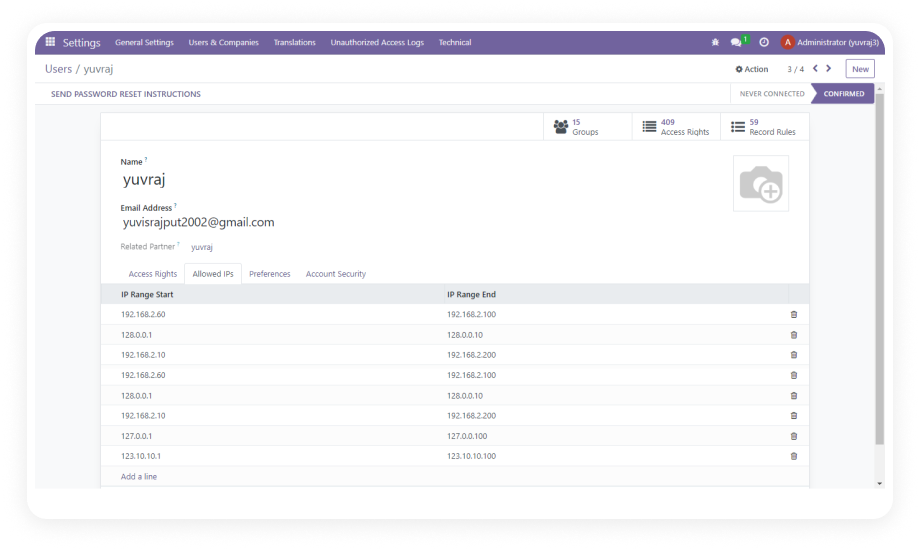
Navigate to Settings > Users & Companies > Users. Assign cancellation and deletion permissions to the appropriate roles.
Open Sales > Orders. Select one or multiple confirmed orders. Use the Action menu to choose Cancel Only, Reset to Draft, or Permanent Delete.
Navigate to the Cancel Sales Dashboard to view real-time bar charts and Kanban views of all cancellation activity.
Cancel Sale Orders gives your sales and operations teams the flexibility native Odoo withholds - bulk cancellation, reset to draft, automatic document handling, and a full audit log - all without writing a line of code. Lifetime updates included. Every new Odoo version release is covered.
You have successfully subscribed to the newsletter
There was an error while trying to send your request. Please try again.