Automate Marketing Initiatives with Salesforce Marketing Cloud Learn More
Zehntech Odoo App

Custom Fields For Purchase Order — No-Code Field Builder for Odoo

Add unlimited custom fields to your Odoo Purchase Order forms — no developer required. Capture every data point your procurement process demands.

8 field types supported
No recurring fees
Mandatory field validation
90 days technical support
Report integration included
Works across Community & Enterprise
$14.93
V19, 18, 17, 16
Custom Fields For Purchase Order — Odoo no-code field builder module

What Does This Module Do?

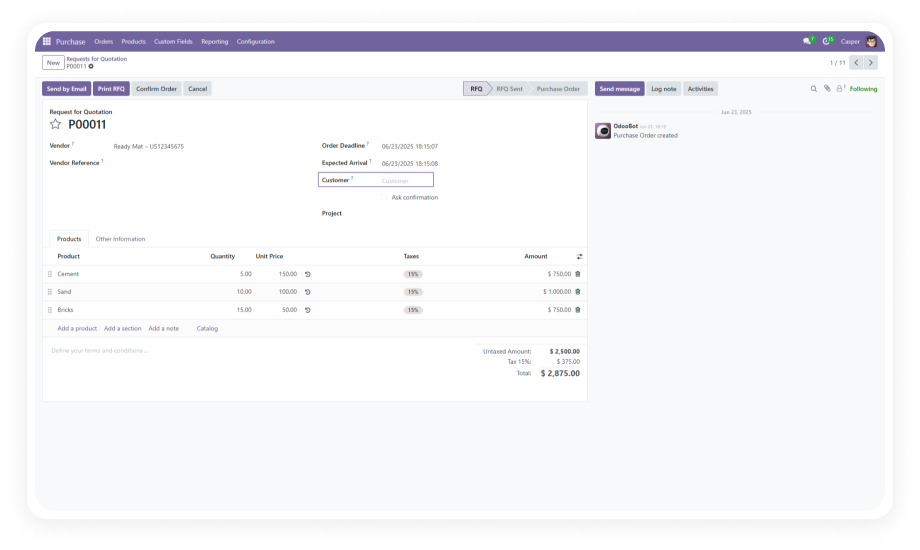
Custom Fields For Purchase Order lets you add, edit, and manage custom fields on Odoo Purchase Order forms through a no-code interface. It supports eight field types — text, character, integer, float, selection, date, many2one, and one2many — with options for mandatory validation, flexible positioning, relational linking, and report visibility. Your procurement team captures exactly the data they need without waiting on developers.

No-code field creation
8 field types supported
Mandatory field validation
Report integration
Relational field linking

The Problem It Solves

Challenge
How This Module Solves It
Standard PO forms lack business-specific fields
Add unlimited custom fields tailored to your procurement workflow
Adding fields requires developer intervention
Fully no-code interface — create, edit, delete from the backend
Critical data goes uncaptured on POs
Support for 8 field types covers any data requirement
Users skip optional fields that should be mandatory
Mandatory field designation with real-time validation
Custom data missing from printed reports
Toggle field visibility on PO and Quotation reports
Fields positioned awkwardly on the form
Flexible field positioning within the Purchase Order form
Need to reference related records (customers, products)
Many2one and one2many relational fields link to other Odoo models
Outdated or irrelevant fields clutter the form
Delete fields instantly when no longer needed
Dropdown options change with business needs
Edit selection field labels, types, and options anytime
Custom data lives in external spreadsheets
Centralize all procurement data directly inside Odoo

Key Features

1

No-Code Field Creation

Add custom fields to Purchase Orders entirely from the Odoo backend. No Python, no XML, no technical knowledge required.

Point, click, configure, save — fields go live immediately.

2

Eight Supported Field Types

Choose from text, character, integer, float, selection (dropdown), date, many2one, and one2many fields.

Cover every data capture scenario — from simple notes to complex relational lookups.

3

Mandatory Field Validation

Designate any custom field as required. The module enforces real-time validation, blocking form submission until all mandatory fields are completed.

Prevent incomplete purchase orders from being saved.

4

Flexible Field Positioning

Place custom fields exactly where they belong on the Purchase Order form.

Control layout and ordering without constraints, keeping your form logical and user-friendly.

5

Report Integration

Display custom fields on Purchase Order and Quotation printed reports.

Your additional data carries through to PDF outputs, ensuring nothing gets lost between screen and paper.

6

Relational Field Linking

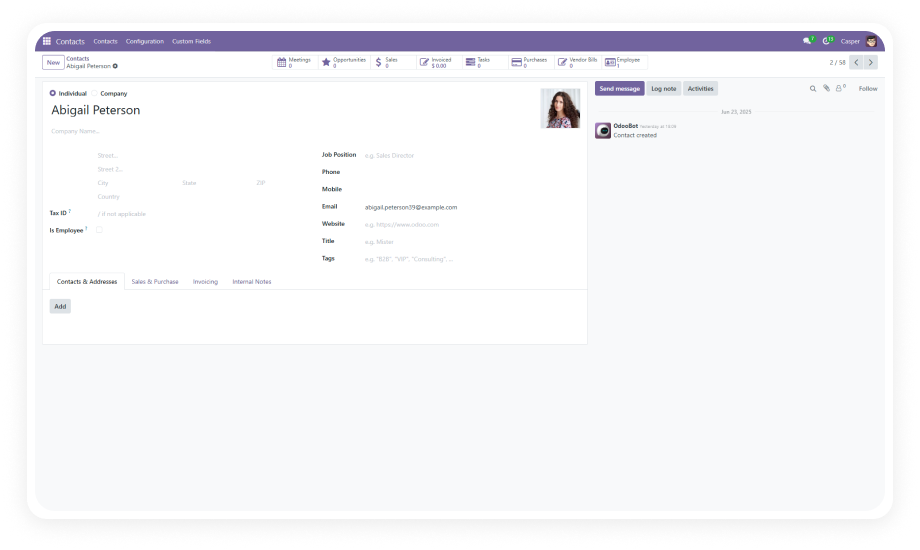
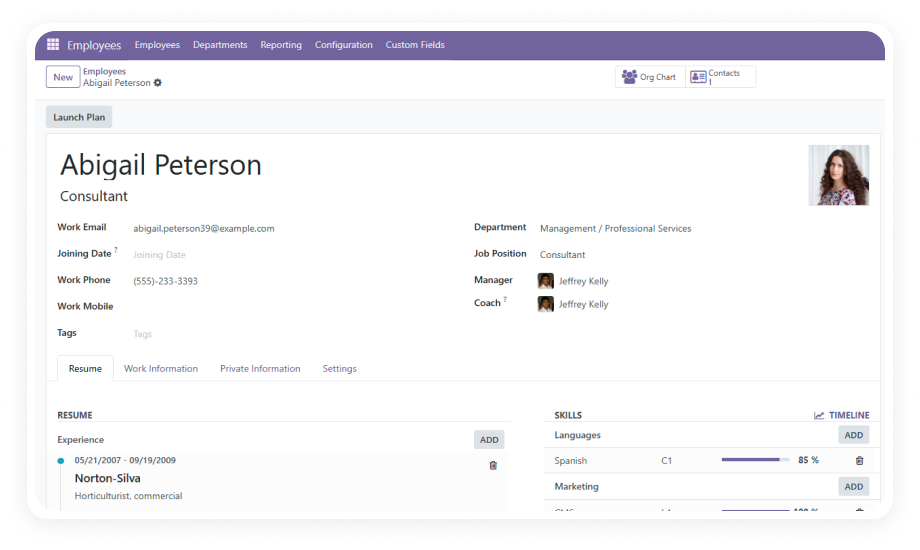
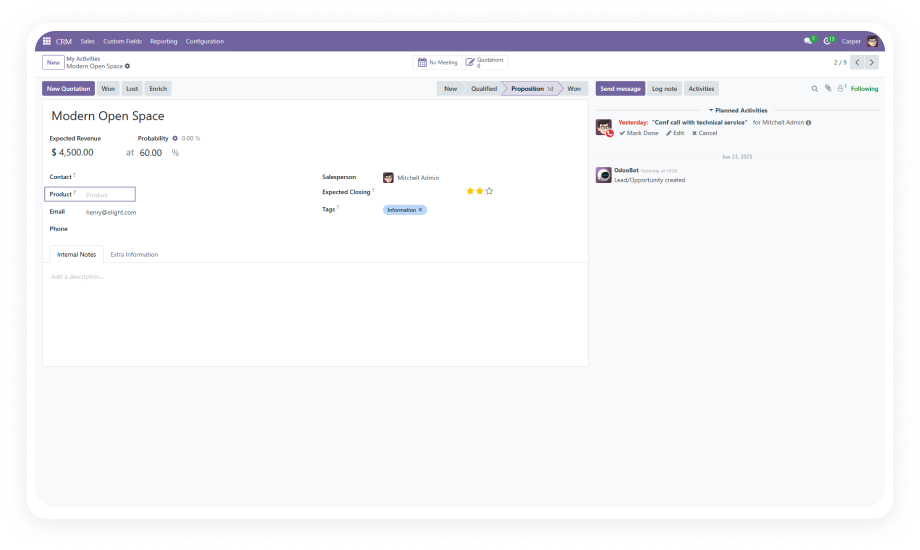
Link custom fields to related Odoo models — Customers, Products, Sales Orders, and more.

Many2one and one2many fields create powerful cross-references directly on the PO form.

7

Instant Edit and Delete

Modify field labels, types, and options at any time. Remove fields the moment they become irrelevant.

Your Purchase Order form evolves with your business — no developer tickets required.

8

Field Visibility Control

Decide which custom fields appear on documents and reports.

Keep internal-only fields hidden from printed outputs while maintaining full data capture on the form.

9

Seamless Odoo Integration

Built on Odoo's native architecture with dependencies on Purchase, Invoicing, and Mail modules.

Custom fields behave identically to standard Odoo fields — same UX, same reliability.

Who Benefits From This Module?

Role / Industry
Primary Use Case
Key Outcome
Procurement Teams
Capture vendor-specific terms, internal reference codes, or approval notes directly on the Purchase Order
No reliance on external documents or custom development
Manufacturing Companies
Add fields for material specifications, batch numbers, quality grades, or production line references
Link procurement data to manufacturing requirements
Multi-Department Organizations
Each department requests specific fields (cost center codes, project references, budget categories)
No competing for developer resources
Compliance-Driven Industries
Add mandatory regulatory fields — certificate numbers, origin declarations, safety classifications
No PO ships without required compliance data
Retail and Distribution
Track supplier delivery preferences, packaging instructions, or promotional campaign codes
Streamlined supply chain communication
Project-Based Businesses
Link purchase orders to specific projects, milestones, or client references using relational fields
Keep procurement aligned with project accounting

Versions & Documentation

Choose your Odoo version and explore interactive documentation

Documentation coming soon for this version.

Why Choose Custom Fields For Purchase Order?

Capability
This Module
Manual Dev / Studio
No-code field creation
Yes
No / Yes
Text and character fields
Yes
Yes / Yes
Integer and float fields
Yes
Yes / Yes
Selection/dropdown fields
Yes
Yes / Yes
Date fields
Yes
Yes / Yes
Many2one relational fields
Yes
Yes / Yes
One2many relational fields
Yes
Yes / Limited
Mandatory field validation
Yes
Yes / Yes
Flexible field positioning
Yes
Yes / Limited
Report integration (PO and Quotation)
Yes
Yes / Manual
Link to related models
Yes
Yes / Limited
Instant edit and delete
Yes
Requires redeployment / Yes
No recurring license cost
Yes
N/A / No (Enterprise required)
Works on Community edition
Yes
Yes / No
One-time purchase
Yes
N/A / No

How to Get Started

No development environment. No custom code. No consultant required for standard setup.

01

Install the Module

Purchase from the Odoo App Store, upload to your addons path, update the apps list from Settings, and click Install. Dependencies (Purchase, Invoicing, Mail) resolve automatically.

02

Create Your Custom Fields

Open the custom fields configuration. Select your field type, define the label, and choose where it appears on the Purchase Order form. Save to activate immediately.

03

Configure Validation and Linking

Set fields as mandatory where required. For relational fields, select the target model (Customers, Products, Sales Orders). Configure visibility settings for documents.

04

Verify on Reports

Create a test Purchase Order, fill in your custom fields, and print the report. Confirm that all report-enabled fields appear correctly on the PDF output.

Technical Details

Specification
Technical Name
Odoo Versions
Editions
Deployment
Dependencies
License
Lines of Code
Updates
Support
Details
zehntech_custom_fields_for_purchase_order
19.0 · 18.0 · 17.0 · 16.0
Community · Enterprise · Odoo.sh
Odoo Online · Odoo.sh · On-Premise
Purchase (purchase), Invoicing (account), Mail (mail)
OPL-1 (Odoo Proprietary License)
990
Lifetime — included with purchase
Custom Fields For Purchase Order — FAQ illustration

Frequently Asked Questions

  • Text and character fields for notes and descriptions
  • Integer and float fields for numbers and quantities
  • Selection (dropdown) fields for predefined options
  • Date fields for deadlines and scheduling
  • Many2one relational fields for lookups to other models
  • One2many relational fields for linked record lists

This covers virtually every data capture scenario on your Purchase Orders.

  • No Python, XML, or technical expertise required
  • The entire workflow — creating, editing, positioning, and deleting fields — happens through a no-code interface
  • All configuration is done directly in the Odoo backend
  • Changes take effect immediately without server restarts
  • Yes — you can toggle report visibility for each custom field
  • Enabled fields appear on both Purchase Order and Quotation PDF reports
  • Custom fields display alongside standard Odoo fields
  • Keep internal-only fields hidden from printed outputs
  • Yes — any custom field can be designated as mandatory
  • The module enforces real-time validation
  • Users cannot save the Purchase Order until all required fields contain valid data
  • Prevents incomplete purchase orders from entering your workflow
  • Yes — fully compatible with Odoo Community edition
  • Also works with Odoo Enterprise and Odoo.sh
  • Supported across versions 16, 17, 18, and 19
  • No Enterprise license required for full functionality

Add Custom Fields to Your Purchase Orders — No Code Required

Your procurement forms should capture your business reality, not force you into generic templates. Add the exact fields you need in minutes.

Lifetime updates included. 90-day support. Works on Community and Enterprise.

Zehntech Odoo experts ready to help


          You have successfully subscribed to the newsletter

          There was an error while trying to send your request. Please try again.

          Zehntech will use the information you provide on this form to be in touch with you and to provide updates and marketing.