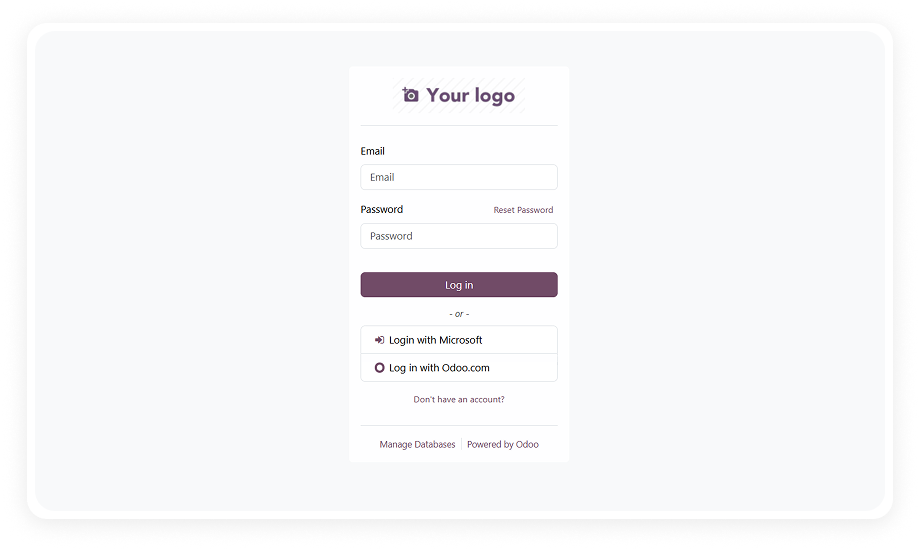
Users log into Odoo using their existing Microsoft account credentials through Azure AD. A "Login with Microsoft" button appears on the Odoo login page, initiating the OAuth flow and creating an authenticated Odoo session upon successful Microsoft verification.
Why it matters: users access Odoo with the same credentials they use for Outlook, Teams, and SharePoint — eliminating password fatigue and reducing login friction to a single click.
Authentication is handled through the OAuth 2.0 standard, the same protocol used by enterprise applications worldwide for secure delegated access. The module communicates with Microsoft's authorization endpoint and validates tokens before granting Odoo access.
Why it matters: OAuth 2.0 is the industry standard for secure authentication — your Odoo environment benefits from the same protocol protecting Fortune 500 systems without any custom security engineering.
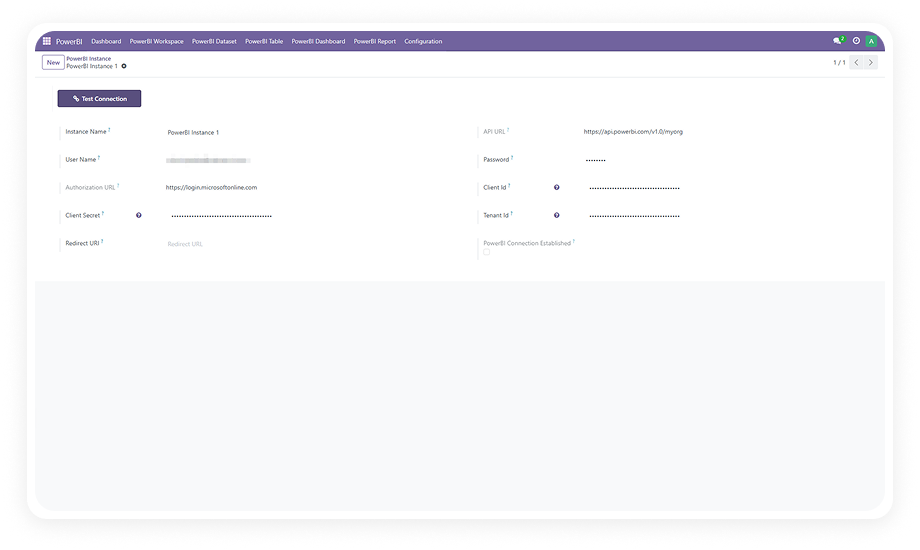
The module dynamically generates and manages the OAuth callback redirect URL using Odoo's web base URL system parameter. This means the correct redirect URL is always in sync with your server configuration — no manual URL entry or environment-specific adjustments required.
Why it matters: misconfigured redirect URLs are the most common cause of OAuth integration failures. Automatic generation eliminates this entire category of configuration errors.
All user authentication is managed from the standard Odoo backend interface. Administrators can view, enable, or disable Microsoft SSO access for any user without leaving the Odoo admin panel.
Why it matters: a single management console means your IT team doesn't need to juggle between Azure Portal and Odoo to control who can log in — reducing administrative overhead and eliminating permission gaps.
The entire integration is configured once through Odoo's Settings > OAuth Providers menu. You enter your Azure application Client ID, authentication endpoint, scope, and UserInfo URL — and the integration runs permanently without further adjustment.
Why it matters: unlike integrations that require ongoing token refreshes or periodic reconfiguration, this is truly set-and-forget — saving IT teams from recurring maintenance cycles.
The module is designed to work across multi-company Odoo environments where users may belong to different organizational units. A single OAuth provider configuration supports all companies and user groups within the instance.
Why it matters: organizations with multiple subsidiaries, departments, or brands running on a shared Odoo instance can deploy SSO once and have it serve everyone — no per-company configuration required.
By shifting authentication to Microsoft's infrastructure, password reset requests, account lockouts, and credential management tasks are handled entirely through Microsoft's self-service tools.
Why it matters: IT teams reclaim hours previously spent on password resets and access troubleshooting — a direct operational cost reduction that scales with your organization's size.
The module connects to the Microsoft Graph API endpoint (https://graph.microsoft.com/v1.0/me) to retrieve authenticated user profile information for session creation in Odoo.
Why it matters: Graph API is Microsoft's unified API surface — using it ensures compatibility with current and future Azure AD environments, including organizations that have migrated to Microsoft Entra ID.