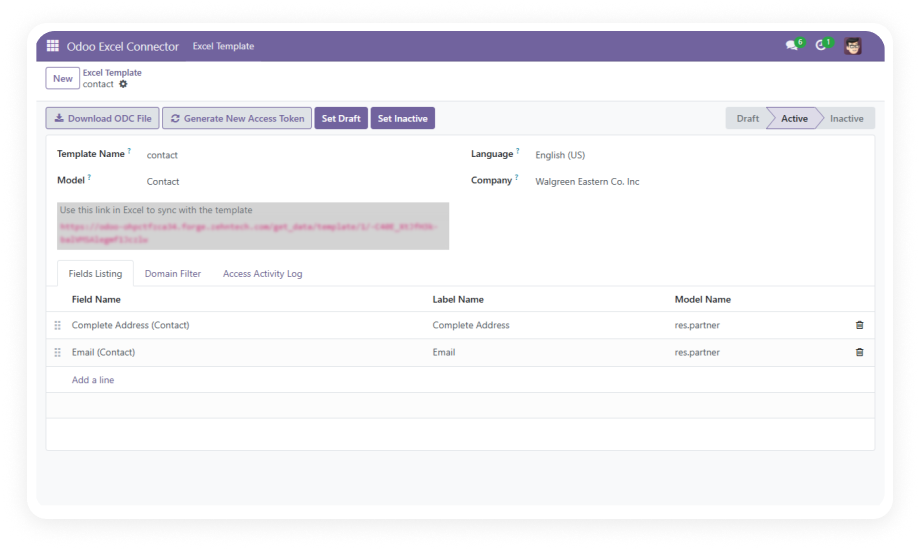
Establish a live data connection between Odoo and your desktop spreadsheet through ODC files or sync URLs. Excel and LibreOffice Calc both natively consume these connections — no plugins or middleware required.
Why it matters: your team works in the tools they already know while accessing real-time Odoo data.
Choose from ready-made templates covering Sales, Accounting, and CRM modules, or build custom templates for any Odoo model. Templates define field selection, filter criteria, and data sorting.
Why it matters: standardized templates ensure consistent data output and save hours of repetitive setup.
Apply precise domain rules to control exactly which records appear in each export. Combine multiple filter conditions, select specific fields, and define sort order at the template level.
Why it matters: your spreadsheet receives only the records that matter — no post-download filtering.
Every export session is protected by a unique access token generated per template. Tokens authenticate each data request, ensuring only authorized connections can retrieve Odoo data.
Why it matters: token-secured connections maintain data governance even after the link leaves your Odoo instance.
Manager-level restrictions control who can create, modify, or delete export templates. Standard users consume data through approved templates without the ability to alter configurations.
Why it matters: IT and management maintain control over what data is exposed externally.
Every template creation, modification, and deletion is logged with timestamps and user identifiers. The audit history provides full traceability for compliance and security reviews.
Why it matters: when regulatory audits require proof of who accessed what data — the history is captured.
Deliver data through web URLs for browser-based access, ODC files for direct spreadsheet integration, or CSV for maximum compatibility with any tool.
Why it matters: different teams have different requirements — all are served from one template.
Refresh data manually with a single click when you need current numbers, or configure scheduled synchronization that pulls fresh data at defined intervals.
Why it matters: teams needing real-time data can refresh on demand while recurring workflows run automatically.
Generate web-accessible URLs that authorized users can paste into any spreadsheet application or browser. URLs are portable, easy to distribute, and work across devices.
Why it matters: remote teams or external consultants can access approved data without needing Odoo accounts.
The connector operates natively between Odoo and standard spreadsheet applications. No external APIs, cloud services, or middleware platforms are required.
Why it matters: you avoid ongoing subscription costs and reduce failure points in your data pipeline.