Join us at GITEX 2025! Discover our solutions at Hall 4, Booth H-30 Schedule a Meeting Today.
Automate Marketing Initiatives with Salesforce Marketing Cloud Learn More
Join us at GITEX 2024! Discover our solutions at Hall 4, Booth H-30 Book your live demo today.
Zehntech Odoo App

Cancel Sale Orders in Odoo - Free, Flexible, Full Control

Stop fighting native Odoo limitations when confirmed orders need to change. Cancel, reset to draft, bulk delete, and restore sale orders - with automatic handling of linked deliveries and invoices - in one free module.

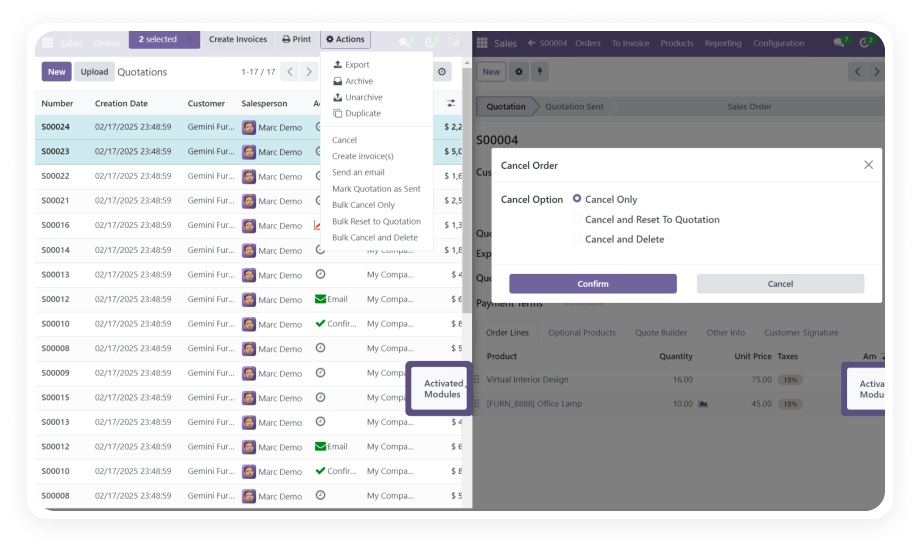
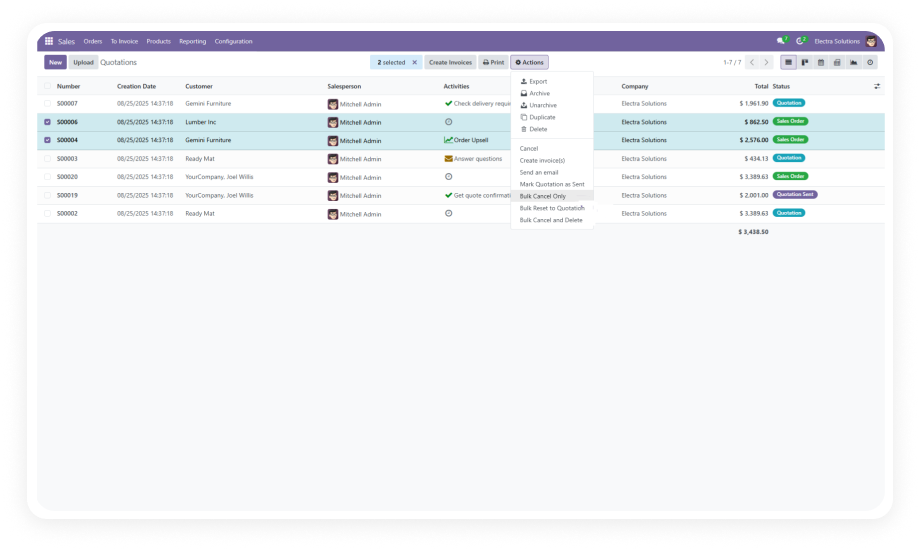
Bulk cancellation across multiple orders
Auto-cancel related deliveries & invoices
Reset to draft for quick modifications
Restore cancelled or deleted records
Role-based access control for safe operations
FREE
V19, 18, 17, 16
Cancel Sale Orders Odoo Module Interface

What is Cancel Sale Orders?

Cancel Sale Orders is a free Odoo module by Zehntech Technologies that extends native sales order management with flexible, controlled cancellation workflows. Instead of being locked into Odoo's rigid order state machine, your team can cancel individual or bulk orders, reset them to draft for edits, permanently delete obsolete records, and automatically handle the cascade effect on linked deliveries and invoices - all with role-based access control ensuring only authorised users perform sensitive actions.

Smart & Bulk Order Cancellation
Auto-Handle Deliveries & Invoices
Reset to Draft Workflow
Permanent Delete with Restore
Real-Time Cancellation Dashboard

How Cancel Sale Orders Solves Odoo's Inflexible Order Management

Problem
Zehntech Solution
Confirmed orders cannot be cancelled once linked to deliveries
Cancel orders at any stage while automatically handling linked delivery records
No way to bulk-cancel multiple orders at once
Select any number of orders and cancel or delete them in a single bulk action
Resetting to draft requires developer access or workarounds
Any authorised user can reset a confirmed order to draft directly from the list view
Cancelling an order leaves orphaned invoices in the system
Associated invoices are cancelled automatically alongside the sale order
Deleted records leave no trace for auditing
Full data history log captures every cancellation, reset, and deletion with restoration capability
Any user can accidentally delete critical order records
Role-based access control restricts deletion and bulk actions to designated users only
No visibility into cancelled order volumes or trends
Built-in Cancel Sales Dashboard shows real-time bar charts and Kanban status views
Permanent deletion requires database-level access
One-click permanent delete from the UI, with restore option for recovery

Module Features

1

Smart & Bulk Order Cancellation

Cancel individual or multiple sale orders simultaneously with a single action. Choose from three modes - Cancel Only, Reset to Draft, or Permanent Delete - depending on your operational need.

Why it matters: Eliminates the one-by-one manual process that slows down sales operations and month-end cleanups.

2

Associated Record Handling

When a sale order is cancelled, the module automatically cancels related delivery orders and invoices in the same operation.

Why it matters: Prevents data inconsistencies where cancelled orders still show open deliveries or unpaid invoices, keeping your inventory and accounting records accurate.

3

Data History Management

Every cancellation, reset, and deletion is logged with a detailed history record. Cancelled orders can be restored when needed.

Why it matters: Provides a full audit trail for compliance, gives managers visibility into reversal activity, and protects against accidental permanent loss.

4

Permanent Delete & Restore

Permanently remove sale orders and all linked documents from the system through the UI, without database access. Restore capability ensures no action is truly irreversible when performed by mistake.

Why it matters: Keeps your Odoo database clean without requiring IT intervention.

5

Access Control

A role-based permission system restricts who can perform deletions and bulk cancellation actions. Configure granular rights per user role independently of standard Odoo sales permissions.

Why it matters: Prevents accidental or unauthorised deletion of orders while empowering authorised team members.

6

Cancel Sales Dashboard

A dedicated dashboard provides a real-time overview of cancellation activity, featuring bar charts and Kanban views that track order statuses across cancelled, reset, and deleted categories.

Why it matters: Instant visibility into cancellation volumes, patterns, and outstanding items - without building custom reports.

Who Gets The Most Out Of This Module

Role
Primary Use Case
Key Outcome
Sales Manager
Bulk-cancel end-of-month duplicate or expired orders
Clean pipeline without manual one-by-one processing
Operations Lead
Monitor cancellation trends via dashboard
Real-time visibility into order reversal patterns
Finance / Accounting
Ensure cancelled orders have no open invoices
Accurate AR records and cleaner month-end close
Sales Representative
Reset a mistakenly confirmed order back to draft
Quick corrections without raising a support ticket
System Administrator
Configure who can delete or bulk-cancel orders
Prevent accidental data loss with role-based access
Warehouse Manager
Confirm delivery cancellations linked to cancelled orders
No open delivery tasks for orders that no longer exist

Versions & Documentation

Access interactive step-by-step documentation for your specific Odoo version

Native Odoo vs Zehntech Cancel Sale Orders

Capability
Zehntech Module
Native Odoo
Cancel a confirmed sale order
Yes - any authorised user
Limited - blocked if linked documents exist
Bulk cancel multiple orders at once
Yes - select all, action, done
No - must cancel one at a time
Reset confirmed order to draft
Yes - single click with permission
No - not available after confirmation
Auto-cancel linked delivery orders
Yes - handled automatically
No - must cancel manually per order
Auto-cancel linked invoices
Yes - handled automatically
No - must cancel manually per invoice
Permanent delete from UI
Yes - with restore capability
No - requires developer/database access
Restore cancelled or deleted orders
Yes - full history with restore
No - once deleted, record is unrecoverable
Full audit log of cancellations
Yes - every action logged with timestamp
No - no native cancellation history log
Role-based access for delete/bulk actions
Yes - granular per-role permissions
No - tied to standard sales user roles
Cancellation activity dashboard
Yes - bar charts and Kanban view
No - no dedicated cancellation overview

Get Started In Minutes

Cancel Sale Orders is a plug-and-play module. No custom development, no data migration, no downtime.

01

Download & Install

Go to the Odoo App Store listing and click Install. Compatible with Odoo 16, 17, 18, and 19 across Online, Odoo.sh, and On-Premise deployments.

02

Configure Access Rights

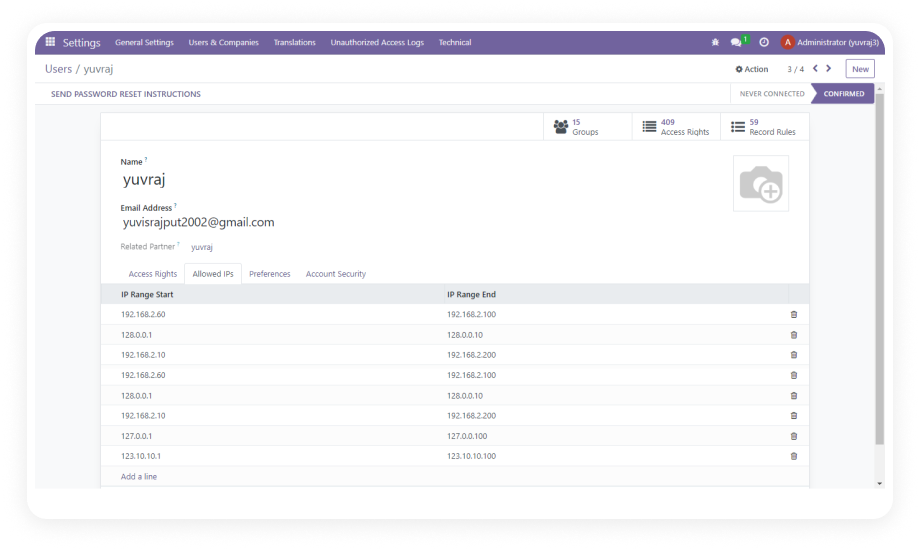
Navigate to Settings > Users & Companies > Users. Assign cancellation and deletion permissions to the appropriate roles.

03

Cancel, Reset, or Delete Orders

Open Sales > Orders. Select one or multiple confirmed orders. Use the Action menu to choose Cancel Only, Reset to Draft, or Permanent Delete.

04

Monitor Your Dashboard

Navigate to the Cancel Sales Dashboard to view real-time bar charts and Kanban views of all cancellation activity.

Technical Details & Compatibility

Requirement
Module Name
Latest Version
Supported Odoo Versions
License
Lines of Code
Developer
Dependencies
Deployment
Odoo Editions
Support Contact
Details
zehntech_cancel_sale_orders
19.0
16.0 - 17.0 - 18.0 - 19.0
OPL-1 (Odoo Proprietary License)
1,207
Zehntech Technologies Inc.
Sales - Inventory - Invoicing - Discuss
Odoo Online - Odoo.sh - On-Premise
Community - Enterprise
Cancel Sale Orders FAQ illustration

Frequently Asked Questions

Native Odoo blocks cancellation of confirmed orders when linked deliveries or invoices exist. This module removes that restriction for authorised users. Cancellation, reset to draft, and deletion all work regardless of linked document state. All linked records are handled automatically in the same action.
Yes - the module's Associated Record Handling feature cascades the cancellation. Linked delivery orders are cancelled automatically. Linked invoices are cancelled automatically. No manual follow-up required on related documents.
Yes - the Data History Management feature logs every action. Both cancelled and permanently deleted orders are recorded with full details. Restoration is available directly from the history log. This protects against accidental data loss without removing permanent delete capability.
The module includes granular role-based access control. Bulk cancellation and permanent deletion can be restricted to specific roles (e.g. managers only). Regular sales users can be limited to single-order cancellation or reset to draft only. All actions are logged so any misuse is immediately auditable.
Supported versions: Odoo 16, 17, 18, and 19. Works on Odoo Online, Odoo.sh, and On-Premise installations. Compatible with both Community and Enterprise editions. No additional infrastructure or third-party services required.

One-Time Download.
No Subscription.
No Recurring Fees.

Cancel Sale Orders gives your sales and operations teams the flexibility native Odoo withholds - bulk cancellation, reset to draft, automatic document handling, and a full audit log - all without writing a line of code. Lifetime updates included. Every new Odoo version release is covered.

Zehntech Odoo experts ready to help


          You have successfully subscribed to the newsletter

          There was an error while trying to send your request. Please try again.

          Zehntech will use the information you provide on this form to be in touch with you and to provide updates and marketing.