Join us at GITEX 2025! Discover our solutions at Hall 4, Booth H-30 Schedule a Meeting Today.
Automate Marketing Initiatives with Salesforce Marketing Cloud Learn More
Join us at GITEX 2024! Discover our solutions at Hall 4, Booth H-30 Book your live demo today.
Zehntech Odoo App

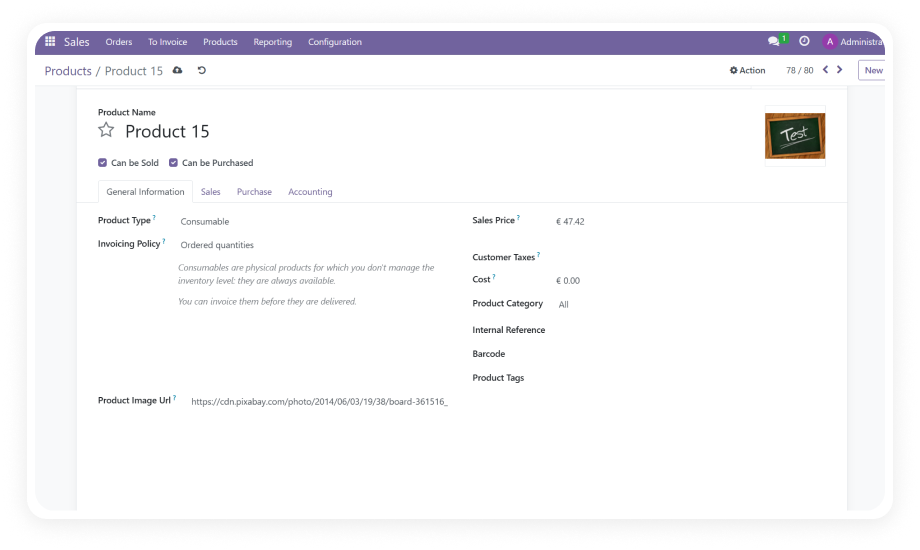
Product Image Import From URL

Eliminate manual image uploads. Import product images directly from URLs or local paths — individually or in bulk using Excel/CSV files — across your entire Odoo product catalog in seconds.

Compatible with Odoo 16, 17, 18 & 19
Bulk Upload via Excel & CSV
Match by SKU or Product ID
Built-in Validation & Error Reporting
Free — No Subscription or Recurring Fees
FREE
V19, 18, 17, 16
Product Image Import From URL — Bulk image upload via URL and CSV in Odoo

What Does Product Image Import From URL Do?

This free Odoo module lets you import product images directly from web URLs or local file paths — one at a time or in bulk via Excel/CSV uploads — saving hours of manual image management. Whether you are onboarding a new supplier catalog, refreshing seasonal imagery, or migrating from another platform, this tool handles the heavy lifting so your team can focus on selling.

Import images from any public URL into product records
Bulk upload via Excel or CSV in a single operation
Match images by Internal Reference (SKU) or Product ID
Support for local file paths on your server
Create or update product records with images attached

How Product Image Import From URL Solves Your Image Management Bottleneck

Problem
Zehntech Solution
Uploading images one by one is painfully slow
Bulk import hundreds of images in a single CSV/Excel upload
No native way to fetch images from URLs
Paste any public URL and the module auto-fetches and attaches it
Seasonal catalog refreshes take entire days
One import file replaces all images across hundreds of SKUs in minutes
No way to handle images from local server paths
Import from FTP or shared drive paths directly into Odoo
Silent failures — broken images discovered late
Built-in validation with clear error messages via Discuss module
Platform migration image re-upload nightmare
Map existing image URLs to product IDs and import in one pass
Staff spend 8–12 hours on 500 product images
Same 500 products processed in under 10 minutes

Key Features

1

Direct URL Image Import

Paste any public image URL directly into a product record and the module fetches, validates, and attaches the image automatically.

Why it matters: No more downloading images to your desktop and re-uploading — cut the steps in half and eliminate file clutter.

2

Bulk Import via Excel/CSV

Upload an Excel or CSV file containing product identifiers paired with image URLs to process hundreds or thousands of products in a single operation.

Why it matters: Catalog updates that once took a full day now complete in minutes, freeing your team for higher-value work.

3

Flexible Product Matching

Match images to products using either the Internal Reference (SKU) or the Product ID, giving you control over how records are identified during import.

Why it matters: Whether your workflow centers on SKUs or database IDs, the module adapts without requiring data reformatting.

4

Local Path Support

Import images stored on your server or local machine by specifying the file path, ideal for teams that receive product photos via FTP or shared drives.

Why it matters: Not all images live on the web — this feature bridges the gap between your file system and Odoo product catalog.

5

Create or Update Products

Choose whether the import should update existing product images or create entirely new product records with images already attached.

Why it matters: Handle both catalog refreshes and new product onboarding with the same tool, eliminating separate workflows.

6

Built-in Validation & Error Handling

The module validates URLs, checks file accessibility, and provides clear error messages through Odoo's Discuss module when imports fail.

Why it matters: Know exactly which images failed and why, so you can fix issues immediately instead of discovering broken images later.

7

Existing Image Replacement

Replace current product images with new ones from updated URLs while maintaining all other product data intact.

Why it matters: Seasonal catalog refreshes and vendor image updates happen smoothly without risking data loss on other product fields.

Who Benefits From This Module?

Role
Primary Use Case
Key Outcome
E-commerce Manager
Bulk-importing product images from supplier catalogs
Complete catalog imagery in minutes instead of days
Catalog Administrator
Refreshing seasonal product photos across hundreds of SKUs
One CSV upload replaces an entire day of manual work
Inventory Manager
Adding images to newly received stock items via SKU matching
Products go live with images immediately upon receipt
Data Migration Specialist
Importing product images during platform migration to Odoo
Seamless image transfer without manual re-upload
Procurement Officer
Attaching vendor-provided product photos from shared URLs
Product records complete with visuals upon creation
Marketing Coordinator
Updating promotional images across product lines
Campaign-ready catalog without touching individual records

Supported Versions & User Guides

Choose your Odoo version and explore the interactive user guide

Product Image Import From URL vs. Manual Image Management

Capability
Product Image Import From URL
Manual Upload
Single Image Upload
✔ Paste URL and auto-attach
One at a time via product form
Bulk Image Import
✔ Excel/CSV with hundreds of entries
Not available natively
URL-Based Fetching
✔ Direct fetch from any public URL
Download first, then upload
Product Matching
✔ Automatic by SKU or Product ID
Manual navigation to each record
Image Replacement
✔ Overwrite in bulk via import file
Delete old, upload new manually
Local Path Support
✔ Specify path in import file
Manual file browse per product
Error Reporting
✔ Clear error messages via Discuss
Silent failures
Time for 500 Products
✔ Under 10 minutes
8–12 hours
Cost
✔ FREE
Staff time only

How to Get Started

Four steps — from installation to a fully imaged product catalog.

01

Install the Module

Download Product Image Import From URL from the Odoo App Store and install it. Compatible with Odoo 16, 17, 18, and 19 on Online, Odoo.sh, and On-Premise deployments.

02

Prepare Your Image Data

For bulk imports, create an Excel or CSV file with columns for product identifier (Internal Reference or Product ID) and the image URL or local path. For single imports, simply copy the image URL.

03

Run the Import

Navigate to the Sales module, access the product image import wizard, select your matching criteria, upload your file or paste your URL, and execute the import.

04

Verify and Resolve Errors

Review your product catalog to confirm images are attached. If any imports failed, check the error notifications in Discuss for specific failure reasons and correct URLs as needed.

Technical Details & Compatibility

Parameter
Technical Name
License
Odoo Versions
Dependencies
Hosting Compatibility
Codebase Size
Publisher
Supported File Formats
Image Sources
Support
Details
zehntech_product_image_import_from_url
OPL-1 (Odoo Proprietary License)
16.0 · 17.0 · 18.0 · 19.0
Sales · Discuss · Invoicing
Odoo Online · Odoo.sh · On-Premise
337 lines of code
Zehntech Technologies Inc.
Excel (.xlsx) · CSV (.csv)
Public URLs · Local file paths
Product Image Import From URL — Frequently Asked Questions

Frequently Asked Questions

The module supports standard web image formats including JPEG, PNG, GIF, and WebP. Any image accessible via a public URL or local file path in a supported format can be imported.
Yes, the module supports importing images for both product templates and individual product variants. Use the appropriate Product ID or Internal Reference to target the specific record.
Your file needs columns for the product identifier (Internal Reference or Product ID) and the image URL or path. The import wizard guides you through column mapping during the upload process, so strict formatting is not required.
The module validates each URL during processing and skips entries that cannot be fetched. Failed imports generate error messages in the Discuss module so you can identify and fix broken links without losing the rest of the import batch.
Yes, Product Image Import From URL is completely free for Odoo 16, 17, 18, and 19. There are no subscription fees, recurring charges, or hidden costs — download it once and use it forever.

Get Product Image Import From URL — Free Forever

Stop wasting hours on manual product image uploads. Import images from URLs, local paths, or bulk Excel/CSV files in seconds. One-time download. No subscription. No recurring fees.

Get started with Product Image Import From URL by Zehntech


          You have successfully subscribed to the newsletter

          There was an error while trying to send your request. Please try again.

          Zehntech will use the information you provide on this form to be in touch with you and to provide updates and marketing.