Join us at GITEX 2025! Discover our solutions at Hall 4, Booth H-30 Schedule a Meeting Today.
Automate Marketing Initiatives with Salesforce Marketing Cloud Learn More
Join us at GITEX 2024! Discover our solutions at Hall 4, Booth H-30 Book your live demo today.
Zehntech Odoo App

Global Custom Fields

Customize Any Odoo Form Without Code. Add, organize, and manage custom fields across every Odoo module from one unified interface — no developer required.

Works on any Odoo form
Custom tab organization
Many2one & One2many relationships
Permission-based access control
Works across Community & Enterprise
Lifetime updates included
$14.93
V19, 18, 17, 16
Global Custom Fields for Odoo — Customize any form without code

What is Global Custom Fields?

Global Custom Fields is an Odoo module by Zehntech Technologies that enables business users to dynamically add, organize, and manage custom fields on any Odoo form — Contacts, Sales Orders, CRM Opportunities, Employee Records, Projects, Purchase Orders, and more — all without writing a single line of code. One module covers every model, eliminating the need for separate per-module custom field apps.

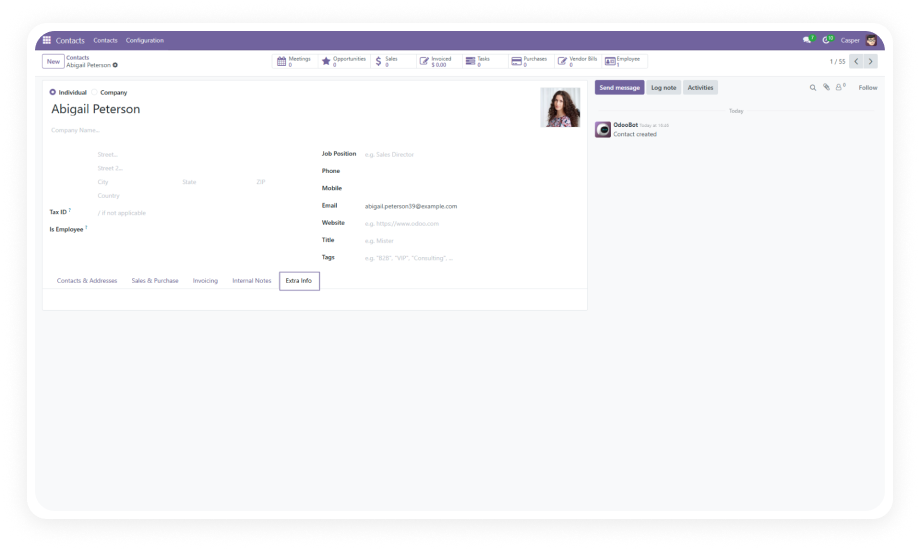
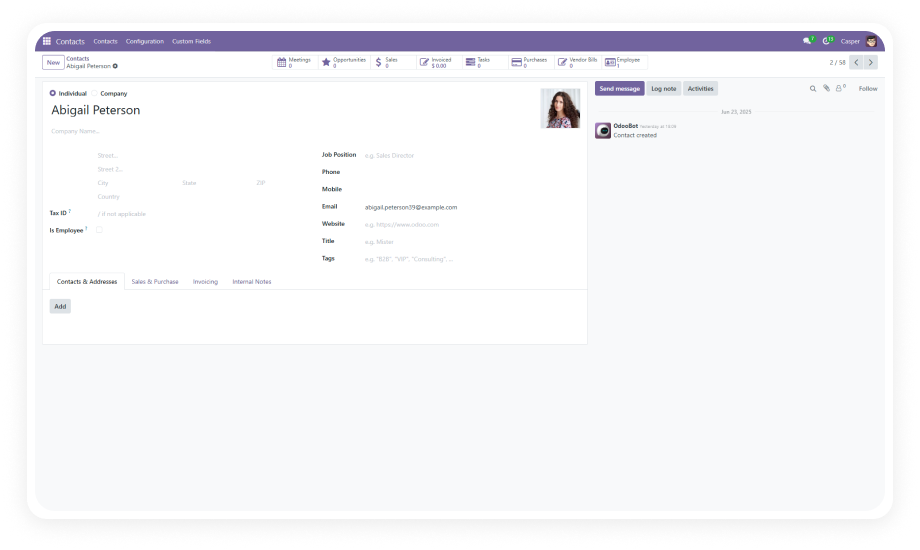
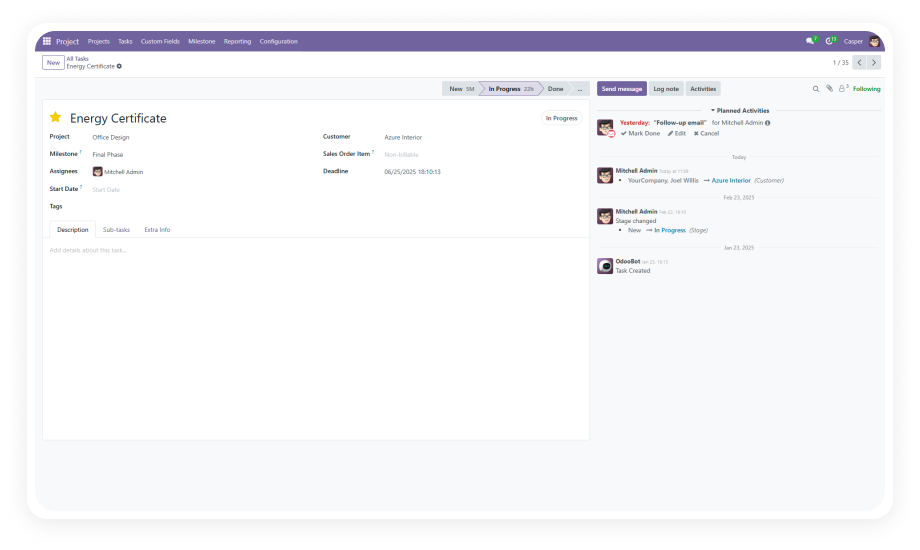
Add custom fields to any form using a simple action button
Supports text, date, number, selection, Many2one, One2many
Create custom tabs and group related fields logically
Place fields precisely where they belong on any form
Enforce data integrity with required field validation
Control who can modify form structures with permissions

How Global Custom Fields Eliminates Form Customization Bottlenecks

Problem
Zehntech Global Custom Fields Solution
Different modules need custom fields but require separate tools for each
One unified module handles custom fields across every Odoo model
Adding fields to forms requires developer intervention and custom code
No-code action button lets business users create fields directly on any form
Custom fields appear at the bottom with no organizational structure
Create custom tabs and position fields exactly where they belong
No way to link custom data to related models without coding
Many2one and One2many relational fields connect data across any model
Multiple team members make conflicting form changes
Permission-based access control restricts form modification to authorized users
Dropdown options must be configured by developers
Business users create and modify selection options independently
No validation on custom-added fields leads to incomplete data
Required field designation with built-in validation enforcement
Removing deprecated fields risks breaking the system
Safe field deletion with proper cleanup through the management interface
Managing separate custom field modules for each model creates overhead
Single installation covers Contacts, Sales, CRM, HR, Projects, Purchase, and more

Features

1

Universal Field Creation via Action Button

Add custom fields to any Odoo form through an intuitive action button available across all supported modules.

Why it matters: One consistent interface works everywhere — your team learns the workflow once and applies it to any module without switching tools.

2

Multiple Field Types

Supports text, date, number, selection/dropdown, Many2one, One2many, and additional field types for comprehensive data capture.

Why it matters: Whether you need a free-text note, a numeric reference, a date stamp, or a full relational link, the module handles it natively.

3

Field Management — Edit and Remove

Edit field properties or remove unnecessary fields through a clean management interface.

Why it matters: Business requirements evolve — renaming a field or removing deprecated fields should happen in seconds without development tickets.

4

Relationship Integration

Establish data connections across different Odoo models using Many2one and One2many relational fields.

Why it matters: Your records become interconnected — link contacts to products, sales orders to reference models, or employees to compliance data.

5

Flexible Field Positioning

Place custom fields in existing tabs or at specific locations on any form rather than defaulting to the bottom.

Why it matters: Form usability depends on field placement — logically grouped fields reduce data entry time and decrease errors.

6

Custom Tab Organization

Create dedicated tabs on forms and group related custom fields together within them.

Why it matters: As you add more fields across modules, organization becomes critical — custom tabs prevent form clutter.

7

Required Field Designation

Mark any custom field as mandatory and enforce completion with built-in validation.

Why it matters: Critical data points — compliance IDs, contract references, approval codes — cannot be skipped.

8

Permission-Based Access Control

Restrict form structure modification to authorized users through role-based permissions.

Why it matters: Access control ensures only designated administrators can add, modify, or remove fields while all users benefit.

Who Gets The Most Out Of This Module

Role
Primary Use Case
Key Outcome
Operations Director
Adding compliance and tracking fields across CRM, Sales, and HR forms simultaneously
Consistent data capture across all modules from one interface
CRM Manager
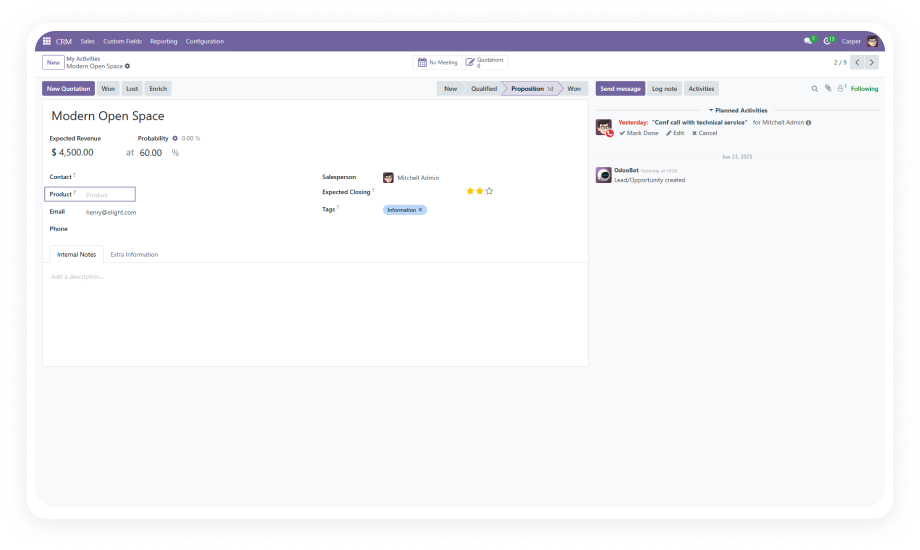
Extending opportunity and contact forms with industry codes and deal-specific fields
Richer pipeline data for segmentation and reporting
HR Administrator
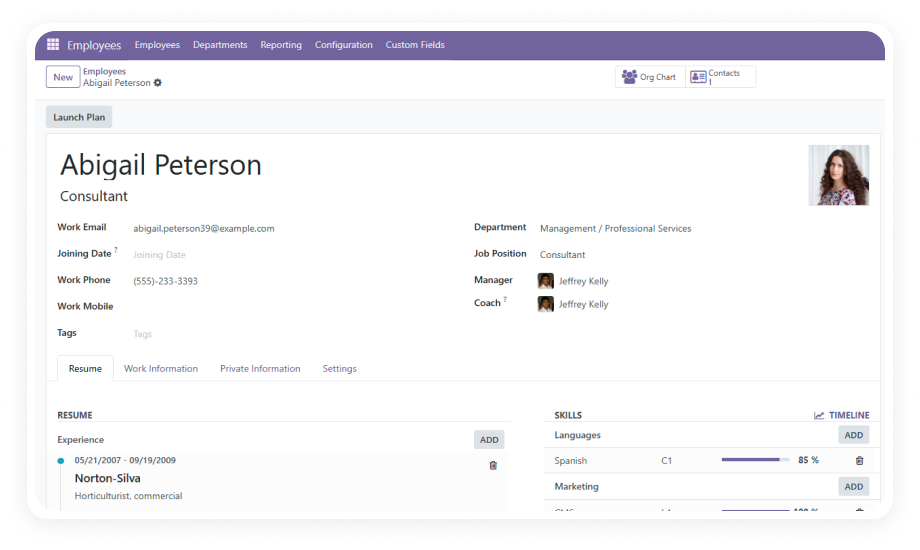
Adding certification dates, internal codes, and classification fields to employee records
Complete employee profiles without custom development
Sales Manager
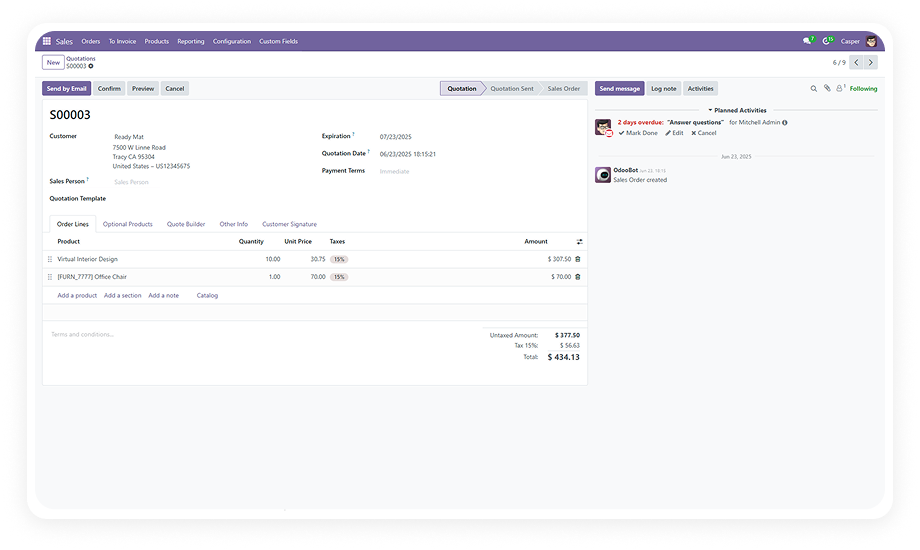
Customizing sales order forms with deal terms, reference numbers, and relational links
Critical deal context visible directly on the order form
Project Manager
Extending project and task forms with custom tracking fields and priority classifications
Better project visibility without switching between modules
Procurement Lead
Adding vendor qualification fields and compliance references to purchase orders
Procurement data captured alongside standard PO information
IT Manager
Centralizing form customization requests from multiple departments through one tool
Reduced development backlog with self-service field management

Versions & Documentation

Choose your Odoo version and explore interactive documentation

Documentation coming soon for this version.

Native Odoo vs Zehntech Global Custom Fields

Capability
Zehntech Global Custom Fields
Native Odoo
Add custom fields without coding
Yes — on any form via action button
No — requires developer
Works across all modules from one interface
Yes — Contacts, Sales, CRM, HR, Projects, Purchase
No — each form needs separate development
Custom tab creation
Yes — organize fields into dedicated tabs
No — requires code
Multiple field types (text, date, number, selection)
Yes
No — needs Studio or code
Many2one relational fields
Yes — link to any model
No — developer required
One2many relational fields
Yes — full relationship support
No — developer required
Field positioning control
Yes — place in existing tabs or specific locations
No
Required field validation
Yes — built-in enforcement
No — only on native fields
Permission-based access control
Yes — restrict form modifications by role
No
Edit fields after creation
Yes — properties, labels, options
No
Delete fields safely
Yes — managed cleanup
No — requires code changes
No Odoo Studio dependency
Yes — standalone module
Requires Studio ($$$) or code

Get Started In Minutes

No development environment. No custom code. No consultant required for standard setup.

01

Download

Purchase the Global Custom Fields module from the Odoo App Store. Upload to your Odoo instance via the Apps menu or place in your custom addons directory.

02

Install

Navigate to Apps, update the app list, search for "Global Custom Fields," and click Install. Dependencies resolve automatically.

03

Add Custom Fields to Any Form

Open any supported module. Use the action button to access the custom fields builder. Select your field type, configure positioning, and save.

04

Manage and Control Access

Set up permissions, edit field properties, reorganize fields into tabs, mark fields as required, or remove deprecated fields — all from the same interface.

Technical Compatibility

Parameter
Module Technical Name
Odoo Versions
Editions
Hosting
Dependencies
License
Lines of Code
Author
Support
Pricing
Details
zehntech_global_custom_fields
16.0 · 17.0 · 18.0 · 19.0
Community · Enterprise
Odoo Online · Odoo.sh · On Premise
CRM, Contacts, HR, Project, Purchase, Sales, Calendar, Discuss, Invoicing
OPL-1 (Odoo Proprietary License v1.0)
1,313
Zehntech Technologies Inc.
$14.93 — one-time purchase, lifetime updates
Global Custom Fields — FAQ illustration

Frequently Asked Questions

Global Custom Fields enables you to add, edit, and manage custom fields on any Odoo form — Contacts, Sales, CRM, HR, Projects, Purchase, and more — all from a single unified interface without any coding.
The module supports text, date, number, selection/dropdown, Many2one (relational), One2many (relational), and more. Each field type can be configured with custom labels, positioning, required validation, and access control.
Yes. Global Custom Fields lets you create custom tabs on any form and group related fields together within those tabs. This keeps forms organized and usable as you add more fields over time.
Yes. Permission-based restrictions ensure only authorized users can modify form structures. This prevents unauthorized changes to field configurations while allowing designated team members full management access.
Global Custom Fields supports Odoo versions 16, 17, 18, and 19. It works with Odoo Online, Odoo.sh, and On Premise deployments in both Community and Enterprise editions.

One Module.
Every Form.
Complete Control.

$14.93. One purchase. Lifetime updates. 90 days support.

Zehntech Odoo experts ready to help


          You have successfully subscribed to the newsletter

          There was an error while trying to send your request. Please try again.

          Zehntech will use the information you provide on this form to be in touch with you and to provide updates and marketing.