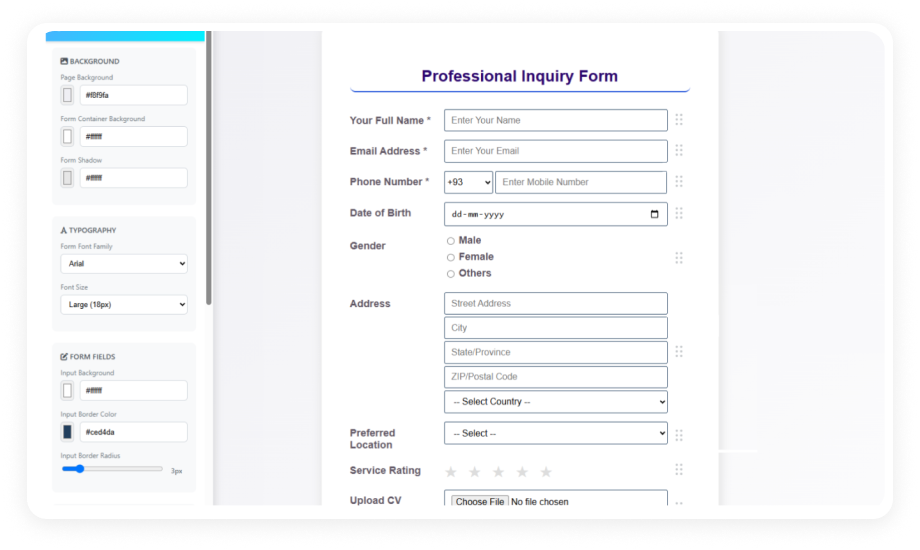
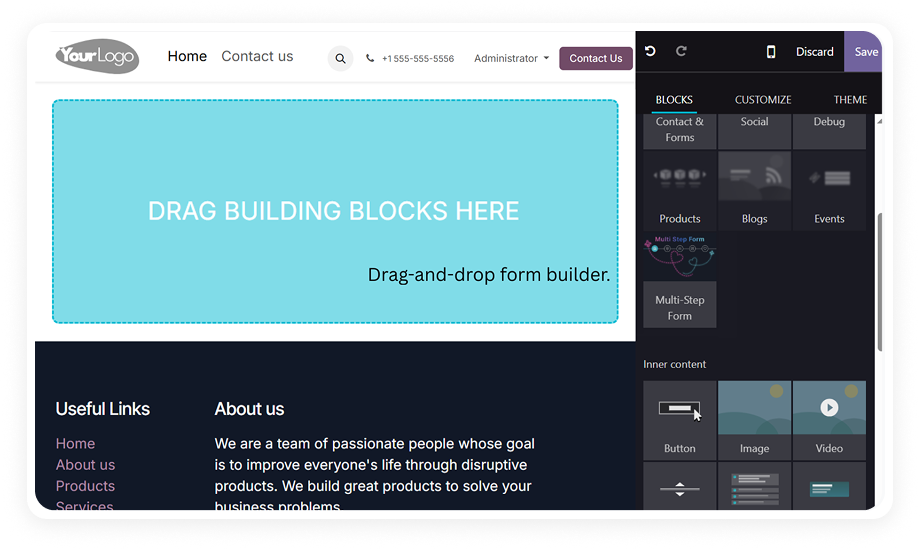
Add, remove, and reorder fields by dragging them on a visual canvas. Every change renders in real time so you see the final result before publishing.
Why it matters: Form iteration happens in minutes instead of development sprints — marketing, HR, and operations teams self-serve.
Text, Email, Phone, Number, Date, Time, Dropdown, Multi-select, Checkbox, Radio, File Upload, Rating, Captcha, and more. Each field accepts custom labels, placeholder text, and validation rules.
Why it matters: One module covers every data input scenario — from a simple contact form to a multi-section assessment with file attachments.
Customize colors, fonts, spacing, and layout without touching CSS. Choose vertical or horizontal field orientations to match your page design.
Why it matters: Forms match your brand identity without a designer in the loop — consistent look, faster turnaround.
Set start and end dates for form availability. Forms open and close automatically based on your defined window.
Why it matters: Registration deadlines, seasonal campaigns, and time-limited surveys manage themselves — no manual toggling.
Generate a shareable URL or a scannable QR code for any published form. Recipients respond without needing an Odoo login.
Why it matters: Reach external audiences — customers, vendors, event attendees — without granting system access.
Embed forms directly on your Odoo website pages. The embed adapts to container width and renders correctly on desktop, tablet, and mobile.
Why it matters: Data collection lives where visitors already browse — no redirect to an external survey tool.
Export all collected responses to CSV for analysis in spreadsheets, BI tools, or external reporting systems.
Why it matters: Response data flows into existing reporting workflows without manual copy-paste or API integration.
Trigger email alerts on each form submission. Notify assigned team members instantly when a response arrives.
Why it matters: Response-to-action time shrinks from hours to minutes — no one checks a dashboard hoping for new entries.
View submission counts, completion rates, and respondent geographic location from a built-in analytics dashboard.
Why it matters: Understand not just what people answer, but where your responses come from — useful for regional campaigns and compliance.
Publish the same form in multiple languages — English, Japanese, French, German, and Spanish supported out of the box.
Why it matters: Global teams and international audiences interact with forms in their native language without maintaining duplicate forms.