Join us at GITEX 2025! Discover our solutions at Hall 4, Booth H-30 Schedule a Meeting Today.
Automate Marketing Initiatives with Salesforce Marketing Cloud Learn More
Join us at GITEX 2024! Discover our solutions at Hall 4, Booth H-30 Book your live demo today.
Zehntech Odoo App

Advance Odoo Chatter — Cleaner UI, Faster Team Communication

Stop working around a clunky chatter. Advance Odoo Chatter replaces Odoo's default messaging panel with a modern, structured interface built for teams that communicate constantly — across records, departments, and workflows.

Compatible with Odoo 16, 17, 18 & 19
Works with all standard Odoo business documents
Trusted by 500+ Businesses Across 12+ Countries
Community & Enterprise Supported
No Custom Development Required
$34.84
V19 · V18 · V17 · V16
Advance Odoo Chatter — Odoo app

What is Advance Odoo Chatter?

Advance Odoo Chatter is a productivity module that replaces Odoo's default chatter panel with a cleaner, more capable communication interface. It solves the friction teams face when navigating messages, notes, and activities inside business records — bringing faster interactions and better visibility to every record in your system. Instead of relying on scattered email threads or switching tools, teams communicate directly within the context of the work. It replaces the need for any chatter-related customization or UI workaround.

Cleaner chatter UI
Message, notes & activity switching
Edit & delete chatter entries
Full chatter history tracking
Works on all Odoo records

How Advance Odoo Chatter Solves Communication Friction in Odoo

Problem
Zehntech Advance Odoo Chatter Solution
Native Odoo chatter lacks visual hierarchy, making messages hard to scan
Enhanced visual design with clear structure and improved readability across all record types
Switching between messages, notes, and activities requires multiple clicks
Inline tab controls let users switch between messages, notes, and activities directly within the chatter panel
No way to edit or delete sent messages — errors stay on record permanently
Full edit and delete capability for chatter entries, keeping records accurate and professional
Top-of-record chatter interactions are slow and buried under record fields
Top bar shortcuts enable faster access to chatter actions without scrolling
Teams struggle to track who communicated what and when on complex records
Full chatter history and notification tracking so no conversation is lost or unattributed
Chatter layout is fixed — doesn't adapt to different team workflows
Configurable chatter visibility and layout behavior to match how individual teams work
Communication embedded in business records looks inconsistent across modules
Unified chatter UI design that looks and behaves consistently across all Odoo modules
New users find Odoo's chatter unintuitive, slowing adoption
Intuitive interface design reduces the learning curve and improves day-one usability

Every Feature Built for Faster, Cleaner Communication in Odoo

1

Enhanced Visual Interface

The chatter panel receives a complete visual refresh — cleaner layout, better spacing, and a more structured design that makes messages immediately readable.

Why it matters: teams in high-volume environments spend less time parsing the chatter and more time acting on information.

2

Streamlined Messaging Controls

Core messaging interactions are simplified and made more accessible — reducing the number of steps required to send, review, or respond to messages on any record.

Why it matters: small friction reductions across dozens of daily interactions add up to significant time savings at team scale.

3

Message, Notes & Activity Switching

Users can switch between messages, internal notes, and activity logs directly within the chatter panel using inline tab controls — without leaving the record view.

Why it matters: context-switching between communication types is eliminated, keeping all collaboration in one focused place.

4

Edit & Delete Chatter Entries

Users can edit or delete their own chatter messages directly from the panel after posting.

Why it matters: this prevents incorrect information from permanently residing on business records, maintaining the accuracy of communication history.

5

Top Bar Shortcuts

Quick-access shortcuts are surfaced in the top bar of the chatter, reducing the number of clicks needed to perform common chatter actions.

Why it matters: power users and operations teams benefit most — faster access to chatter actions means less time with a mouse and more time in flow.

6

Configurable Chatter Visibility & Layout

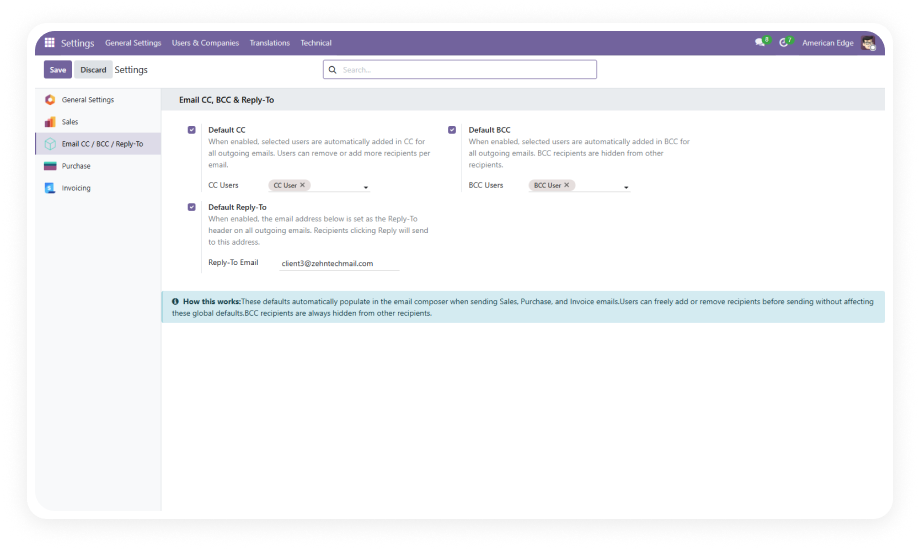
Administrators can adjust chatter visibility settings and layout behavior to align with specific team workflows and preferences.

Why it matters: different departments have different communication patterns — this flexibility ensures the chatter serves each team's actual working style.

7

Chatter History & Notification Tracking

Full chatter history is accessible within each record, including a clear view of notifications and communication events.

Why it matters: for audit, escalation, or context recovery, a complete communication trail on every record is essential.

8

Improved Message Organization

Messages are displayed with better organization and grouping, making it easier to follow conversation threads and find specific entries.

Why it matters: on records with long communication histories, strong organization prevents important information from being buried or missed.

9

Improved Readability Across Interactions

Typography, contrast, and layout choices are optimized throughout the chatter to improve readability in various screen and lighting conditions.

Why it matters: a readable interface reduces cognitive load and fatigue for teams working with chatter-heavy records all day.

10

Communication Embedded in Business Documents

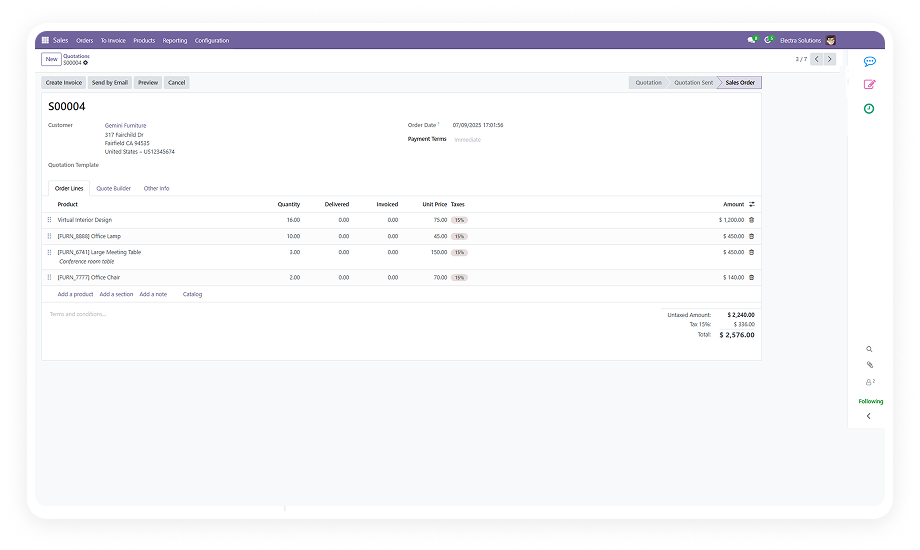
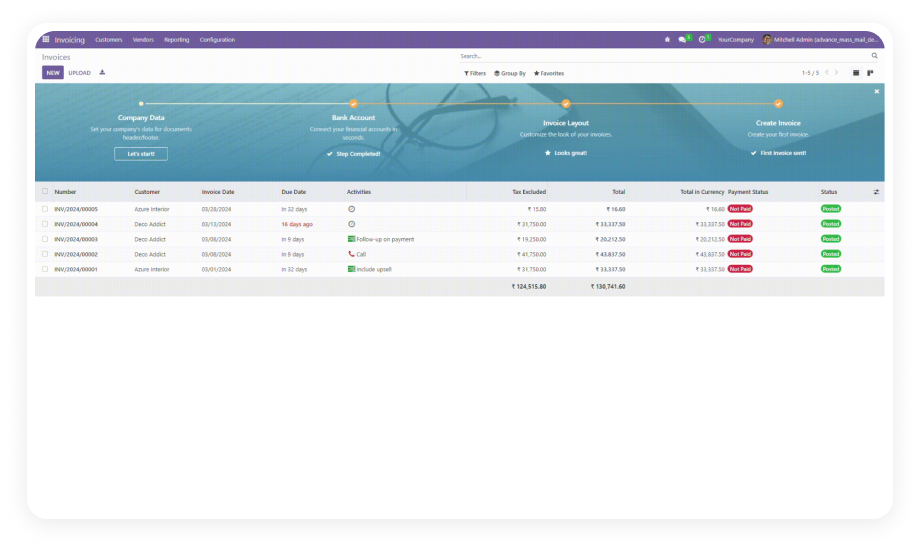
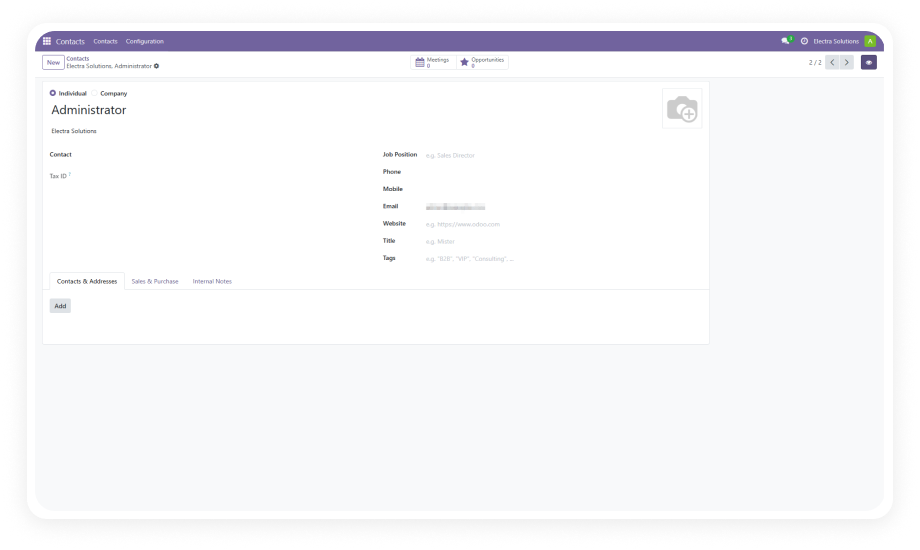
The chatter integrates with all standard Odoo business records — sales orders, invoices, tasks, purchase orders, contacts, and more.

Why it matters: communication stays in context with the work, eliminating the disconnect between record data and team discussion.

Who Gets The Most Out Of This Module

Role
Primary Use Case
Key Outcome
Sales Managers
Track customer communication history on deals and quotes
Full conversation context on every sales record
Operations Managers
Coordinate team notes and internal updates across operational records
Centralized, structured team communication
Customer Support Teams
Manage and respond to customer messages within support tickets and orders
Faster response times with cleaner message flow
Odoo Administrators
Configure chatter layout and visibility per department workflow
Tailored communication setup without custom code
Finance Teams
Leave accurate, editable notes on invoices and payment records
Clean audit trail with correct internal notes
Project Managers
Switch between activity logs, messages, and notes on tasks in one click
Full project communication visible in one panel
Procurement Teams
Annotate and track vendor communication on purchase orders
Supplier interactions captured directly on PO records
⚠ Not the right fit for: Teams looking to replace Odoo's chatter entirely with a standalone ticketing or external helpdesk system.

Versions & Documentation

Choose your Odoo version and explore interactive documentation

Documentation coming soon for Odoo 16.
Documentation coming soon for Odoo 17.

Native Odoo vs Zehntech Advance Odoo Chatter

Capability
Zehntech Advance Odoo Chatter
Native Odoo
Chatter visual design
✓ Modernized layout with clear hierarchy
Basic — minimal styling
Switch between messages, notes, activities
✓ Inline tab controls within the panel
Basic — requires multiple navigation steps
Edit sent chatter messages
✓ Direct edit from chatter panel
Not available
Delete chatter entries
✓ Delete directly from the panel
Not available
Top bar chatter shortcuts
✓ Quick-access shortcuts in top bar
Not available
Configurable chatter visibility
✓ Adjustable per team/workflow
Not available
Configurable layout behavior
✓ Admin-controlled layout settings
Not available
Chatter history tracking
✓ Complete history with notification log
Basic — limited notification context
Improved message organization
✓ Structured grouping and display
Basic — flat unorganized message list
Enhanced readability
✓ Optimized typography and contrast
Basic — default Odoo styling only
Communication embedded in all record types
✓ Works across all standard Odoo models
Basic — present but unenhanced
Team collaboration facilitation
✓ Designed to reduce friction in team discussion
Basic — functional but unoptimized

Get Started In Minutes

No development environment. No custom code. No consultant required for standard setup.

01

Purchase & Download

Visit the Odoo App Store and purchase Advance Odoo Chatter for your required version — available for Odoo 16, 17, 18, and 19 on Community, Enterprise, and Odoo.sh editions.

02

Install the Module

Log into your Odoo backend, navigate to the Apps menu, and install the advance_odoo_chatter module. Installation completes in under two minutes with no server restart required.

03

Configure Settings

Access the module's configuration options to adjust chatter visibility, layout preferences, and behavior settings for your team's workflow. Settings apply globally or can be tuned per use case.

04

Deploy Across Your Team

Open any business record — sales orders, invoices, tasks, contacts, or purchase orders — and begin using the enhanced chatter interface immediately.

Technical Details & Compatibility

Requirement
Odoo Versions
Editions
Hosting
Dependencies
Third-Party Dependencies
Custom Dev Required
Install Time
Server Restart
Data Migration
Module Conflicts
License
Last Tested
Lines of Code
Support
Details
16.0 · 17.0 · 18.0 · 19.0
Community · Enterprise · Odoo.sh
Odoo Online · On-Premise · Odoo.sh
Discuss (mail) · Purchase · Sales (sale_management) · Invoicing (account)
None
No
Under 5 minutes
Not required
Not required
None known
OPL-1
Odoo 19.0 — May 2026
980
Advance Odoo Chatter FAQ

Frequently Asked Questions

  • Yes — the module installs directly from the Odoo App Store with a standard installation process.
  • No custom code, no developer intervention, and no technical consultant required for setup.
  • It works within Odoo's native framework out of the box across all supported versions.
  • Yes — the module is fully compatible with both Community and Enterprise editions of Odoo.
  • It also supports Odoo.sh and on-premise deployments in addition to Odoo Online.
  • Version support spans Odoo 16, 17, 18, and 19 across all editions.
  • Users can switch between messages, internal notes, and activities directly within the chatter panel using inline tab controls.
  • Chatter entries can be edited or deleted directly from the panel after posting — no workaround needed.
  • Full chatter history and notification tracking is accessible on every business record.
  • Advance Odoo Chatter supports Odoo 16, 17, 18, and 19.
  • All four versions are available for purchase on the Odoo App Store individually.
  • Community, Enterprise, and Odoo.sh editions are supported across all versions.
  • The module requires four standard Odoo modules: Discuss (mail), Purchase, Sales (sale_management), and Invoicing (account).
  • All dependencies are core Odoo modules included in every standard Odoo installation — no third-party packages are required.
  • There are no known conflicts with other installed modules.

Ready to Replace Odoo's Default Chatter With Something Better?

Your team already lives inside Odoo — every deal, task, invoice, and request flows through it. Advance Odoo Chatter adds the communication layer that makes those records a real collaboration space, not just a data store. Includes lifetime updates and 90 days of dedicated technical support.

Advance Odoo Chatter


          You have successfully subscribed to the newsletter

          There was an error while trying to send your request. Please try again.

          Zehntech will use the information you provide on this form to be in touch with you and to provide updates and marketing.