Join us at GITEX 2025! Discover our solutions at Hall 4, Booth H-30 Schedule a Meeting Today.
Automate Marketing Initiatives with Salesforce Marketing Cloud Learn More
Join us at GITEX 2024! Discover our solutions at Hall 4, Booth H-30 Book your live demo today.
Zehntech Odoo App

Default Terms & Conditions

Consistent Legal Language Across Every Odoo Document. Configure your terms and conditions once in settings. Every new sales order, purchase order, and invoice inherits them automatically — no copy-pasting, no forgotten clauses, no inconsistency across documents.

Compatible with Odoo 16 & 17
Covers Sales Orders, Purchase Orders & Invoices
Community & Enterprise Supported
No Custom Development Required
Installs in Under 2 Minutes
FREE
V17 · V16
Default Terms and Conditions — Odoo module for centralized terms management

What is Default Terms & Conditions?

Default Terms & Conditions is a free Odoo module that lets businesses configure standard terms and conditions text from a single centralized settings page — and have those terms automatically applied to every new Sales Order, Purchase Order, and Customer Invoice. Instead of relying on users to manually paste legal text into each document (or worse, forgetting to include it), this module ensures every outgoing record carries your approved language by default.

Centralized Configuration — One Place for All Terms
Auto-Population on New Sales Orders
Auto-Population on New Purchase Orders
Auto-Population on New Customer Invoices
Zero Manual Entry Required

How Default Terms & Conditions Solves the Document Consistency Problem

Problem
Zehntech Default Terms Solution
Users forget to add terms to sales orders — documents go out without legal protection
Default terms auto-populate on every new Sales Order from centralized settings
Purchase orders sent with inconsistent or outdated terms — procurement risk increases
Configure standard purchasing terms once — every new PO inherits them automatically
Invoices issued without payment terms language — cash collection disputes lack backing
Default invoice terms appear on every new Customer Invoice automatically
Different team members paste different versions — legal language varies across documents
One centralized configuration guarantees identical language across all document types
Updating terms requires editing templates or asking every user to change workflow
Modify terms once in settings — all future documents immediately reflect updates
New employees don't know where to find approved terms — onboarding friction
Terms appear automatically — new hires produce compliant documents from day one

Simple, Reliable Terms Management — Across Every Document Type

1

Default Terms for Sales Orders

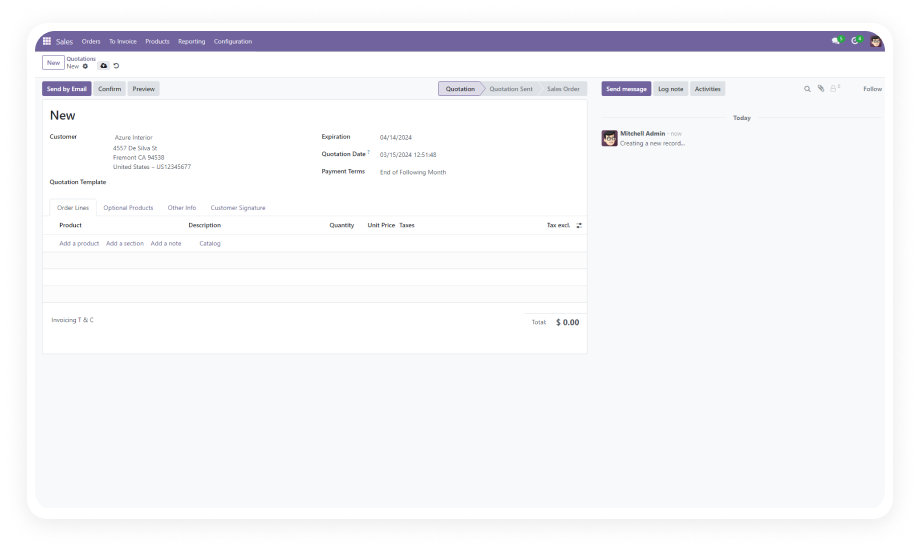
Configure your standard sales terms and conditions in the Odoo Settings panel. Every new Sales Order created by any user automatically inherits these terms without manual input.

Why it matters: sales teams move fast — this ensures legal coverage keeps pace with deal velocity without adding friction.

2

Default Terms for Purchase Orders

Set your standard purchasing terms and conditions from the same centralized settings page. All new Purchase Orders carry your configured language by default.

Why it matters: vendor agreements depend on consistent contractual language — inconsistent terms create procurement risk.

3

Default Terms for Customer Invoices

Define default terms for all Customer Invoices through the settings configuration. Every new invoice reflects your approved payment and billing language.

Why it matters: invoices without explicit terms weaken your position in payment disputes.

4

Centralized Single-Point Configuration

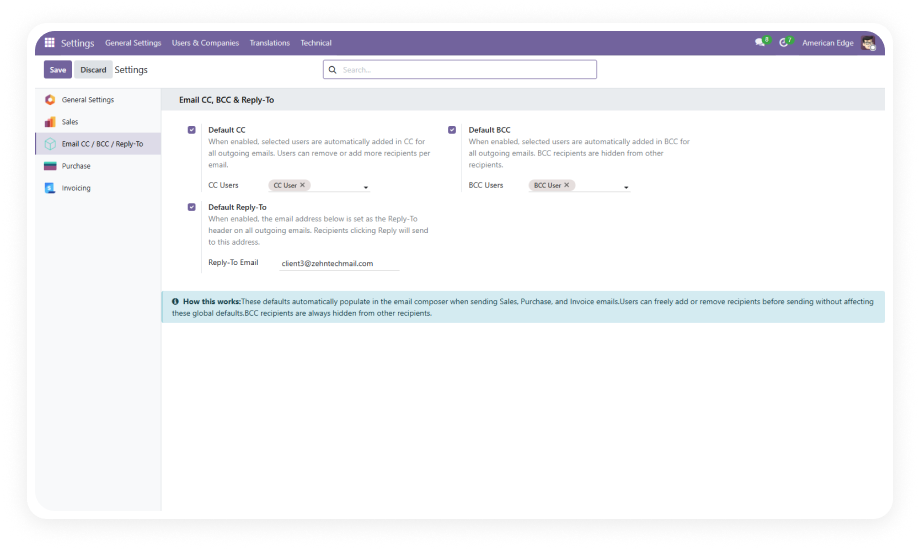
All three document types — Sales Orders, Purchase Orders, and Invoices — are configured from one unified settings area. No scattered configuration across multiple menus.

Why it matters: centralized control means one person can manage the organization's entire terms landscape.

5

Dynamic Updates Across Future Documents

When you modify the default terms in settings, all subsequently created documents inherit the updated language. No migration step, no manual refresh.

Why it matters: legal language evolves — contract updates need to flow immediately into operational documents.

6

User-Friendly Non-Technical Interface

The entire configuration is accessible through the standard Odoo Settings interface with plain text fields. No coding, no XML editing, no developer mode required.

Why it matters: legal and operations teams should own their terms content directly — this removes IT dependency.

7

Per-Document Override Capability

While default terms auto-populate on new documents, users retain the ability to edit terms on individual records when exceptions are needed.

Why it matters: not every transaction follows the standard template — flexibility without losing the safety net of defaults.

8

Multi-Document Type Independence

Sales terms, purchasing terms, and invoice terms are configured independently — each document type can carry completely different language.

Why it matters: your sales terms, purchasing terms, and invoice terms serve different legal purposes and should never be identical.

Who Gets The Most Out Of This Module

Role
Primary Use Case
Key Outcome
Sales Manager
Ensuring every quotation and sales order carries approved legal terms without relying on individual reps
Consistent legal coverage on 100% of outgoing sales documents
Procurement Manager
Standardizing purchasing terms across all vendor POs to maintain contractual consistency
Uniform vendor agreements that protect negotiating position
Finance Controller
Adding default payment terms language to every invoice to strengthen collection processes
Invoices that explicitly state payment expectations — reducing disputes
Legal / Compliance Officer
Maintaining a single source of truth for organizational terms that flows into all business documents
Eliminates the risk of outdated or unauthorized terms appearing on official documents
Odoo Administrator
Reducing support tickets from users asking where to find or how to add terms to their documents
Zero-friction setup that removes manual steps from document creation workflows
Small Business Owner
Ensuring professional, consistent documentation without dedicated legal or admin resources
Enterprise-grade document consistency without enterprise-grade overhead

Versions & Documentation

Choose your Odoo version and explore documentation resources

Odoo 16 — Documentation coming soon.
Full setup documentation included with download.

Odoo 17 — Documentation coming soon.
Full setup documentation included with download.

Native Odoo vs Zehntech Default Terms & Conditions

Capability
Zehntech Default Terms
Native Odoo
Default terms auto-populated on new Sales Orders
Yes
Not available
Default terms auto-populated on new Purchase Orders
Yes
Not available
Default terms auto-populated on new Customer Invoices
Yes
Not available
Centralized single-point configuration for all document types
Yes
Not available
Independent terms per document type (Sales / Purchase / Invoice)
Yes
Not available
Dynamic updates — change once, apply to all future documents
Yes
Not available
Non-technical settings interface — no developer mode needed
Yes
Not available
Per-document override for exception handling
Yes
Manual only
Works across Community, Enterprise & Odoo.sh
Yes
N/A
No custom development or template editing required
Yes
N/A

Get Started In Minutes

No development environment. No custom code. No consultant required.

01

Install from the Odoo App Store

Download Default Terms & Conditions from apps.odoo.com and install it through the Odoo Apps menu. Compatible with Odoo 16 and 17. No server restart required.

02

Configure Your Default Terms

Navigate to Odoo Settings and locate the terms and conditions configuration fields. Enter your default terms for Sales Orders, Purchase Orders, and Customer Invoices.

03

Create Documents and Verify

Create a new Sales Order, Purchase Order, or Invoice. Confirm that your configured terms auto-populate on the document. Your team is ready to go.

Technical Details & Compatibility

Requirement
Odoo Versions
Editions
Hosting
Dependencies
Third-Party Dependencies
Custom Dev Required
Install Time
Server Restart
Data Migration
Module Conflicts
License
Last Tested
Lines of Code
Support
Details
16.0 · 17.0
Community · Enterprise · Odoo.sh
Odoo Online · On-Premise · Odoo.sh
Purchase · Sales · Invoicing · Discuss
None
No
Under 2 minutes
Not required
Not required
None known
OPL-1
Odoo 17.0 — May 2026
99
Default Terms and Conditions — FAQ illustration

Frequently Asked Questions

Yes. Default Terms & Conditions provides independent configuration fields for each document type. Your sales terms, purchasing terms, and invoice terms are completely separate — each document type pulls from its own dedicated settings field. This allows your legal language to address the specific concerns of each workflow.
Yes. The module is fully compatible with both Odoo Community and Enterprise editions. It also supports Odoo.sh and all three hosting modes — Odoo Online, On-Premise, and Odoo.sh. No edition-specific limitations apply.
No. When you update terms in settings, only newly created documents inherit the updated language. Existing Sales Orders, Purchase Orders, and Invoices retain their original terms unchanged. This protects document integrity for records already shared with customers, vendors, or auditors.
Default Terms & Conditions supports Odoo 16.0 and 17.0 — both versions are actively maintained. Community, Enterprise, and Odoo.sh editions are all supported across both versions.
Yes. Default Terms & Conditions is completely free to download and use from the Odoo App Store. There is no purchase cost, no subscription fee, and no recurring charges. Zehntech includes 90 days of dedicated technical support at no additional charge with every download.
Yes. The module sets a default — it does not lock the field. Users retain full ability to modify terms on any individual Sales Order, Purchase Order, or Invoice when exceptions are needed. This provides the safety net of consistent defaults with the flexibility to handle non-standard situations.

Free Download.
No Subscription.
No Recurring Fees.

Your team sends sales orders, purchase orders, and invoices every day — and every document without terms is a document without legal protection. Configure your language once, and every outgoing record carries it automatically. 90 days of dedicated technical support included — free of charge.

Zehntech Odoo experts ready to help


          You have successfully subscribed to the newsletter

          There was an error while trying to send your request. Please try again.

          Zehntech will use the information you provide on this form to be in touch with you and to provide updates and marketing.