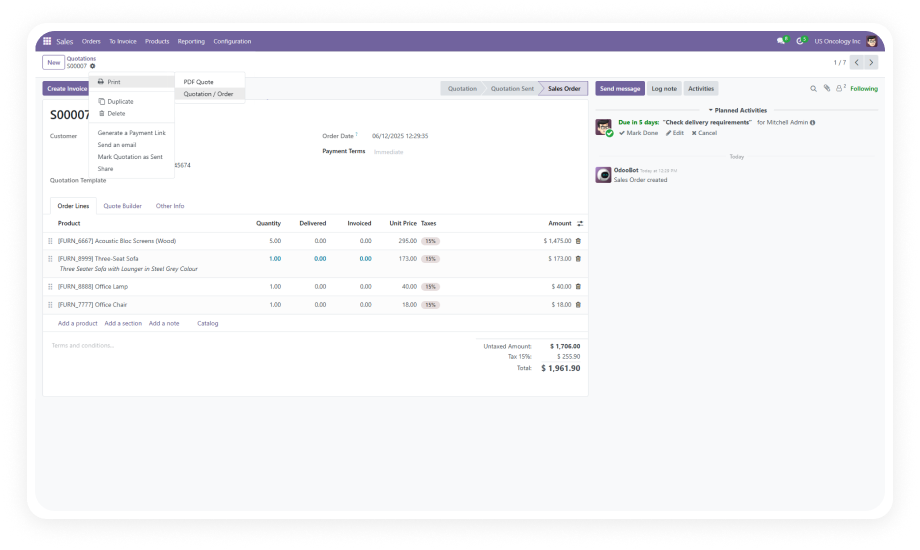
Print any Odoo document — invoices, delivery slips, reports, or custom templates — with a single click directly from the Odoo interface. No PDF download. No local print dialog.
Why it matters: teams processing dozens or hundreds of documents daily reclaim significant time when each print action drops from 4-5 clicks to one.
The module connects to PrintNode through a secure, authenticated API key. PrintNode handles communication between your Odoo instance and physical printers across any setup.
Why it matters: PrintNode is proven infrastructure used by thousands of businesses — you get enterprise-grade print routing without building custom middleware.
Assign different printers to different document types. Invoices go to one printer, delivery slips to another, internal reports to a third. Configure defaults and override per document type.
Why it matters: operations teams working across departments no longer need to manually select the right printer — routing is automatic.
Beyond document-type routing, assign printers at the department level. Warehouse team prints go to warehouse. Accounting invoices route to accounting's device.
Why it matters: large organizations with multiple physical locations get print infrastructure that mirrors their actual operational layout.
Every print action is logged with relevant metadata — what was printed, when, and the routing details. Administrators can review print activity for operational oversight.
Why it matters: visibility into printing activity helps identify bottlenecks, verify critical documents were sent, and maintain team accountability.
Direct Print works with any printer registered in your PrintNode account — USB printers, network printers, wireless printers, or cloud-connected devices.
Why it matters: you don't need to replace existing hardware. Whatever printers your team already uses become part of your Odoo printing workflow.
The connection between Odoo and PrintNode is authenticated via API key, ensuring that print jobs are only sent through authorized channels. No open ports, no unsecured connections.
Why it matters: document security is maintained end-to-end, which is critical for businesses printing financial records or sensitive operational documents.
Documents go from Odoo directly to paper. No intermediate PDF files saved to user desktops, no temporary files accumulate, no local storage consumed.
Why it matters: cleaner workflows, fewer files to manage, and reduced risk of sensitive documents sitting in local download folders.