Join us at GITEX 2025! Discover our solutions at Hall 4, Booth H-30 Schedule a Meeting Today.
Automate Marketing Initiatives with Salesforce Marketing Cloud Learn More
Join us at GITEX 2024! Discover our solutions at Hall 4, Booth H-30 Book your live demo today.
Zehntech Odoo App

Partner Incentive & Commission Management

Automate Partner Commission Calculations in Odoo. Stop calculating partner commissions in spreadsheets. Define tiered commission rules, choose your calculation trigger (Sales Orders, Invoices, or Payments), and let the system handle calculations, commission sheets, and vendor bill generation — all inside Odoo.

Compatible with Odoo 19, 18, 17 & 16
Community & Enterprise Supported
Tiered Commission Rules
Auto-Calculate on Orders, Invoices, or Payments
Trusted by Businesses Across 12+ Countries
$19.91
V19, 18
Partner Incentive & Commission Management — Automate partner commissions in Odoo

What is Partner Incentive & Commission Management?

Partner Incentive & Commission Management is an Odoo module that automates the entire partner commission lifecycle — from rule configuration through calculation to payout. Instead of manually tracking what each referral partner or sales agent has earned across transactions, this module calculates commissions automatically based on confirmed Sales Orders, validated Invoices, or received Payments.

Tiered commission rules
Contact-level & global configuration
Three calculation modes
Commission sheets
Vendor bill generation
Centralized tracking

How Partner Incentive & Commission Management Solves Odoo Commission Gaps

Problem
Zehntech Solution
Partner commissions tracked manually in spreadsheets outside Odoo
Automated calculation within Odoo based on actual transaction data
No way to assign different commission rates to different partners
Tiered rules at the contact level override global settings for partner-specific rates
Commissions calculated only on one event type (sales or payments)
Three flexible calculation modes — Sales Orders, Invoices, or Payments
No fallback rate when a partner does not have a custom rule assigned
Base percentage configuration provides automatic fallback
Commission payouts require manual vendor bill creation
One-click vendor bill generation directly from commission sheets
No centralized view of what is owed to which partner
Commission dashboard consolidates all calculations, statuses, and tracking
Payment status must be checked across multiple records
Automated payment status updates reflect bill payment state
Finance team cannot control who accesses commission data
Role-based access control restricts visibility to authorized users
Historical commission data scattered across emails and files
Complete commission history retained within Odoo for audit and reporting

Complete Partner Commission Automation for Odoo

1

Tiered Commission Rule Configuration

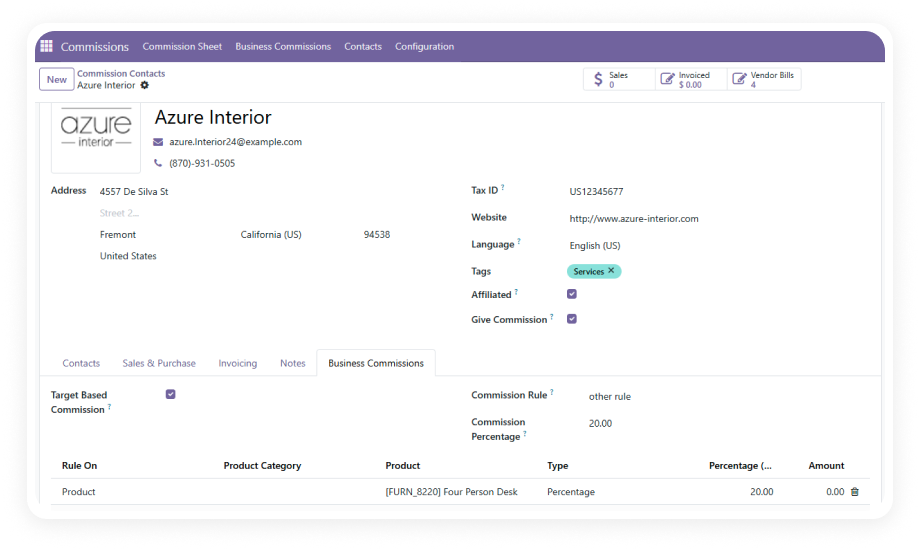
Define commission rules at multiple levels with clear priority. Contact-level rules take highest priority, followed by global rules, with base percentages serving as the final fallback.

Why it matters: every partner earns the exact commission percentage your agreement specifies, calculated automatically without manual lookups.

2

Flexible Calculation Modes

Choose when commissions are calculated: on confirmed Sales Orders, validated Invoices, or received Payments. Each mode triggers computation based on your business policy.

Why it matters: you match commission timing to your actual payout policy — whether you pay on the sale, on invoicing, or only after cash is collected.

3

Automatic & Manual Commission Calculation

Run commission calculations automatically when triggering events occur, or execute manual calculations on demand for specific periods, partners, or transaction batches.

Why it matters: routine commissions process hands-free while edge cases or period-end reconciliations remain under your direct control.

4

Centralized Commission Dashboard

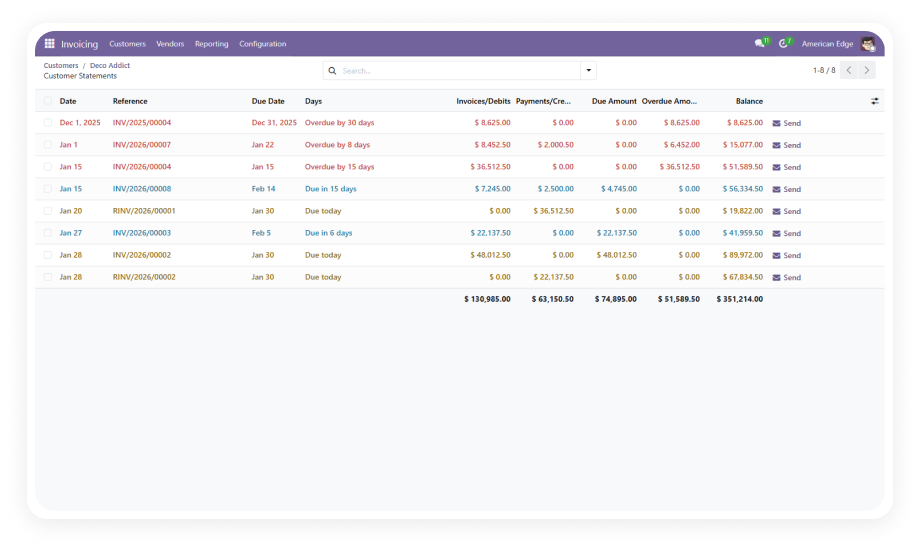
A dedicated dashboard consolidates all commission data — calculated amounts, pending payouts, generated bills, and payment statuses — in one view.

Why it matters: finance teams get instant visibility into commission obligations without assembling reports from scattered data.

5

Commission Sheet Generation & Vendor Bill Integration

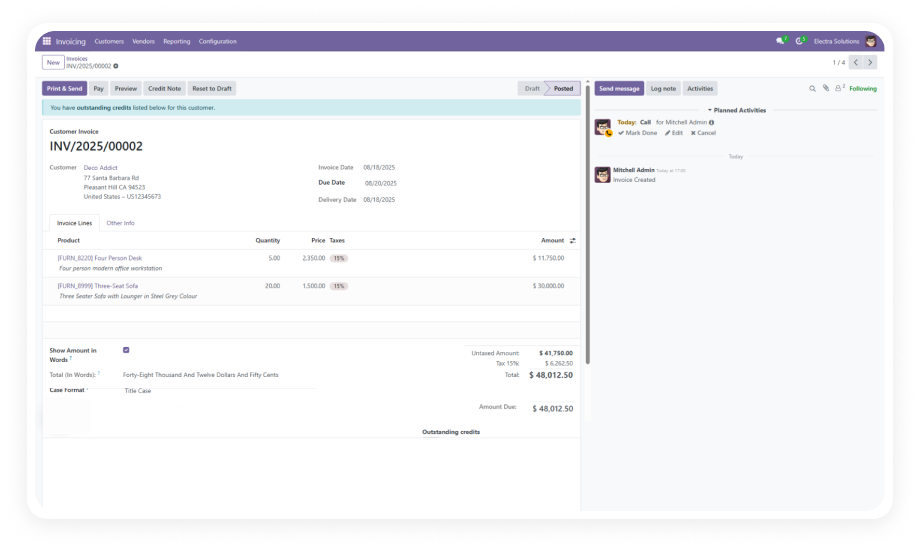
Generate consolidated commission sheets that summarize what each partner has earned. From those sheets, create vendor bills directly within Odoo — no manual data entry.

Why it matters: the path from calculated commission to payable bill takes one click instead of a manual process prone to transcription errors.

6

Automated Payment Status Updates

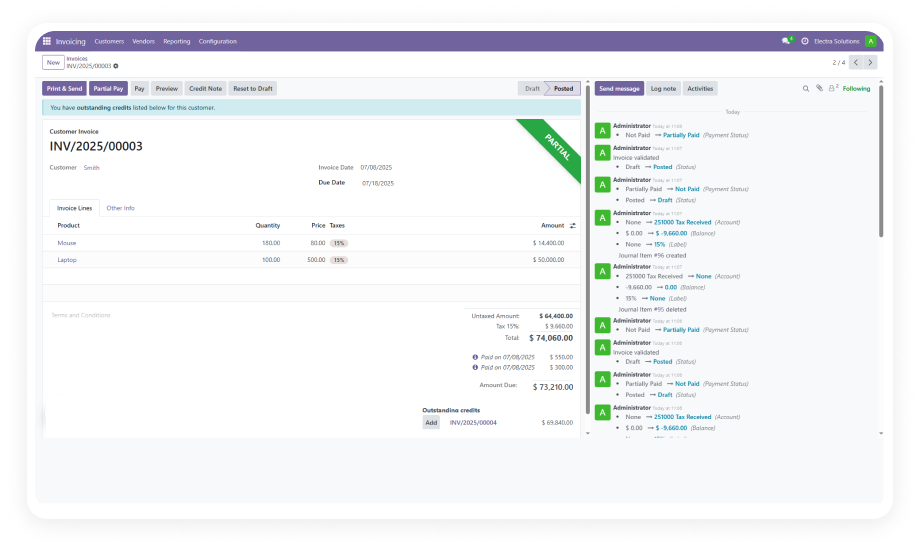
When vendor bills generated from commission sheets are paid, the system automatically updates the commission record's payment status. No manual reconciliation required.

Why it matters: your commission dashboard always reflects current reality — you know instantly which partners have been paid and which are pending.

7

Role-Based Access Control

Control who can view commission data, configure rules, generate sheets, or create vendor bills. Assign permissions based on organizational roles.

Why it matters: sensitive financial data stays visible only to authorized users, maintaining confidentiality across your partner network.

Who Gets The Most Out Of This Module

Role
Primary Use Case
Key Outcome
Channel Sales Manager
Track and calculate commissions for referral partners who bring in new customers
Partners receive accurate, timely payouts based on agreed-upon tiered rates
Finance Controller
Generate commission vendor bills and reconcile payments within Odoo
Commission payouts flow through standard AP processes with full audit trail
VP of Partnerships
Define tiered commission structures for different partner levels (Silver, Gold, Platinum)
Commission rates scale with partner performance automatically
Operations Director
Automate commission calculations that previously required manual spreadsheet work
Staff time redirected from data entry to relationship management
Accounts Payable Team
Process partner commission payouts through standard vendor bill workflows
One-click bill generation replaces manual bill creation per partner
Sales Director
Calculate agent commissions based on confirmed sales orders or collected payments
Sales teams have transparent visibility into commission earnings

Versions & Documentation

Choose your Odoo version and explore interactive documentation

Documentation coming soon for this version.

Documentation coming soon for this version.

Admin Guide

User Guide

Admin Guide

User Guide

Native Odoo vs Zehntech Partner Incentive & Commission Management

Capability
Zehntech Partner Commission
Native Odoo
Tiered partner commission rules
Yes
Not available
Contact-level commission configuration
Yes
Not available
Global commission rules with priority hierarchy
Yes
Not available
Base percentage fallback
Yes
Not available
Calculation on Sales Orders
Yes
Not available
Calculation on validated Invoices
Yes
Not available
Calculation on received Payments
Yes
Not available
Automatic commission computation
Yes
Not available
Manual on-demand calculation
Yes
Not available
Commission sheet generation
Yes
Not available
Vendor bill creation from commission sheets
Yes
Not available
Automated payment status updates
Yes
Not available
Centralized commission dashboard
Yes
Not available
Role-based access control for commissions
Yes
Not available

Get Started In Under 15 Minutes

No development environment. No custom code. Minimal configuration for standard use.

01

Install from the Odoo App Store

Search for zehntech_partner_incentive_commission in your Odoo Apps menu and click Install. Ensure Invoicing and Sales dependencies are already active.

02

Configure Commission Rules & Base Percentage

Navigate to commission configuration and define your global base commission percentage. Then create tiered rules specifying different rates based on partner classification.

03

Assign Contact-Level Rules & Select Calculation Mode

Open partner contact records and assign specific commission rules where custom rates apply. Select your preferred calculation mode (Sales Orders, Invoices, or Payments).

04

Generate Commission Sheets & Process Payouts

Run commission calculations for your desired period. Review generated commission sheets, then create vendor bills directly from the sheets.

Technical Details & Compatibility

Requirement
Odoo Versions
Editions
Hosting
Dependencies
Third-Party Dependencies
Custom Dev Required
Install Time
Server Restart
Data Migration
Module Conflicts
License
Last Tested
Lines of Code
Support
Details
16.0 · 17.0 · 18.0 · 19.0
Community · Enterprise
Odoo Online · On-Premise · Odoo.sh
Invoicing (account) · Sales (sale_management) · Discuss (mail)
None
No
Under 15 minutes
Not required
Not required
None known
LGPL-3
Odoo 19.0 — May 2026
1,880
Partner Commission Management — FAQ illustration

Frequently Asked Questions

Yes — the module supports three calculation modes: confirmed Sales Orders, validated Invoices, or received Payments. You select which triggering event matches your commission policy. The system calculates commissions automatically based on your chosen event, applying the appropriate tiered rules.
Yes — the module supports tiered commission rules at both the contact level and the global level. Contact-level rules carry highest priority, overriding global settings for specific partners. A base percentage serves as the fallback for any partner without a dedicated rule, ensuring no commission goes uncalculated.
The module generates commission sheets that consolidate calculated commissions per partner for a given period. From those sheets, you create vendor bills directly within Odoo with one click. Once the vendor bill is paid through standard Odoo payment workflows, the commission record's payment status updates automatically.
The module supports Odoo 16, 17, 18, and 19. Both Community and Enterprise editions are fully supported. It is compatible with Odoo Online, Odoo.sh, and On-Premise hosting environments.
Both options are available — automatic calculation triggers when the configured event occurs (order confirmation, invoice validation, or payment receipt). You can also run manual calculations on demand for specific periods, partners, or reconciliation scenarios. Both modes use the same tiered rule engine, ensuring consistent results regardless of trigger method.

One-Time Purchase.
No Subscription.
No Recurring Fees.

$19.91 — includes lifetime updates and 90 days of dedicated technical support.

Zehntech Odoo experts ready to help


          You have successfully subscribed to the newsletter

          There was an error while trying to send your request. Please try again.

          Zehntech will use the information you provide on this form to be in touch with you and to provide updates and marketing.