Process Split Payments on Invoices and Bills in Odoo. Stop manually tracking partial payments across spreadsheets. Register partial amounts against customer invoices and vendor bills directly in Odoo, with automatic outstanding balance calculation, multi-invoice distribution, and overpayment safeguards — all from a single button click.
Partial Payment Reconciliation is an Odoo module that enables businesses to process partial payments on customer invoices and vendor bills without manual balance tracking or workarounds. It replaces the tedious process of calculating outstanding amounts, creating credit notes, or maintaining separate spreadsheets by providing a dedicated Partial Pay workflow directly inside Odoo's invoicing interface. Whether a customer pays in installments, a vendor accepts staggered payments, or finance teams need to distribute a single payment across multiple documents — this module handles it natively.
How Partial Payment Reconciliation Solves Odoo Payment Processing Gaps
Problem
Zehntech Solution
Standard Odoo expects full payment on invoices
Dedicated Partial Pay button allows any amount instantly
Finance teams track balances in external spreadsheets
Automatic outstanding balance calculation and display
No warning when payment exceeds what is owed
Validation alerts trigger immediately on overpayment
Distributing payment across invoices needs manual entries
Single-click payment distribution across selected invoices
Vendor bills paid in installments need workarounds
Same Partial Pay workflow applies to vendor bills
Accountants spend time reconciling mismatched entries
Automated reconciliation matches payments to documents
Partial payment history is scattered across views
All activity tracked directly on the invoice or bill
Custom development required for installment scenarios
Works out of the box with no coding or external tools
Complete Partial Payment Processing for Odoo Invoicing
1
Customer Invoice Partial Payments
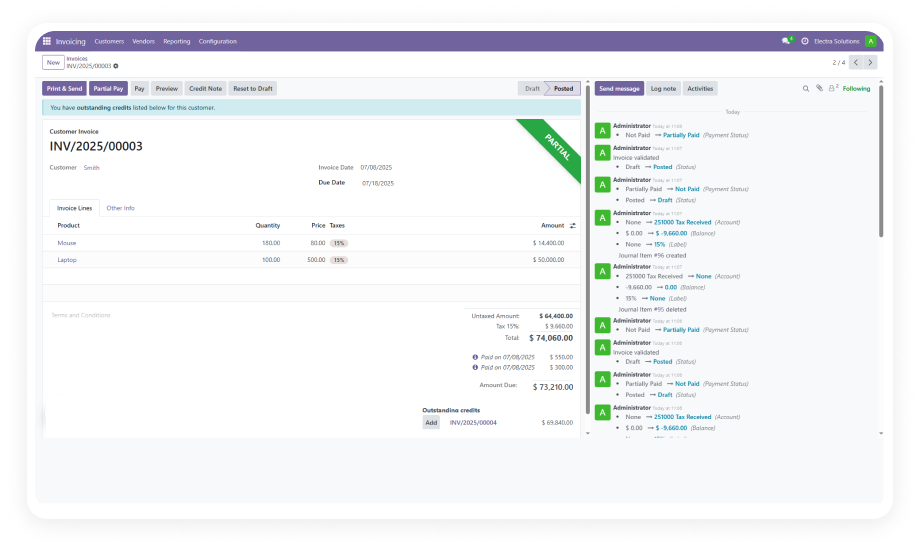
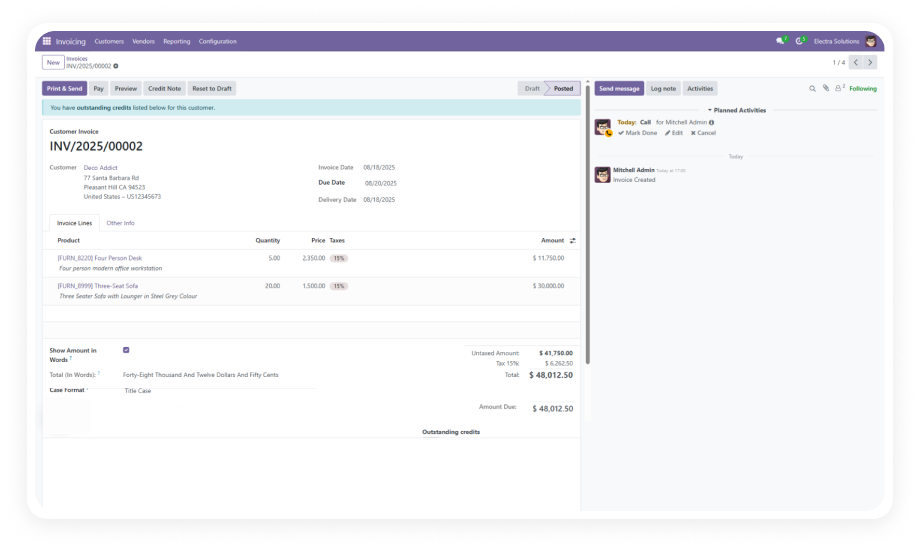
Register any amount against a customer invoice without requiring full settlement. The Partial Pay button appears directly on the invoice form.
Why it matters: Customers frequently pay in stages — this feature ensures each payment is properly recorded and reconciled.
2
Vendor Bill Partial Payments
Apply the same partial payment workflow to vendor bills and supplier invoices. Pay any portion while maintaining clear visibility into outstanding amounts.
Why it matters: Businesses negotiating payment terms can honor staggered agreements directly in Odoo.
3
Multi-Invoice Payment Distribution
Select multiple invoices or bills and apply a single payment that distributes automatically across all selected documents.
Why it matters: When a customer sends one lump payment covering several invoices, reconcile everything in one action.
4
Automatic Outstanding Balance Calculation
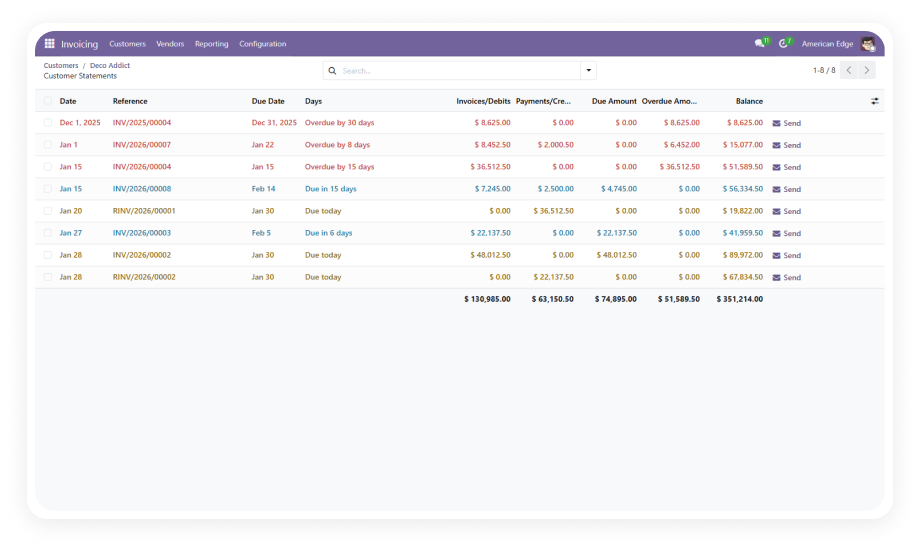
After each partial payment, the module instantly calculates and displays the remaining credit or debit amount. No manual subtraction required.
Why it matters: Real-time balance visibility eliminates calculation errors and gives immediate clarity for cash flow planning.
5
Overpayment Validation Warnings
The system generates an alert when a payment amount entered exceeds the outstanding balance. This prevents accidental overpayments.
Why it matters: Overpayments create reconciliation headaches and require refund processing — this validation catches them first.
6
Automated Payment Reconciliation
Each partial payment is automatically matched and reconciled against its source invoice or bill. No manual reconciliation steps required.
Why it matters: Manual reconciliation is the single biggest time drain in accounts receivable and payable workflows.
7
Single-Click Partial Pay Interface
The entire partial payment process is accessed through a dedicated Partial Pay button on the invoice or bill form view.
Why it matters: A streamlined interface reduces learning curve and eliminates multi-step workarounds.
8
Prevents Credit/Debit Amount Overflow
The module monitors cumulative payments against each invoice and prevents total payments from exceeding the original document amount.
Why it matters: When multiple team members process payments, overflow prevention ensures accuracy in high-volume environments.
Who Gets The Most Out Of This Module
Role
Primary Use Case
Key Outcome
Accounts Receivable Manager
Process customer installment payments and milestone billing
Every partial payment recorded, reconciled, and trackable
Accounts Payable Manager
Process staggered vendor payments per negotiated terms
Vendor bills reflect accurate outstanding amounts
Finance Controller
Distribute single lump payments across multiple invoices
Yes — select multiple customer invoices or vendor bills and apply a single payment across all of them. The system automatically distributes the payment amount and updates each document's outstanding balance independently.
Yes — the module supports identical partial payment workflows on both customer invoices (accounts receivable) and vendor bills (accounts payable). The Partial Pay button appears on both document types after installation.
The module generates an immediate validation warning when a payment entry exceeds the remaining balance on an invoice or bill. This prevents accidental overpayments before they are confirmed in the system.
The module supports Odoo 16, 17, 18, and 19. Both Community and Enterprise editions are fully compatible. All three hosting environments are supported: Odoo Online, Odoo.sh, and On-Premise.
No — Partial Payment Reconciliation installs directly from the Odoo App Store with zero custom code. It works with standard Odoo modules including Invoicing, Sales, and Discuss. No external APIs or third-party tools required.