Join us at GITEX 2025! Discover our solutions at Hall 4, Booth H-30 Schedule a Meeting Today.
Automate Marketing Initiatives with Salesforce Marketing Cloud Learn More
Join us at GITEX 2024! Discover our solutions at Hall 4, Booth H-30 Book your live demo today.
Zehntech Odoo App

Advanced Product Bundle Pack — Sell More With Smarter Product Bundles in Odoo

Turn individual products into high-converting bundle offerings — configured once, deployed across sales, purchasing, and your eCommerce storefront in a single click.

Compatible with Odoo 16, 17, 18 & 19
Works Across Sales, Purchase & eCommerce
Trusted by 500+ Businesses Across 12+ Countries
Community & Enterprise Supported
No Custom Development Required
$49.78
V19, 18
Advanced Product Bundle Pack for Odoo

What is the Advanced Product Bundle Pack?

The Advanced Product Bundle Pack is an Odoo module that lets your team create, configure, and sell grouped product offerings — called bundles — directly within sales orders, purchase orders, and your Odoo eCommerce store. It removes the friction of manually quoting multi-product packages and eliminates the need for workarounds or spreadsheets to manage bundled pricing. Whether you're selling kits, service packages, or promotional combos, this module gives you a native, fully integrated bundling workflow inside Odoo.

Create & configure product bundles
One-click insertion on orders
Exploded line-item visibility
eCommerce storefront integration
Flexible pricing & quantity control

How the Advanced Product Bundle Pack Solves Bundled Product Complexity

Problem
Zehntech Advanced Product Bundle Pack Solution
Creating multi-product quotes requires manually adding each item line by line
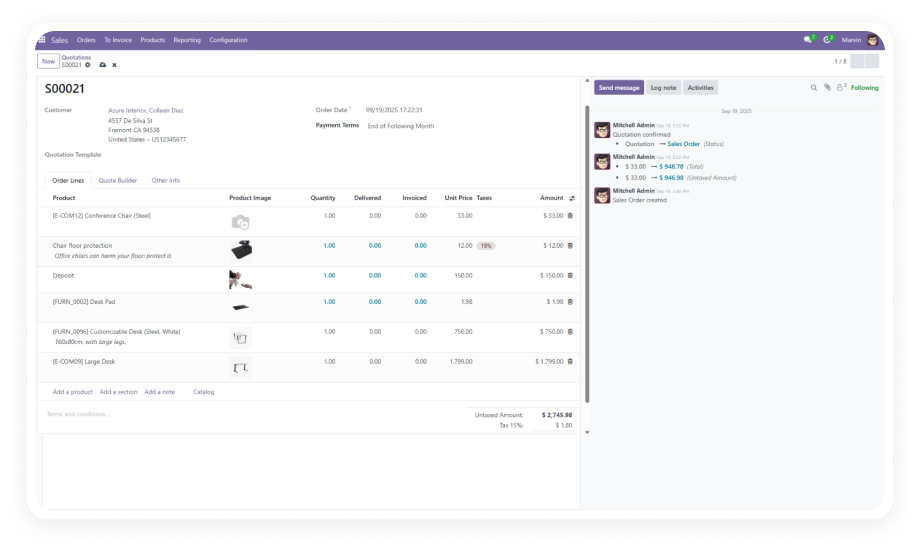
One-click "Add Bundle" inserts all components onto any sales order instantly
No native way to display bundled products on the Odoo eCommerce website
Built-in website integration shows full bundle contents with product images on your storefront
Bundles need to be rebuilt from scratch every time you create a new order
Bundles are configured once and reused across unlimited orders with a single click
No option to see individual component pricing and quantities within a bundle
"Add Exploded Bundle" breaks each component into its own line item for full visibility
Adjusting bundle contents mid-process requires workarounds or new products
Contents, quantities, and prices can be modified directly on any bundle at any time
Vendor purchasing for bundles requires separate manual purchase orders
Configuration settings allow bundle purchasing from vendors to be enabled or disabled in one toggle
Inventory levels don't automatically adjust when bundles are sold
Automatic inventory management tracks stock for each bundle component on every sale
Invoicing for bundles requires manual reconciliation between the bundle and its parts
Full invoicing integration maps bundle sales directly to accurate invoice line items

Everything You Need to Build, Sell, and Manage Product Bundles in Odoo

1

Create & Configure Product Bundles

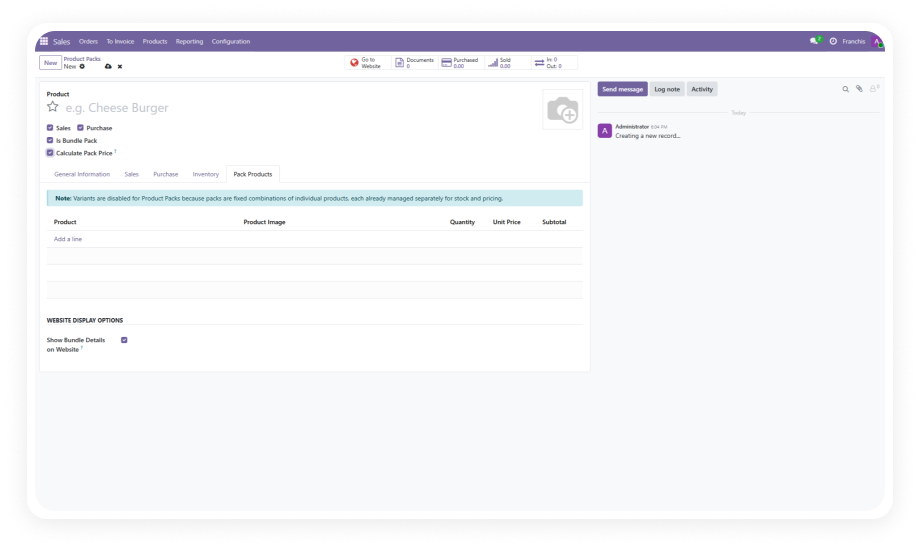
Build product bundles directly from the product form or through a dedicated Product Pack menu. Add component products, set individual quantities, and let the module calculate the bundle price automatically.

Why it matters: product teams can configure new bundles in minutes without involving developers or system administrators.

2

One-Click "Add Bundle" on Sales & Purchase Orders

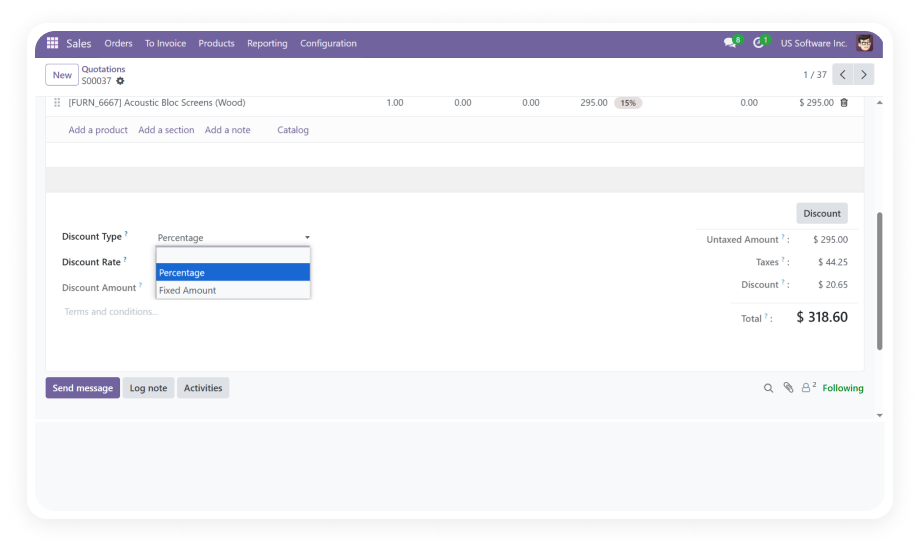
A dedicated "Add Bundle" button appears directly on sales and purchase orders, allowing any user to insert a pre-configured bundle as a single order line.

Why it matters: sales reps can quote and process bundled orders in seconds — no copy-paste, no manual line building.

3

Add Exploded Bundle for Component-Level Visibility

The "Add Exploded Bundle" option expands a bundle into individual component lines on the order, showing each product separately with its own quantity and price.

Why it matters: finance and operations teams get line-level detail for accurate invoicing, costing, and stock allocation.

4

Flexible Bundle Product Management

Bundle contents are fully editable at any time — add products, remove items, adjust quantities, and update pricing without recreating the bundle from scratch.

Why it matters: product managers can iterate on bundle configurations as catalog, pricing, or demand changes — without system downtime or developer involvement.

5

Website Bundle Display with Full Details

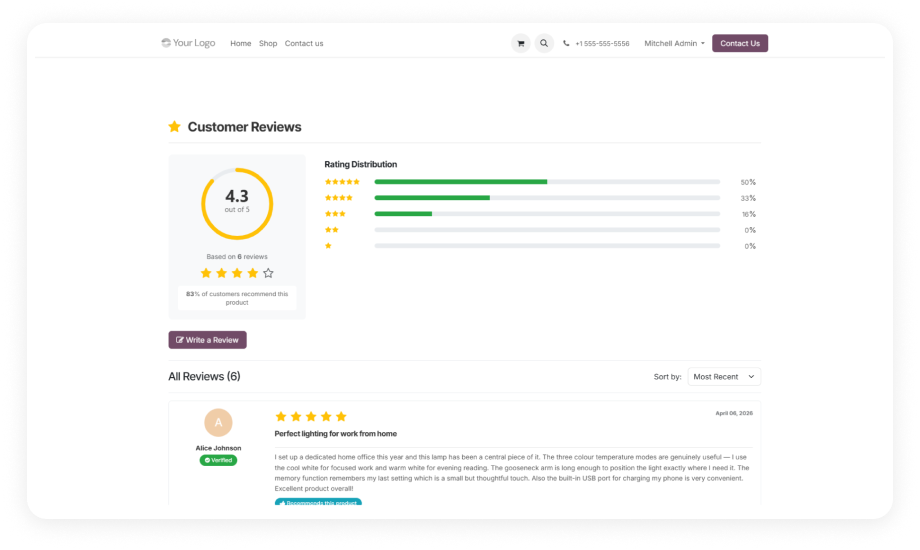
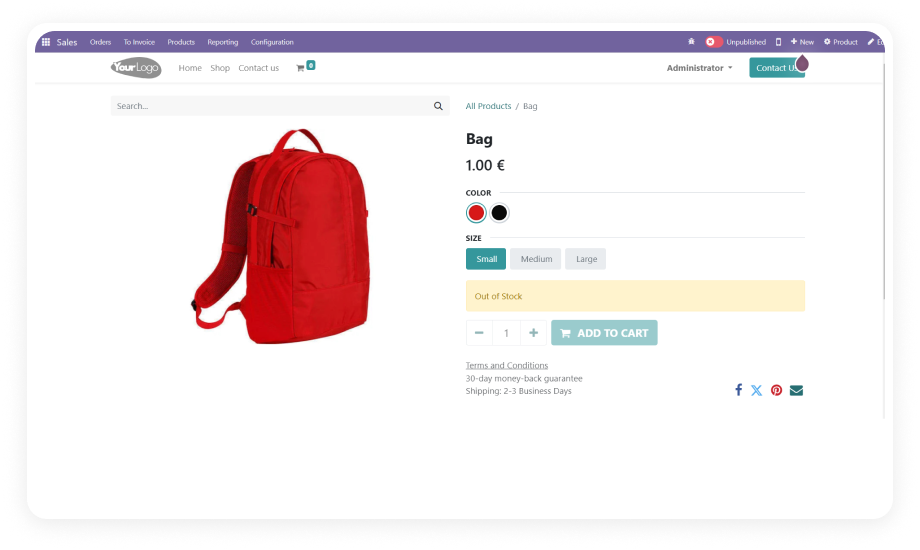
Bundles published to your Odoo eCommerce storefront display the complete list of included components, with product names and images shown for each item.

Why it matters: customers see exactly what they're buying, which reduces support queries and increases purchase confidence.

6

Purchase Order Configuration Settings

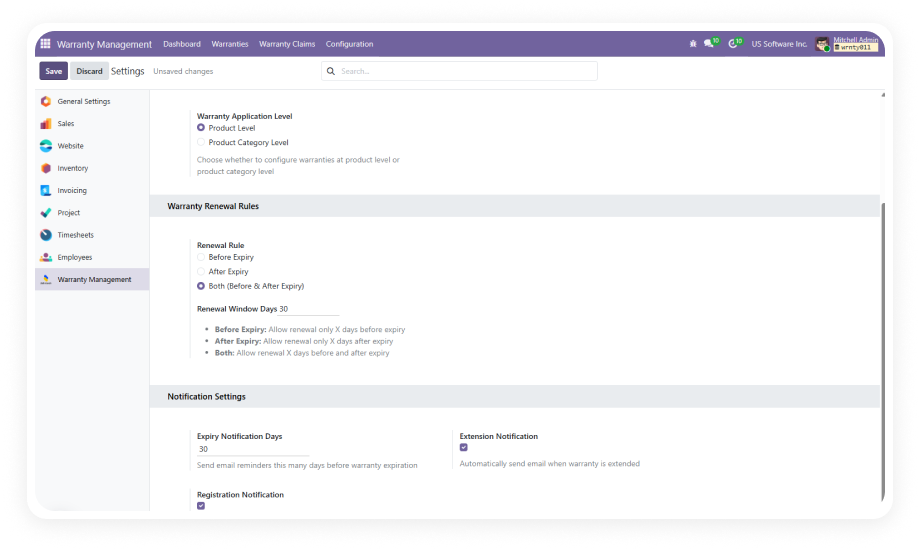
A configurable toggle in the module settings lets administrators enable or disable bundle purchasing from vendors, giving control over which workflows bundle behavior applies to.

Why it matters: businesses that only need bundles on the sales side can isolate the feature, keeping purchase workflows unaffected.

7

Automatic Inventory Management

When a bundle is sold, the module automatically adjusts inventory levels for each component product in the bundle — no manual stock corrections needed.

Why it matters: warehouse teams always have accurate stock counts, and fulfillment is based on real component availability rather than bundle-level estimates.

8

Full Invoicing Integration

Bundle sales flow directly into the Odoo invoicing module, with component-level or bundle-level line items reflected accurately in customer invoices.

Why it matters: accounts receivable teams have clean, auditable invoice records that match the actual products sold and the agreed pricing.

Who Gets The Most Out Of This Module

Role
Primary Use Case
Key Outcome
Sales Managers
Create standardized bundle offerings for recurring sales motions
Faster quoting cycles and consistent bundle pricing across the team
eCommerce Managers
Display product bundles on the Odoo website with full component detail
Higher average order values and fewer pre-purchase support queries
Operations Managers
Manage inventory and fulfillment for bundled product sales
Accurate component stock levels without manual reconciliation
Purchasing Teams
Configure and control vendor bundle purchasing workflows
Streamlined procurement with toggle-based bundle enablement
Finance & Accounting
Invoice bundle sales with accurate component-level line items
Clean audit trails and faster invoice processing
Product Managers
Build, test, and iterate on bundle configurations without code changes
Faster time-to-market for new promotional packages and kits
⚠ Not the right fit for: Teams that need manufacturing-style kits with bill-of-materials or production routing — this is a sales and eCommerce bundling module only.

Versions & Documentation

Choose your Odoo version and explore interactive documentation

Documentation coming soon for Odoo 16.
Documentation coming soon for Odoo 17.

Native Odoo vs Zehntech Advanced Product Bundle Pack

Capability
Zehntech Advanced Product Bundle Pack
Native Odoo
Create product bundles from a dedicated interface
✔ Available
Not available
One-click bundle insertion on sales orders
✔ Available
Not available
One-click bundle insertion on purchase orders
✔ Available
Not available
Exploded view showing each component as a separate order line
✔ Available
Not available
Automatic bundle price calculation from components
✔ Available
Not available
Edit bundle contents, quantities, and pricing after creation
✔ Available
Not available
eCommerce storefront display of bundle components with images
✔ Available
Not available
Toggle to enable or disable bundle purchasing from vendors
✔ Available
Not available
Automatic inventory deduction per bundle component on sale
✔ Full automation
Basic
Full invoicing integration with accurate bundle line items
✔ Full integration
Basic
Works across Community, Enterprise, and Odoo.sh
✔ All editions
Basic

Get Started In Minutes

No development environment. No custom code. No consultant required for standard setup.

01

Install from the Odoo App Store

Purchase the Advanced Product Bundle Pack and install it directly from the Odoo App Store. Compatible with Odoo versions 16, 17, 18, and 19. No server restart required.

02

Create your first product bundle

Navigate to the Product Pack menu or open any existing product form and configure a new bundle. Add component products, define quantities, and the module calculates the bundle price automatically.

03

Add bundles to orders and configure eCommerce

Use the "Add Bundle" or "Add Exploded Bundle" button on any sales or purchase order. Enable bundle display on your Odoo eCommerce website to show component details and images to online customers.

04

Configure purchasing and inventory settings

Use the built-in configuration toggle to enable or disable bundle purchasing from vendors. Inventory deduction and invoicing function automatically from the first bundled sale.

Technical Details & Compatibility

Requirement
Odoo Versions
Editions
Hosting
Dependencies
Third-Party Dependencies
Custom Dev Required
Install Time
Server Restart
Data Migration
Module Conflicts
License
Lines of Code
Last Tested
Support
Details
16.0 · 17.0 · 18.0 · 19.0
Community · Enterprise · Odoo.sh
Odoo Online · On-Premise · Odoo.sh
Inventory (stock) · Invoicing (account) · Purchase (purchase) · Sales (sale_management) · eCommerce (website_sale) · Discuss (mail) · Website (website)
None
No
Under 5 minutes
Not required
Not required
None known
OPL-1
1,723
Odoo 19.0 — May 2026
Advanced Product Bundle Pack — Frequently Asked Questions

Frequently Asked Questions

  • Yes. The module installs directly from the Odoo App Store in under 5 minutes with no custom development or code changes required.
  • All bundle creation, order insertion, and eCommerce display features work out of the box using standard Odoo configuration screens.
  • Zehntech provides 90 days of dedicated technical support with every purchase if setup assistance is needed.
  • Yes. The module is fully compatible with both Odoo Community and Enterprise editions.
  • It also supports Odoo.sh and on-premise deployments across versions 16, 17, 18, and 19.
  • No edition-specific features are locked — all functionality is available regardless of your Odoo edition.
  • The Add Exploded Bundle option inserts each component of a bundle as its own separate line item on the sales or purchase order.
  • This gives finance, operations, and customers full visibility into individual product quantities and pricing within the bundle.
  • It is available alongside the standard Add Bundle option, so teams can choose the right display format per order.
  • The module supports Odoo versions 16, 17, 18, and 19.
  • It is compatible with Community, Enterprise, and Odoo.sh editions across all supported versions.
  • Lifetime updates are included with purchase, covering future Odoo version releases.
  • Yes. The module includes a native eCommerce integration that publishes bundle contents — including component product names and images — on the Odoo website storefront.
  • No theme customization or additional developer work is needed to activate the website bundle display.
  • Customers see exactly what is included in each bundle before purchasing, improving conversion rates and reducing support queries.

Ready to Sell Smarter With Product Bundles in Odoo?

One-Time Purchase. No Subscription. No Recurring Fees.

Your team already uses Odoo to manage sales, inventory, and eCommerce — the Advanced Product Bundle Pack adds the bundling layer that native Odoo is missing. Configure bundles once, deploy them across every channel with a single click, and let the module handle inventory and invoicing automatically.

Zehntech Odoo experts ready to help


          You have successfully subscribed to the newsletter

          There was an error while trying to send your request. Please try again.

          Zehntech will use the information you provide on this form to be in touch with you and to provide updates and marketing.