Keep Your Odoo Storefront Clean and Conversion-Ready. Stop showing out-of-stock product options to your customers. Control exactly how unavailable variants appear on your Odoo eCommerce pages — hide them entirely, grey them out, or disable selection with custom messaging — so shoppers only engage with products they can actually purchase.
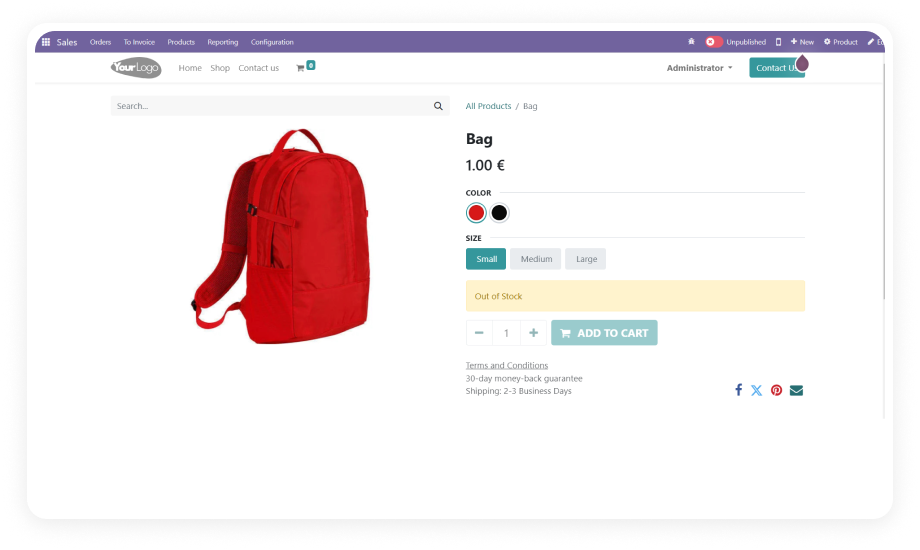
Hide Unavailable Variants is an Odoo eCommerce module that manages the visibility of out-of-stock product variants on your website storefront. Instead of displaying every variant option regardless of availability — confusing shoppers and increasing cart abandonment — this module gives administrators full control over how unavailable selections appear to customers. You can hide them completely, show them as crossed-out with status messaging, disable their selection, or display custom out-of-stock messages with alternative product suggestions. The result is a cleaner shopping experience that drives customers toward products they can actually buy.
Lost sales when customers leave instead of choosing an alternative
Alternative product suggestions redirect shoppers toward available options
Developers must build custom JavaScript to manage variant display
All visibility controls are handled through admin settings — no code required
Stock levels change constantly but variant display remains static
Integration with Odoo inventory ensures display updates automatically as stock changes
Different stores need different approaches to unavailable variants
Multiple display modes (hide, disable, cross-out) let each store choose its strategy
Complete Variant Visibility Control for Your Odoo Storefront
1
Hide Unavailable Variants Completely
Remove out-of-stock product variants from the storefront entirely so customers only see options they can purchase. When stock is replenished, variants reappear automatically.
Why it matters: A streamlined product page with only available options reduces decision fatigue and eliminates dead-end selections that cause cart abandonment.
2
Greyed-Out / Crossed-Out Display Mode
Instead of hiding variants entirely, display unavailable options in a visually distinct state — greyed-out or crossed-out — with a status indicator.
Why it matters: This approach preserves full product range visibility while clearly communicating stock status, useful for stores where customers may want to check back later.
3
Disable Selection of Unavailable Options
Prevent customers from selecting or adding unavailable variant combinations to their cart. The option remains visible but is functionally locked.
Why it matters: This stops the frustrating experience of selecting a variant, proceeding through the flow, and then encountering an out-of-stock error.
4
Custom Out-of-Stock Messaging
Configure tailored messages that display alongside disabled or crossed-out variants. Administrators can set specific text per product or across the store.
Why it matters: A clear message like "Back in stock next week" or "Contact us for availability" turns a dead-end into a potential future sale.
5
Alternative Product Suggestions
When a variant is unavailable, recommend alternative products to guide customers toward a purchase rather than losing them entirely.
Why it matters: Instead of the customer leaving your store empty-handed, you redirect their intent toward available inventory — recovering revenue.
6
No-Code Admin Configuration
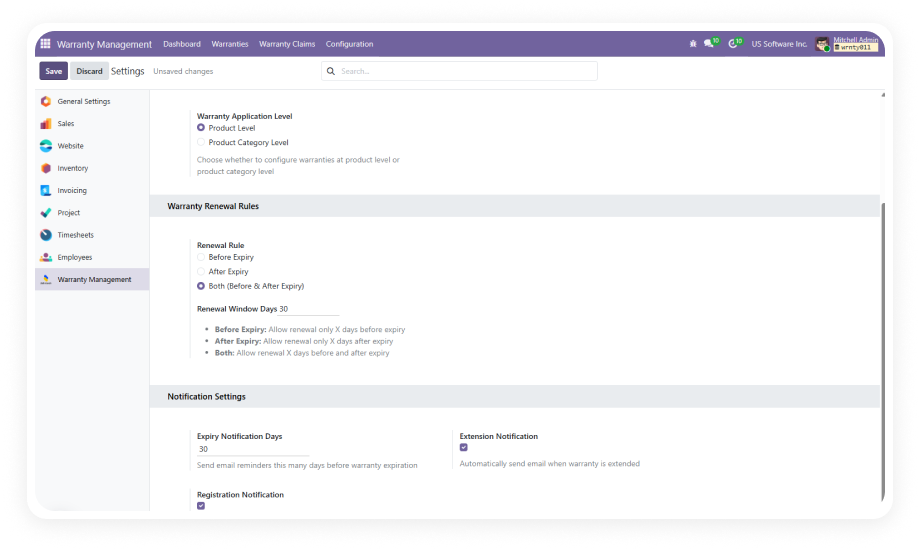
All visibility settings, thresholds, display modes, and messaging are managed through the Odoo Website Settings interface. No JavaScript modifications required.
Why it matters: Store managers and eCommerce teams can adjust variant visibility strategy on the fly without creating development tickets.
Who Gets The Most Out Of This Module
Role
Primary Use Case
Key Outcome
eCommerce Manager
Control which product variants appear on the storefront based on stock status
Higher conversion rates from a cleaner, frustration-free shopping experience
Store Administrator
Configure visibility rules and out-of-stock messaging without developer support
Immediate storefront updates with zero development dependency
Product Manager
Ensure product pages only showcase purchasable options
Accurate product presentation that matches real-time inventory
Marketing Team
Maintain premium brand experience by removing cluttered, unavailable options
Professional storefront appearance that reinforces brand quality
Customer Experience Lead
Reduce post-selection frustration and cart abandonment caused by unavailable variants
Fewer support tickets and higher customer satisfaction scores
Operations Manager
Align storefront display with warehouse inventory in real time
Automatic synchronization between stock levels and product page presentation
Versions & Documentation
Choose your Odoo version and explore interactive documentation
No development environment. No custom code. No consultant required for standard setup.
01
Install from the Odoo App Store
Search for 'zehntech_hide_unavailable_variants' in your Odoo Apps menu and click Install. Compatible with Odoo 16–19 on Community and Enterprise editions.
02
Configure low-stock thresholds
Navigate to Website Settings and define the stock level at which product variants should be treated as unavailable. Integrates with your existing Odoo Inventory data.
03
Select variant display behavior
Choose how unavailable variants appear — hide them completely, display them greyed-out or crossed-out with status messaging, or disable selection while keeping them visible.
04
Customize messaging and alternatives
Set tailored out-of-stock messages that appear alongside unavailable variants. Optionally configure alternative product suggestions to redirect customers.
Yes — Hide Unavailable Variants installs directly from the Odoo App Store with no coding required. All configuration is managed through the standard Odoo Website Settings interface. Store managers can adjust visibility rules immediately without developer involvement. Setup is completed in under 10 minutes by any Odoo administrator.
You can hide unavailable variants from the product page entirely so only purchasable options appear. Alternatively, display them as greyed-out or crossed-out with a visible status indicator. A third option disables selection so customers see the variant exists but cannot add it to cart. Each mode serves a different merchandising strategy — choose the one that fits your store.
Yes — administrators can configure tailored messages that appear alongside unavailable variant options. Messages can communicate expected restock dates, contact information, or any custom text. You can also configure alternative product suggestions to guide customers toward available inventory. This transforms dead-end selections into potential future sales or active redirections.
The module supports Odoo 16, 17, 18, and 19. Both Community and Enterprise editions are fully compatible. All hosting environments are supported: Odoo Online, Odoo.sh, and On-Premise. Each version receives lifetime updates as part of your one-time purchase.
The module integrates with Odoo's native Inventory system to track real-time stock levels. Administrators configure a low-stock threshold — when inventory falls below that level, the visibility rule activates. As stock is replenished, variants automatically reappear or re-enable on the storefront. No manual intervention is required once thresholds are configured.