Join us at GITEX 2025! Discover our solutions at Hall 4, Booth H-30 Schedule a Meeting Today.
Automate Marketing Initiatives with Salesforce Marketing Cloud Learn More
Join us at GITEX 2024! Discover our solutions at Hall 4, Booth H-30 Book your live demo today.
Zehntech Odoo App

All In One Merge Orders & Pickings

Stop processing duplicate orders one by one. This module automatically merges Sales Orders, Purchase Orders, Delivery Pickings, Invoices, and Vendor Bills in Odoo — with full audit trail, zero data loss, and no developer involvement.

Compatible with Odoo 16, 17, 18 & 19
Merges SOs, POs, Pickings, Invoices & Bills
Trusted by 500+ Businesses Across 12+ Countries
Community & Enterprise Supported
No Custom Development Required
$104.83
V19, 18
All In One Merge Orders & Pickings — Odoo consolidation module

What is All In One Merge Orders & Pickings?

All In One Merge Orders & Pickings is an Odoo module that consolidates duplicate or related draft documents — Sales Orders, Purchase Orders, Delivery Pickings, Customer Invoices, and Vendor Bills — into a single record automatically or on demand. It eliminates the manual overhead of order consolidation, replaces custom merge scripts and workarounds, and maintains a complete audit trail throughout.

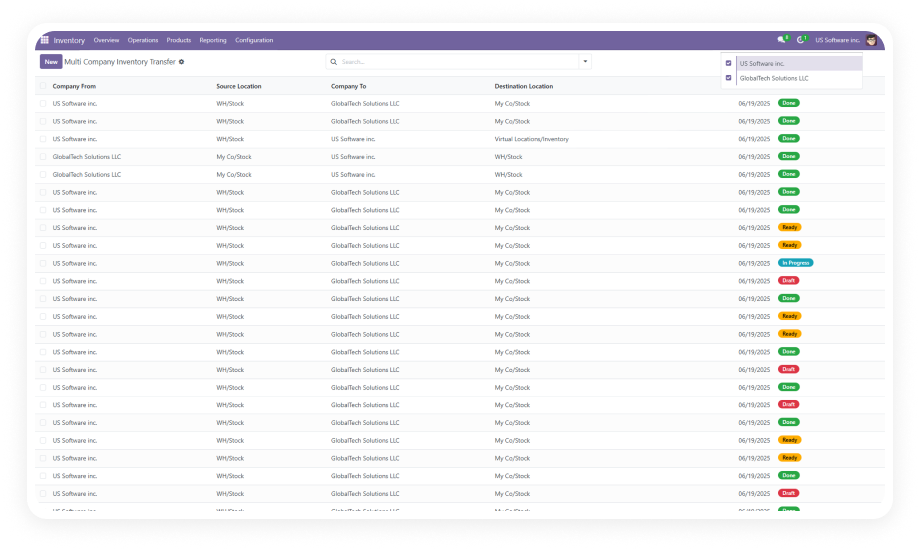
Merge Sales & Purchase Orders
Consolidate Delivery Pickings
Combine Invoices & Vendor Bills
Auto & Manual Merge Modes
Full Merge Audit Logs

How All In One Merge Orders & Pickings Solves Order Fragmentation

Problem
Zehntech Solution
Multiple draft sales orders from the same customer pile up and require manual review
Auto merge consolidates matching draft Sales Orders into a single record
Purchase orders from the same vendor get split across sessions
Vendor-matched POs are automatically identified and merged into one clean PO
Delivery pickings split across warehouse sessions cause fulfillment confusion
Pickings are consolidated into a single document, reducing touchpoints
Customer invoices from multiple orders require tedious manual reconciliation
Matching invoices are merged into one document — reducing billing complexity
Vendor bills from multiple transactions create accounting duplication
Vendor Bills with matching partner data are auto-merged
Original documents disappear after merging, leaving no trace for auditing
All merge operations are fully logged — original references preserved
POS and eCommerce product categories fall out of sync
Category synchronization runs automatically during merge process
Merge actions by unauthorized users cause data integrity issues
Role-based access control restricts merge to admin-level users only

Every Document Type. One Merge Engine. Total Control.

1

Smart Auto & Manual Merge

Fully automatic consolidation based on configured rules, or admin-initiated manual merges for precise control.

Why: High-volume pipelines get automatic deduplication without touching a record.

2

Sales Order Merge

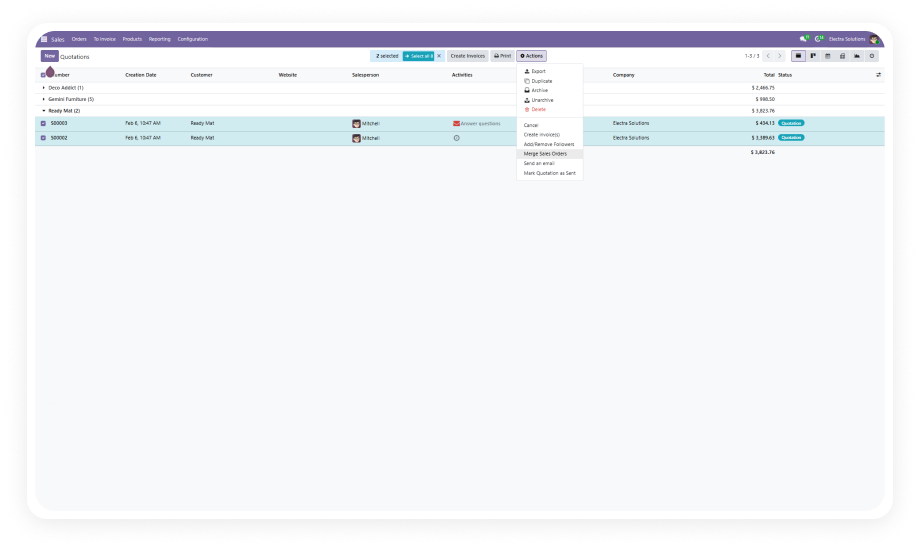
Select multiple draft Sales Orders from the same customer and merge them into a single confirmed order.

Why: Stop manually copying order lines between records.

3

Purchase Order Merge

Consolidate multiple draft Purchase Orders to the same vendor into one clean PO before sending.

Why: Eliminate duplicate vendor communications and reduce overhead.

4

Delivery Order (Picking) Merge

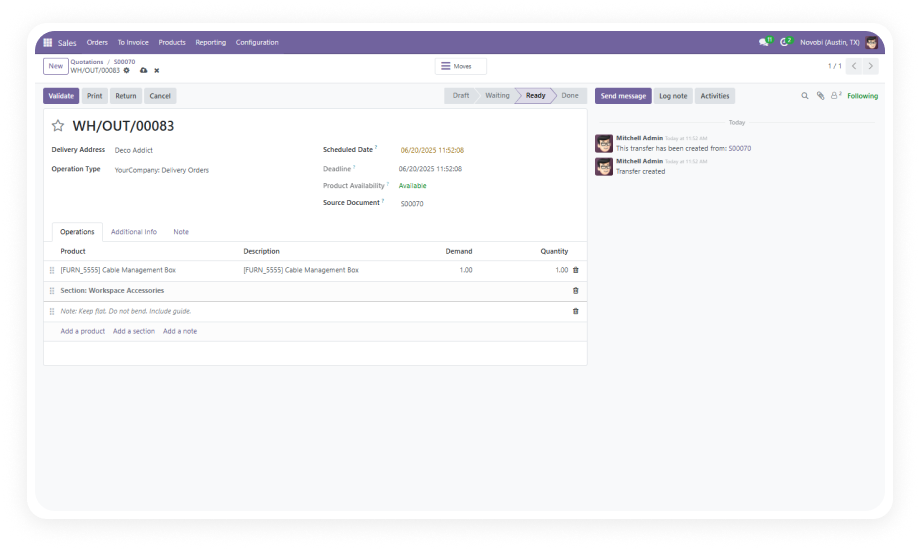
Merge multiple stock picking records into a single picking document.

Why: Fulfillment accuracy improves and unnecessary handling steps are eliminated.

5

Invoice & Bill Merge

Combine multiple Customer Invoices or Vendor Bills from the same partner into a single billing document.

Why: Finance teams reduce reconciliation work significantly.

6

Flexible Merge Destination

Choose whether result goes into a newly created document or an existing one. Cancel or archive originals.

Why: Different workflows need different outcomes.

7

Complete Audit Trail

Every merge operation is fully logged. Original references preserved, chatter updated.

Why: Compliance, audit, and finance teams have complete records.

8

POS & eCommerce Sync

Product categories are automatically synchronized across Point of Sale and eCommerce channels during merge.

Why: Avoid reporting discrepancies from unsynchronized taxonomies.

9

Role-Based Access Control

Merge operations restricted to admin-level users with state and partner validation.

Why: Merges only happen when the right conditions are met by the right people.

Who Gets The Most Out Of This Module

Role
Primary Use Case
Key Outcome
Operations Manager
Consolidate fragmented Sales Orders from multiple sessions or channels
Fewer order records, faster order-to-fulfillment cycle
Warehouse Manager
Merge split Delivery Pickings into a single dispatch document
Reduced touchpoints and improved pick-pack accuracy
Procurement Manager
Auto-consolidate multiple draft POs to the same supplier
Cleaner PO pipeline, fewer vendor communications
Finance Manager
Merge Customer Invoices and Vendor Bills
Streamlined AP and AR with fewer documents
Odoo Administrator
Configure auto merge rules and manage merge logs
Centralized control with full audit visibility
eCommerce Operations Lead
Keep POS and eCommerce categories synchronized during consolidation
Consistent product taxonomy across all sales channels

Versions & Documentation

Choose your Odoo version and explore interactive documentation.

Documentation coming soon for Odoo 16.
Documentation coming soon for Odoo 17.

Native Odoo vs Zehntech All In One Merge Orders & Pickings

Capability
Zehntech Merge Orders
Native Odoo
Merge Sales Orders from same customer
✔ Available
Not available
Merge Purchase Orders from same vendor
✔ Available
Not available
Merge Delivery Pickings
✔ Available
Not available
Merge Customer Invoices
✔ Available
Not available
Merge Vendor Bills
✔ Available
Not available
Auto merge mode based on rules
✔ Available
Not available
Merge into new or existing document
✔ Available
Not available
Complete audit trail with merge logs
✔ Available
Not available
POS & eCommerce category sync
✔ Available
Not available
Role-based access control
✔ Available
Basic

Get Started In Minutes

No development environment. No custom code. No consultant required for standard setup.

01

Install the Module

Purchase from the Odoo App Store and install through the standard Odoo Apps interface. Compatible with Odoo 16-19.

02

Configure Merge Rules

Navigate to Settings > Auto Merge Menu to define document types, partner matching, and post-merge outcomes.

03

Execute Merges

Select multiple draft records with matching partner data and trigger merge from the action menu.

04

Review Logs

Access Settings > Auto Merge Menu > Merge Logs to verify all completed merges with full detail.

Technical Details & Compatibility

Requirement
Odoo Versions
Editions
Hosting
Dependencies
Third-Party Dependencies
Custom Dev Required
Install Time
Server Restart
Data Migration
Module Conflicts
License
Last Tested
Lines of Code
Support
Details
16.0 · 17.0 · 18.0 · 19.0
Community · Enterprise · Odoo.sh
Odoo Online · On-Premise · Odoo.sh
Discuss (mail) · Inventory (stock) · Invoicing (account) · POS (point_of_sale) · Purchase (purchase) · Sales (sale) · eCommerce (website_sale) · Website (website)
None
No
Under 5 minutes
Not required
Not required
None known
OPL-1
Odoo 19.0 — May 2026
2,713
odoo-support@zehntech.com
Merge Orders & Pickings — FAQ illustration

Frequently Asked Questions

  • Yes — the module installs through the standard Odoo Apps interface in minutes with no coding required.
  • It is fully compatible with Odoo 16, 17, 18, and 19 on Community, Enterprise, and Odoo.sh.
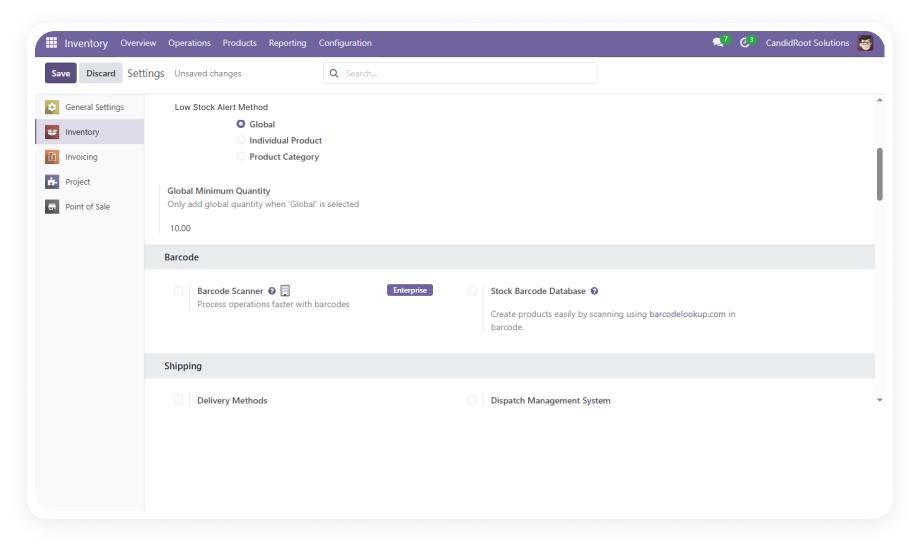
  • Merge rules are configured entirely through the Settings UI.
  • Yes — the module is fully functional on both Odoo Community and Enterprise editions.
  • It supports Odoo.sh and On-Premise hosting environments as well.
  • No features are gated by edition — complete merge functionality is available on all editions.
  • Auto merge scans draft records for matching partner data and document type, then consolidates them automatically based on configured rules.
  • All merge operations are logged in real time and visible in the Odoo chatter.
  • Administrators retain full control — auto merge can be scoped to specific document types.
  • The module supports Odoo versions 16, 17, 18, and 19.
  • It is compatible with Community, Enterprise, and Odoo.sh editions.
  • Interactive documentation is available for Odoo 18 and 19.
  • After a merge completes, administrators choose to either cancel or archive the original records.
  • All original document references and history are preserved in the Merge Logs and Odoo chatter.
  • Nothing is permanently erased — full traceability for compliance and audit.

One-Time Purchase.
No Subscription.
No Recurring Fees.

Includes lifetime updates and 90 days of dedicated technical support.

Zehntech Odoo experts ready to help


          You have successfully subscribed to the newsletter

          There was an error while trying to send your request. Please try again.

          Zehntech will use the information you provide on this form to be in touch with you and to provide updates and marketing.