Move Stock Between Companies in Odoo. Transfer inventory between companies and warehouses within a single Odoo instance. The module auto-generates paired delivery orders, verifies real-time stock availability, and logs every movement for accurate inter-company valuation — no custom development needed.
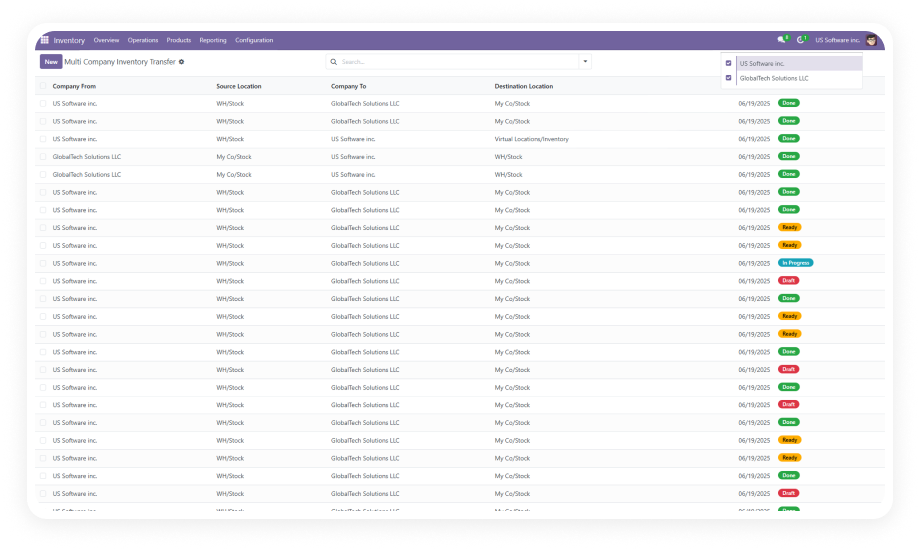
Multi-Company Inventory Transfer is an Odoo module that enables structured stock movements between multiple legal entities and warehouses operating within a single Odoo database. It replaces manual workarounds for inter-company inventory coordination — auto-generating synchronized delivery orders at both source and destination, enforcing receiver-side validation, and maintaining a complete audit trail that feeds directly into Odoo's inventory valuation reports. Built for operations teams managing shared stock pools, centralized distribution, or inter-branch replenishment.
Move inventory in any direction across your multi-company Odoo structure — from Company A's warehouse to Company B's facility, or between warehouses within the same entity.
Why it matters: operations teams manage all stock redistribution from one place instead of juggling separate processes.
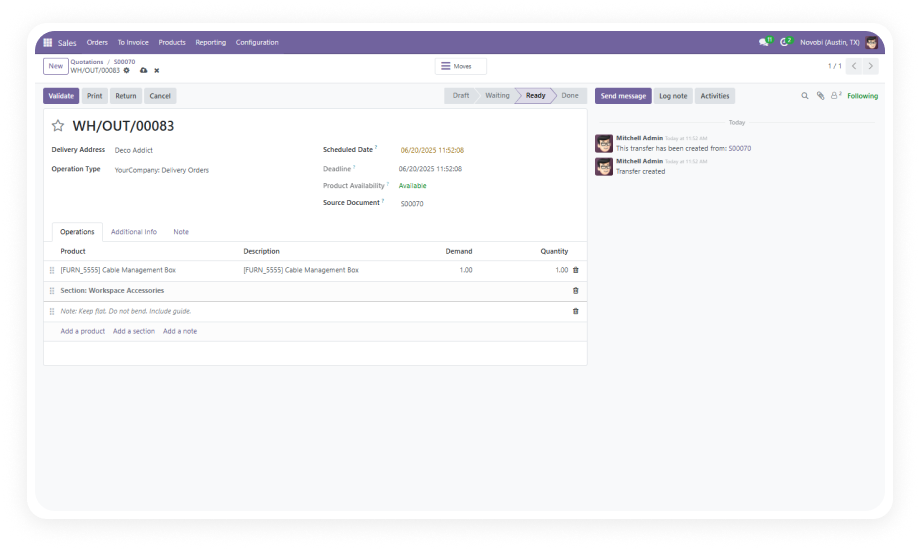
When a transfer is confirmed, the system automatically creates an outgoing delivery order at the source and a corresponding incoming receipt at the destination.
Why it matters: eliminates manual document creation in two separate entities and ensures nothing falls through.
Before a transfer can proceed, the module checks actual on-hand stock quantities at the source location. Insufficient stock blocks confirmation.
Why it matters: warehouse managers stop sending transfer requests for stock that does not physically exist.
Transfers progress through defined states: Draft, Confirmed, Ready, Done. Each stage gate prevents premature advancement.
Why it matters: operations managers get a structured pipeline view instead of a binary open/closed status.
The destination company must explicitly confirm receipt of the incoming stock before the transfer is marked complete.
Why it matters: accountability is built into the process — no stock movement is finalized without both parties acknowledging.
Each transfer record displays a smart button providing immediate access to both outgoing and incoming delivery orders without navigating away.
Why it matters: single-interface monitoring replaces searching through separate delivery order lists across companies.
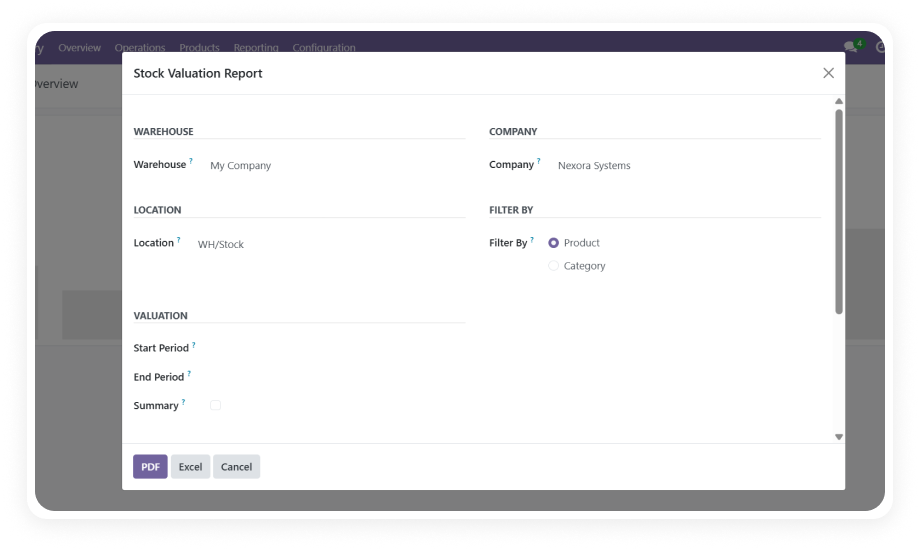
During inter-company transfers, the module automatically updates inventory valuation entries at both source and destination in Odoo's standard reports.
Why it matters: finance teams get correct valuations without manual journal entries or post-transfer accounting adjustments.
Every transfer action — creation, confirmation, shipment processing, validation — is logged with timestamps and user references.
Why it matters: compliance teams have an unbroken chain of evidence for every inter-company stock movement.
When selecting source and destination companies and warehouses, the module automatically pre-fills the appropriate stock locations.
Why it matters: warehouse users create transfers faster with fewer configuration errors in complex environments.

Choose your Odoo version and explore interactive documentation
Documentation coming soon for Odoo 16. Full setup documentation included with purchase.
Documentation coming soon for Odoo 17. Full setup documentation included with purchase.
Documentation coming soon for Odoo 18. Full setup documentation included with purchase.
Documentation coming soon for Odoo 19. Full setup documentation included with purchase.
No development environment. No custom code. No consultant required for standard setup.
Purchase from the Odoo App Store and install through the standard Apps interface. Compatible with Odoo 16–19, Community, Enterprise, and Odoo.sh. No server restart required.
Ensure your Odoo instance has multiple companies set up with their respective warehouses and stock locations. The module detects all available companies automatically.
Navigate to Inventory > Operations > Multi-Company Transfers. Select source and destination, add products with quantities, and click Confirm. Paired delivery orders are auto-generated.
The source company processes the outgoing delivery. The destination validates the incoming receipt. Monitor the flow via smart buttons. Review movements in Inventory Valuation reports.
Your multi-company Odoo setup already handles individual warehouse operations — Multi-Company Inventory Transfer adds the structured inter-entity coordination layer that native Odoo does not provide. Stop manually creating matching delivery orders across companies. One module. Automatic paired shipments. Full valuation accuracy. Includes lifetime updates and 90 days of dedicated technical support.
You have successfully subscribed to the newsletter
There was an error while trying to send your request. Please try again.