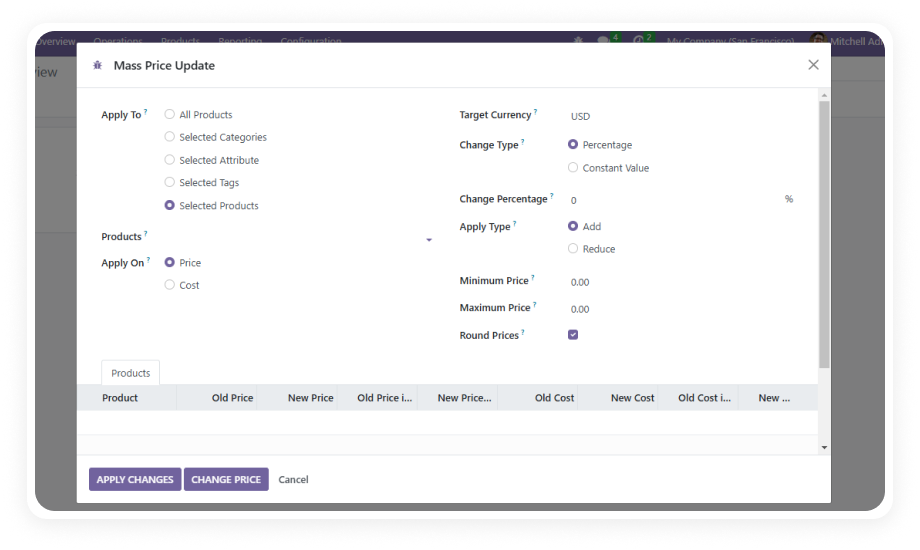
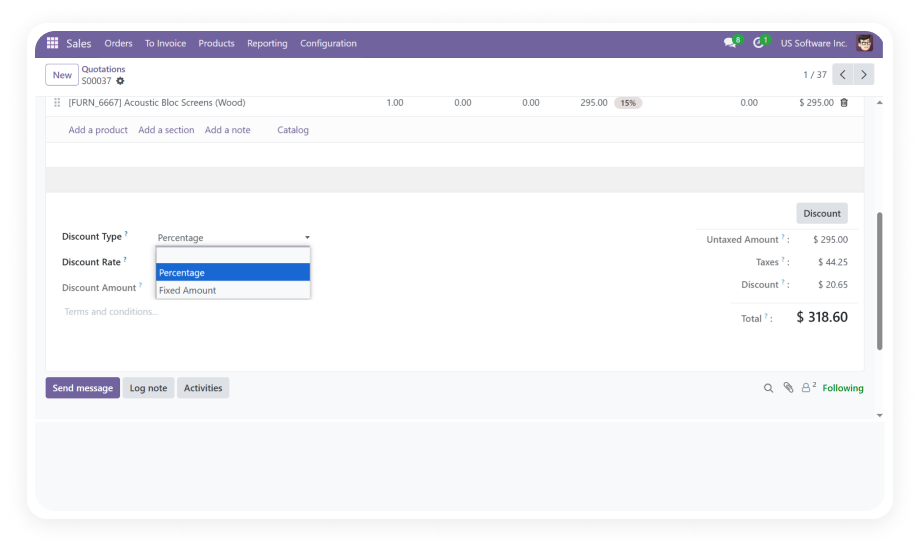
Increase or decrease product prices by a defined percentage across your entire catalog or a filtered subset. Set a 10% seasonal markup across all winter apparel, or apply a 5% cost-of-goods increase to a specific supplier's products — in one operation.
Why it matters: percentage rules scale naturally across diverse price points, maintaining proportional margins without manual calculation for each product.
Add or subtract a specific dollar amount from product prices rather than a percentage. Useful when cost increases are a flat fee (e.g., +$2.50 shipping surcharge) rather than proportional.
Why it matters: fixed-value adjustments give precise control when the business requirement is a uniform amount rather than a proportional shift.
Narrow the scope of any price update to specific product categories, product attributes (size, color, material), or custom tags. Apply different rules to different product segments in separate operations.
Why it matters: targeted filtering prevents blanket changes from affecting products that should be excluded — premium lines, clearance items, or partner-specific pricing.
Before committing any changes, run the price update in simulation mode to see exactly which products will be affected and what their new prices will be.
Why it matters: a single pricing mistake across hundreds of products creates customer trust issues and margin erosion — simulation eliminates that risk.
Define rounding behavior (round to nearest dollar, nearest .99, nearest .95, etc.) and set minimum/maximum price limits that prevent updates from pushing products outside acceptable ranges.
Why it matters: clean price points are essential for consumer psychology and brand positioning, and price floors protect margins while ceilings prevent market-rejection pricing.
Every price update records who executed it, when it was applied, which products were affected, and the exact rule that was used. The complete history is searchable and exportable.
Why it matters: pricing audit trails are essential for financial compliance, internal accountability, and the ability to trace any pricing anomaly back to its source.
Apply price rules across multi-currency product catalogs with automatic exchange rate conversions. Generate reports in any configured currency.
Why it matters: businesses operating across markets need pricing adjustments that respect currency boundaries without manual conversion spreadsheets.
Three predefined user groups — Administrator (full access), User (create and apply updates), and Viewer (read-only) — ensure pricing authority is restricted to appropriate team members.
Why it matters: pricing decisions directly impact revenue and margins, making unrestricted access a business risk; role separation ensures only authorized personnel can execute changes.
Generate post-update impact analysis tracking revenue implications, product performance changes, and pricing distribution shifts. Export reports in Excel or PDF format in your chosen currency.
Why it matters: understanding the downstream effect of pricing changes is essential for iterating on strategy — reports close the loop between "we changed the prices" and "here's what happened."