Join us at GITEX 2025! Discover our solutions at Hall 4, Booth H-30 Schedule a Meeting Today.
Automate Marketing Initiatives with Salesforce Marketing Cloud Learn More
Join us at GITEX 2024! Discover our solutions at Hall 4, Booth H-30 Book your live demo today.
Zehntech Odoo App

Automate SMS Notifications Directly from Odoo

Keep customers informed at every stage of their journey with automated SMS notifications powered by Twilio, Plivo, and ClickSend. Trigger real-time text messages for order confirmations, delivery updates, invoice reminders, and more — directly from your Odoo workflows.

Compatible with Odoo 16, 17, 18 & 19
Integrates with Twilio, Plivo & ClickSend
Event-Based Auto-Triggers — No Manual Effort
Odoo Online, Odoo.sh & On-Premise Supported
One-Time Purchase — No Recurring Fees
$29.87
V19, 18, 17, 16
SMS Notifications for Odoo — Automated text message alerts for orders, invoices and deliveries

What Does the SMS Notifications App Do?

The SMS Notifications module by Zehntech automates text message delivery within Odoo. It connects your Odoo instance to popular SMS gateways (Twilio, Plivo, ClickSend) and triggers notifications based on business events — order confirmations, purchase updates, delivery dispatches, and invoice generation. Create reusable templates with dynamic placeholders, organize contacts into groups, schedule messages, and track every SMS with detailed delivery logs.

Order confirmation & shipping alerts
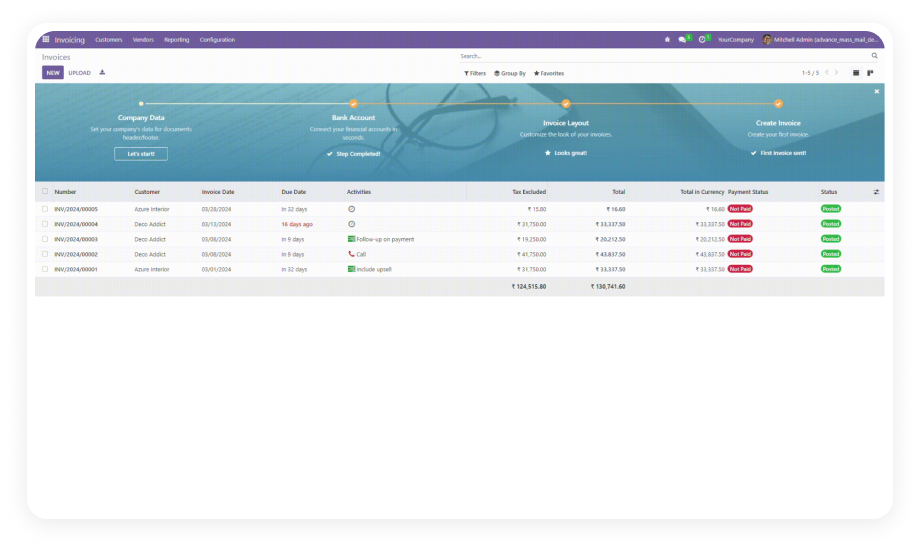
Invoice generation & payment reminders
Delivery dispatch & arrival notifications
Bulk promotional campaigns to segmented groups
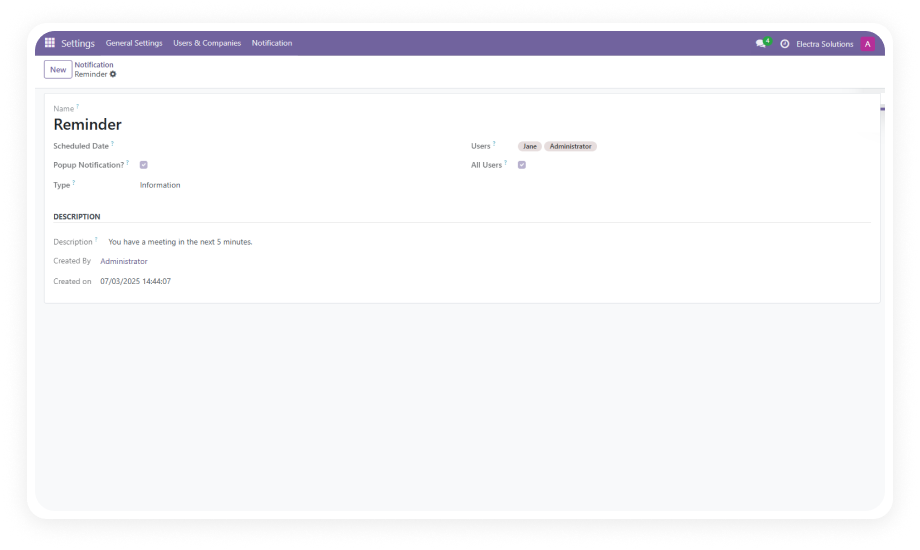
Real-time workflow alerts & escalation triggers

How SMS Notifications Solves Manual Communication Challenges

Problem
Zehntech SMS Solution
Delayed customer notifications via manual email or phone
Instant automated SMS triggered by Odoo business events
No real-time order status updates for customers
Automated order confirmation and shipping SMS within seconds
High volume of "where is my order?" support tickets
Proactive delivery notifications reduce inbound support inquiries
Slow invoice payment cycles due to missed reminders
Automated payment reminders sent at optimal times for faster collections
Operations teams wasting hours on repetitive communication
Event-based triggers eliminate manual follow-up tasks entirely
No visibility into SMS delivery success or failures
Comprehensive delivery logs and real-time analytics dashboard
Vendor lock-in with a single SMS provider
Multi-gateway support — switch between Twilio, Plivo, ClickSend freely

Key Features of SMS Notifications for Odoo

1

Multi-Gateway SMS Integration

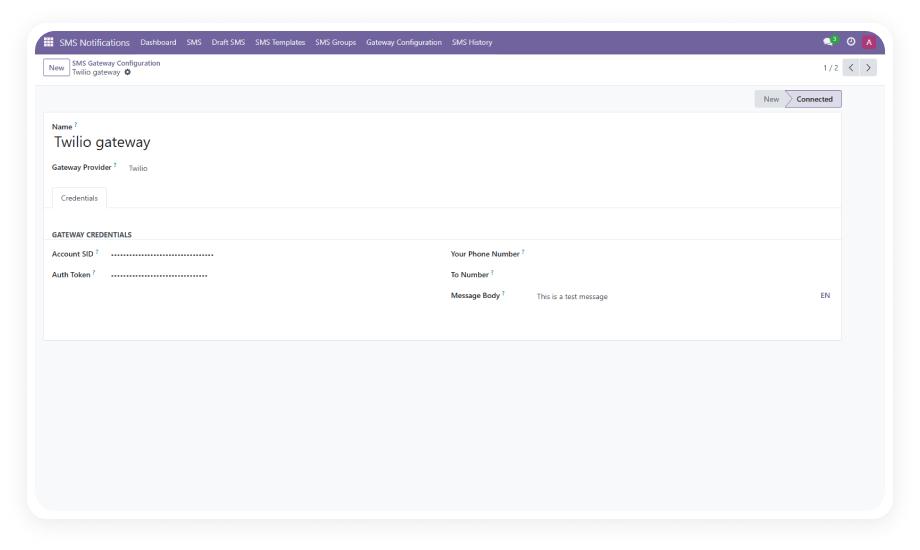
Connect to Twilio, Plivo, or ClickSend with simple API credential configuration. Test connections directly within Odoo before going live.

Why it matters: Choose the provider that fits your budget and region without being locked into a single vendor.

2

Automated Event-Based Triggers

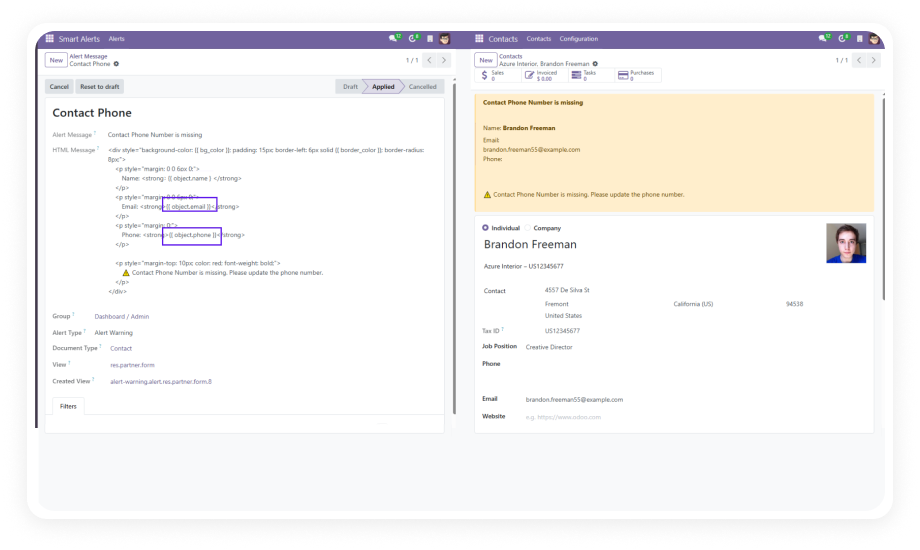
Configure condition-based rules that fire SMS automatically when specific actions occur — order confirmations, delivery dispatches, invoice updates, purchase approvals, and more.

Why it matters: Eliminates manual effort and ensures customers receive time-sensitive updates within seconds of an event occurring.

3

Dynamic SMS Templates

Build reusable templates with dynamic placeholders — customer name, order number, delivery date, amount due — for consistent, personalized communication at scale.

Why it matters: Maintains brand voice across all messages while reducing the time needed to compose individual notifications.

4

Contact Group Management

Organize recipients into targeted groups for bulk messaging campaigns — segment by customer type, region, purchase history, or custom criteria.

Why it matters: Enables targeted promotional campaigns and ensures the right message reaches the right audience.

5

SMS History & Delivery Tracking

Access comprehensive logs showing recipient details, message content, delivery status (sent, delivered, failed), and timestamps for every SMS dispatched.

Why it matters: Provides a full audit trail for compliance and allows quick identification of delivery issues.

6

Draft & Scheduled Messaging

Compose messages in advance, save as drafts, and schedule them for optimal delivery times based on recipient time zones or business hours.

Why it matters: Maximizes open rates by sending messages when recipients are most likely to engage.

7

Real-Time Gateway Dashboard

Monitor live metrics including message volume, delivery rates, failure rates, and cost analytics from a centralized performance dashboard.

Why it matters: Gives operations managers instant visibility into communication effectiveness and helps optimize SMS spend.

8

Cross-Module Integration

Works across Sales, Purchase, Inventory, Invoicing, and Contacts modules — triggering notifications from any connected Odoo workflow without separate configurations per module.

Why it matters: Provides a unified notification layer across your entire Odoo ecosystem.

Who Benefits from SMS Notifications?

Role
Primary Use Case
Key Outcome
E-commerce Manager
Automated order confirmation and shipping alerts
Reduced "where is my order?" support tickets by up to 40%
Warehouse Supervisor
Delivery dispatch and arrival notifications
Customers prepared for receiving shipments, fewer failed deliveries
Accounts Receivable
Invoice generation and payment reminder SMS
Faster payment cycles and reduced outstanding receivables
Sales Manager
Quote follow-ups and deal closure notifications
Higher conversion rates through timely prospect engagement
Purchasing Officer
PO confirmation and vendor delivery updates
Streamlined procurement communication and better supplier coordination
Marketing Coordinator
Bulk promotional campaigns to segmented groups
Targeted outreach with measurable engagement metrics
Operations Director
Real-time workflow alerts and escalation triggers
Immediate visibility into critical business events requiring attention

Versions & Documentation

Choose your Odoo version and explore interactive documentation

SMS Notifications vs. Manual Communication & Alternatives

Capability
Zehntech SMS Notifications
Manual Email / Phone
Multi-gateway support (Twilio, Plivo, ClickSend)
✔ All three gateways supported
N/A
Event-based auto-triggers
✔ Fully automated
No — manual only
Dynamic message templates
✔ With placeholders
No
Contact group segmentation
✔ Full segmentation
Manual
Delivery tracking & analytics
✔ Real-time logs & dashboard
No
Draft & scheduled messaging
✔ Available
No
Real-time performance dashboard
✔ Centralized gateway metrics
No
Cross-module integration
✔ Sales, Purchase, Inventory, Invoicing
Partial
Bulk messaging campaigns
✔ To segmented contact groups
No
One-time purchase (no subscription)
✔ $29.87 one-time
N/A

Set Up SMS Notifications in 4 Steps

From installation to your first automated SMS in under 30 minutes — no development required.

01

Install & Configure Gateway

Install the module from the Odoo App Store. Navigate to SMS Settings, select your gateway (Twilio, Plivo, or ClickSend), enter API credentials, and run the built-in connection test.

02

Create SMS Templates

Build reusable message templates using dynamic placeholders like customer name, order number, delivery date, and amount due. Assign each template to a specific notification type.

03

Configure Automation Rules

Set up event-based triggers — send a confirmation SMS when a sale order is confirmed, or a delivery notification when a picking is validated. Map triggers to templates and recipient groups.

04

Monitor & Optimize

Use the SMS Gateway Dashboard to track delivery rates, identify failed messages, and analyze sending patterns. Adjust scheduling and refine templates based on performance data.

Technical Details & Compatibility

Requirement
Technical Name
License
Odoo Versions
Deployment
Dependencies
Supported Gateways
Code Size
Support
Details
zehntech_sms_notifications
Odoo Proprietary License v1.0
16.0 · 17.0 · 18.0 · 19.0
Odoo Online · Odoo.sh · On-Premise
Contacts, Inventory (stock), Purchase, Sales, Discuss (mail), Invoicing
Twilio, Plivo, ClickSend
~2,729 lines
90-day support (Mon-Fri, 10:30 AM – 7:30 PM PST) · odoo-support@zehntech.com
SMS Notifications for Odoo — Frequently Asked Questions

Frequently Asked Questions

The app integrates with three major gateways: Twilio, Plivo, and ClickSend. You can configure any one or multiple gateways simultaneously using API credentials entered directly in Odoo. A built-in connection test lets you verify gateway connectivity before sending live messages.
Yes. The module supports fully automated event-based triggers. You define conditions — such as when a sale order is confirmed or when an invoice is posted — and the system dispatches SMS automatically. No manual action is required once automation rules are configured.
SMS Notifications is compatible with all deployment types: Odoo Online, Odoo.sh, and On-Premise installations. Functionality remains identical across all hosting environments.
This is a one-time purchase at $29.87 — there are no recurring fees, monthly subscriptions, or per-message charges from the module itself. You will only pay your chosen SMS gateway provider for actual message delivery (e.g., Twilio per-message rates).
The app depends on Contacts, Inventory (stock), Purchase, Sales, Discuss (mail), and Invoicing. These are standard Odoo modules typically included in most business deployments. No third-party Odoo modules are required beyond the supported SMS gateway accounts.

Start Sending Automated SMS from Odoo Today

One-time purchase at $29.87. No subscription. No recurring fees. Every order confirmation, delivery update, and payment reminder sent instantly — no manual effort, no missed messages.

Get started with SMS Notifications for Odoo


          You have successfully subscribed to the newsletter

          There was an error while trying to send your request. Please try again.

          Zehntech will use the information you provide on this form to be in touch with you and to provide updates and marketing.