Join us at GITEX 2025! Discover our solutions at Hall 4, Booth H-30 Schedule a Meeting Today.
Automate Marketing Initiatives with Salesforce Marketing Cloud Learn More
Join us at GITEX 2024! Discover our solutions at Hall 4, Booth H-30 Book your live demo today.
Zehntech Odoo App

Ultimate List View for Odoo

Transform Your Odoo List View Into a Powerful Data Command Center. Supercharge your list view with header-level filtering, one-click data export to PDF/Excel/CSV, clipboard integration, and multi-condition search — all from a single, intuitive interface.

Compatible with Odoo 16, 17, 18 & 19
Header-Level Column Filtering
Multi-Format Export (PDF, Excel, CSV)
Cross-Module Compatibility
One-Click Clipboard Integration
$44.80
V19, 18, 17, 16
Ultimate List View — Enhanced list view interface

What Is Ultimate List View?

Ultimate List View is a productivity-enhancing Odoo module that redesigns the native list view experience. It adds inline header filtering, multi-format data export (PDF, Excel, CSV), clipboard copy functionality, and advanced multi-condition filtering — enabling users to find, manage, and extract data directly from any list view without navigating away from their workflow.

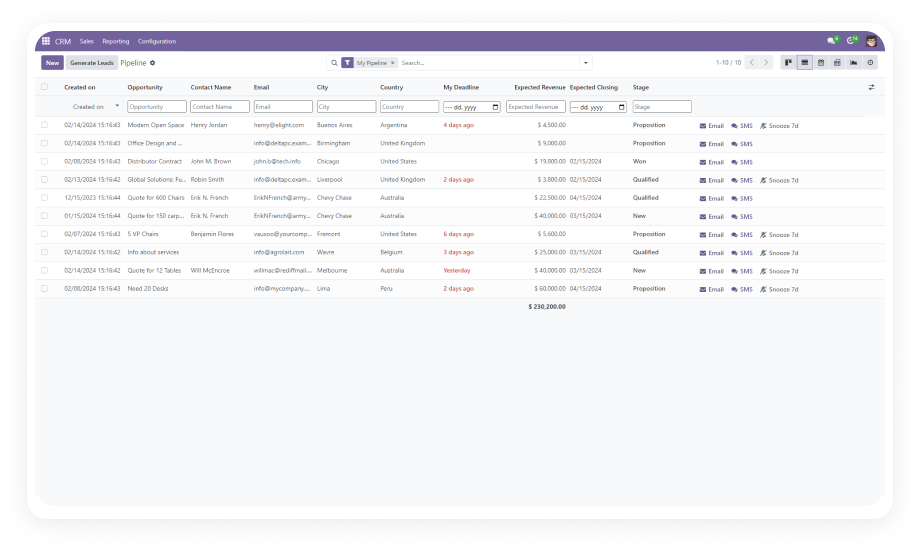
Sales Manager CRM pipeline analysis
Warehouse inventory export for audits
Accounts Payable overdue invoice filtering
Operations executive PDF reporting

How Ultimate List View Solves Data Management Challenges

Problem
Zehntech Solution
Limited filtering via search bar only
Header-level filtering in every column
No inline export options
One-click PDF, Excel, CSV export
No clipboard support
Single-click record copy to clipboard
Single-condition constraints
Multi-condition simultaneous filtering
Generic search bar only
Field-type-aware smart filters
Inconsistent across modules
Cross-module uniform experience

Key Features That Elevate Your Odoo Experience

1

Header-Level Column Filtering

Filter records directly from the table header with an integrated search mechanism built into every column.

Why it matters: Reduces clicks by up to 70% and keeps users focused on their data.

2

Multi-Format Data Export

Export your filtered or complete list view data in PDF, Excel, or CSV format with a single click.

Why it matters: Teams no longer need separate reporting tools or manual copy-paste workflows.

3

Multi-Condition Simultaneous Filtering

Apply numerous filter conditions at once across multiple columns. Combine date ranges, dropdowns, and text searches.

Why it matters: Complex data queries can be performed instantly by any user.

4

One-Click Clipboard Integration

Copy record data to your clipboard with a single click for quick reference or pasting into other applications.

Why it matters: Speeds up cross-application workflows without opening individual records.

5

Field-Specific Smart Filters

Intelligent filter controls adapt to the field type — date pickers, dropdowns, and text search based on context.

Why it matters: Intuitive experience reduces training time and user errors.

6

Cross-Module Compatibility

Works across all major Odoo modules including CRM, Inventory, Invoicing, Purchase, Sales, and more.

Why it matters: One installation enhances productivity across your entire Odoo ecosystem.

Who Benefits from Ultimate List View?

Role
Primary Use Case
Key Outcome
Sales Manager
Filter CRM pipeline by date, stage, and salesperson
Instant visibility into team performance
Warehouse Supervisor
Export filtered inventory lists to CSV for audits
Eliminates manual data preparation
Accounts Payable Clerk
Filter vendor bills by due date and payment status
Faster identification of overdue invoices
Operations Director
Export filtered operational data to PDF for reporting
Professional reports generated in seconds
Project Manager
Filter tasks by assignee, deadline, and priority
Clear workload visibility at a glance

Ultimate List View vs Default Odoo List View

Capability
Ultimate List View
Default Odoo
Header-level filtering
Integrated filter in every column header
Not available
Export to PDF
One-click PDF export
Requires print configuration
Export to Excel/CSV
Instant export with filter respect
Basic export via action menu
Multi-condition filtering
Simultaneous multi-condition support
Sequential filter application
Clipboard copy
Single-click record copy
Not available
Field-type-aware filters
Date pickers, dropdowns, text search
Generic search bar only
Cross-module consistency
Uniform experience across all modules
Varies by module

Get Started in Minutes

Install, configure, and start using enhanced list views immediately.

01

Purchase and Download

Purchase from Odoo App Store for your version. Download the module zip file.

02

Install the Module

Upload to addons directory, update apps list, search and install Ultimate List View.

03

Verify Activation

Navigate to any list view. Enhanced header filters and export buttons are active immediately.

04

Train Your Team

Show team members the new inline filtering, multi-format export, and clipboard features.

Technical Details & Compatibility

Requirement
Technical Name
Odoo Versions
Dependencies
Hosting
License
Codebase Size
Support
Details
ultimate_list_view
16.0 · 17.0 · 18.0 · 19.0
CRM, Inventory, Invoicing, Purchase, Sales, Calendar, Contacts, Discuss
Odoo Online · Odoo.sh · On-Premise
OPL-1
2,171 lines of code
Ultimate List View — FAQ illustration

Frequently Asked Questions

Yes. The module enhances the core Odoo list view framework, meaning it works with any module that uses standard list views — including custom-developed modules. Custom fields automatically receive appropriate filter types.
No. The module is optimized for performance and applies filters at the database query level, not through client-side processing. Performance remains consistent even with thousands of records.
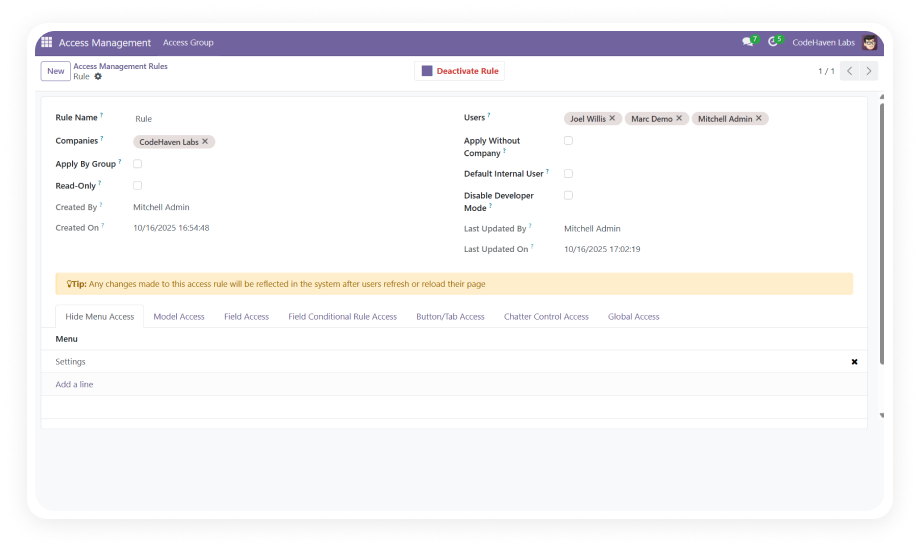
Yes. The module respects Odoo's existing access control and security group configurations. Users can only export data they already have permission to view.
Yes. Your purchase includes lifetime updates at no additional cost. Zehntech maintains compatibility across all supported versions and releases patches for any issues.
All existing saved filters, search favorites, and custom views remain fully intact and functional. Ultimate List View adds capabilities on top without modifying native functionality.

One-Time Purchase.
No Subscription.
No Recurring Fees.

Includes lifetime updates and dedicated technical support.

Zehntech Odoo experts ready to help


          You have successfully subscribed to the newsletter

          There was an error while trying to send your request. Please try again.

          Zehntech will use the information you provide on this form to be in touch with you and to provide updates and marketing.