Automate Marketing Initiatives with Salesforce Marketing Cloud Learn More
Zehntech Odoo App

Customer Document Management — Track, Organize & Auto-Alert on Document Expiry in Odoo

Upload customer documents directly from Contacts, track expiry dates with automated email reminders, and monitor compliance through real-time status dashboards — all inside your existing Odoo environment. No custom development. No third-party integrations.

Compatible with Odoo 19, 18, 17 & 16
Community & Enterprise Supported
Automated Expiry Email Notifications
No Custom Development Required
Supports PDF, PNG, DOC, DOCX & Excel
Cloud Links: Google Drive, Dropbox, OneDrive
FREE
V19, 18, 17, 16
Customer Document Management — Odoo document lifecycle module

What is Customer Document Management?

Customer Document Management is a free Odoo module that lets you upload, organize, and track customer-related documents directly from the Contacts form. It replaces scattered spreadsheets, shared folders, and manual expiry tracking with a centralized document lifecycle system built into Odoo — complete with automated email alerts, status dashboards, digital signatures, and cloud link support.

Upload from Contacts
Expiry tracking
Automated email alerts
Status dashboard
Categories & tags
Digital signatures

How Customer Document Management Solves Document Tracking Gaps in Odoo

Problem
Zehntech Customer Document Management Solution
Customer documents are scattered across email, shared drives, and local folders
All documents are uploaded and stored directly on the contact record inside Odoo
No visibility into which documents are about to expire
Real-time status indicators show Expired, Expiring Soon, Valid, and Not Expired at a glance
Teams miss critical expiry deadlines for contracts, licenses, and certifications
Automated emails are sent before expiry, on expiry, and after expiry — with configurable timing
No centralized way to categorize and filter customer documents
Categories and tags enable structured organization with one-click filtering
Document attachments lack metadata like expiry dates or approval signatures
Each document supports expiry dates, digital signatures, categories, tags, and cloud URLs
Admins must manually check each customer record for document compliance
An interactive dashboard displays total, expired, not expired, and expiring-soon counts
Cloud-stored documents in Google Drive or Dropbox are disconnected from Odoo
Direct URL linking integrates Google Drive, Dropbox, and OneDrive documents into the contact record
Exporting document records for compliance audits is manual and error-prone
The centralized document list supports export functionality for audit and reporting
Notification recipients cannot be customized per organization
Multiple recipients can be configured for expiry notifications to ensure the right people are alerted
File format restrictions limit what teams can attach to customer records
Supports PDF, PNG, DOC, DOCX, and Excel — covering all common business document types

Complete Document Lifecycle Management for Odoo Contacts

1

Upload Documents Directly from Contacts

Attach documents to any customer or vendor contact record directly from the Contacts form. Each upload supports expiry dates, categories, tags, and optional digital signatures.

Why it matters: documents live where they belong — on the customer record — eliminating the need for external file storage or cross-referencing.

2

Document Expiry Date Tracking

Every uploaded document can carry an expiry date. The system automatically tracks each document's lifecycle and assigns real-time status indicators: Expired, Expiring Soon, Valid, or Not Expired.

Why it matters: teams can instantly see which documents require action without opening individual records or checking spreadsheets.

3

Automated Expiry Email Notifications

The module sends automated email reminders at three stages: a configurable number of days before expiry, on the expiry date itself, and after the document has expired.

Why it matters: critical documents like contracts, licenses, and certifications never expire unnoticed — the system does the tracking for you.

4

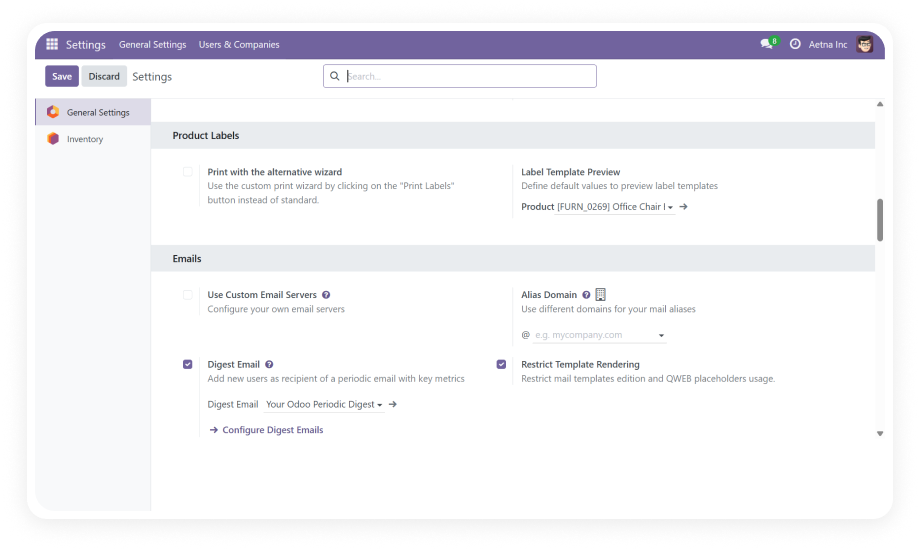
Configurable Notification Timing & Recipients

Administrators can globally configure how many days before and after expiry notifications are sent, set a specific time of day for delivery, and assign multiple email recipients.

Why it matters: notification behavior adapts to your organization's workflow rather than forcing a one-size-fits-all approach.

5

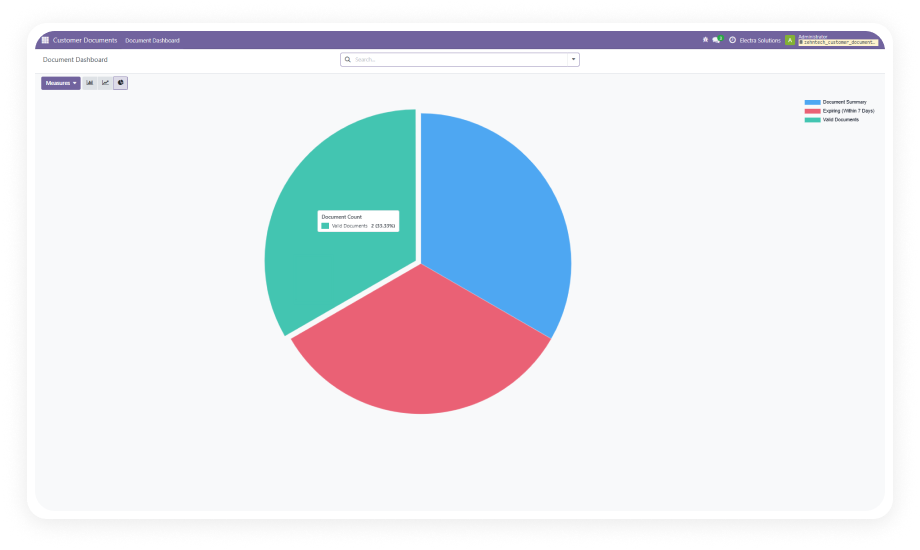
Interactive Expiry Status Dashboard

A visual dashboard displays total documents broken down by expired, not expired, and expiring within 7 days. Clickable segments let you drill into specific document sets.

Why it matters: compliance officers and managers get an at-a-glance view of the entire document portfolio without running reports.

6

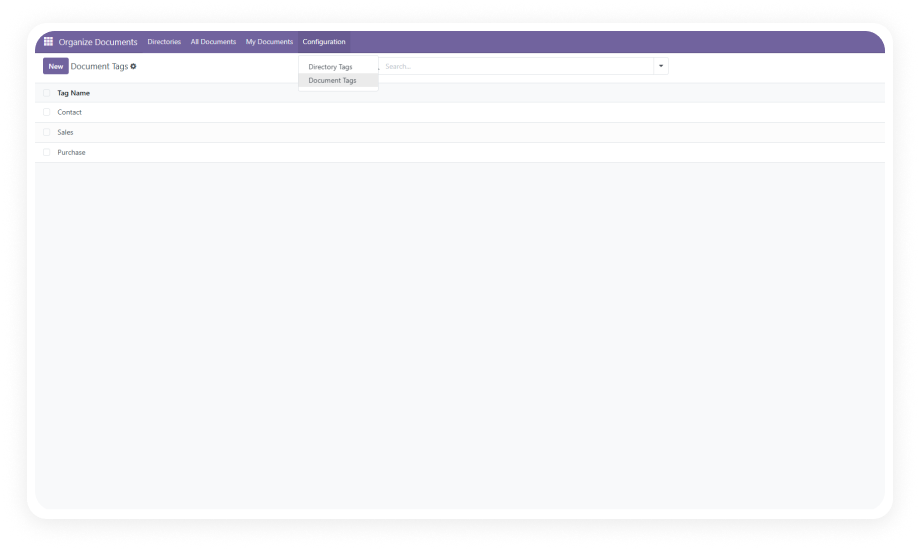
Category & Tag-Based Organization

Documents can be assigned categories (e.g., Contract, License, Certificate) and tags for granular classification. The centralized document list supports filtering by both.

Why it matters: finding specific documents across hundreds of customer records takes seconds, not minutes.

7

Digital Signature Support

Documents can include digital signatures directly within Odoo, adding a layer of authenticity and approval tracking.

Why it matters: signature workflows stay inside the same system where documents are stored — no external e-signature tools needed for basic approvals.

8

Instead of uploading a file, users can attach a URL from Google Drive, Dropbox, or OneDrive. The link is stored on the contact record alongside uploaded documents.

Why it matters: teams that already use cloud storage can integrate those documents into Odoo without duplicating files.

9

Multi-Format File Upload

Supports PDF, PNG, DOC, DOCX, and Excel file formats for direct upload.

Why it matters: all common business document types are covered, from contracts and invoices to images of identification documents.

10

Centralized Document List with Export

A dedicated list view displays all documents across all contacts with status indicators, enabling quick filtering by category, tag, or status — plus export functionality for audit and reporting.

Why it matters: compliance audits and document reviews can be completed from a single view without navigating individual customer records.

Who Gets The Most Out Of This Module

Role
Primary Use Case
Key Outcome
Compliance Manager
Track expiry dates of customer contracts, licenses, and certifications
Zero missed renewals with automated three-stage email notifications
Account Manager
Access all customer documents from a single contact record
Faster client servicing without searching through email or shared drives
HR Administrator
Manage employee identity documents, visas, and work permits
Proactive alerts before critical documents expire
Insurance Broker
Track policy expiry dates across all client accounts
Dashboard visibility into which policies need renewal attention
Legal Team
Store signed contracts with digital signatures and expiry tracking
Centralized contract repository with built-in authenticity verification
Operations Director
Monitor document compliance across the entire customer base
At-a-glance dashboard showing organizational compliance posture
Procurement Manager
Track vendor certifications, insurance, and compliance documents
Automated reminders ensure vendors maintain required documentation
Finance Controller
Manage guarantee letters, bank documents, and financial certifications
Export-ready document records for audit preparation

Versions & Documentation

Choose your Odoo version and explore interactive documentation

Native Odoo vs Zehntech Customer Document Management

Capability
Zehntech Customer Document Management
Native Odoo
Upload documents directly on contact records
Yes
Basic attachment only
Document expiry date tracking
Yes
Not available
Automated expiry email notifications
Yes
Not available
Three-stage alerts (before, on, after expiry)
Yes
Not available
Configurable notification timing & recipients
Yes
Not available
Interactive expiry status dashboard
Yes
Not available
Status indicators (Expired, Expiring Soon, Valid)
Yes
Not available
Category-based document organization
Yes
Not available
Tag-based filtering and classification
Yes
Not available
Digital signature support
Yes
Not available
Cloud link support (Google Drive, Dropbox, OneDrive)
Yes
Not available
Centralized document list across all contacts
Yes
Not available
Export functionality for compliance audits
Yes
Not available
Multi-format upload (PDF, PNG, DOC, DOCX, Excel)
Yes
Limited attachment formats

Get Started In Minutes

No development environment. No custom code. No consultant required for standard setup.

01

Install from the Odoo App Store

Search for zehntech_customer_document_management in your Odoo Apps menu and click Install. Compatible with Odoo 16, 17, 18, and 19 on both Community and Enterprise editions. Requires the Contacts and Discuss modules.

02

Configure Notification Settings

Navigate to the module's configuration panel. Set the global notification timing — define how many days before expiry, on expiry day, and days after expiry reminders should be sent. Specify the notification time and assign email recipients.

03

Upload Documents to Customer Contacts

Open any contact record and navigate to the document section. Upload files (PDF, PNG, DOC, DOCX, Excel) or add cloud URLs. Assign expiry dates, categories, tags, and optional digital signatures to each document.

04

Monitor via Dashboard and Document List

Access the expiry status dashboard to view your document portfolio at a glance — total, expired, not expired, and expiring soon. Use the centralized document list for detailed filtering, searching, and exporting.

Technical Details & Compatibility

Requirement
Odoo Versions
Editions
Hosting
Dependencies
Third-Party Dependencies
Custom Dev Required
Install Time
Server Restart
Data Migration
Module Conflicts
License
Last Tested
Lines of Code
Support
Details
16.0 · 17.0 · 18.0 · 19.0
Community · Enterprise · Odoo.sh
Odoo Online · On-Premise · Odoo.sh
Contacts (contacts) · Discuss (mail)
None
No
Under 10 minutes
Not required
Not required
None known
OPL-1
Odoo 19.0 — May 2026
1,264
Customer Document Management — FAQ illustration

Frequently Asked Questions

  • Yes — the module installs directly from the Odoo App Store with no coding required
  • All document upload, expiry tracking, and notification features are configured through the Odoo interface
  • Standard setup is completed in under 10 minutes by any Odoo administrator
  • The module supports PDF, PNG, DOC, DOCX, and Excel file uploads
  • Additionally, you can attach document URLs from Google Drive, Dropbox, or OneDrive
  • This covers all common business document types — contracts, certificates, images, and spreadsheets
  • Automated emails are sent at three stages: configurable days before expiry, on the expiry date, and post-expiry
  • Administrators set the notification timing globally and assign multiple recipients
  • This ensures the right people are alerted at each stage of the document lifecycle without manual tracking
  • The module supports Odoo 16, 17, 18, and 19
  • Both Community and Enterprise editions are fully supported
  • Compatible with Odoo Online, Odoo.sh, and On-Premise hosting environments
  • Yes — completely free with no subscription, no recurring fees, and no hidden costs
  • Full functionality is included in the free download from the Odoo App Store
  • Technical support is available at odoo-support@zehntech.com for any installation or configuration questions

Ready to Centralize Your Customer Document Management in Odoo?

One-Time Purchase. No Subscription. No Recurring Fees.

Your team already runs on Odoo — Customer Document Management adds the document lifecycle layer that native Odoo doesn't provide. In under 10 minutes, every customer document is tracked, every expiry is monitored, and every alert is automated — all from the contact record you already use daily.

Zehntech Odoo experts ready to help


          You have successfully subscribed to the newsletter

          There was an error while trying to send your request. Please try again.

          Zehntech will use the information you provide on this form to be in touch with you and to provide updates and marketing.