Odoo Gantt App for Manufacturing — Visual Production Scheduling
Plan, track, and reschedule every manufacturing order on a single interactive Gantt timeline. Built for Odoo Manufacturing, this module gives production teams the real-time visibility they need to prioritize work, manage capacity, and respond to change — without spreadsheets, workarounds, or custom development.
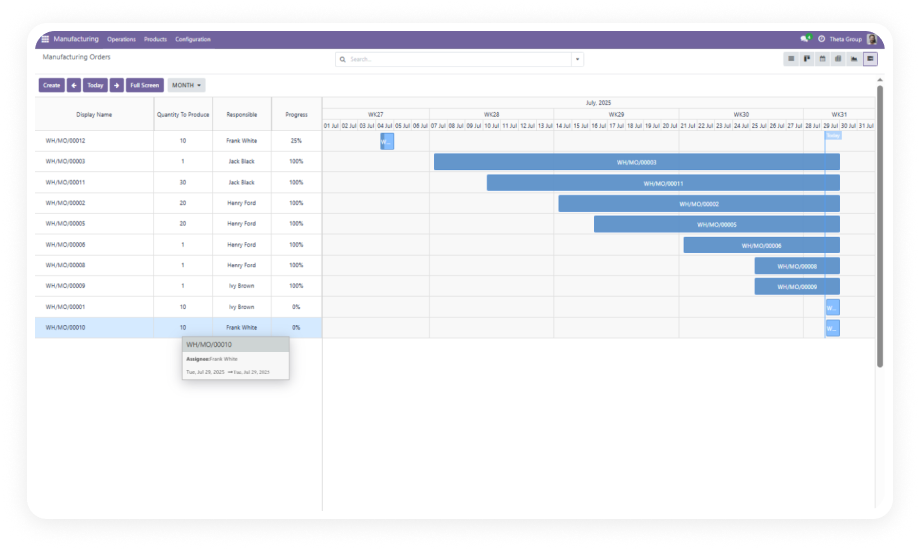
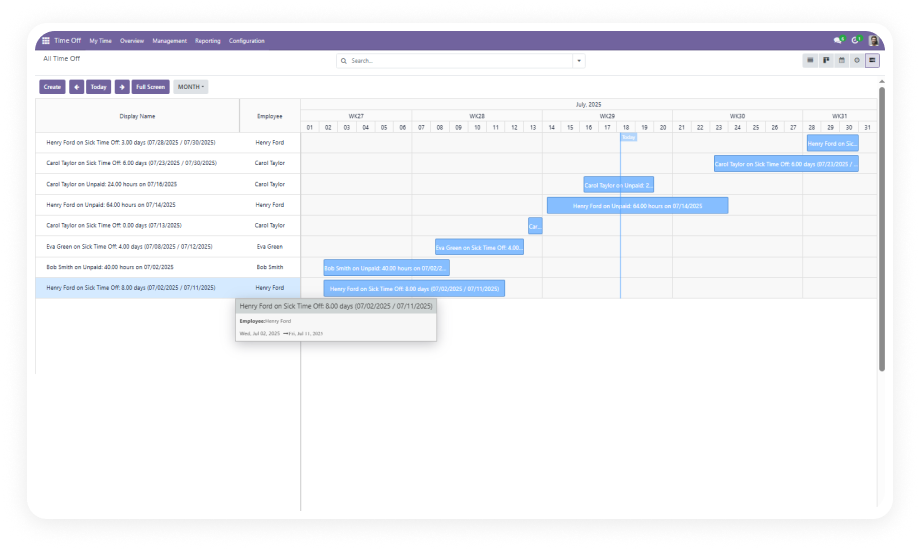
The Odoo Gantt App for Manufacturing adds a fully interactive Gantt chart interface to Odoo's native Manufacturing module. Where the default MRP view gives you lists and kanbans, this module gives you a time-based production timeline — so planners can see every order, identify scheduling conflicts, and make adjustments in real time. It replaces the need for standalone scheduling tools, manual spreadsheet tracking, or expensive custom Gantt development inside Odoo.
How the Odoo Gantt App for Manufacturing Solves Production Visibility
Problem
Zehntech Solution
Manufacturing orders visible only in list or kanban views — no time context
Full Gantt timeline shows all orders on a date-based production schedule
Rescheduling requires opening each order record individually
Drag existing orders to new dates directly on the timeline
No way to create orders from the schedule view
Drag on any empty timeline space to create a new manufacturing order instantly
Difficult to see overlapping orders or resource conflicts at a glance
All orders rendered as timeline bars — overlaps and gaps are immediately visible
Production planning done in spreadsheets outside Odoo
Everything lives inside Odoo Manufacturing — no exports or data re-entry
Switching between day, week, and month perspectives requires different tools
Built-in view toggle: day, week, month, and yearly with navigation
Editing order details means leaving the schedule view
Double-click any Gantt bar to edit inline — stay in the timeline throughout
No native grouping or filtering on the production timeline
Group by product, responsible, status, or any Odoo field
Eight Capabilities That Transform Your Manufacturing Timeline
1
Access Gantt View
The Gantt view is available directly inside the Odoo Manufacturing module — accessible via the Gantt icon in the standard view switcher.
Why it matters: production teams stay inside their existing workflow and gain timeline visibility without learning a new tool.
2
Create and Manage Orders
New manufacturing orders can be created from within the Gantt view using the standard Create button. After saving, the order appears immediately on the timeline.
Why it matters: planners can add new orders to the schedule and see their placement in a single step.
3
Utilize Full Screen Mode
A single click expands the Gantt chart to fill the entire screen, removing navigation bars and sidebars for maximum real estate.
Why it matters: during production planning sessions, the full-screen view provides a comprehensive overview.
4
View Options
The timeline supports day, week, month, and yearly zoom levels, switchable with a single click. Next and Previous buttons move the visible window.
Why it matters: production planners can shift between short-term and longer-range planning without leaving the interface.
5
Editing and Deleting Entries
Manufacturing orders can be edited by double-clicking any bar on the timeline, or via dedicated edit and delete buttons.
Why it matters: the ability to modify or remove an order directly on the timeline reduces adjustment time.
6
Grouping, Filtering, and Favorites
The Gantt view supports the same grouping, filtering, and favorites functionality found in Odoo's list and kanban views.
Why it matters: production managers can focus the timeline on exactly what they need.
7
Creating New Entries by Drag
New manufacturing records can be created directly on the Gantt timeline by dragging across any empty space in the schedule.
Why it matters: this intuitive interaction reduces the steps required to add orders to the production plan.
8
Updating Entries by Drag
Existing manufacturing orders can be rescheduled by dragging their timeline bar to a new date position.
Why it matters: drag-to-reschedule makes schedule adjustments instant and keeps the Gantt view accurate.
Who Gets The Most Out Of This Module
Role
Primary Use Case
Key Outcome
Production Manager
Monitor all active manufacturing orders on a single timeline
Faster response to bottlenecks; fewer missed deadlines
Manufacturing Planner
Build and adjust daily and weekly production schedules
Reduced planning time; more accurate order sequencing
Operations Manager
Review production capacity and workload distribution
Yes. The module installs directly from the Odoo App Store and requires no coding, no configuration of custom fields, and no technical setup beyond the standard module installation process. All features work out of the box with your existing manufacturing data.
Yes. The Odoo Gantt App for Manufacturing is fully compatible with Odoo Community, Enterprise, and Odoo.sh editions. It works on all supported hosting environments with no edition-specific limitations.
You can create a new manufacturing order by clicking the Create button and filling in order details, or by dragging across an empty section of the timeline. After saving, the new order appears immediately on the Gantt timeline.
The module supports Odoo 16.0, 17.0, 18.0, and 19.0 — all four versions are actively maintained and available for download. The module was last tested on Odoo 19.0 in May 2026.
Yes. Any existing manufacturing order can be dragged left or right to a new date position. The order's scheduled start and end dates update automatically — no manual date editing required.
Ready to Bring Clarity to Your Manufacturing Schedule?
One-Time Purchase. No Subscription. No Recurring Fees.
Your team already uses Odoo Manufacturing to run production — this module adds the timeline layer that makes it possible to plan, adjust, and track every order visually, without switching tools or building anything custom.
Includes lifetime updates and 90 days of dedicated technical support.