Odoo Capacity Planning: Balance Every Team's Workload Intelligently
Stop guessing who has bandwidth. Zehntech's Capacity Planning module gives your operations team a real-time view of planned versus available hours - so you schedule smarter, avoid burnout, and deliver on time.
Zehntech's Capacity Planning module extends Odoo with a dedicated workforce scheduling layer. It lets managers create structured work assignments, view each employee's weekly capacity at a glance, and receive instant alerts before anyone is over-scheduled - all without leaving Odoo. Whether you run a project team, a services org, or a manufacturing floor, this module closes the visibility gap between what's been assigned and what can realistically be delivered.
Create and track work items with auto-generated reference numbers
How Capacity Planning Solves Your Resource Scheduling Problems
Problem
Zehntech Solution
Managers don't know who has bandwidth until it's too late
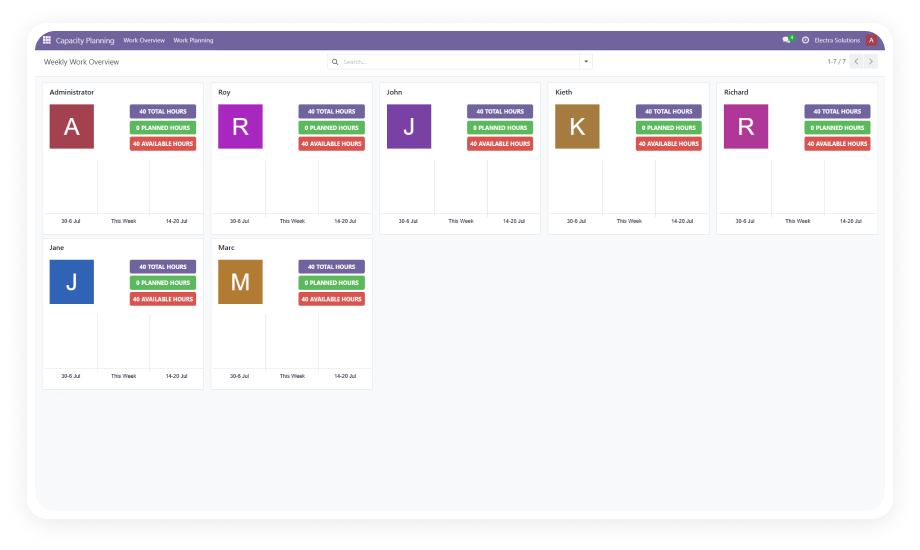
Employee Capacity Dashboard shows planned vs. available hours for every team member in real time
Work assignments are tracked in spreadsheets outside Odoo
ISO week-based work items live natively inside Odoo with auto-generated reference numbers
Over-scheduling goes unnoticed until deadlines are missed
Automatic over-capacity alerts fire the moment any employee's weekly limit is exceeded
Rescheduling tasks requires manual updates across multiple records
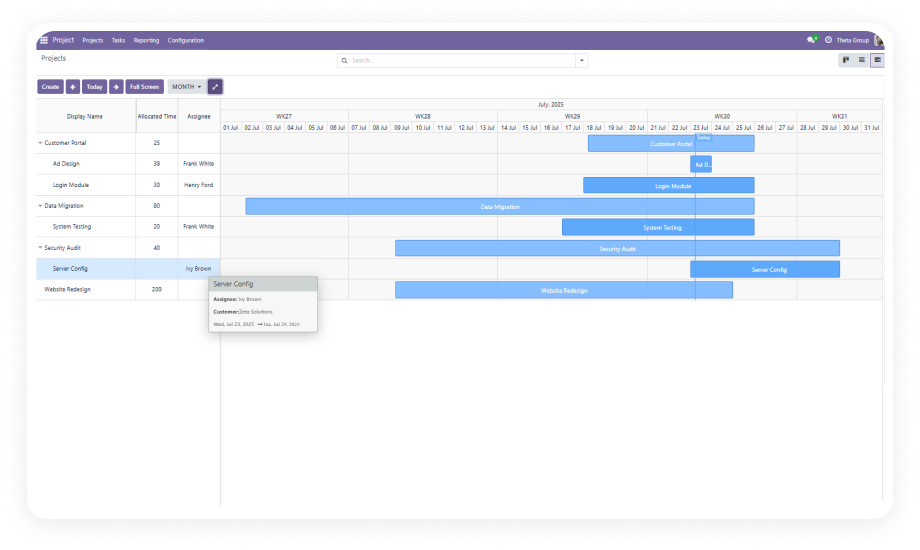
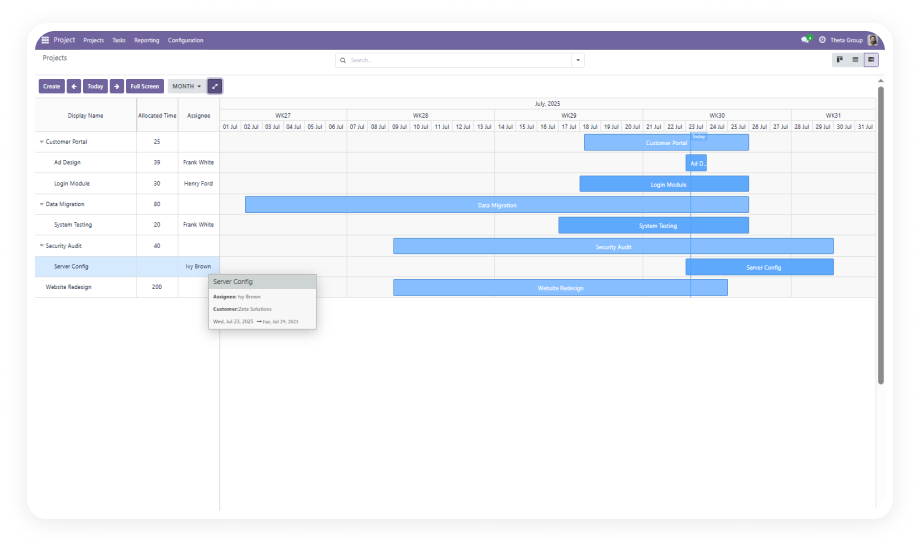
Drag-and-drop Gantt view lets you rebalance assignments in seconds with real-time validation
No visibility into workload trends over time
Graph and Pivot views surface utilization patterns across teams and date ranges
Employee calendars and task assignments are disconnected
Resource Calendar Sync links every work item to the employee's actual HR-configured working hours
Planning requires switching between multiple tools
All scheduling, tracking, and reporting happens in one unified Odoo interface
Language and regional differences complicate global rollouts
Full multi-language support for English, German, Spanish, French, and Japanese
Everything Included in Zehntech Capacity Planning
1
Work Item Management
Create and manage structured work assignments directly in Odoo. Each work item is tied to a specific employee, an ISO week period, and an estimated hours value, with auto-generated reference numbers for easy tracking.
2
Employee Capacity Dashboard
A purpose-built Kanban interface displays each employee as a card showing their planned hours, available hours, and a visual bar chart of utilization for the current week.
3
Gantt View Integration
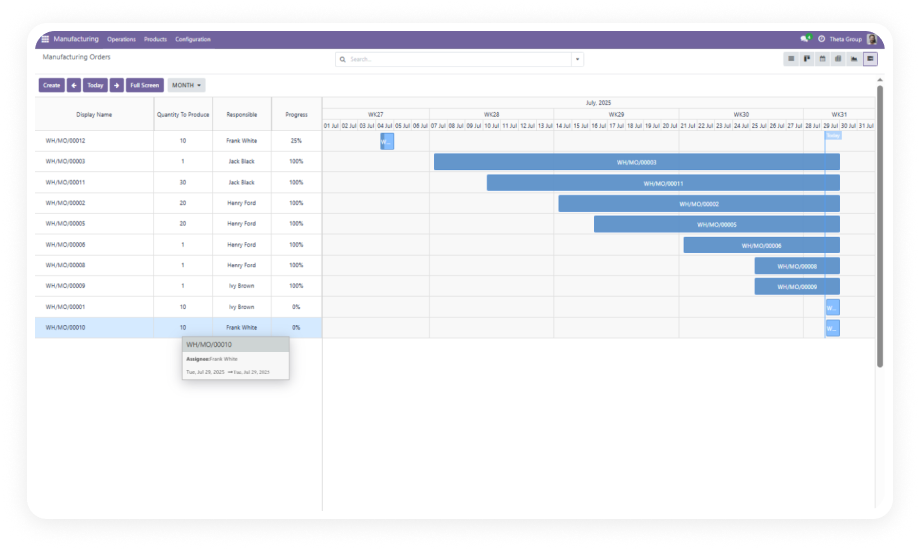
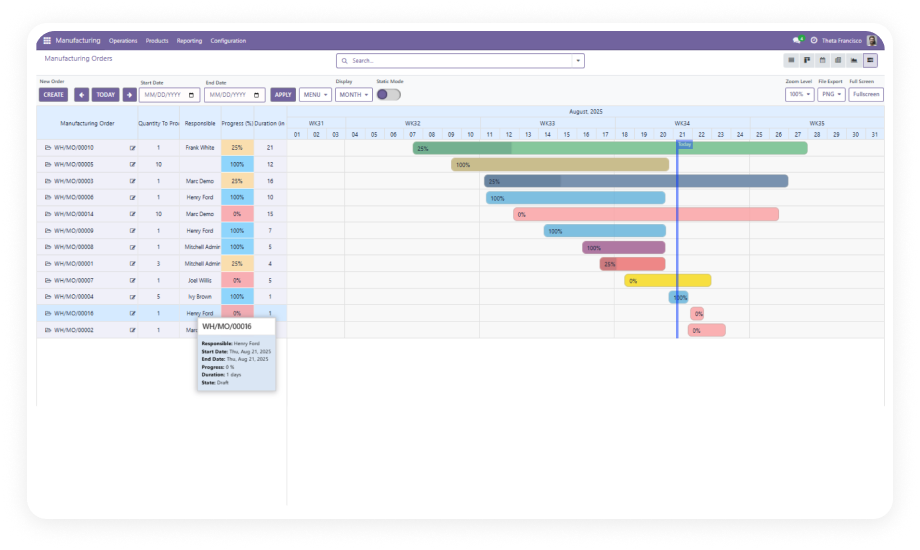
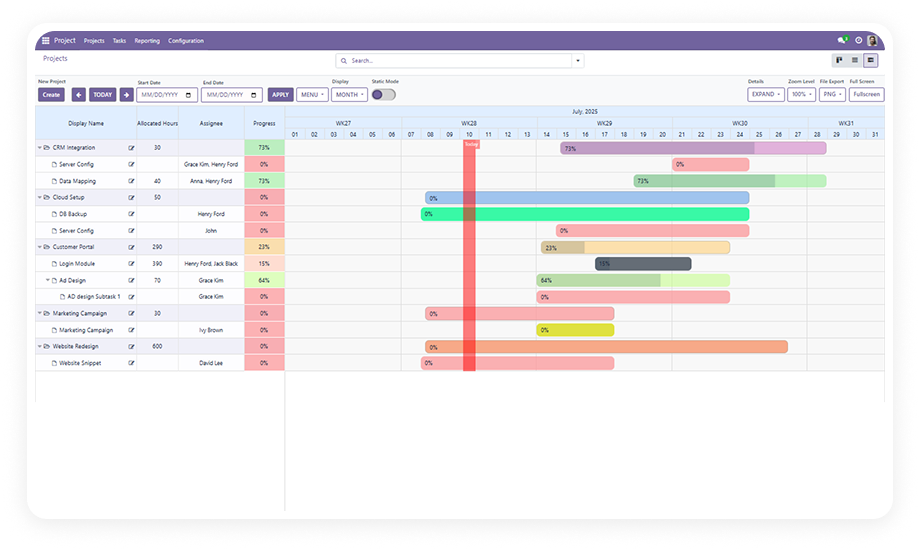
Full drag-and-drop scheduling on a Gantt timeline with real-time capacity validation as tasks are moved or resized. Rebalance workloads interactively.
4
Over-Capacity Alerts
Automatic warning notifications trigger whenever a work assignment would push an employee's planned hours beyond their weekly available capacity.
5
Week Navigation
Browse previous, current, and next week data on a per-employee basis directly from the dashboard - enabling both retrospective reviews and short-term forward planning.
6
Progress Tracking
Work items move through automatic state transitions - New, In Progress, Done - based on activity and dates. Reduces manual status updates.
7
Multi-View Analysis
Switch between List, Form, Gantt, Graph, and Pivot views to analyze workload data from multiple angles for different stakeholders.
8
Advanced Date Filtering
Filter capacity data by custom date ranges or preset periods to narrow the view to exactly the planning horizon you need.
9
Resource Calendar Sync
Integrates directly with each employee's Resource Calendar as configured in Odoo HR, so available hours reflect actual contracted working time.
10
Multi-Language Support
Full interface support for English, German, Spanish, French, and Japanese - enabling consistent rollout across international teams.
Who Gets The Most Out Of This Module
Role
Primary Use Case
Key Outcome
Operations Manager
Monitor weekly capacity across the entire team and catch over-allocation before it impacts delivery
Fewer missed deadlines, less reactive firefighting
Project Manager
Assign work items to team members and use the Gantt view to balance task loads across the sprint
Balanced workloads, predictable sprint velocity
HR Manager
Validate that scheduled hours align with each employee's contracted Resource Calendar
Compliance with working-time agreements
Resource Planner
Navigate week-by-week to plan forward capacity and review historical utilization
Better hiring decisions backed by data
Department Head
Use Graph and Pivot views to identify chronically over- or under-utilized employees
Informed decisions on team sizing
Odoo Administrator
Configure and maintain the module for multiple departments with multi-language needs
Single deployment for diverse teams
Versions & Documentation
Select your Odoo version to access the relevant setup guide and interactive documentation
It creates structured work items assigned to employees with ISO week scheduling and auto-generated reference numbers. It displays a per-employee Kanban dashboard showing planned vs. available hours with visual bar charts. It fires automatic over-capacity alerts when any employee's weekly limit is exceeded. It provides a drag-and-drop Gantt view for real-time workload rebalancing. It offers List, Graph, and Pivot views for utilization analysis across teams.
Yes - it reads each employee's Resource Calendar directly from Odoo HR. No duplicate data entry is needed for working hours or schedules. Any changes to an employee's calendar are automatically reflected in capacity calculations.
Odoo 16.0, 17.0, 18.0, and 19.0. Interactive documentation is available for all supported versions (see Versions & Documentation section above).
The Zehntech Odoo Gantt App Base is a separate community dependency. It is available from the Zehntech Odoo Apps catalog. Your Zehntech purchase support team can advise on bundled options - contact odoo-support@zehntech.com.
No. This is a one-time purchase at $124.44. Lifetime updates are included - you receive all future version updates at no additional cost. There are no recurring fees, seat fees, or usage-based charges.
One-Time Purchase. No Subscription. No Recurring Fees.
Zehntech Capacity Planning gives your operations and project teams the real-time workload visibility they need to schedule confidently, prevent over-allocation, and deliver consistently. Install it once, use it across every version upgrade - lifetime updates are included at no extra cost.