Join us at GITEX 2025! Discover our solutions at Hall 4, Booth H-30 Schedule a Meeting Today.
Automate Marketing Initiatives with Salesforce Marketing Cloud Learn More
Join us at GITEX 2024! Discover our solutions at Hall 4, Booth H-30 Book your live demo today.
Zehntech Odoo App

Requisition Material Stock and Purchase by Employee — Streamline Employee Material Requests in Odoo

Empower your workforce with a structured, role-based material requisition workflow that connects employees, department managers, and procurement officers in one seamless process. From request submission to purchase order generation, every step is tracked, approved, and documented inside Odoo.

Compatible with Odoo 16, 17, 18 & 19
Role-Based Access: Employee, Manager, Procurement Officer
Multi-Level Approval Workflow
Automated PO & Internal Transfer Generation
One-Time Purchase — No Recurring Fees
$49.78
V19, 18, 17, 16
Odoo Requisition Material Purchase by Employee — role-based material request workflow

What Does This Module Do?

The Requisition Material Stock and Purchase by Employee module introduces a formal, role-based material requisition process directly within your Odoo ERP. Employees submit structured requests, department managers validate departmental needs, and procurement officers execute fulfillment through internal stock transfers or purchase orders — all with full traceability and automated document generation. This eliminates manual back-and-forth, enforces approval hierarchies, and ensures every material movement is documented from request through delivery confirmation.

Employees who need materials for daily operations
Department managers who approve requisitions
Procurement officers who fulfill purchase and stock requests
Companies needing multi-level approval workflows
Businesses requiring full audit trails on material requests

Why Choose This Module Over Manual Processes?

Without This Module
With Requisition Material Purchase
Email, chat, or verbal requests
Structured form with item details and fulfillment preferences
Ad-hoc approvals with no audit trail
Multi-level role-based approvals (Manager then Procurement)
Manual PO and transfer creation with copy-paste
Automated PO and internal transfer generation
Separate POs created manually per vendor
Auto-grouped purchase orders by vendor
Repeated follow-up emails and calls
Smart buttons linking to pickings and POs in real time
No verification of receipt
Employee receipt acknowledgment closes the loop
Scattered emails and spreadsheets
PDF reports and complete in-system audit trail
Everyone can see everything or nothing
Role-based permissions (Employee, Manager, Procurement)

Key Features

1

Role-Based Access Control

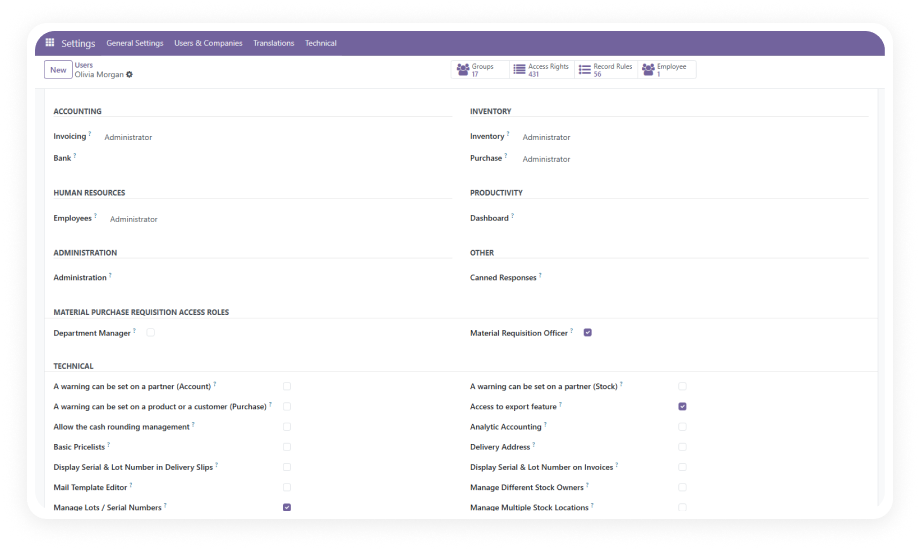
Three distinct roles — Employee, Department Manager, and Procurement Officer — each with dedicated permissions. Employees submit and track their own requests, managers approve within their department, procurement officers handle fulfillment across all departments.

Why it matters: Separation of duties prevents unauthorized approvals, eliminates conflicts of interest, and ensures the right people make the right decisions at each stage.

2

Multi-Level Approval Workflow

Requisitions pass through a structured approval chain: departmental validation by the manager, then procurement authorization by the officer. Each approver can approve, reject, or send back requests with comments.

Why it matters: Multi-level approvals ensure departmental budget alignment and procurement strategy are considered before any purchase or stock movement, reducing wasteful spending.

3

Flexible Fulfillment Options (Stock or Purchase)

Each requisition line can be individually designated for fulfillment via internal stock transfer or new purchase order. A single requisition can trigger both a warehouse pick and a vendor purchase simultaneously.

Why it matters: Organizations avoid the inefficiency of creating separate requests for stocked vs. non-stocked items, consolidating the entire material need into one trackable document.

4

Automated Document Generation

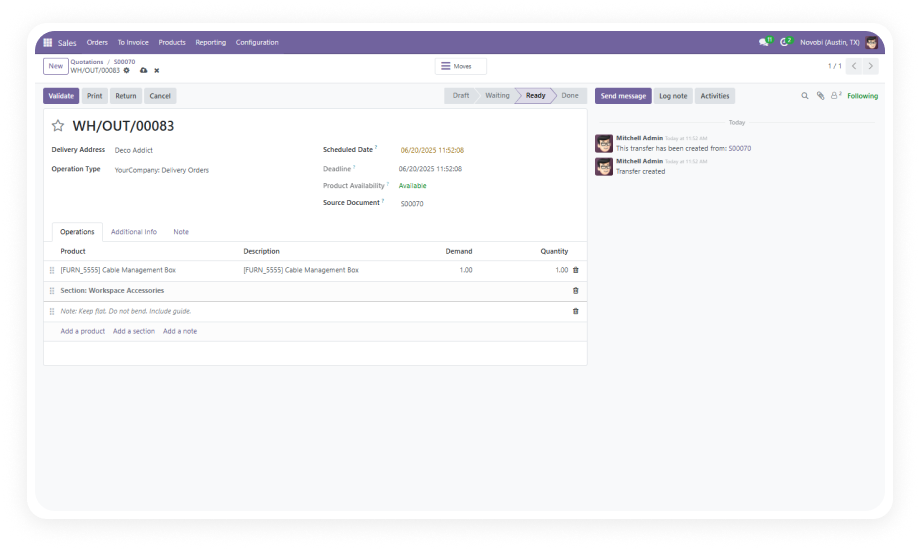
Once approved, the system automatically generates internal transfers (stock pickings) or purchase orders grouped by vendor. No manual data entry is required to create these operational documents.

Why it matters: Automation eliminates transcription errors, speeds up fulfillment, and ensures procurement documents always match the approved requisition exactly.

5

Smart Button Document Tracking

Related pickings and purchase orders are linked via smart buttons directly on the requisition form, providing instant visibility into fulfillment status without navigating away from the request.

Why it matters: Stakeholders at every level can instantly verify the status of their requests, reducing follow-up emails and status-check meetings that drain productivity.

6

Employee Receipt Confirmation

Employees acknowledge when materials have been physically delivered, closing the loop on the entire requisition cycle and confirming that the request has been fully satisfied.

Why it matters: Receipt confirmation creates a verified audit trail proving materials reached their intended recipient, which is critical for compliance, accounting, and inventory accuracy.

7

Default Location Assignment

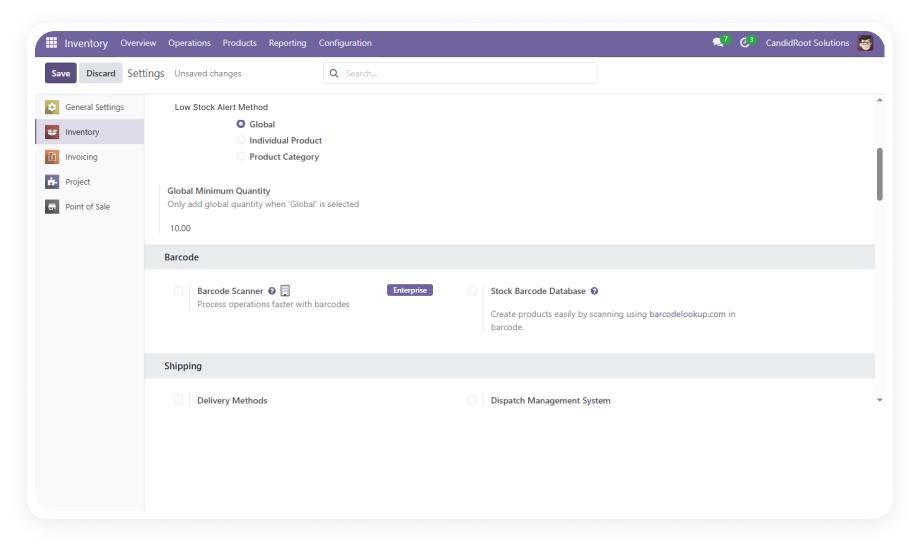
Stock destinations can be configured per employee or department, pre-filling delivery locations on requisition forms to reduce repetitive data entry and prevent routing errors.

Why it matters: Pre-configured locations prevent costly re-transfers and save warehouse staff time by ensuring materials arrive at the correct operational area.

8

PDF Requisition Reports

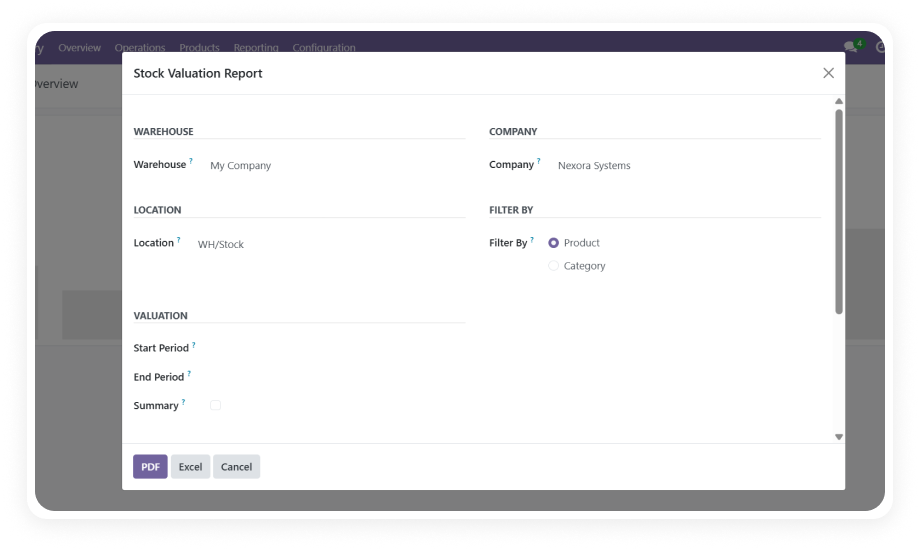
The module generates comprehensive PDF documentation for each requisition, suitable for printing, archiving, or sharing with external stakeholders.

Why it matters: Printable reports support organizations that require physical approval signatures, need offline documentation for audits, or must share requisition details outside the Odoo system.

Who Benefits from This Module?

Role
Primary Use Case
Key Outcome
Warehouse Employee
Requesting consumables and materials for daily operations
Structured submission with tracking instead of informal verbal requests
Department Manager
Reviewing and approving team material requests
Budget control and departmental oversight with reject/approve authority
Procurement Officer
Processing approved requisitions into POs and transfers
Automated document generation grouped by vendor for efficient purchasing
Finance Controller
Auditing material expenditures by department
Complete paper trail from request through delivery confirmation
Operations Manager
Monitoring material flow across multiple departments
Smart button visibility into all related pickings and purchase orders
IT Administrator
Configuring role-based access and default locations
Proper access segregation with minimal setup and maintenance effort
Plant Supervisor
Managing material needs for manufacturing floor
Per-line stock vs. purchase flexibility for mixed inventory situations
⚠  Not the right fit for: Organizations with very simple procurement needs where a single-step purchase order is sufficient, or companies that do not require structured approval chains before procurement actions.

Versions & Documentation

Choose your Odoo version and explore interactive documentation

With vs. Without the Requisition Module

Capability
With This Module
Without This Module
Request Submission
✔ Structured form with item details and fulfillment preferences
Email, chat, or verbal requests
Approval Workflow
✔ Multi-level role-based approvals (Manager then Procurement)
Ad-hoc approvals with no audit trail
Fulfillment Execution
✔ Automated PO and internal transfer generation
Manual PO/transfer creation with copy-paste
Vendor Grouping
✔ Auto-grouped purchase orders by vendor
Separate POs created manually per vendor
Status Tracking
✔ Smart buttons linking to pickings and POs in real time
Repeated follow-up emails and calls
Delivery Confirmation
✔ Employee receipt acknowledgment closes the loop
No verification of receipt
Documentation
✔ PDF reports and complete in-system audit trail
Scattered emails and spreadsheets
Access Control
✔ Role-based permissions (Employee, Manager, Procurement)
Everyone can see everything or nothing

How to Get Started

Full setup in under 20 minutes. No custom development required.

01

Install the Module

Purchase and download from the Odoo App Store. Install via Apps menu in your Odoo instance. Ensure Contacts, Employees (HR), Inventory, Purchase, Discuss, and Invoicing modules are active as dependencies.

02

Configure Roles and Access

Assign users to their appropriate roles: Employee (submitters), Department Manager (approvers), or Procurement Officer (fulfillment handlers). Set up default stock locations per employee or department.

03

Submit Your First Requisition

Have an employee create a material requisition specifying items, quantities, and fulfillment method (stock or purchase). Route through manager approval and procurement authorization to test the complete workflow.

04

Monitor and Optimize

Use smart buttons to track fulfillment progress on each requisition. Review PDF reports for audit compliance. Adjust default locations and approval chains as your organizational needs evolve.

Technical Details & Dependencies

Requirement
Technical Name
Odoo Versions
Editions
Hosting
Dependencies
Lines of Code
License
Developer
Support
Details
zehntech_material_purchase_requisitions
16.0 · 17.0 · 18.0 · 19.0
Community · Enterprise · Odoo.sh
Odoo Online · On-Premise · Odoo.sh
Contacts, Employees (HR), Inventory, Purchase, Discuss, Invoicing
1,463
LGPL-3
Zehntech Technologies Inc.
FAQ

Frequently Asked Questions

Yes, each line in a requisition can be independently set to trigger either an internal stock transfer or a purchase order. This per-line flexibility allows a single requisition to generate both warehouse picks and vendor purchases simultaneously. The procurement officer retains final authority to adjust fulfillment methods during their approval stage.
First, the employee's department manager reviews and approves or rejects the requisition at the departmental level. Once department-approved, the requisition moves to the procurement officer for final authorization and fulfillment execution. Both approvers can reject or send back requests with comments, providing clear communication at each step.
Yes, when multiple requisition lines target the same vendor, the system automatically consolidates them into a single purchase order. This vendor grouping reduces the number of POs your procurement team manages and can help negotiate better terms through larger order volumes. Each grouped PO maintains traceability back to the originating requisition lines.
The module supports all three deployment options: Odoo Online (SaaS), Odoo.sh (PaaS), and On Premise installations. No special configuration is required for any deployment type — install and configure identically across all platforms. Cloud-hosted environments benefit from the same full feature set as self-hosted installations.
Yes, employees can confirm receipt of materials once they have been physically delivered, closing the requisition cycle. This receipt confirmation creates a verified audit trail proving the requested materials reached their intended destination. The confirmation step is essential for inventory accuracy, compliance reporting, and resolving any disputes about material delivery.

One-Time Purchase.
No Subscription.
No Recurring Fees.

Eliminate informal requests, enforce proper approvals, and automate procurement document creation — all from within your existing Odoo environment. Pay $49.78 once and receive lifetime access including updates within your chosen Odoo version.

Zehntech Odoo experts


          You have successfully subscribed to the newsletter

          There was an error while trying to send your request. Please try again.

          Zehntech will use the information you provide on this form to be in touch with you and to provide updates and marketing.